
Top 10 Free Video Recording Software for Webcam and Screen

With video content becoming crucial for learning, gaming, work, and content creation, having free video recording software has become more critical than ever! Today, many free tools capture your screen, webcam, and audio with impressive clarity. In this article, the top 10 screen recorders are shared alongside things to look for in the best video recording, e.g., quality, ease of use, limitations, and more. Discover which free tool best fits your needs here!
Guide List
What to Look for in Free Video Recording Software Top 10 Free Video Recording Software Which Is Your Best Free Video Recording SoftwareWhat to Look for in Free Video Recording Software
Before specifying which best from the top 10 free screen and video recording software, it's nice to know what truly makes a recorder reliable and worth using. While many free options offer high-quality capture, they often come with limitations that can affect your recording process.
Below are the key factors to consider when selecting the best free video capture software:
- • No Watermarks or Time Limits. Some free video recorders adds watermarks or has time limits. Look for one that allows clean recordings.
- • Screen and Webcam Recording. Choose a software that records full screen, a window, or a specific area with an optional webcam overlay.
- • Video and Audio Quality. The free recording software should support at least HD resolution and capture clear audio.
- • System Performance and Stability. A lightweight tool is essential to prevent lag, crashes, or frame drops during the recording.
- • Ease of Use. A clean interface with very simple controls can help you start recording quickly.
- • Compatibility. Check the operating system before choosing the free screen recorder for Windows, macOS, or Linux.
- • Supported Formats and Export Options. Ensure the desktop screen recorder offers standard output formats such as MP4, MOV, or AVI for easy sharing.
- • Editing and Annotation. Basic video trimming, drawing tools, or highlights save time by lessening the need for extra editing software.
Top 10 Free Video Recording Software
After knowing the features that matter most in choosing video recording freeware, it's set for the top 10 tools that stand out on Windows and Mac. All software listed below offers different strengths for recording tutorials, gameplay, meetings, or quick demos.
1. AnyRec Screen Recorder
Best for: Online meetings, tutorials, and everyday screen recording.
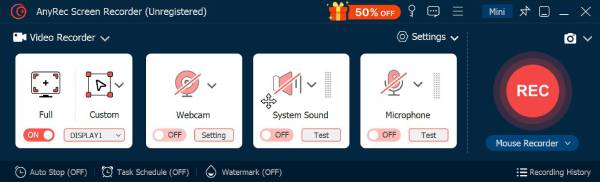
To begin with, AnyRec Screen Recorder is designed for smooth screen, audio, and webcam recording for beginners. You can capture high-quality videos without a difficult setup. This free video recording software makes it perfect for anyone looking for everyday recording tasks. Further, it performs very well even on lower-end systems, offering no lag or crashes during recording.
Record screen in crisp detail with resolutions up to 4K.
Can capture the full display, a specific window, or a selected area.
Review and refine your footage using the editing tool before saving.
Customize recording options such as frame rate, resolution, format, etc.
Secure Download
Secure Download
- Pros
- 7 recording modes, record custom program windows, no background noise during recording, stable recording performance.
- Cons
- Some advanced features can be used in the pro version.
2. OBS Studio
Best for: Live streaming, gaming, and advanced recording tasks.
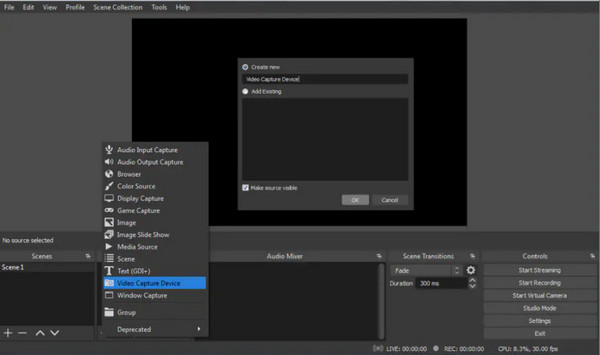
OBS Studio supports unlimited recording time, several audio sources, and customizable scenes. Due to its flexibility, OBS is widely used by streamers, gamers, and professional creators as free video recording software on multiplatform.
- Pros
- Completely open source and free, no watermark, and highly customizable.
- Cons
- Learning curve can be steep for starters.
3. VLC Media Player
Best for: Quick and basic screen recording tasks.
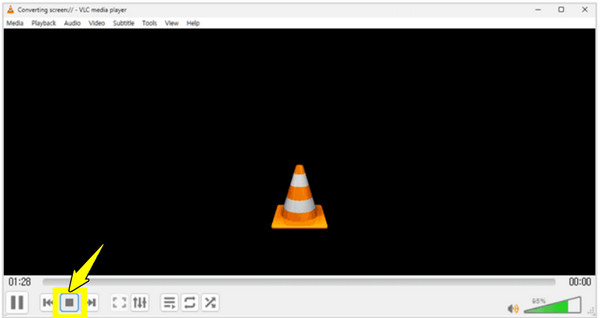
Next, VLC Media Player may be known as one of the best media players, but it can also be your free screen recorder without watermark. It lets you capture the screen without getting additional software. With its reliability and format support, it remains one of the handy choices for all simple recordings.
- Pros
- Lightweight, free, and supports many formats; convert and edit your recording videos.
- Cons
- The recording features are not straightforward.
4. Xbox Game Bar
Best for: Casual gaming and app recording.
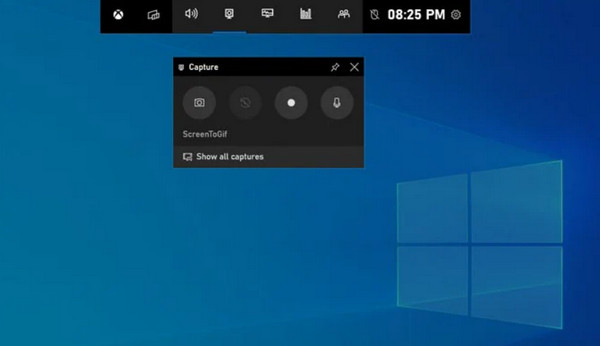
In contrast, Xbox Game Bar is a built-in free screen recording software for Windows users. It is mainly designed for recording gameplay, but it also lets you record apps and other screen activities.
- Pros
- Built-in solution on Windows 10 and 11; is easy to access, and offers good performance.
- Cons
- Only limited customization and has desktop capture restrictions.
5. Bandicam
Best for: High performance and game recording.
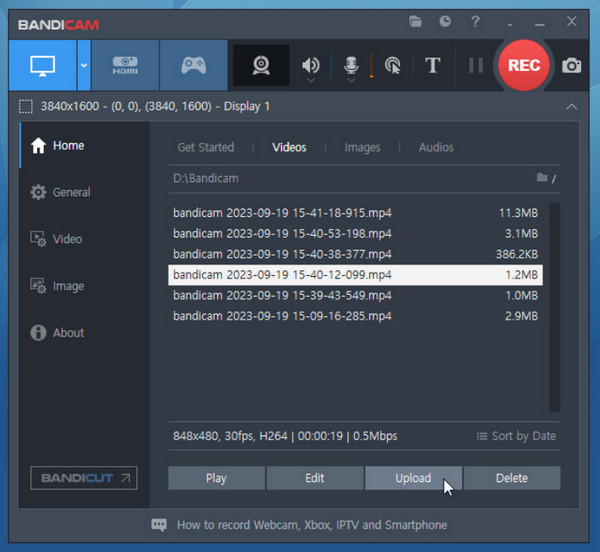
Meanwhile, Bandicam is well-known for its high-quality recording with minimal performance impact. This free video recording software supports hardware acceleration, helping you maintain smooth frame rates in recording.
- Pros
- Offers high-quality output, low system impact.
- Cons
- Has a watermark and recording limits.
6. ShareX
Best for: Advanced users and technical workflows.
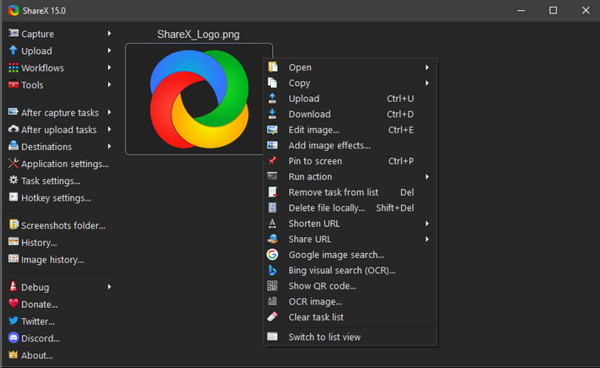
Following that free video recording software ShareX is a feature-rich, open-source tool that supports not only screen recording but also GIF creation, screenshots, and automated workflows. Plus, it features impressive customization and export options.
- Pros
- Offers no watermark, highly customizable tool.
- Cons
- Steep learning curve.
7. ScreenRec
Best for: Quick demonstrations and sharing recordings.
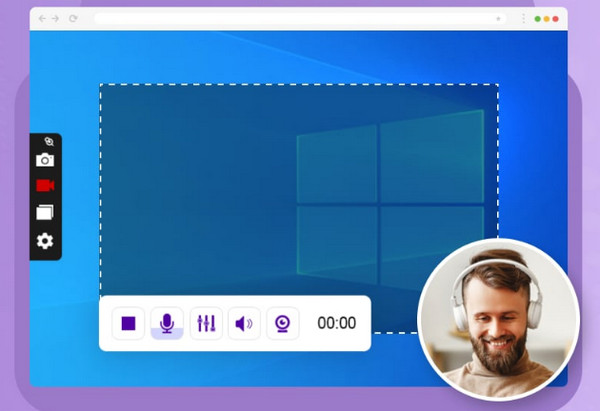
On the simpler side of the free video recording software list, ScreenRec here focuses on speed and ease of use. It lets you capture your screen and webcam while automatically creating shareable links, making it ideal for quick demos and team communication.
- Pros
- Share recording videos by links, offers no watermarks.
- Cons
- Not many video editing features.
8. Screenify
Best for: Clean and watermark-free screen recording.
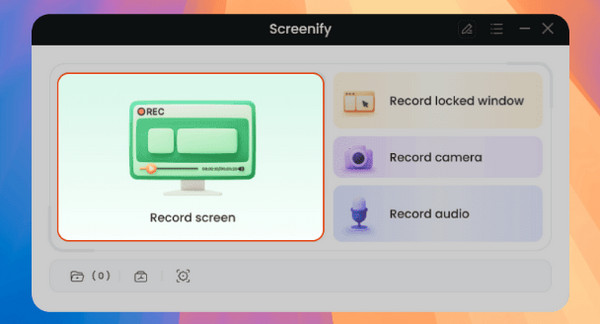
Similarly, Screenify works as your lightweight free video recording software. It offers watermark-free recording, which is a significant advantage for a free tool. It also supports screen, audio, and webcam recording with stable performance.
- Pros
- No watermark recording, simple interface, and offers stable output.
- Cons
- Offers only a basic feature set.
9. QuickTime Player
Best for: macOS users needing simple screen recording projects.
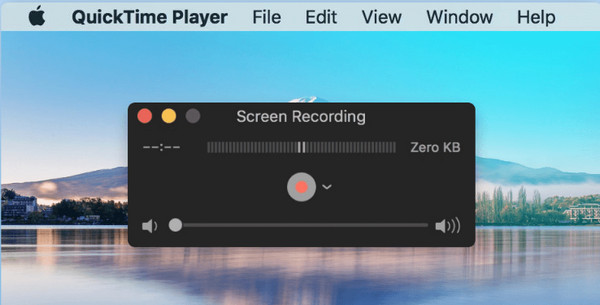
For Mac users out there, use QuickTime Player to record screen with microphone audio. With this free video recording software, you can achieve quick tutorials in no time without any third-party software installed.
- Pros
- Already installed on Mac computers; is easy to use, and no watermarks.
- Cons
- Limited recording and audio options.
10. TinyTake
Best for: Basic presentations and short recordings.
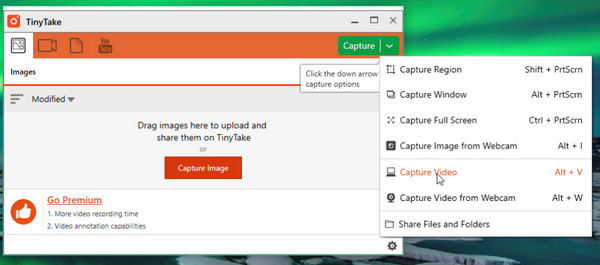
Finally here, TinyTake is a lightweight video recording software for all your basic captures and short videos. It supports simple annotation tools as well, which are great for presentations and adding feedback.
- Pros
- Includes annotating tools and offers a simple interface.
- Cons
- Has time and storage limits; not suitable for long recordings.
Which Is Your Best Free Video Recording Software
With so many free video recording programs above, choosing the best one comes down to your reasons and plans to record. Before concluding this post, here's a side-by-side comparison of the top 10 tools alongside real-world situations that best match them, making it much easier for you to decide which screen recorder fits your needs best.
| Software | Platform | Watermark | Ease of Use | Best For |
| AnyRec Screen Recorder | Windows, macOS | No | Very easy | Everyone needs a recording of on-screen activities. |
| OBS Studio | Windows, macOS, Linux | No | Moderate | Advanced users. |
| VLC Media Player | Windows, macOS, Linux | No | Easy | Quick and basic recording. |
| Xbox Game Bar | Windows | No | Very Easy | Casual game recording. |
| Bandicam | Windows | Yes | Easy | High-quality gameplay recording. |
| ShareX | Windows | No | Moderate | Advanced users. |
| ScreenRec | Windows, Linux | No | Very easy | Quick sharing and demonstrations. |
| Screenify | Windows, macOS | No | Easy | Clean screen capture. |
| QuickTime Player | macOS | No | Very easy | Simple Mac recording. |
| TinyTake | Windows, macOS | No | Easy | Short recordings. |
- • For maximum control and high-quality, go with OBS Studio.
- • For beginners who wish for simplicity and stable recording, use AnyRec Screen Recorder or Screenify.
- • For your quick recordings without installing anything, aim for the Xbox Game Bar or QuickTime Player.
- • For your advanced customization and workflows, ShareX is a great tool.
- • For all gameplay recordings with minimal performance impact, Bandicam stands out.
- • For instant sharing and team communication, choose ScreenRec.
- • For short clip recording and basic presentations, VLC or TinyTake works well.
Conclusion
When you know what to look for, choosing the best free screen recording software will no longer be challenging. By focusing on key factors like quality, ease of use, compatibility, and more, you can quickly list the options that meet your needs. Among all the top 10 tools above, for a balance between quality and friendly design, AnyRec Screen Recorder stands out. Here, you can ensure a smooth recording, flexible capture modes, and simple controls, making it the perfect starting point for everyday users.
Secure Download
Secure Download



