
 Best video, audio, and webcam recorder for everyone.
Hot

AnyRec Screen Recorder
Your watermark-free screen recorder. Free to try.
Secure Download
[Free] Top-Tier Screen Recorders with No Watermark

Lots of people are searching for a free screen recorder with no watermark these days, as it can offer the convenience of high-quality recording without extra branding, ensuring that the final content looks clean and polished. This guide introduces the most reliable tools available, covering professional desktop software, practical free options, and web-based recorders, helping users find the right solution for their needs without compromising on quality or adding unnecessary logos to their recordings.
Guide List
Part 1: [Professional] A Free Screen Recorder with No Watermark Part 2: [Workable] 3 Options for Free Screen Recorders without Watermark Part 3: [Web-Based] 3 Free Online Screen Recorders with No WatermarkPart 1: [Professional] A Free Screen Recorder with No Watermark
For many software, a free screen recorder with no watermark often indicates the lack of powerful features. But AnyRec Screen Recorder is an exception. While being free for recording without watermarks, this tool provides you with a professional-level screen recording experience without worrying about watermarks. Shortly, it combines a user-friendly interface with powerful features, allowing you to capture high-quality video and audio simultaneously.

And compatibility is not a question for AnyRec Screen Recorder; it can be used across Windows and Mac, making it suitable for anyone seeking a seamless recording without any branding interruptions. Besides, AnyRec Screen Recorder provides advanced settings for resolution, frame rate, and audio input, giving complete control over the output while maintaining a clean, watermark-free result.
Record your screen activities at the original quality.
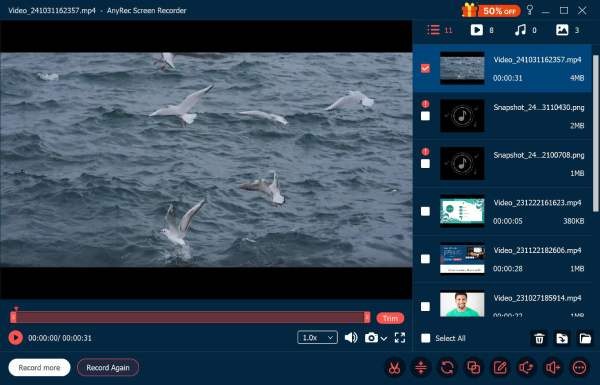
Preview to view your recorded result without watermarks.
Choose the screen area you want to record freely.
Edit your recordings as you want before saving the videos.
Secure Download
Secure Download
Step 1.Launch AnyRec Screen Recorder on your device and click the "Select region/window" button to select the recording area.
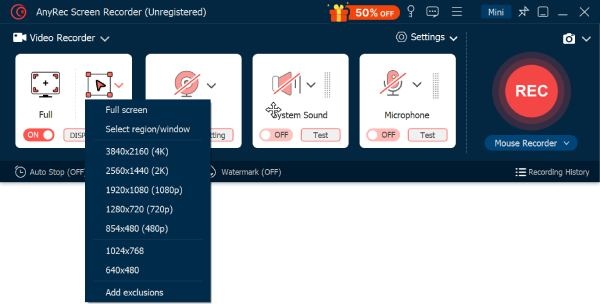
Step 2.Once the recording area is selected, click the "Record" button to start recording the screen.
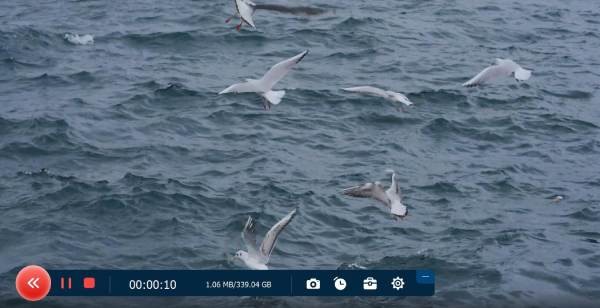
Step 3.Click the "Stop" button when you finish recording. You can preview and export the screen recording with no watermark.
Part 2: [Workable] 3 Options for Free Screen Recorders without Watermark
When it comes to a free screen recorder without a watermark, there are actually many popular choices that have been known for years. Tools like OBS Studio, ShareX, and VLC Media Player offer versatile recording capabilities for different needs. Each of their names may have come to you: OBS Studio excels in live streaming, ShareX is perfect for customizable captures, and VLC doubles as a media player with recording functions. These free solutions are suitable for various users, whether you are creating tutorials, recording gameplay, or capturing desktop activities, all without leaving any distracting watermarks on your recordings.
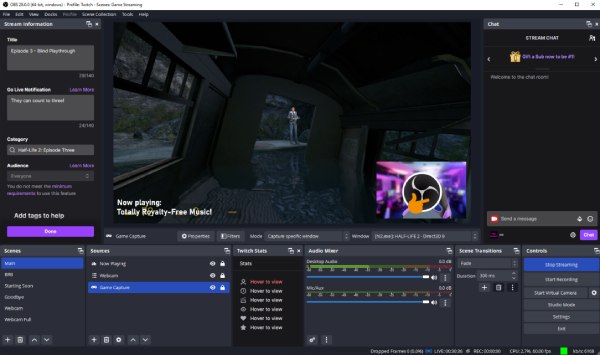
OBS Studio
For high-quality recording, OBS Studio is widely used among content creators. As a free screen recorder without a watermark, OBS Studio supports high-definition recording, multiple sources, and scenes. Besides, this tool is highly customizable, which means you can deal with the tapes using various editing tools.
- Pros
- Professional settings provided; high customization for advanced needs.
- Cons
- Steep learning curve for beginners; strong system resources required.
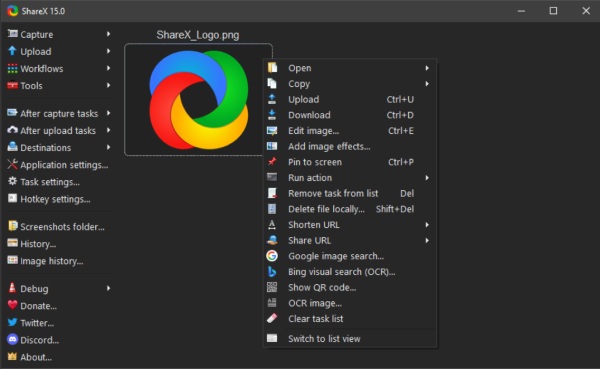
ShareX
If you prefer a lightweight option, ShareX is highly recommended. This free screen recorder with no watermark offers basic features that meet your needs. Although its interface is complex and not direct to some extent, you can find it not difficult to use even if you're a beginner.
- Pros
- Highly customizable with automation features; share your recording online.
- Cons
- Windows-only; interface may seem complex to new users.
VLC Media Player
VLC Media Player is famous as a video player, but you may ignore that it can work as a free screen recorder with no watermark. VLC media player is capable of providing basic screen recording features that support recording videos on PC. It's perfect for quick, simple captures without extra software installation, supporting multiple formats and cross-platform use.
- Pros
- Cross-platform; work during video playback.
- Cons
- Limited advanced recording features; not ideal for professional recordings.
Part 3: [Web-Based] 3 Free Online Screen Recorders with No Watermark
Web-based screen recorders are convenient solutions for capturing your screen without installing extra software. Generally, lots of online screen recorders are free, but often contain watermarks. They are perfect for quick recordings, tutorials, and presentations across any device with a browser. But this section still picks some free screen recorders without a watermark among many options. These online tools are lightweight, free to use, and don't leave watermarks, making them ideal for users who need fast, hassle-free screen recording solutions.
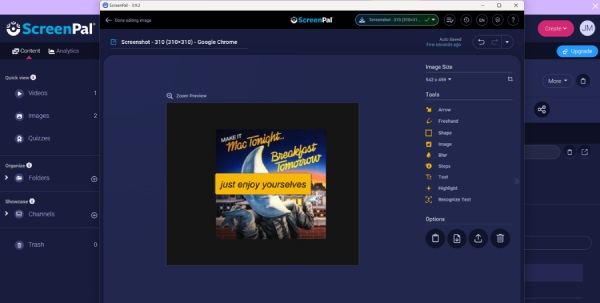
1. ScreenPal
Although being a browser-based recording tool, Screenpal is capable of capturing your screen with webcam and audio at the same time. Many people use it to create tutorials, presentations, and short video content. You can record directly from the browser, incorporate annotations, and share recordings online efficiently.
- Pros
- AI technology applied; supports webcam and audio recording.
- Cons
- Unlock advanced features with a desktop app.
2. VEED
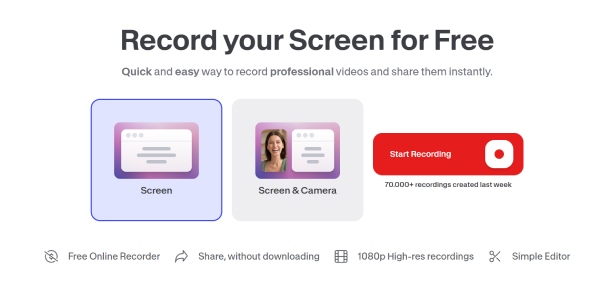
Offering a fantastic way of recording screen without watermarks for free, VEED empowers you to capture both your screen and webcam, making it perfect for creating engaging presentations and videos. It's especially great for educators, content creators, and social media enthusiasts. With immediate editing options, the ability to add graphics, and export in multiple formats, VEED makes your creative process seamless and enjoyable!
- Pros
- Easy editing and adding graphics; no watermark.
- Cons
- Some features require a premium account; internet-dependent performance.
3. 123 Free Online Screen Recorder
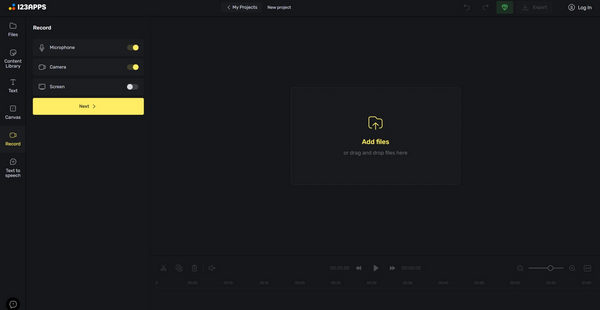
123 Free Online Screen Recorder is considered an easy-to-use web tool that allows you to capture your whole screen without watermarks for free. With this tool, you can quickly record the screen and download the file in no time. This tool is perfect for casual users or creating quick tutorials, as it offers a simple and efficient way to record your screen. However, it should be noted that advanced editing features are limited.
- Pros
- Clear guide before the process; edit with its built-in free video trimmer.
- Cons
- Limited editing features; internet connection required for recording.
Conclusion
Although not very easy, it's still possible to find some free screen recorders without watermarks. Both desktop apps and web-based tools provide feasible solutions. By choosing the right tool for your needs, you can record, edit, and share content efficiently without worrying about watermarks or device limitations. To record without any worries, you can fully trust AnyRec Screen Recorder as your helper.
Secure Download
Secure Download



