
 Best video, audio, and webcam recorder for everyone.
Hot

AnyRec Screen Recorder
Best video capture and screen recorder software.
Secure Download
10+ Best Video Capture Software with No Lag

In the era of high-quality video creation, having reliable video capture software is essential for both professionals and casual users. But how can you choose a proper one for yourself? This guide provides a curated list of the best video capture software in 2025, covering desktop programs with advanced features, lightweight, reliable options, and web-based tools for quick, no-installation capture.
Guide List
Part 1: The Ultimate Video Capture Software for Stunning Effects Part 2: Reliable Options for Video Capture Software Selection Part 3: [Bonus] Online Tools for Video Capture without SoftwarePart 1: The Ultimate Video Capture Software for Stunning Effects
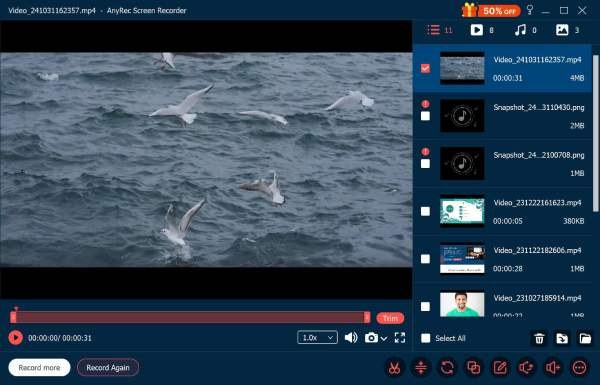
When it comes to the most versatile video capture software, it should be simple for easy control, yet equipped with powerful capabilities and features. If there's a tool that meets these requirements above, AnyRec Screen Recorder stands out as the ultimate option. Designed for high-definition recording, it supports not only smooth performance but also advanced editing features, making it perfect for any recording tasks.
With customizable recording settings, multiple output formats, and real-time audio capture, users can achieve stunning results effortlessly. During the process of recording, it won't occupy too many resources on your device. Therefore, you don't have to worry about the regular operation of the activities on your device. To capture videos on your device with AnyRec Screen Recorder, you can follow the steps below:
Record your screen activities at the original quality.
Preview to view your recorded result without watermarks.
Choose the screen area you want to record freely.
Edit your recordings as you want before saving the videos.
Secure Download
Secure Download
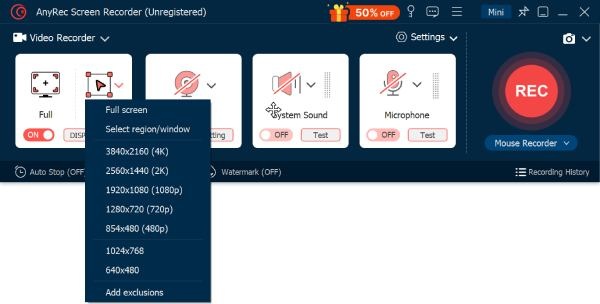
Step 1.Download and install AnyRec Screen Recorder on your device. Click the "Select region/window" button to select the area containing the content you want to record.
Step 2.To capture the video on your device, click the "Record" button to run this video capture software.
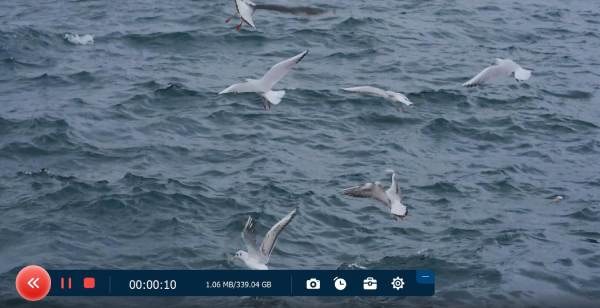
Step 3.Press the "Stop" button when you finish recording. And you can also edit the recording before exporting the file.
Part 2: Reliable Options for Video Capture Software Selection
In 2025, there will also be a fair number of video capture software programs that you can select to use. When choosing video capture software, users need reliable options that balance performance, features, and ease of use. While AnyRec Screen Recorder is a top choice, other software like OBS Studio, Bandicam, and Camtasia also provide unique advantages for different needs.
OBS Studio
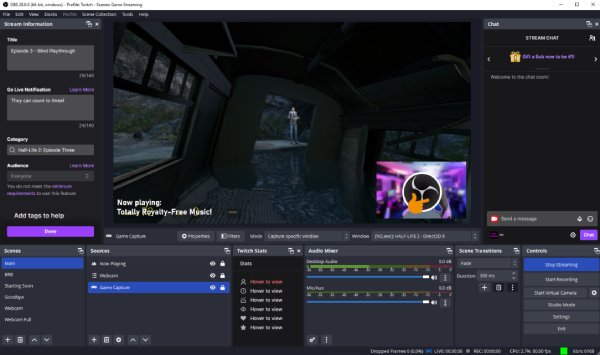
As a popular video capture software known for years, OBS Studio has always been one of the most reliable tools to record screen activities. Many professional content creators choose this open-source tool for live streaming and screen recording. It supports high-quality recording, multiple sources, and scene transitions. Shortly, if professional recordings are required, OBS Studio will be suitable for those who want to record professional-looking videos with real-time previews.
- Pros
- Solid capabilities; highly customizable for professional use
- Cons
- Steep learning curve; interface may feel complex for beginners
Bandicam
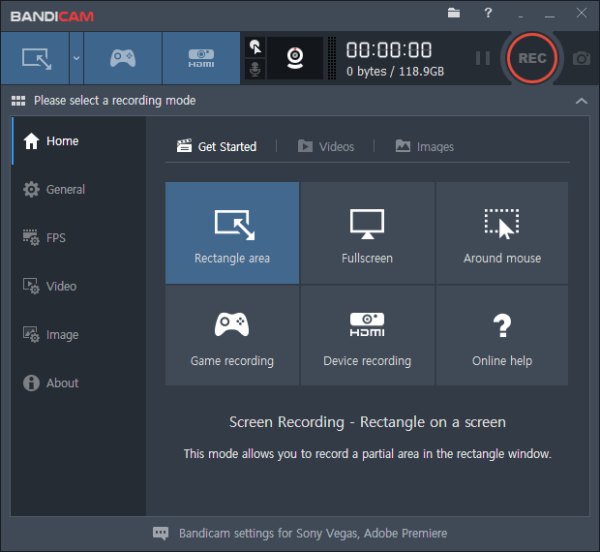
Bandicam is a lightweight video capture software for Windows that excels at recording gameplay, tutorials, and screen activity. It offers high compression while maintaining video quality, real-time drawing tools, and webcam overlay. Bandicam is especially favored by gamers who need smooth frame rates and compact file sizes.
- Pros
- High compression with quality; real-time drawing tools
- Cons
- Free version watermark; limited editing functions
Camtasia
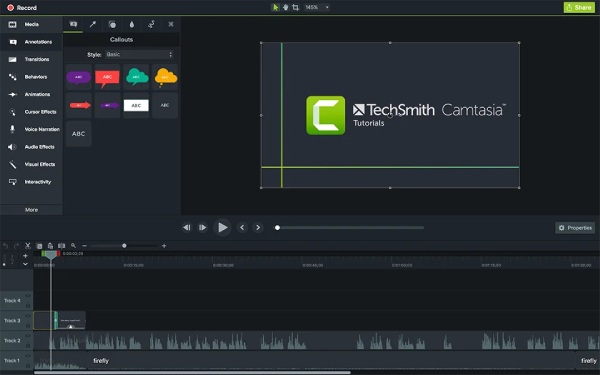
If you have a considerable budget, then Camtasia can be trusted. As a professional video capture software suitable for everyone, it allows screen recording, webcam capture, and integrated editing with annotations, transitions, and effects. Its compatibility makes it workable for various scenarios without needing additional software.
- Pros
- Work for various scenarios; professional recordings provided
- Cons
- The cost is relatively high; it takes a relatively large storage space
Part 3: [Bonus] Online Tools for Video Capture without Software
For those who prefer a quick solution, online video capture software provides a convenient way. You don't have to download any packages or install any tools; it won't take long to record your screen directly from the browser. While they may not offer the full range of features found in desktop software, they are accessible from any device. The most significant setback is their limitations on file size. In this section, three reliable online options will be introduced. You can select the one that best suits your requirements.
Panopto Express
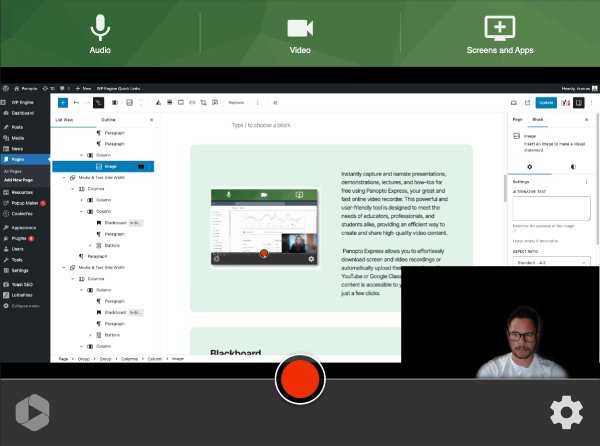
Panopto Express is a free, web-based video recorder designed for educators and professionals who need quick screen and webcam recordings. This video capture software works directly in your browser without downloads, supports HD recording, and allows you to share or embed videos instantly. To protect your personal security, Panopto does not claim any rights.
- Pros
- No installation required; easy sharing
- Cons
- Limited editing tools; require stable internet
Loom
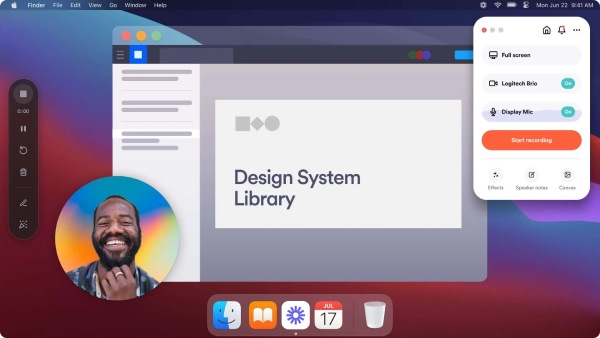
Loom is a cloud-based screen recording tool ideal for creating tutorials, presentations, or quick walkthroughs. It captures your screen, webcam, and microphone simultaneously. Users can record, trim, and share videos instantly via links. As a handy video capture software, Loom is popular in professional environments for remote communication and team collaboration.
- Pros
- Fast sharing; webcam and screen recording together
- Cons
- Free version limited storage; editing options basic
123 Online Video Recorder
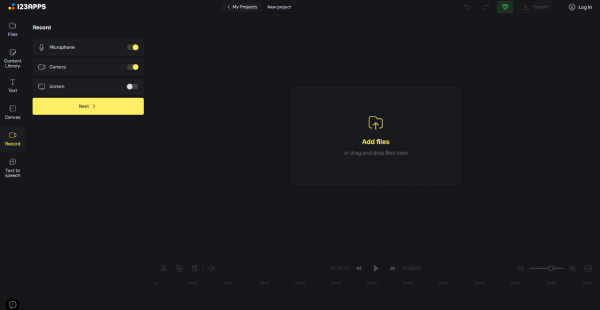
123 Online Video Recorder allows users to record screens and webcam while providing access to its editing and design tools. You can configure the main video recording parameters right in your browser. And the result can be uploaded to Google Drive or Dropbox for easy sharing.
- Pros
- Does not disclose any of your personal data; processes your files rapidly
- Cons
- Limited recording time; require an account for advanced features
Conclusion
Whether you are seeking high-quality video output or an efficient workflow, you can always find the appropriate video capture tool. This post introduces you to various options that can meet different needs. Among all these options, AnyRec Screen Recorder balances the quality and efficiency well. You can download and try it for free right now.
Secure Download
Secure Download



