
Hot

AnyRec Screen Recorder
Record Chrome browser screen video and audio.
Secure Download
10 Best Screen Recorders for Chrome You Must Try

Chrome browser recording has become vital for everything, from online tutorials to capturing meetings. With so many options out there, the perfectly chosen Chrome screen recorder can make a huge difference in smoothness, clarity, and convenience. Some prefer a quick extension, while others would rather aim for desktop software. Therefore, this guide brings you the top 10 screen recorders for Chrome, both plugins and desktop tools, so you can confidently record your browser activities.
Guide List
Best Choice for Chrome Screen Recorder on PC/Mac 1. Screencastify 2. Zight 3. Nimbus Screenshot 4. Loom 5. ScreenDemos 6. Vimeo Record 7. Awesome Screenshot 8. Hippo Video 9. ScreenityBest Choice for Chrome Screen Recorder on PC/Mac
When it comes to capturing high-quality Chrome activities on your computer, a browser extension can be limiting. That's why using a dedicated desktop recorder like AnyRec Screen Recorder is a good idea. This professional-level tool can record Chrome tabs, entire screens, windows, gameplay, and even webcam with impressive clarity. You can even record audio from your system and mic at once without quality loss. This Chrome screen recording software also includes built-in editing, annotation, and customization, giving you more freedom than any Chrome extension recorder can offer.
High-definition Chrome recording, including tabs, windows, webcams, etc.
Real-time annotation, like arrows, shapes, texts, and highlights.
Export in various formats, such as MP4, MOV, WMV, GIF, and more.
Record online videos and streams without black screen on Chrome.
Secure Download
Secure Download
Step 1.Open AnyRec Screen Recorder on your computer, and navigate to the "Window Recorder" option, then click the "Select the window" button to pick the Chrome page from the list.
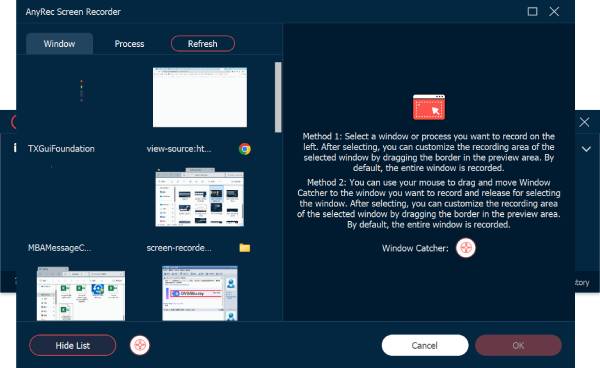
Step 2.Click the "OK" button to confirm the choice, and once ready, click the "REC" button to begin recording. You can annotate with text, lines, shapes, etc., using the toolbar during this time.
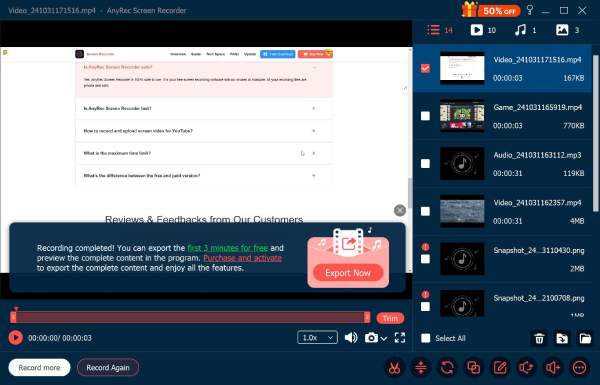
Step 3.Later, click the "Stop" button to finish the Chrome recording. You can get more editing tools at this part, like trimming. Save the recording once done.
Secure Download
Secure Download
1. Screencastify
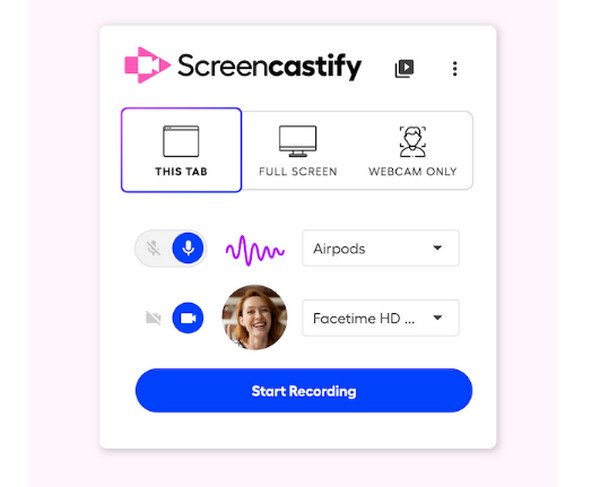
One of the most popular Chrome screen recorder extension today is Screencasifty. It offers a smooth and lightweight recording experience, capturing the whole browser, desktop, or your webcam in just a click! After recording, you can trim or edit your video and export it in formats you like, such as MP4, GIF, or upload it directly to YouTube or Google Drive.
2. Zight
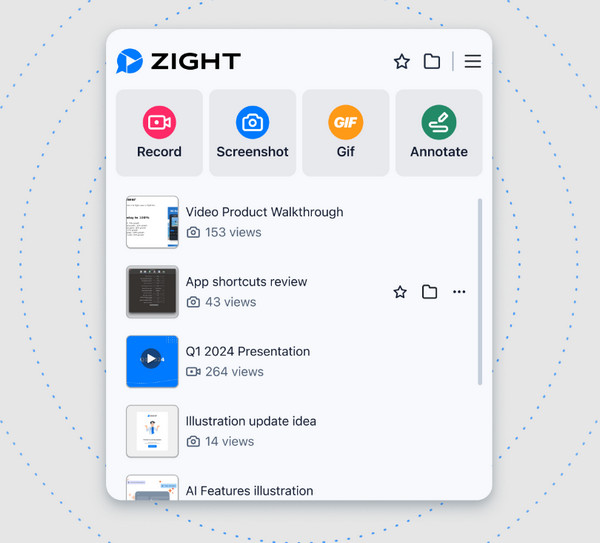
Zight adds automatic summaries, transcriptions, titles, and translations into your Chrome video recording. The entire recording process is easy. Just click the Record button to capture Chrome tab, webcam, system audio, and microphone voice. Later, Zight can convert your video recording into meeting notes automatically. If you want to record meeting videos on Chrome, you can try Zight screen recorder.
3. Nimbus Screenshot
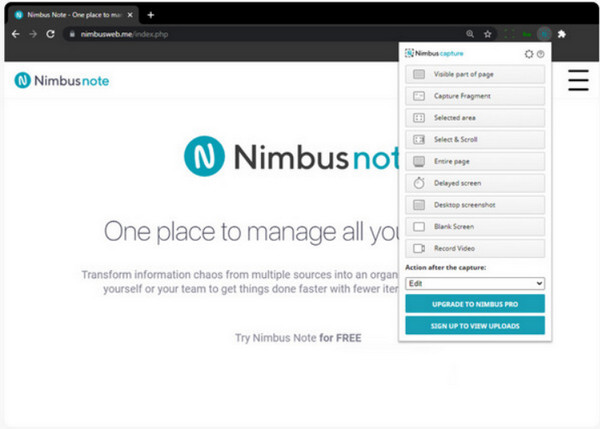
Nimbus Screenshot combines powerful screenshot capturing with full-screen recording capabilities. Using this Chrome extension screen recorder, you can capture full pages, regions, or scrolling ones in the browser. During recording, you can add your mic input and real-time annotations like highlights, arrows, etc.
4. Loom
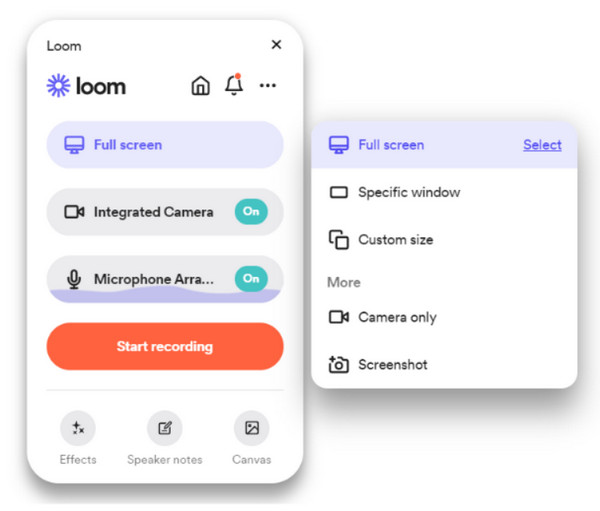
Loom Recorder focuses on a quick, seamless recording with instant cloud sharing. With just one click, you can capture your Chrome tab, desktop, and webcam, and this Chrome screen recorder will automatically upload your video to its library. It works great for teams, educators, and all remote workers who want a quick and enhanced video sharing.
5. ScreenDemos
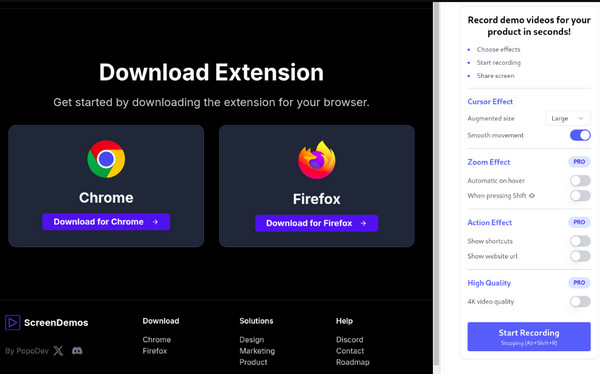
ScreenDemos is a screen recorder extension for Chrome and Firefox. It is stands out with the automatic zooming feature. You can get animated mouse cursor and add automatic zoom effects during video recording. It helps viewers follow your on-screen activities clearly. Thus, you can create engaging video demos from your Chrome browser like a pro.
6. Vimeo Record
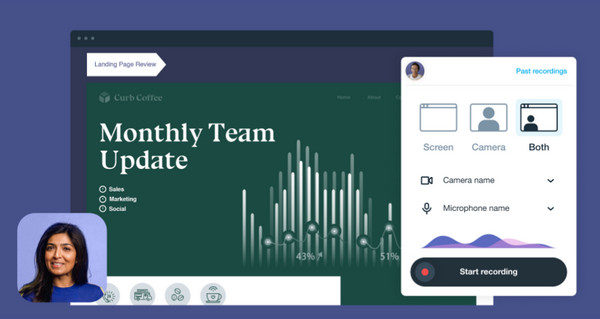
Vimeo Record brings a professional recording experience. You can record your screen, webcam, and audio on Chrome. Its built-in teleprompter is excellent for scripted presentations. If you already use Vimeo's video hosting platform, this tool is invaluable. By the way, you can use Vimeo Record as your Chrome audio recorder to capture browser audio from online sources.
7. Awesome Screenshot
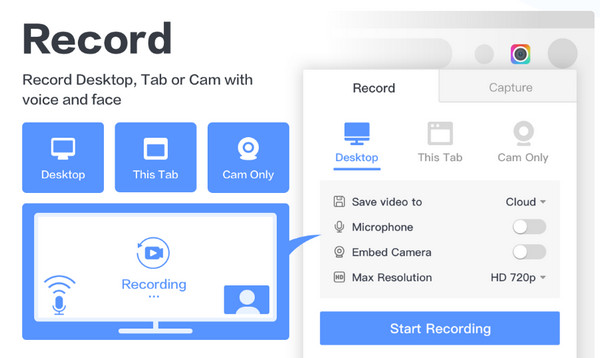
Up next is Awesome Screenshot. This screen recording Chrome extension offers powerful screenshot and recording tools that prioritize privacy and annotation. Here, you can blur out sensitive information, add text, shapes, arrows, and so forth. It also supports saving all captures locally or uploading them to the cloud for quick sharing.
8. Hippo Video
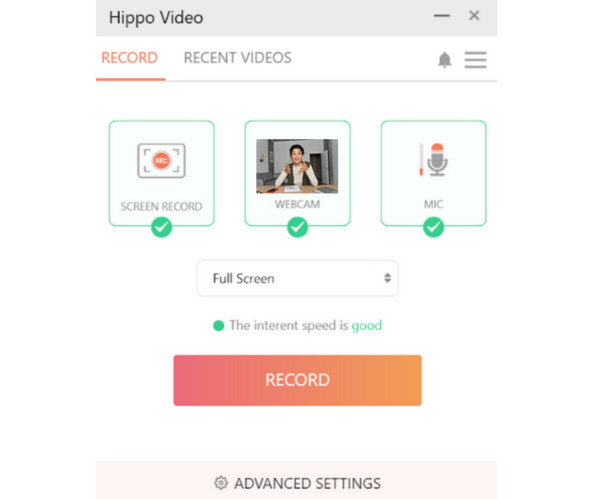
Hippo Video is a strong and feature-rich Chrome screen recorder that supports HD screen and webcam recording without placing any text on your video. It also features a built-in editor that lets you trim, crop, and add text overlays. It works ideally for educators and businesses wanting a quick, polished recording.
9. Screenity
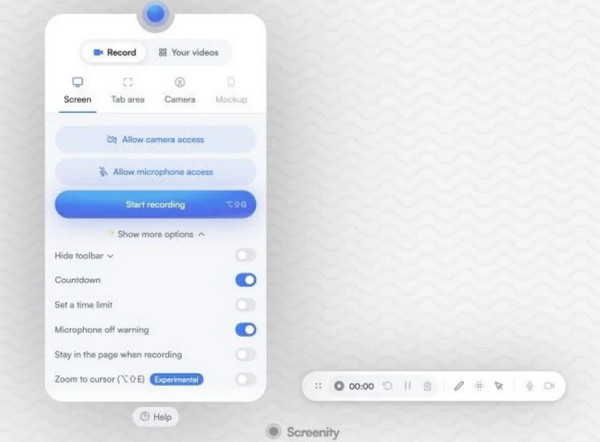
Lastly, you have here a free, open-source screen recorder for Chrome called Screenity. This Chrome extension has unlimited recordings with no account needed. You can record your browser tab, desktop, and even webcam, and enjoy its advanced annotation tools. Its privacy-focused design and unlimited usage make it on the list of the best Chrome recorders available.
Conclusion
Choosing the right screen recorder for Chrome depends on what you need, whether you want a browser-based capturing, annotation tools, or a lightweight extension. Each of the top 10 options above for Chrome users has a bunch of reliable features to enjoy, and brings something unique to your recordings. If you want to get more flexible recording functions, you can free download AnyRec Screen Recorder with the following buttons. This safe screen recording software delivers smoother performance, flexible recording modes, and professional-grade output, making it perfect for both regular users and experts.
Secure Download
Secure Download



