How to Edit TikTok Videos? 3 Ways Here for Viral Content

Creating a TikTok that goes viral is not just about the right dance or funny content; it is about how polished it is during the editing process. You should know how to edit TikTok videos to ensure your content is visually sharp and captures viewers' attention in just three seconds! Therefore, three effective ways to make a video edit on TikTok are here today, from the built-in editor to powerful software. Plus, you'll know the various functions of TikTok to ensure your next post is FYP-ready.
Guide List
Edit TikTok Videos with Built-in Tools Use a Functional Tool to Edit TikTok Videos Other Functions of TikTok to Edit Videos How to Edit TikTok Videos OnlineEdit TikTok Videos with Built-in Tools
The built-in TikTok toolkits let you do quick video trimming, merging, and adjusting clips right after recordings. You can easily enhance your storytelling by layering audio, voiceovers, and even visual effects. With all controls, you can produce professional-looking videos and get more views based on TikTok's algorithm.
Step 1.On the TikTok main screen, tap the "Add" button to record a new video or upload one from your gallery.

Step 2.Select the "Edit" button on the right-hand sidebar. Then, tap on each clip to trim its length, split it, or adjust the speed.
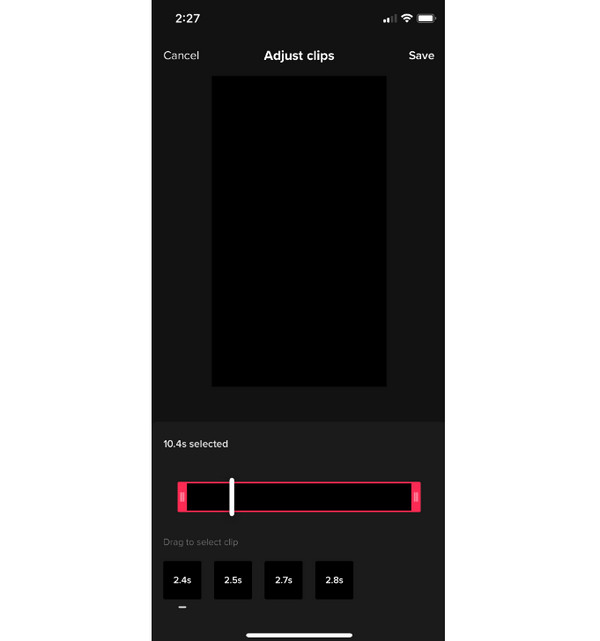
Step 3.You can use the "Add Sound" or "Text" buttons to layer audio and captions as well before tapping the "Save" or "Next" button.
Use a Functional Tool to Edit TikTok Videos
Going over the basic features of TikTok video editing, using a more powerful desktop solution can take your production quality to the next level. One of the best you can get is the AnyRec Video Converter, a comprehensive software made to handle high-resolution video with ease. It features an intuitive interface that makes complex editing tasks so easy, making it perfect for anyone who opts for more control than mobile apps offer. Beyond simple trimmings, applying texts, rotating, and more, it has advanced enhancement features such as noise reduction, resolution upscaling, and precise correction to make your videos shine.
Can crop, rotate, add text, filters, and more to your videos.
Enjoy pre-designed themes to create stylish TikTok montages with music.
Convert any video to TikTok-supported MP4 or MOV formats quickly.
Improve video by adjusting settings to your desired resolution, frame rate, etc.
Secure Download
Secure Download
Step 1.Start AnyRec Video Converter on your computer. Click the "Add Files" button to import selected video clips you wish to edit for TikTok.
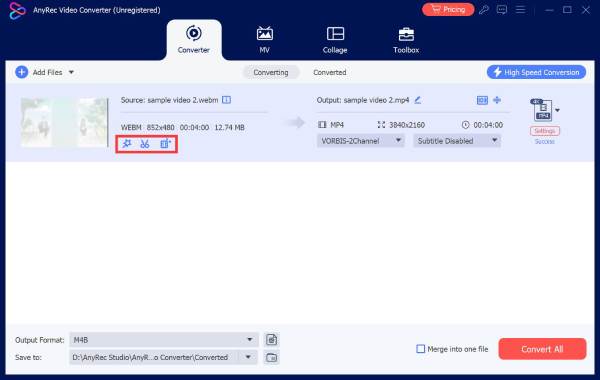
Step 2.Then, click the "Edit" button (Star Wand) to rotate, crop, adjust effects, apply filters, add text, and more. You'll see the editing tabs once opened.
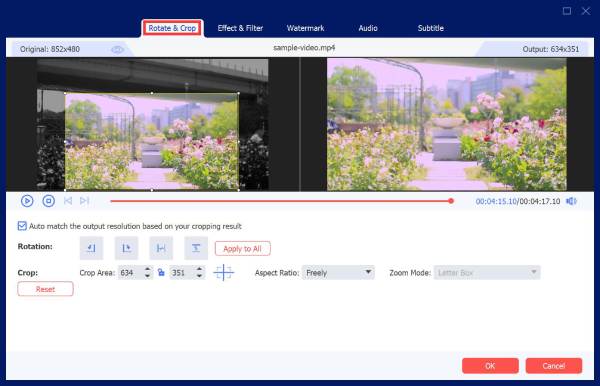
Click the "Trim" button (Scissors) to trim unwanted parts from the start or end and split the TikTok video into several segments.
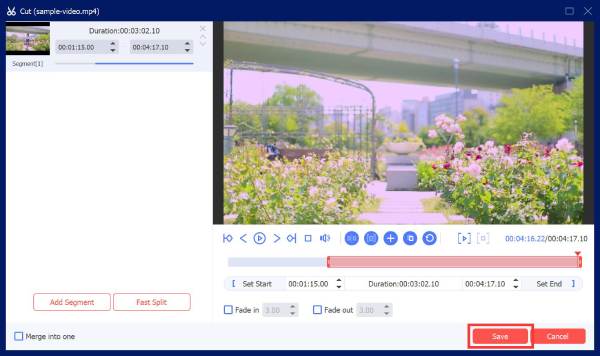
Step 3.Once all needed edits are applied, you can choose a TikTok-supported format and even adjust the output settings from the "Format" dropdown menu. Name your file and pick a file location, then click the "Convert All" button to save your video.
Secure Download
Secure Download
Other Functions of TikTok to Edit Videos
After using external editing tools to edit TikTok videos, TikTok also provides other unique functions that can add a creative touch to your videos. These functions and TikTok video ideas can transform your existing content into collaborative pieces that reach a larger audience. And the hidden gems are important if you want to fully explore the creative depth of the TikTok platform.
Take a look at these other functions to edit videos on TikTok:
- • Duet. This places your video side by side with another user's video for collaborations.
- • Stitch. Allows you to clip and integrate up to five seconds of another person's content into your own TikTok video.
- • Green Screen. Let you use a photo or another clip from your gallery as your background during the recording process.
- • Voice Effects. Adjust your audio to sound like a robot, chipmunk, or more stylized characters.
- • Auto-Captions. This function can automatically generate text based on the heard speech in your video for better accessibility.
How to Edit TikTok Videos Online
In addition to mobile apps and desktop software to edit TikTok videos, you might find online platforms much more convenient for quick edits. For this, you can enjoy Clideo, a browser-based editor that lets you edit a TikTok video without installing heavy applications. It features a dedicated TikTok video maker screen that simplifies the resizing and formatting process. Plus, it supports a range of file formats, making your footage easy to upload from your computer, phone, or cloud storage.
See below the quick process edit TikTok videos after posting with Clideo:
Step 1.After heading to the Clideo TikTok Video Editor in your chosen web browser, click the "Get started" or "Upload" button to import your video files from your device or cloud storage.
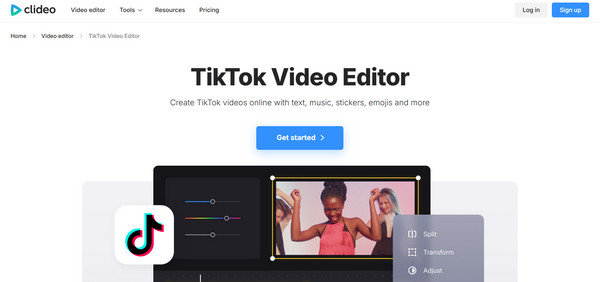
Step 2.Here, choose the "9:16" aspect ratio to make sure your video fits the TikTok format. You can use the multi-track timeline to trim clips, add overlays, and insert music.
Step 3.Later, click the "Export" button, pick your desired resolution, and download the finished video.
Conclusion
With TikTok's native tools and other functions, any creator can learn to edit videos on TikTok quickly, producing content that builds a lasting audience. Besides the platform's capabilities, you can also enjoy online platforms like Clideo for more extras. But for a comprehensive solution that has much more power than a mobile app and online tool, use AnyRec Video Converter. This software is full of editing toolkits that let you crop, rotate, add a watermark, filters, effects, and more, all while maintaining the best possible quality. It is the perfect time to take your TikTok content to a professional level.
Secure Download
Secure Download
About Our Author