
 Record meetings as an attendee without time limit.
Top 9 Meeting Recorder Apps for Work, School, and Interviews

Whether you have a virtual conference to attend, perhaps a remote class or a meeting, a reliable meeting recorder app will ensure you won't miss any key points! Recording meetings has become crucial today for keeping track of essential ideas and discussions. Thus, this post offers 9 of the best meeting recording apps for Windows, Mac, and online! From a tool that provides powerful editing tools to speed and simplicity, find the perfect one to record and save your meetings smoothly.
Guide List
1. AnyRec Screen Recorder - All-in-One Recorder for Windows and Mac 2. Bandicam - High-Performance Windows Recorder 3. OSB Studio - Free, Open-Source Screen Recorder 4. Camtasia - Premium Recorder and Video Editor 5. ShareX - Free, Open-Source Recorder and Capture Tool 6. Screencastify - Browser-Based Recorder for Quick Tab 7. Loom - Quick Screen and Camera Recorder 8. TinyTake - Simple Capture and Video Recorder 9. RecordCast - Online Recorder with Built-in Editor1. AnyRec Screen Recorder - All-in-One Recorder for Windows and Mac
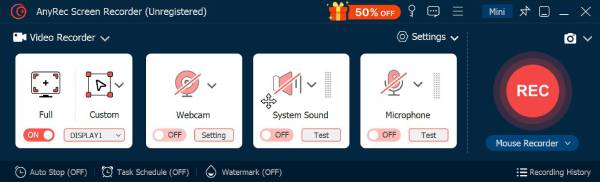
If you're searching for a versatile meeting recorder app on both Windows and Mac, AnyRec Screen Recorder is a great choice. It captures meetings, recording both screen and audio, in high quality. Also, you can record the full screen, a custom region, or a single window, which makes it perfect for focusing on your meeting window only. Another thing that makes it above others is its extra features, such as webcam overlay, noise-cancellation for clear audio, and real-time annotation tools for highlighting essential details.
Choose full-screen, window, or custom region recording.
Capture both what's on your screen and your voice or external audio.
Supports high-quality output formats and hardware acceleration for smooth recording.
Built-in editor for trimming and improving the recording before saving.
Secure Download
Secure Download
2. Bandicam - High-Performance Windows Recorder
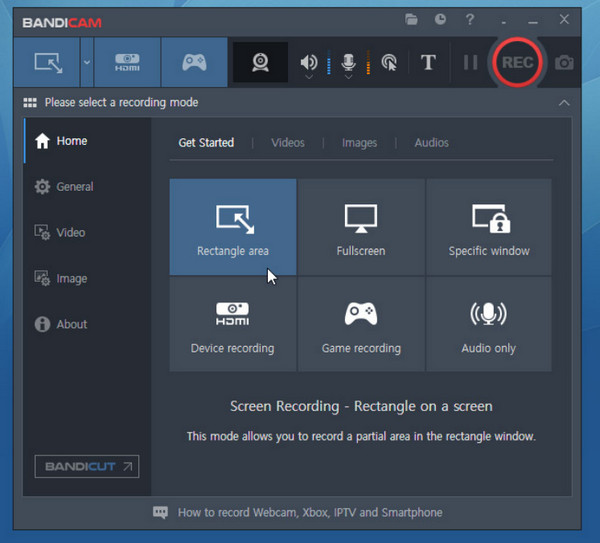
Moving on to one of the reliable choices for Windows users, Bandicam is famous for its high-performance recording capabilities. This meeting recorder app is perfect for long, high-quality sessions without any lag or overheating your computer. With its hardware acceleration support, you can capture screen videos for hours without freezing.
3. OSB Studio - Free, Open-Source Screen Recorder
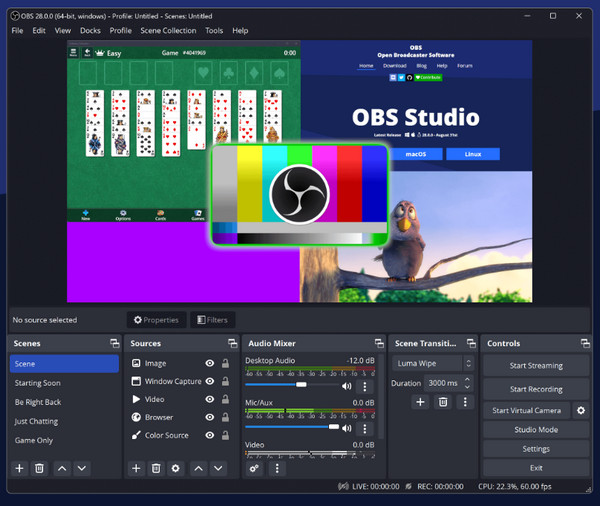
OBS Studio is an outstanding free meeting recorder software for Windows, Mac, and Linux. This open-source video recorder lets you capture multiple inputs, including your screen, webcam, and external audio devices. Also, here you can adjust sources, transitions, and audio filters. So you can get full control of OBS video and audio recordings.
4. Camtasia - Premium Recorder and Video Editor
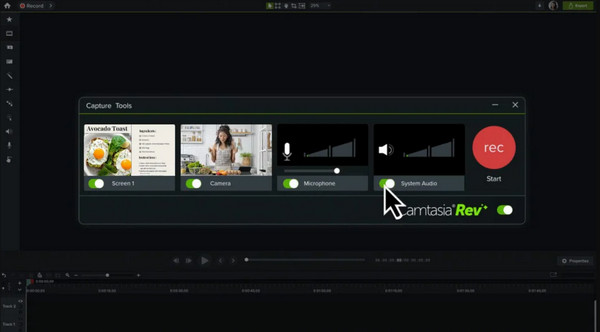
For anyone looking for a more professional workflow, try Camtasia. This meeting recorder app can be your ultimate all-in-one recorder and editor, as it not only records online meetings but also lets you polish them afterward. While you may find it a bit higher than others, the quality and editing power justify the price for advanced users.
5. ShareX - Free, Open-Source Recorder and Capture Tool
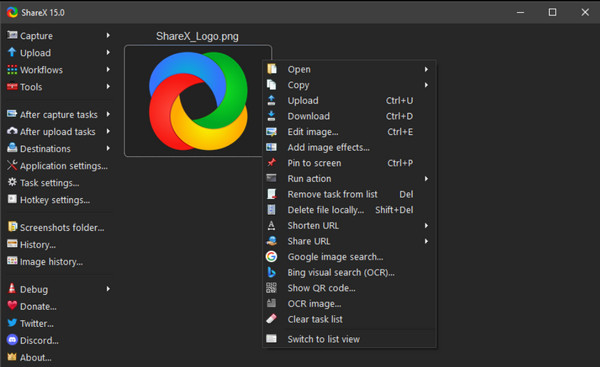
Next is ShareX, another free meeting recorder app for Windows. It works powerfully and is lightweight. You can record your screen video with computer audio, webcam and microphone voice selectively. The video recording file will be uploaded to cloud storage automatically or create shareable links. It also covers annotation tools, even hotkey shortcuts, which are ideal for those who want fast capture and sharing options.
6. Screencastify - Browser-Based Recorder for Quick Tab
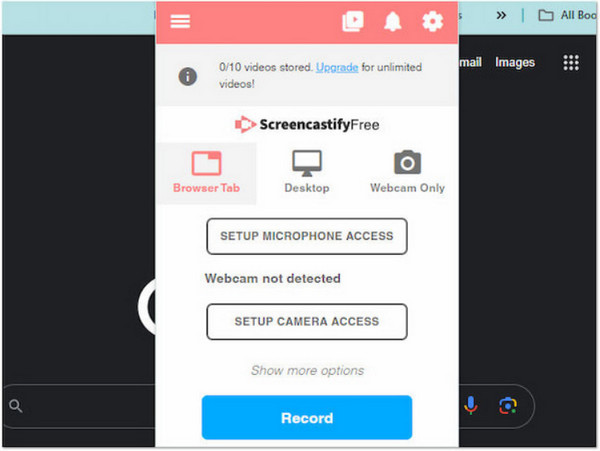
Screencastify does a good job as your online meeting recorder. This Chrome-based recorder allows you to record browser tabs, the entire screen, or webcam with a single click. It is beneficial for students and remote teams to record Google Meet and other online meetings as participants.
7. Loom - Quick Screen and Camera Recorder
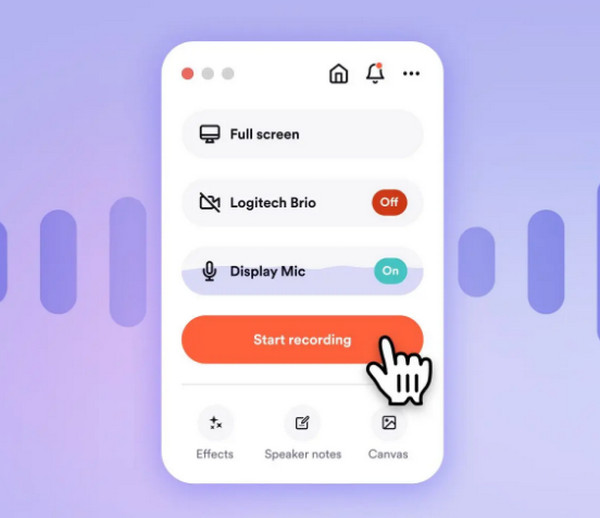
Transitioning to a more collaboration-focused online meeting recorder, Loom stands out for its speed and simplicity. It records your screen and camera simultaneously, and quickly generates a shareable link after the recording. Loom also lets you leave comments and emoji reactions on your shared videos, creating an interactive feedback environment.
8. TinyTake - Simple Capture and Video Recorder
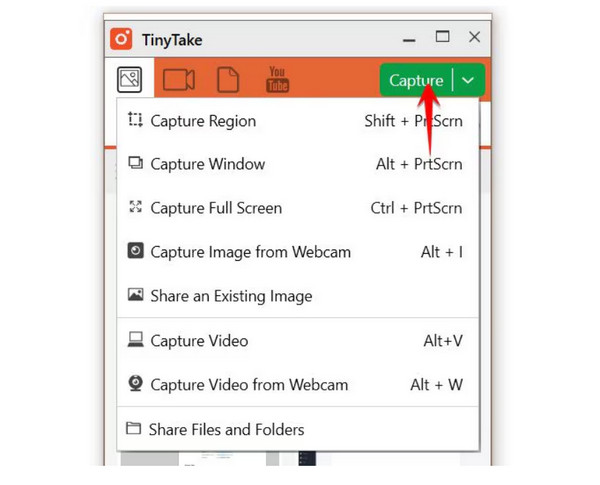
For users who want a minimal meeting recorder app, here's TinyTake for you. It is a lightweight tool that captures your screen, webcam, as well as your audio without any problem. While it does not hold advanced editing options, its simplicity is what makes it ideal for quick sharing of meeting notes and documentation. Plus, it offers direct cloud storage to save and access your meetings anywhere.
9. RecordCast - Online Recorder with Built-in Editor
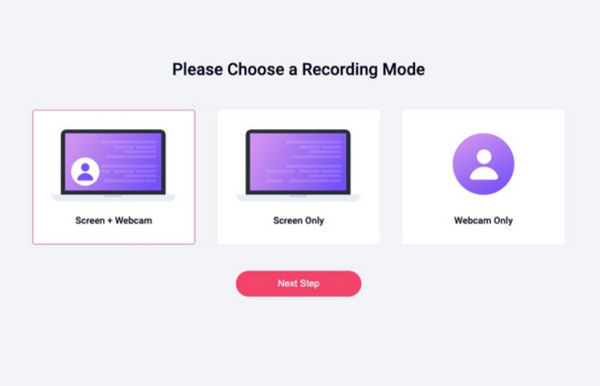
Finally, the online meeting recorder app, RecordCast, lets you record your screen, webcam, and audio with just a few clicks! And once done, it allows you to edit it right away via its built-in editor with trimming, overlays, and titles. With its ease of use and accessibility, it makes it one of the convenient options for casual users and remote teams.
Conclusion
Recording of meetings has never been easier, thanks to several choices of meeting recording apps for Windows, Mac, and online platforms. Each app mentioned today has unique strengths, from powerful editors to one-click recording, helping you never to miss an important detail. Still unsure which to choose? Try AnyRec Screen Recorder then! It stands out as your all-in-one solution, giving you high-quality video and audio recording, easy exporting options, and multiple screen modes. Record any meeting today with confidence and convenience.
Secure Download
Secure Download



