Hot

AnyRec Screen Recorder
Capture every moment. Record like a pro.
Secure Download
Top Websites to Find the Best Record Scratch Sound Effects

Record scratch sound effects can add a fun opening or transition to your music or video clips. They can be used to add humor, express emphasis, or be a signature audio element of retro style. When you use record scratch sound effects, you'll find that your content quickly grabs the audience's attention. Whether you're focused on creating video clips, podcasts, or short social media snippets, you can see the kind you need in the reliable sources of high-quality record scratch sound effects introduced in this post.
Guide List
Tips for Selecting a Record Scratch Sound Effects Websites for Top-Notch Record Scratch Sound Effects [Bonus] How to Save a Record Scratch Sound Effect for FreeTips for Selecting a Record Scratch Sound Effects
Generally speaking, record scratching sounds can make your work more eye-catching, but this is contingent on choosing the right one. Simply put, not all record scratch sound effects produce the same effect. After all, there are significant differences between different sounds: some are short and sharp, while others contain longer, recorded, dragging, or fading sounds. Furthermore, there are many things you need to know before choosing a record scratch sound for your work. You can read the following to learn about these considerations in advance:
- • Pay attention to sound clarity: If you want your record scratch sound effects to add a unique touch to your work, the first thing you need to focus on is their clarity. A good record scratch sound effect should be clear, sharp, and free of background noise. Otherwise, it will sound muddy or distorted, making your work noisy and inaudible.
- • Match the scratch style to your content: Different record scratch sound effects provide different effects, and you need to choose the appropriate length and intensity based on the style of your work. For example, short, sharp scratches are suitable for comedic pauses, while longer record drags are suitable for dramatic or retro transitions.
- • Check licensing and usage rights: When you decide to use a record scratch sound effect, don't forget to confirm whether the sound effect can be used for commercial purposes or whether there are any additional requirements, such as attribution. This is especially important if you intend to publish your work online, as improper licensing can lead to legal issues.
- • Test how it blends with your audio track: Before finalizing the sound effects, you can select a few suitable items and preview them to see how each will affect your work. Scratches should be used to assist in transitions or emphasis, but should not drown out the music, dialogue, or narration. An audio enhancer can be used if necessary
Websites for Top-Notch Record Scratch Sound Effects
When choosing a record scratch sound effect, you'll definitely want a broader range of options. Therefore, a dedicated sound effects platform is essential, as these platforms typically offer higher quality and more diverse options. With choices categorized by tags (such as style, tempo, etc.), you can more quickly find the record scratch effect that suits your needs. So, where can you find such websites? Don't worry, this section lists several trustworthy websites that offer a large selection of record scratch effects.
Pixabay
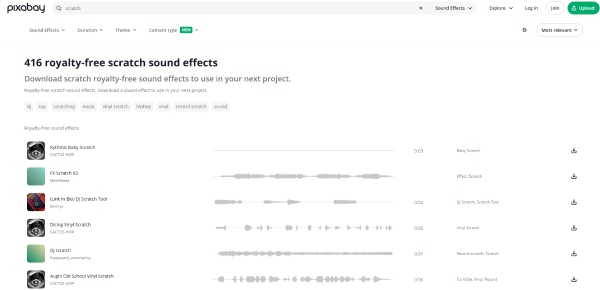
Pixabay is a popular platform offering free sound effects, including record scratch sounds suitable for videos, podcasts, and casual creative projects. Its library features royalty-free audio that can be used without attribution in most cases. Almost all record scratch sound effects on Pixabay are clean and easy to download, though the variety may be more limited compared to paid sound libraries.
Motion Array
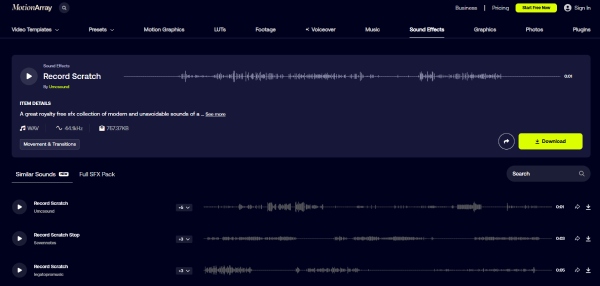
If you're looking for record scratch sound effects for video production, then selecting from Motion Array is clearly more efficient. The site offers professionally produced sound effects that can be seamlessly integrated into your video projects. As professional-grade sound effects, they are all meticulously crafted and ideally suited for video. Of course, you should know that Motion Array operates on a subscription model, meaning you may need a membership if you need access to its vast library of audio resources, templates, and stock elements.
Envato Elements
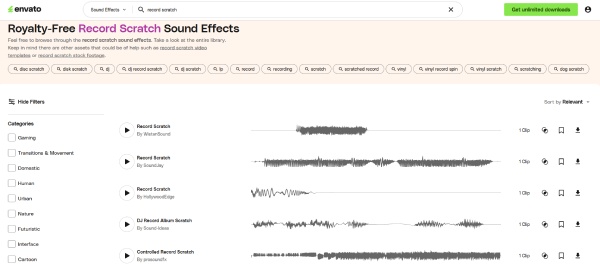
As a highly regarded premium resource platform, Envato Elements boasts a wealth of audio material. Here, you can discover not only a rich selection of record scratch sound effects, but also a vast array of other sound effects suitable for audio and video production. A single subscription grants you unlimited downloads of sound effects under a commercial license, making it incredibly convenient for users who frequently need sound effects.
Uppbeat
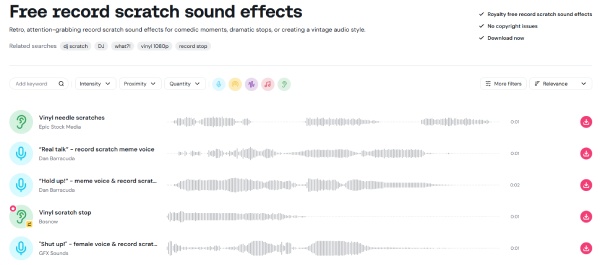
For creators looking for free resources, you can go to Uppbeat for a rich selection of record scratch sound effects for free. Its resources are high-quality and ideal for various kinds of scenarios. This platform provides a collection of record scratch sound effects to choose from. As for copyright concerns, you can rest assured as Uppbeat clearly outlines its licensing terms, helping creators avoid copyright issues to choose from. As for copyright concerns, you can rest assured as Uppbeat clearly outlines its licensing terms, helping creators avoid copyright issues.
Myinstants
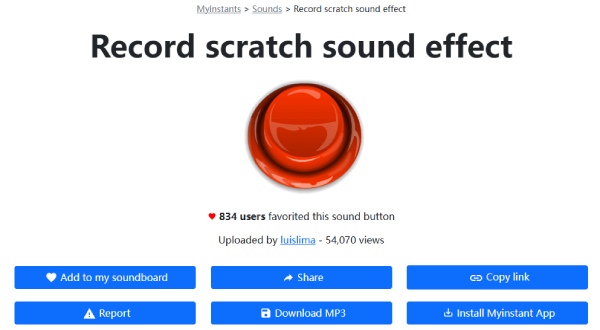
As a community-driven platform, there are many top-rated record scratch sound effects selected by other users in Myinstants. So, it won't be a difficult task to find short and instantly playable sound effects here. Although the page design is simple, its resource library is actually quite extensive. The record scratch sound effects on this website are best suited for quick use, memes, or informal projects.
[Bonus] How to Save a Record Scratch Sound Effect for Free
If you want to save record scratch sound effects directly from online sources, AnyRec Screen Recorder offers a simple and effective solution. With this tool, you can capture those record scratch sound effects in original quality from websites, online libraries, or streaming previews. Unlike basic audio capture tools, AnyRec Screen Recorder preserves original sound clarity and avoids unwanted background noise.
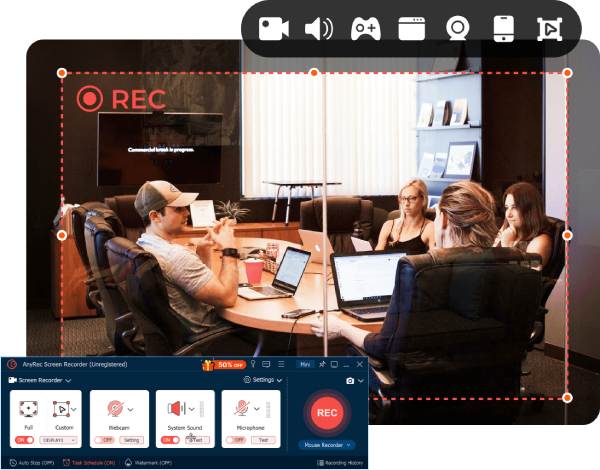
Perfectly record the record scratch sound effect on the website.
Customize the processing of the record scratch sound effect.
Export the recorded content in the format that you need.
Preview to check the record scratch sound effect after recording.
Secure Download
Secure Download
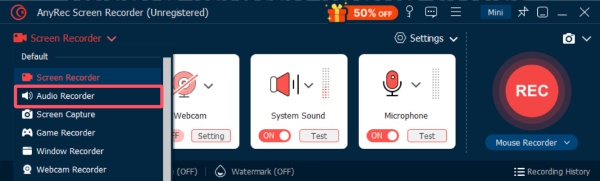
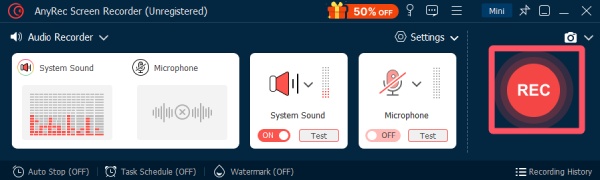
Step 1.Launch AnyRec Screen Recorder and click the "Screen Recorder" button. Then, click the "Audio Recorder" button.
Step 2.Navigate to the website where you find the record scratch sound effect you want. Click the "Record" button.
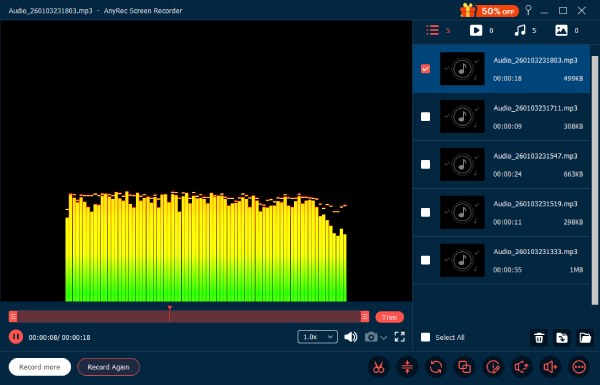
Step 3.Once finished, click the "Stop" button, and the record scratch sound effect will be saved. You can also add this audio to videos for creativity.
Conclusion
Scratching record sound effects can add character and impact to your work. This post provides several websites with abundant resources for you to choose from. You can filter them based on your requirements for style, effect, quality, and licensing. If you wish to bypass paid or subscription methods to use these record-scratch sound effects, you can download AnyRec Screen Recorder for free to save them.
Secure Download
Secure Download
Related Article
About Our Author