Hot

AnyRec Screen Recorder
Capture every moment. Record like a pro.
Secure Download
Top 10 Free Video Call Online Websites You Need to Try [Safe&Easy]

Free video call services let you talk face-to-face without paying for a subscription or installing complicated software. The main differences are meeting limits, account requirements, video quality, and how many people can join. This guide covers free options for one-on-one calls, group meetings, and quick conversations. For calls you have permission to record, AnyRec Screen Recorder can capture the meeting along with system sound and your microphone. Thus, it is easier to review important details later.
Ask AI for a summary
Due to the recent events forcing us to stay at home most of the time, meeting face-to-face becomes difficult. Thankfully, you can use online video websites to make free video calls online no matter how far the distance. It is very convenient for everyone, whether you are a student, corporate worker, businessman, and teacher.
This article provides the information you need to save you time from trying and searching for a website suitable for you. Continue reading below to see the list of free video call online websites dominating the Internet right now.
Best 10 Websites for Making Free Video Calls Online
Online free video call is our new way of keeping in touch with our friends, family, and colleagues. Schools and companies also adapt it to conduct meetings, educational purposes, and seminars. It also opened many job opportunities so you can earn money while staying at home. Below is the list of online chat websites proven to be the leading software in making free video call online.
1. Google Meet

Google meet is a free video call online solution provided by the tech giant Google. This app is an excellent choice for those who need to conduct business meetings and school lectures. Google Meet can accommodate 100 participants on a meeting.
Google Meet adds noise cancellation, live captions in more languages, emoji reactions, and a companion mode for hybrid meetings. Background blur and virtual backgrounds are now available on the Google Meet free plan.
Pros
Free online website version with generous functionality.
Integrates with other Google Apps.
Unlimited meetings for anyone with a Google account.
Cons
No remote control function and other editing tools.
2. WhatsApp
WhatsApp is a messaging app mainly for smartphones. WhatsApp has increased the attendees of joining a group video call up to 32 participants since 2024. You can message and even make a video call to anyone on your contact list, making it one of the best online video calls now.
Pros
A great option to use if you are using Linux or a Chromebook
The web version mirrors the activity on your mobile.
Has secured connection that prevents potential hacking.
Cons
WhatsApp is still unavailable in some countries due to government restrictions.
3. Whereby
Whereby (formerly appear.in) offers the same browser-based, no-download meeting experience that Roundee was known for. Whereby has a free plan with 1 meeting room, up to 100 participants, 45-minute limit per meeting. It's actively maintained and widely used.
Pros
Easy controls for beginners to start a first online call.
Provide quick 1-on-1 calls for interviews, tutoring, client chats, and more.
Cons
Free meetings are currently capped at 4 attendees and 30 minutes.
Mobile experience can be less consistent.
Roundee is a good website for free video calls online because it provides a built-in screen recorder for capturing all important moments. For those apps without the default capture tools, AnyRec Screen Recorder is a good help for you. Whether you want to record audio, video, or webcam, you can use this tool to capture with high quality.
Screen record free online video calls with the full-screen or desired regions.
Capture the system sound and your voice simultaneously with different volumes.
Change the video and audio settings, including the quality, format, and frame rate.
Provide editing tools, clipping functions, and task schedule for easier recording.
Secure Download
Secure Download
4. Discord
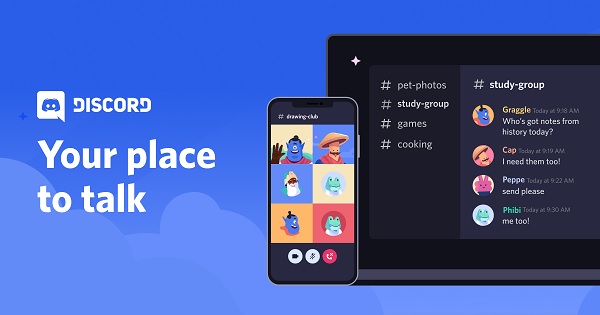
Discord is not your ordinary free video call online website. It’s because this application was meant for the gaming community. Even if you won’t use it for gaming purposes, its features are helpful for business, school, and communicating with friends. It also has 500-600 million users worldwide; it is definitely one of the most popular video chat apps now.
Pros
You can do text, audio, and video chat.
Work on computers, mobile, and gaming consoles.
Create public and private rooms for you and your friends for free.
Cons
Very cluttered interface.
5. Jitsi Meet

This app is also a free video call online website and one of the alternatives for Zoom. It allows integration of commonly used softwares of Google and Microsoft. And maybe the best feature this app has is the ability to control someone’s PC remotely.
Pros
Unlimited free meeting access and up to 75 participants on a call.
Participants can share their screens all at the same time.
Provide free video call online with HD video quality.
Cons
Occasional connection problems and crash.
6. Element
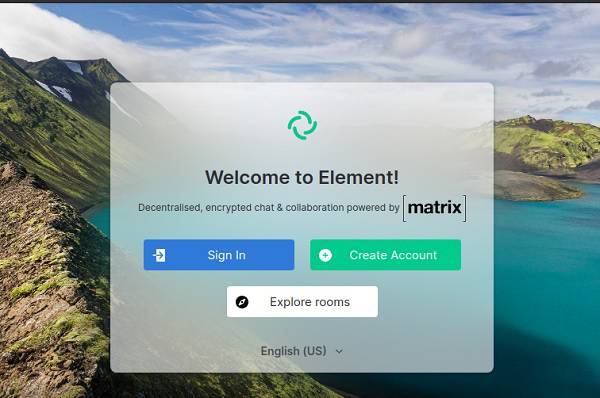
Element is a free end-to-end encrypted messaging app with unlimited free video chat online. You can create public and private rooms, file sharing, notification control, etc. Moreover, you can use this app to communicate with other popular chat platforms.
Pros
Open-source software application with strong security features.
Work across on various operating systems and devices.
Cons
Relatively new software, small userbase, and definitely some bugs.
7. Hibox
Hibox (hibox.co) is a team collaboration platform with messaging, task management, and video conferencing targeted at businesses. It uses AI for task suggestions and productivity features.
Pros
Personalized AI assistant and numerous assistive tools.
Merge your information seamlessly from different applications in one place.
Cons
Not user-friendly at first use.
8. Zoom
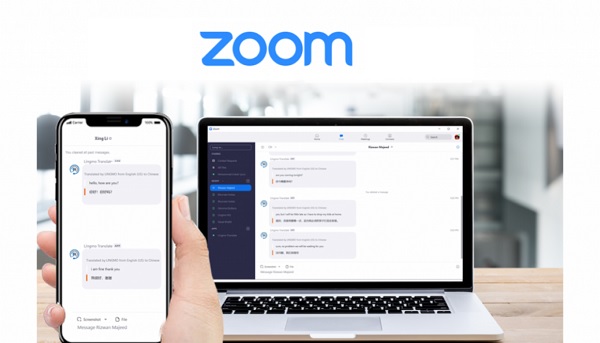
Zoom is definitely one of the famous online video call now for the last two years. It supports a large audience from personal, school-related, and business meetings. This is also easy-to-use, ideal for those who are not too familiar with using a computer.
Pros
HD quality in audio and video even with low bandwidth.
You can stream your meetings/webinars on Facebook.
Cons
Need to download the app even for online video calls on browser.
Zoom's free Basic plan limits one-on-one and group calls up to 40 minutes.
9. Cisco Webex
Cisco Webex is a free online video chat platform for conducting meetings, webinars, and business proposals used widely in different countries. Other features are messaging, document sharing and tight security to prevent hacks.
Pros
Support up to 100 participants per meeting with a 40-minute time limit for group meetings.
Easy to understand interface.
A wide array of functions and features.
Cons
Intermittent delayed connections.
10. Microsoft Teams Free
If a basic video-call service feels too limited, Microsoft Teams Free offers quite a bit more. Group meetings support up to 100 people for 60 minutes. As for one-on-one calls, there is no maximum time limit. You also get chat, screen and file sharing, communities, plus 5 GB of cloud storage from Microsoft Teams Free. It's a good fit for small groups or people already using Microsoft services. However, it may be more complicated than necessary to have a quick chat with random strangers.
Pros
Make 1-on-1 personal video calls without time limits.
Clear audio and video call quality.
Cons
Sometimes Bluetooth earbuds works normally with other apps but intermittently fails to play Teams meeting audio.
| Tool | Free Plan | Participant Limit (Free) | Time Limit (Free) | Download Required | Best For |
| Google Meet | Yes | 100 | 60 min (3+ people) | No | Business, education |
| Yes | 32 (video) | None | App required | Personal, family | |
| Discord | Yes | 25 (video) | None | App/browser | Gaming, communities |
| Jitsi Meet | Yes | ~75 recommended | None | No | Privacy-focused users |
| Element | Yes | Varies | None | App/browser | Encrypted comms |
| Hibox | Yes | / | / | App | Team productivity |
| Zoom | Yes (limited) | 100 | 40 minutes | Optional (browser exists) | Business standard |
| Cisco Webex | Yes (limited) | 100 | 40 minutes | Optional | Enterprise users |
| Microsoft Teams | Yes | 100 | 60 minutes | Optional | Business, Microsoft users |
FAQs about Free Video Call Online
-
1. How to use Discord to have free video call with online gamers?
Launch Discord on your computer and find the desired voice channel to join in. Then you can open your screen to have a video call with your friends. You can also share your screen with others for discussion.
-
2. Can I make free video calls online with more than 100 people?
Yes, you can. There are many online meetings support 100+ participants, including Cisco Webex, Google Meet, etc. But some of them require the paid subscription.
-
3. How to record on free video calls online?
If you want to record important business meetings or precious time with your friends and families, you can use the built-in screen recorder on some of video call apps. Or you can choose the powerful call recording app - AnyRec Screen Recorder on Windows/Mac.
-
4. How to Record Video Calls on iPhone?
The iPhone has built-in screen recording capabilities, allowing you to capture anything displayed on the screen, including video calls. You can also use third-party apps like "Record it!" for screen recording.
Conclusion
Here are 10 popular programs and websites for free video calls online. Some are suitable for business, and some are designed for family talk. You can choose the desired one according to your need. Don’t forget to use AnyRec Screen Recorder to capture all the important moments on your computer.
More Related Articles
About Our Author