
Hot

AnyRec Screen Recorder
Capture every moment. Record like a pro.
Secure Download
Capture everything. Miss nothing. Crystal Clear. AnyRec Screen Recorder AnyRec Screen Recorder Screen Recorder Hot
AnyRec Screen Recorder
Capture every moment. Record like a pro.
Secure Download

With web recorders, capturing content online for tutorials, presentations, or just sharing sources becomes so easy. Among so many desktop and online tools available, how can you choose the best webpage recorder? Fortunately, this guide has compiled the top 10 free web recorders, highlighting their key features. Also, you'll learn which factors to consider when choosing a webpage recorder and screen tool. Jump in now and see the one for you.
Guide List
How to Choose a Web Recorder 1. AnyRec Screen Recorder [7 Recording Modes] 2. Snagit 3. RecordCast 4. Kapwing 5. Awesome Screenshot 6. ShareX 7. Camtasia 8. Screencastify 9. Droplr 10. ClipchampPicking the right Chrome webpage recorder and screenshot tool can enhance your productivity, content quality, and ease of sharing. With so many desktop and online options here, it's essential to have an idea of what your specific needs are. Before diving deep into the best choices, here are the crucial grounds to consider when choosing a webpage recorder and screenshot tool:
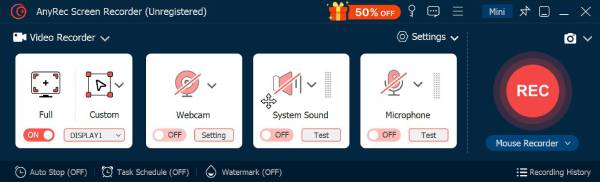
AnyRec Screen Recorder provides a window recorder. So, you can record a selected webpage or certain programs without interruptions. Its built-in editor provides annotation options, such as text, arrows, shapes, and highlights for your recordings. Plus, you can take a scrolling screenshot of all webpages within the program.
Capture browser tabs, program windows, desktop screen, webcam, and more.
Record web videos with system audio and microphone voice.
Trim, convert, compress, merge, and edit metadata of your recording video.
Add real-time annotation to your recordings with text, shapes, lines, etc.
Secure Download
Secure Download
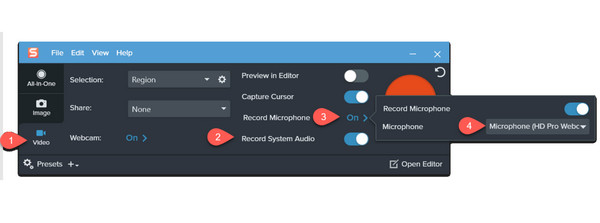
Snagit is a premium website recorder that record online videos on Windows and Mac. Meanwhile, you can annotate video recording with text, shapes, and callouts. Thanks to built-in editing tools, Snagit works perfectly for professional documentation, training materials, and online presentations.
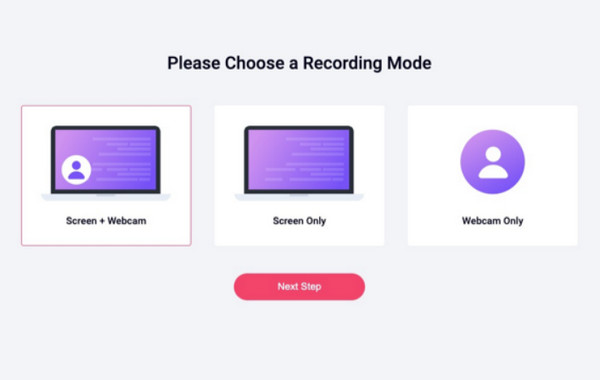
RecordCast webpage recorder captures your screen, tab, or specific page region without installation. You can record streaming videos, TV shows, and other activities on Chrome, Firefox, Safari, and more browsers directly.
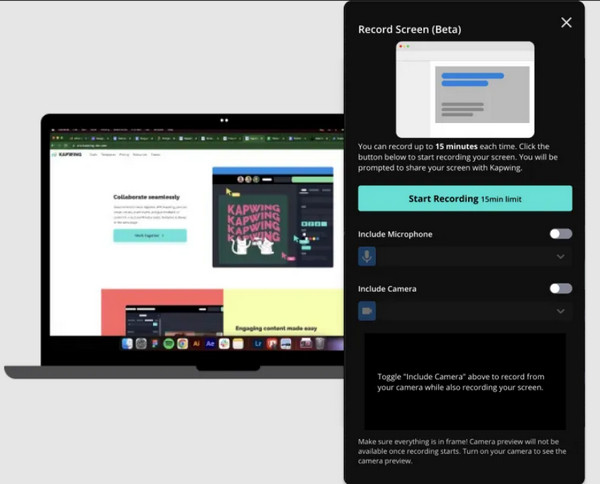
Up next is Kapwing, a web-based recorder that allows you to record your browser screen, a single tab, or selected regions with high quality. After recording, you can edit your screenshots and recordings by adding effects, text, or GIFs.
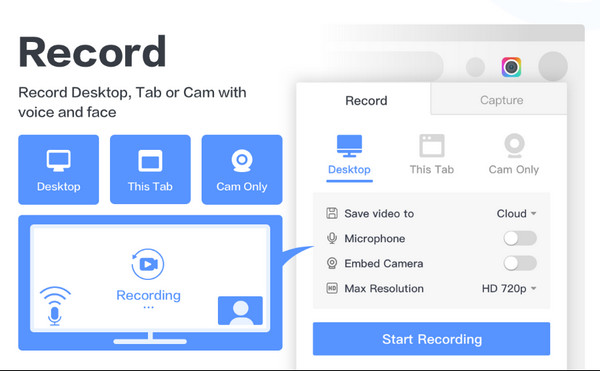
Awesome Screenshot is a Chrome browser recorder extension that captures computer areas or entire pages. It lets you annotate recording video with blur, text, shapes, or arrows. This online web browser is excellent for webpage documentation, feedback sharing, and reporting.
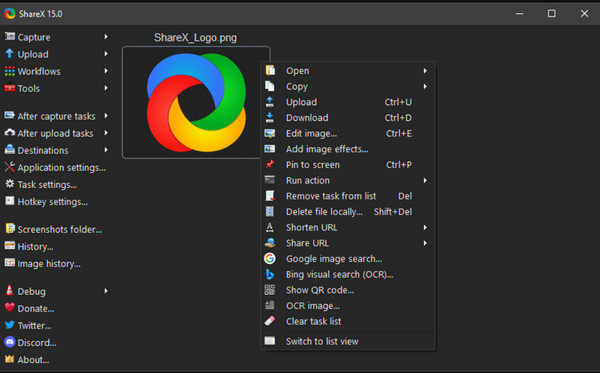
ShareX is a free, open-source web recorder for Windows. You can record browser audios, online videos and screenshot webpages for free. It also includes robust annotation and editing tools and automation options for recording web content.
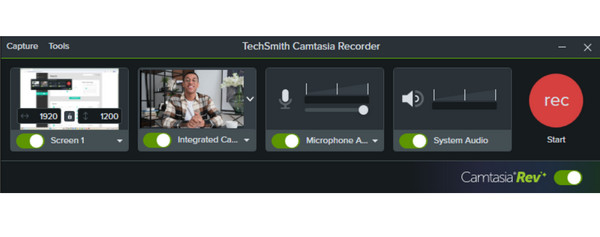
Meanwhile, Camtasia is a professional desktop web recorder that can take screenshots of websites and entire videos of your browser sessions. You can even zoom in, annotate, or stylize your captures and combine them with the recorded video using its editor.
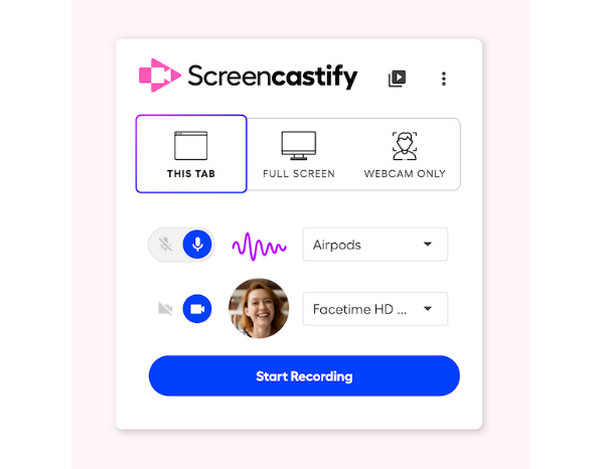
A Chrome web recorder extension that captures your browser tab and desktop, Screencastify is ideal for your web tutorials and online presentations. If you record tutorial videos, you can highlight the cursor or add vital elements to strengthen key points.
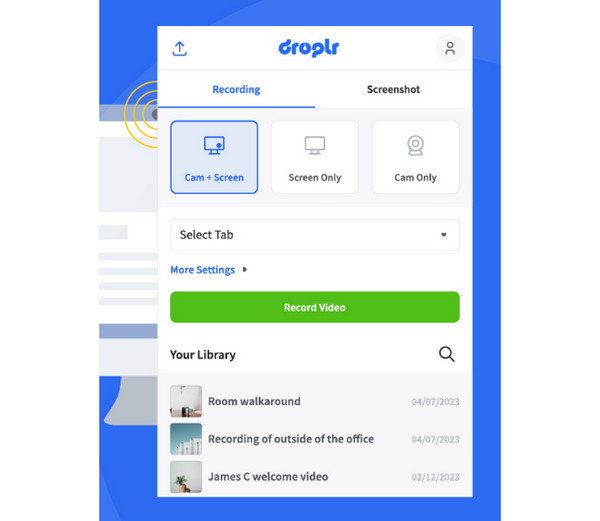
Droplr can capture webpages and then uploads them to the cloud right away. Moreover, you can annotate your captures, add text or arrows, and then quickly share them with your colleagues within the browser video recorder.
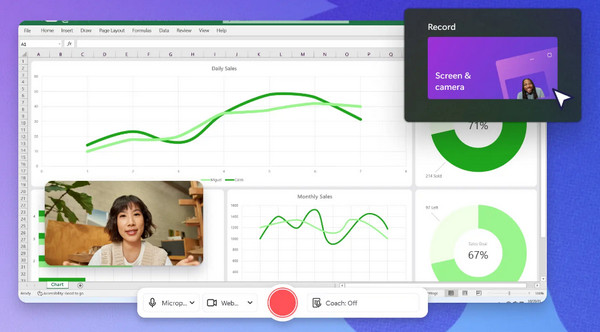
Clipchamp is not only a web video editor, but also your web recorder. You can combine screenshots with browser recordings, voiceovers, and stock media. Thus, it is perfect for marketing videos, web tutorials, and other learning content.
Huge thanks to the list of browser video recorders today, whether you need a full-page, tab recording, or real-time annotations, you now know where to go! From the lightweight extensions to the powerful desktop tools, each tool mentioned here brings unique features that match your specific needs. If you need to record videos for work, study, and daily life, AnyRec Screen Recorder is your better choice. There are 6 different recording modes for all kinds of recording activities. You can record anything on your computer and phone with original quality. Just click the Free Download button below to start your journey.
Secure Download
Secure Download
About Our Author

 follow us on Facebook
 follow us on X (Twitter)
 follow us on YouTube
Copyright © 2026 AnyRec Studio. All Rights Reserved.
