
12 Screen Recorders Chrome Extensions and More (2026 Edition)

The perfect Chrome screen recording depends entirely on your tool. Do you need a lightweight screen recorder Chrome extension? Perhaps a powerful desktop app or an online solution. With tons of options around, searching for the best can feel like a full-time job. So, whether you're a student, educator, or creator, you can get a satisfying Chrome screen recorder extensions, desktop tools, and online options for the following recommendations. Choose the best one today for capturing browser activities!
Guide List
Loom Screen Recorder – Quick Recording and AI Summaries Screencastify – Chrome Recorder for Interactive Learning Awesome Screenshot & Recorder – The All-in-One Visual AnyRec Screen Recorder – All-Around Recorder for 4K Captures OBS Studio – Open-Source Recorder for Advanced Creators Camtasia – The Standard Desktop Editor and Recorder ShareX – Quickest Productivity Recorder for Windows CleanShot X – Premium Desktop Recorder for Mac FlexClip – Online Chrome Recording with Template VEED.IO – AI-Driven Chrome Editing and Recording ScreenRec – Simple, Secure, Fast Chrome Recording ScreenCapture.com – No Account Needed for Quick Chrome CaptureLoom Screen Recorder - Quick Recording and AI Summaries
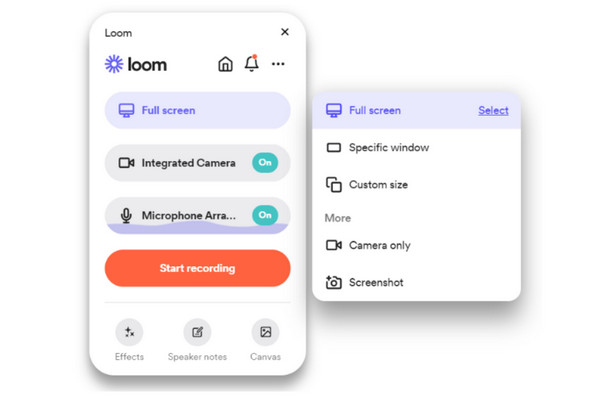
Loom Screen Recorder is the premier choice for professionals who need to record their screen and webcam simultaneously, quickly creating a shareable link upon hitting stop. This Loom screen recorder Chrome extension has an advanced AI feature that removes filler words, including "um" and "uh," while giving quick text summaries for viewers. And since it lives in the browser, no need for you to manage bulk software.
Screencastify - Chrome Recorder for Interactive Learning
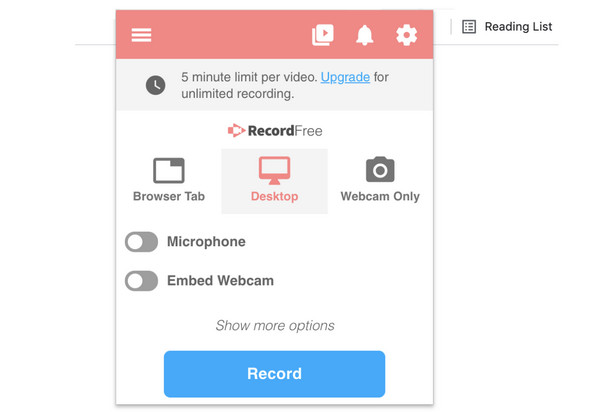
Another screen recorder extension for Chrome that is built for a particular niche, Screencastify is made for teachers and students, offering integration with Google Workspace. Here, you can record, edit, and share videos in just seconds. It also comes with an Interactive Questions feature that can be added directly to the timeline.
Awesome Screenshot & Recorder - The All-in-One Visual
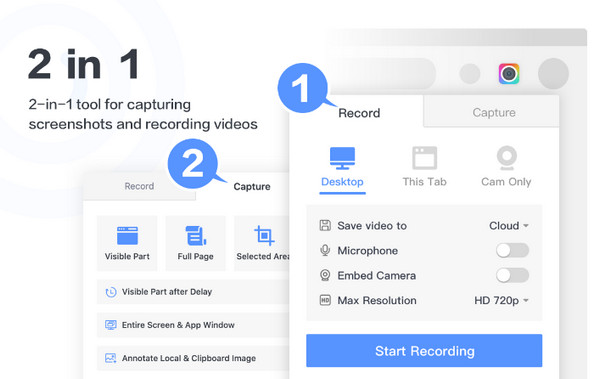
Working beyond education, the following screen recorder Chrome extension here is the Awesome Screenshot & Recorder. This tool supports 4K recording and has a blur tool that hides private information during the session. Its integration with cloud storage makes it perfect for collaborative tasks, allowing time-stamped commenting from team members.
AnyRec Screen Recorder - All-Around Recorder for 4K Captures
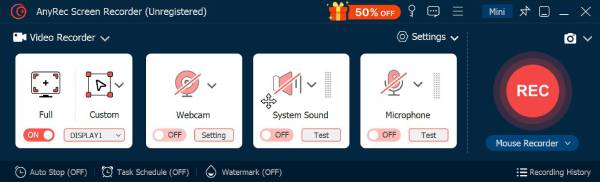
However, if you find the screen recorder Chrome extensions too limiting, a dedicated desktop app like AnyRec Screen Recorder might be your best bet. Unlike basic Chrome extensions, this tool allows you to record your desktop activities with audio or webcam, without affecting the visual quality. It comes with a Windows recorder that supports capturing tabs, selecting a window, an area, or the full screen. It also has a task schedule function that can automate recordings of live events even when you're away from your computer. With its wide variety of export formats, such as MP4, MOV, AVI, MKV, etc., it ensures your Chrome screen recording is ready to play for any platform.
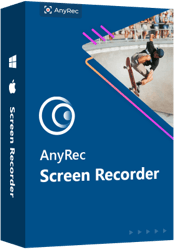
Dedicated recording modes for windows, screen, audio, webcam, and more.
Capture system sound and mic at once without sacrificing the quality.
Includes real-time drawing to add text, lines, shapes, etc., to your browser recording.
Preview your Chrome recording and trim unwanted sections before saving.
Secure Download
Secure Download
OBS Studio - Open-Source Recorder for Advanced Creators
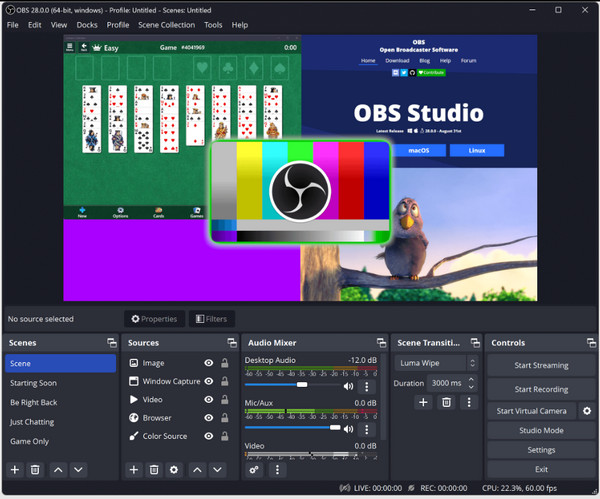
Need a powerful level of desktop screen recorder software? Here's OBS Studio for you. This tool offers an unmatched level of customization for no cost. It has a Scene system that lets you mix multiple inputs like cameras, monitors, mics, and more into a single file. Though it has a steeper learning curve than others, its plugin ecosystem permits it to adapt to almost technical workflow.
Camtasia - The Standard Desktop Editor and Recorder
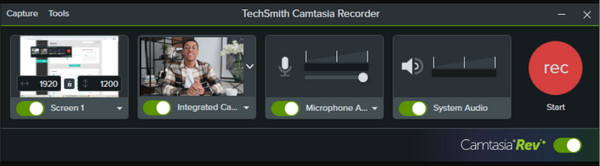
While the previous tool focuses on production, Camtasia is for anyone looking for a studio-quality finish without the complex editing software. Aside from being a desktop Chrome video recorder, the tool lets you edit the video with callouts, music, and cinematic transitions, making it an excellent choice for creating instructional videos.
ShareX - Quickest Productivity Recorder for Windows
ScreenRec is a lightweight desktop screen recorder for Chrome built with speed and enterprise-grade quality in mind. It offers a simple experience; all you need to do is click one button to start and one button to share. Unlike other tools, it has no watermarks or recording limits, ensuring your browser activities are never cut short.
CleanShot X - Premium Desktop Recorder for Mac
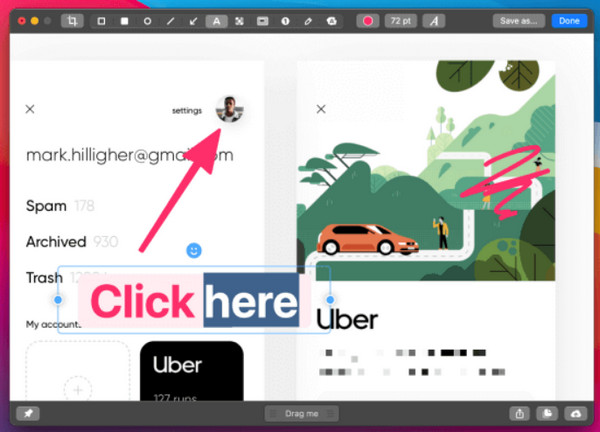
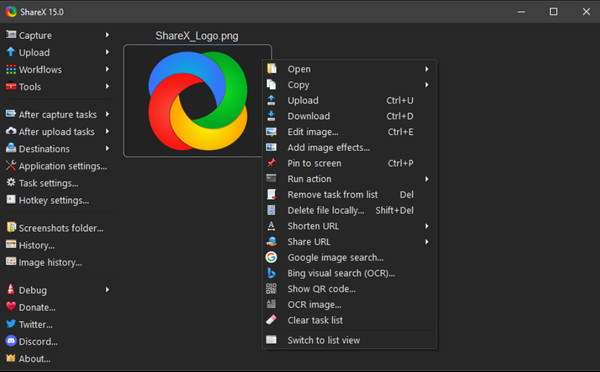
If your requirements are more automated, ShareX can be your screen recorder for Chrome alternatives. This desktop app lets you set up hotkey workflows that record a screen region, upload it, and copy the URL. But beyond that, it also works exceptionally for creating high-quality GIFs for quick social media sharing.
FlexClip - Online Chrome Recording with Template
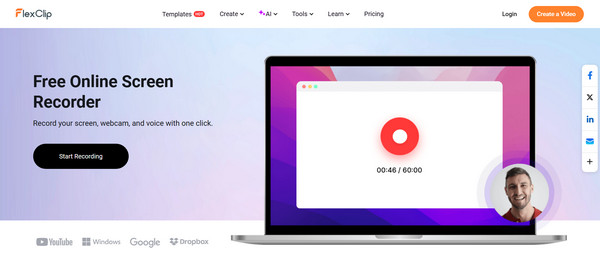
Switching to the Mac ecosystem, there's CleanShot X, a screen recorder for Chrome that offers a polished interface to start recording instantly. Plus, the tool also has its own cloud service for quick sharing. Its scrolling capture and built-in trimmer make it stand out more compared to other desktop apps for daily professional use.
VEED.IO - AI-Driven Chrome Editing and Recording
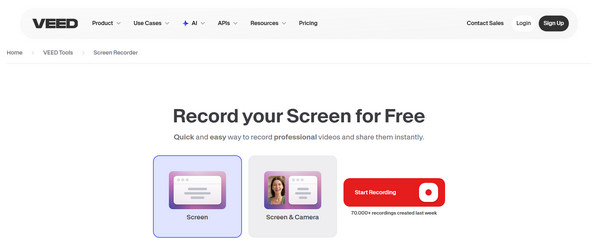
While desktop apps offer power, sometimes the most convenient option is an online Chrome screen recorder like FlexClip, which records your entire web browser activities, removing the need for installation or other permissions. Here, you can enjoy a three-step recording process as well as offer a web-based video editor.
ScreenRec - Simple, Secure, Fast Chrome Recording
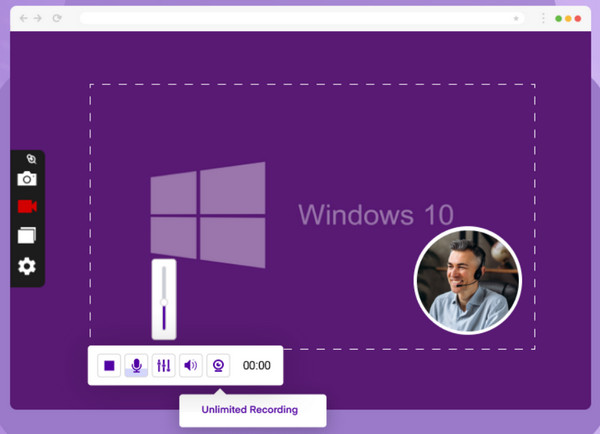
In a similar place, the next free screen recorder for Chrome, VEED.IO, works entirely in your browser. Its recording screen is unique for having an integrated teleprompter, letting you read your script while keeping eye contact with your camera. This tool is the ideal choice for users who want to record the perfect take for social media or business tasks.
ScreenCapture.com - No Account Needed for Quick Chrome Capture
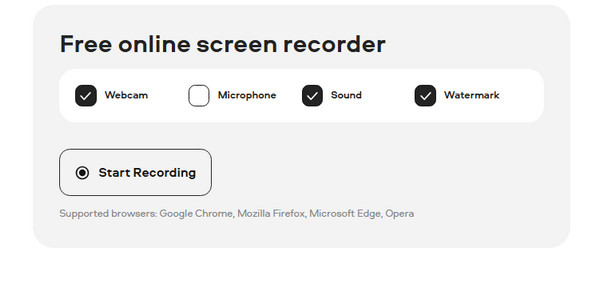
At last, the ultimate online screen recorder for Chrome is ScreenCapture.com. Once you simply visit the site, you just need to toggle your microphone and webcam settings, then click start. It requires no account or registration, but still gives you the fastest way to have a high-quality capture on your computer.
Conclusion
From lightning Chrome screen recorder extensions, powerful customization of a desktop tool, or the accessibility of an online recorder, the twelve tools here can definitely help you record Chrome activities. Using each, you can provide detailed tutorials, demonstrations, or presentations very well. For a complete experience that handles these works, the highly suggested is the AnyRec Screen Recorder. Its window recording mode, automatic recordings, real-time annotations, and customizable output make it a standout choice for anyone who needs polished, professional, and recording-ready content on any platform.
Secure Download
Secure Download



