Hot

AnyRec Blu-ray Player
Play Blu-ray & DVD on PC and Mac. Hear every detail.
Secure Download
Which Online Video Player Should You Use

A good online video player can greatly improve your website's video quality and user experience. There are many video players for online video, and it's hard to tell which one fits you best. To save your time, we picked the 5 best online video players in 2026, covering free, business, and enterprise options.
Guide List
Part 1: When You Need an Online Video Player Part 2: What Makes a Good Online Video Player? Part 3: Top 6 Online Video Players Review 1. Wistia Video Player 2. Flowplayer 3. Vimeo 4. YouTube 5. Brightcove Part 4: Which Online Video Player is Best for You? Bonus: Best Desktop Alternative to Online Video PlayersPart 1: When You Need an Online Video Player
An online video player allows you to play videos directly over the internet. You can open a local file or a direct media URL, then watch videos without installing software.
You may need an online video player in these situations:
- Website owners and businesses use it to embed product videos, marketing content, and customer tutorials on their websites.
- Teachers and course creators use it to deliver online classes, training videos, and educational content.
- Content creators and media platforms use it to publish and stream videos to a large audience.
- Companies and organizations use it to manage internal training videos or private video content.
If you need a simple way to share videos online and provide a smooth viewing experience, an online video player can be a better choice.
Part 2: What Makes a Good Online Video Player?
A good online media player should do more than simply play videos. Here are some key features to consider before you choose an online video player.
- 1. High-Quality Streaming: Support adaptive bitrate streaming and fast loading speeds to provide a seamless viewing experience.
- 2. Support for Different Video Formats: The player should handle common video formats and codecs, so users don't have to worry about playback errors.
- 3. Flexible Customization: A video player should fit your website, not make your website look like everyone else's. Look for options to change the theme, controls, logo, and other branding details.
- 4. Cross-Platform Compatibility: People watch videos on all kinds of devices today. A good player should run smoothly on desktops, tablets, and mobile phones, as well as different browsers.
- 5. Useful Analytics Tools: Knowing how viewers interact with your videos can help you improve your content. Analytics features can show details like viewing habits, watch time, and overall video performance.
- 6. Better Security and Access Control: Features like password protection, encryption, watermarking, and access controls can help reduce unauthorized viewing or sharing.
Part 3: Top 6 Online Video Players Review
How to choose the right online player for online videos? Here we listed 5 popular online video players and their key features, pros and cons. Let's dive into the leading programs and their offerings.
1. Wistia Video Player
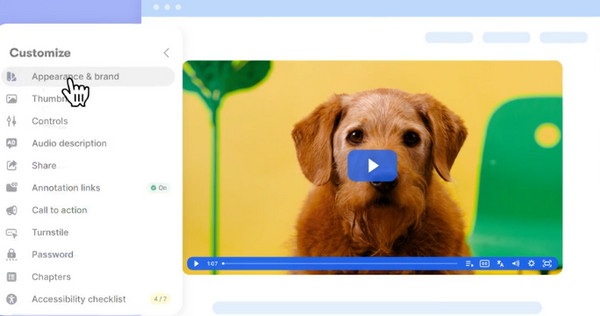
Wistia is an online video platform designed mainly for businesses and marketing teams. It allows users to customize the player appearance, including logos, colors, thumbnails, playback controls, and video chapters. It also provides API support for advanced customization. Wistia helps businesses turn video views into measurable results through analytics, lead generation, and integrations.
Key Features:
- Adaptive streaming and high-quality playback support up to 4K.
- Easy to host, organize, and embed videos on websites.
- Keep videos free from ads and distractions, helping viewers focus on the content.
- Provide video analytics and various marketing tools.
2. Flowplayer
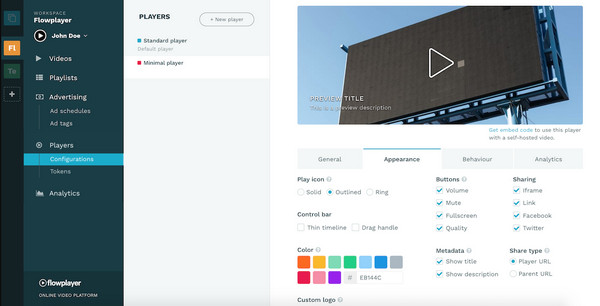
Flowplayer is a full-featured online video player. It provides a complete video platform that covers hosting, streaming, analytics, security, and monetization. Users can organize video player, add advanced features, and access instant analytics to understand viewer experience. Flowplayer also includes CSAI & SSAI support, DRM encryption, advertising analytics and more tools to optimize your video strategy.
Key Features:
- Provides a flexible HTML5 player that allows users to create different player versions.
- Offer advanced video hosting and adaptive bitrate 4K streaming.
- Support 24/7 streaming, scheduled broadcasts, and simulated live events.
- Provide real-time analytics and insights to discover engagement.
3. Vimeo
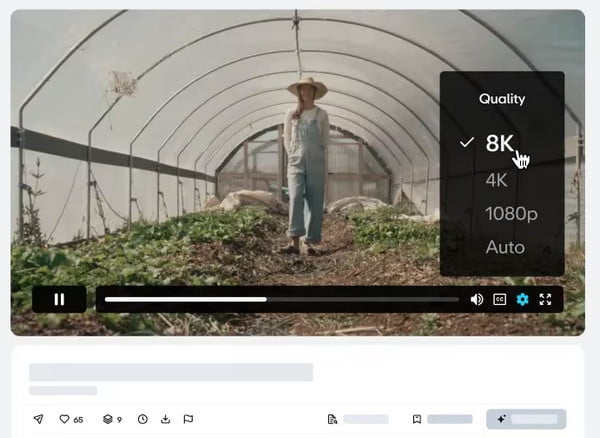
Vimeo is a professional online video web that gives users strong control over video content. It provides an ad-free experience, advanced branding customization and powerful video privacy controls. You can host videos in 4K, HDR, Dolby Vision, up to 8K HDR quality, then easily embed videos on websites, emails, or mobile apps. You can also share playlists of videos seamlessly across any platform.
Key Features:
- Upload and host videos in 8K resolution without ads.
- Embed videos on websites and control who can watch the video.
- Easy for teams to review videos, leave time-coded comments, and organize content.
- Supports live events, webinars, video broadcasts, and tools for selling or monetizing video content.
4. YouTube
YouTube is the world's largest free video hosting and online video player platform. It's completely free, but there are many ads and recommended videos that may distract viewers from your content. You can host videos up to 12 hours long, share content up to 8K quality, and reach a large audience. Compared to professional video players, YouTube offers fewer customization options and editing tools, but it's the most cost-effective option for casual creators and new bloggers.
Key Features:
- Embed videos for free on websites or blogs.
- Works smoothly across desktops, smartphones, tablets, and browsers.
- Creators can track views, watch time, audience retention, and other data.
- Provides a powerful platform for sharing videos and attracting viewers.

5. Brightcove
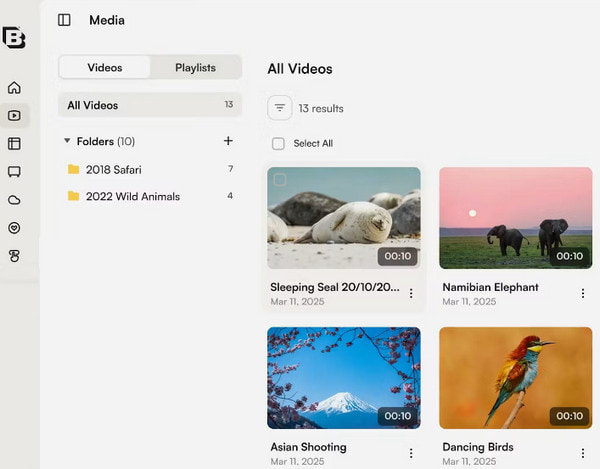
Brightcove is an enterprise-level online video player that provides end-to-end solutions for video hosting, streaming, management, analytics, and monetization. It helps businesses, media companies, and organizations deliver high-quality live and on-demand videos to large audiences. With support for live streaming, OTT apps, AI-powered tools, and l video distribution, Brightcove is suitable for professional video needs.
Key Features:
- Upload, manage, and stream live or on-demand videos.
- Customize the player with adaptive streaming, branding options, and flexible controls.
- Track viewer behavior, engagement, and video performance with built-in analytics.
- Monetize videos through ads, subscriptions, and other revenue models.
Part 4: Which Online Video Player is Best for You?
Based on your goals, budget, and features you need, check this comparison table to choose your desired online video player.
| Player | Price | Video Quality | Video Storage | Best For |
| Wistia | $0-$329/mon; Custom enterprise pricing | 4K HD | Up to 250 videos; 1000 videos with Premium | Businesses and marketing teams |
| Flowplayer | Custom enterprise pricing | Up to 4K quality | More than 50,000 plays | Professional streaming and publishers |
| Vimeo | $13-$80/mon; Custom enterprise pricing | 4K HDR, up to 8K HDR | Up to 500 videos; Unlimited for enterprise | Creators, teams, and businesses |
| YouTube | Free | Up to 8K | Unlimited | Casual creators and bloggers |
| Brightcove | 4K HD | Unlimited | Enterprises and media companies |
Bonus: Best Desktop Alternative to Online Video Players
If you only want to watch downloaded movies, Blu-ray discs, and DVDs, a desktop video player is your better and easy-to-use choice. AnyRec Blu-ray Player is a region-free player that can play all your DVDs, Blu-ray discs on both Windows PC and Mac. It can also play almost all video formats, such as MP4, MOV, and MKV. With support for Full HD 1080p and 4K resolution, it delivers a high-quality, cinema-like viewing experience.

Play Blu-ray discs, DVDs, ISO folders, and various video formats.
Deliver sharp video quality and support 4K UHD playback.
Support Dolby Atmos audio for immersive sound quality.
Provide various playback control and customization options.
Secure Download
Secure Download
Conclusion
In short, these top 5 online video players fit all kinds of website hosting and streaming scenarios. You can easily find your desired one whether you need brand customization, video analytics, or enterprise-level streaming. And for watching 4K movies offline, the desktop alternative AnyRec Blu-ray Player is more recommended.
Secure Download
Secure Download
Further Reading
About Our Author