Sharpen Images Online: Web-Based Tools That You Can Trust

Many users are looking for tools that can help them sharpen images online for free. However, if you start your search randomly without a specific goal, you will find that there are too many options and it will be difficult for you to distinguish which ones are trustworthy. Don't worry. This post has selected seven online tools for you that can help you complete tasks efficiently. Now start reading to quickly get started with sharpening images online.
Guide List
The Most Powerful Way to AI Sharpen Images Online for Free Other 6 Trustworthy Options to Sharpen Images Online for Free [Bonus] How to Sharpen a Blurry Image Online for More DetailsThe Most Powerful Way to AI Sharpen Images Online for Free
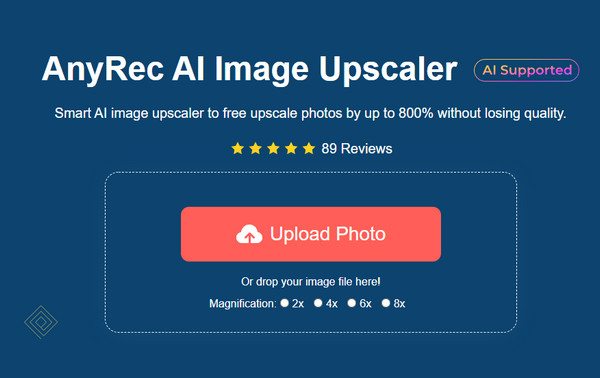
When it comes to the best tool for sharpening blurry images online, AnyRec AI Image Upscaler has come forward as the most reliable option. With the support of advanced AI technology, you will find that the entire workflow becomes incredibly simple. After you upload the image, the AI will analyze the entire image and then automatically enhance it for you. You will notice that the final result is not only very clear, but also retains the original natural appearance.
Why It Ranks the First
- • Use AI technology to sharpen images from 200% to 800% without losing texture.
- • Upscale and enhance images to help pixelated artwork look clean and sharp again.
- • Sharpen images to improve clarity of details before printing, sharing, or archiving.
- • Support images in JPG, JPEG, PNG, BMP, TIFF, TIF, and other popular formats.
Other 6 Trustworthy Options to Sharpen Images Online for Free
Apart from AnyRec AI Image Upscaler, there are also some reliable tools. While they can help you sharpen images online, they also have some inherent limitations. Before using them, you can first read this section for a brief introduction to understand the strengths and weaknesses of each of them. In this way, you can save your time to the greatest extent.
| Tool Name | AI Sharpening Level | Control Level | Processing Speed | Ease of Use | Key Limitation |
| Pixlr | Medium | High (manual tools) | Medium | Moderate | Complex interface |
| BeFunky | Medium | Medium (slider) | Medium | Very Easy | Limited precision |
| PineTools | Low | Medium (manual) | Fast | Very Easy | No AI sharpening |
| AVCLabs Enhancer | High | Low (AI auto) | Medium | Easy | Credit/login required |
| CapCut Online | High | Low-Medium | Fast | Very Easy | Limited free exports |
| Pixelied | Medium | Medium | Medium | Easy | Requires account |
1. Pixlr
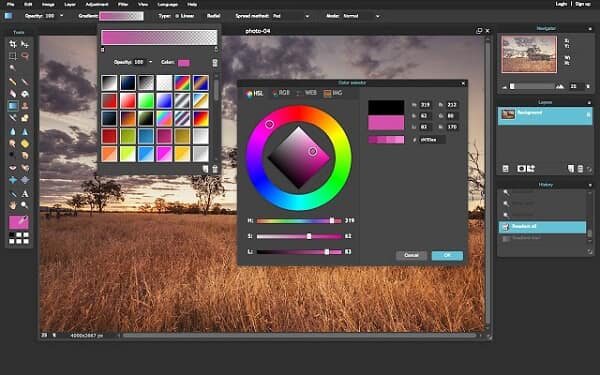
When it comes to image processing tools, many people will naturally think of Adobe Photoshop. Pixlr is a similar tool that can help you sharpen your images online. Although its interface might be a bit complicated for beginners, this also means that it enables you to optimize the details of the image by adjusting various parameters. Of course, this kind of optimization basically requires manual operation rather than being done automatically by AI.
- Pros
- Offer both basic and advanced sharpening tools
- Adjust every detail to polish images the way you want
- Share a similar workflow to Adobe Photoshop
- Cons
- The interface may feel complex for beginners
- Ads can appear during the process in the free version
- No AI assistance for automatic enhancement
2. BeFunky
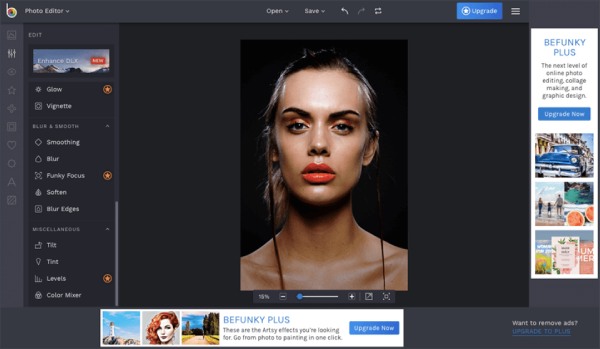
If you need to handle image files such as portraits, then BeFunky is a good choice. This tool enables you to sharpen images online with precise adjustment settings. When you have an unsatisfactory portrait image to unblur in your hands, you can use BeFunky to adjust a certain part of it, making the face look more in line with your expectations.
- Pros
- The enhancement of the facial features is extremely excellent.
- Provide a variety of editing tools for post-production adjustments
- Manually adjust to ensure that the details meet your requirements
- Cons
- The watermark will be retained on the image during the export process
- Completed entirely manually without the assistance of AI
- The Plus version is required to unlock additional features
3. PineTools
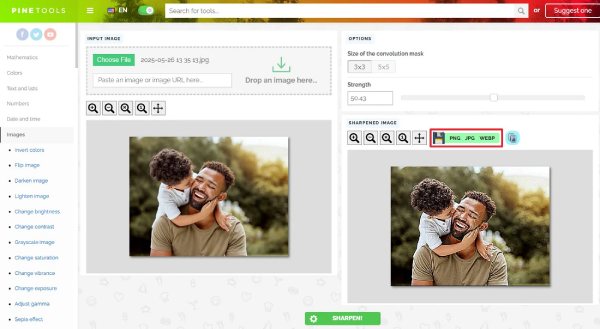
Many people may find that manually making adjustments takes a considerable amount of time, so they turn to seek out more direct and convenient tools to sharpen images online. In this situation, PineTools is recommended. All you need to do is upload your picture to the website, and then just wait for the tool to automatically complete the enhancement of the picture for you. The entire process is convenient and fast. The only drawback is that PineTools can only handle relatively small-sized image files.
- Pros
- Fast and lightweight for a quick workflow
- Control the degree of sharpening directly through the slider
- No login required to access all the features
- Cons
- No AI enhancement to assist your process
- Limited feature for post-production
- Basic output quality for small-sized images
4. AVCLabs Image Enhancer Online
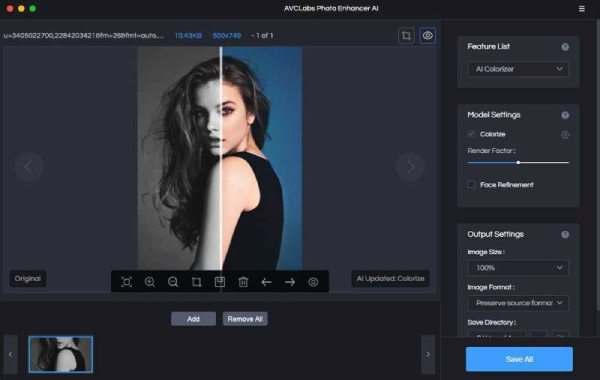
For those users who are looking for tools to sharpen images online for free using AI, AVCLabs Image Enhancer Online is a great option. After you upload the image, the AI will analyze the overall tone of the image and automatically perform sharpening on the parts that need optimization based on this analysis. The entire process does not require any manual adjustments from you. This is very friendly for beginners.
- Pros
- All the uploaded images are solely for enhancement
- Enlarge images online automatically with AI technology
- The pixels of the image will be significantly enhanced
- Cons
- Lack of manual adjustment in the post-production stage
- The picture may look a little unnatural
- The daily usage limit is always limited
5. CapCut Online Image Sharpener
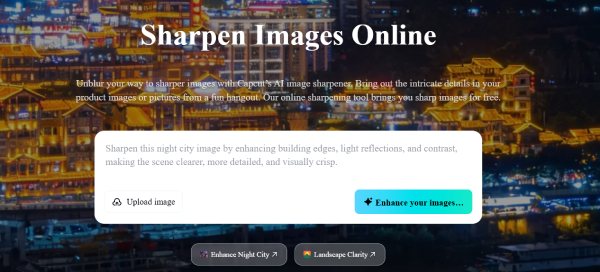
CapCut Online Image Sharpener is also a tool that utilizes AI technology. Although CapCut mainly focuses on adjusting videos, it still has tools available that allow you to sharpen images online for free using AI. With its assistance, you can incorporate the process of making the images clearer and conducting more extensive editing operations into the same workflow. This is very practical for users who have image needs on a daily basis. However, this demand also means that you will need to pay a considerable fee to upgrade your account.
- Pros
- The sharpened images can be used for CapCut video editing
- Provide a wide range of editing tools
- The interface is simple and intuitive for everyone
- Cons
- Require account login even for the free version
- Limited free export options
- The processing speed can be a little bit slow
6. Pixelied
Many users sharpen images online, probably for promotional or business purposes. At this point, a simple enhancement might not be sufficient. Pixelied not only offers powerful image enhancement capabilities to fix pixelated images, but also has a large collection of practical and aesthetically pleasing templates in its library to assist you in creating various styles using your existing images.

- Pros
- Interactive and easy-to-use interface
- Suitable for design and marketing images
- Save your production at any time during the process
- Cons
- There will be some lag when using it
- Require an account with a premium plan for full access
- Not highly advanced AI sharpening
[Bonus] How to Sharpen a Blurry Image Online for More Details
If you want to sharpen blurry images online with better results, having just a good tool is not enough. There are still some key points that you need to pay attention to. This section offers you some valuable suggestions for reference. You can handle your online pictures more effectively after understanding them.
1. Start with the Right Image Quality
Please make sure that the pictures you upload are of their original quality. The pictures you take yourself are generally fine. However, some pictures, such as those you download from X or other platforms, may not be of the original quality. When saving them, please make sure to save them in their uncompressed original quality to avoid losing a lot of details before starting to sharpen.
2. Avoid Over-Sharpening
Although sharpening images online means adding more pixels in each area to display more details, this does not mean that the greater the degree of sharpening, the better. When some tools make excessive adjustments, you may find that your images lose their natural feel completely.
3. Combine Sharpening with Noise Reduction
Apart from increasing the pixels, when sharpening blurry images online, you can also pay extra attention to the noise points in the image. Some tools will offer you additional noise reduction. Remember to check this function to achieve better enhancement.
4. Choose AI-Based Tools for Better Results
For most beginners, in addition to being complicated, the biggest obstacle in manually adjusting parameters is determining the appropriate values. Novices usually have difficulty determining the appropriate range. At this point, using AI tools to assist will make the process more effortless and time-saving.
Conclusion
Sharpening images online has become a practical and efficient way to improve the visual quality of your work without heavy installation. However, many online tools fail to strike the right balance between the degree of sharpening and the natural appearance of the image. At this point, AnyRec AI Image Upscaler is completely trustworthy. You can use it for free to achieve an ideal result.
About Our Author