[Top-List] The Most Powerful Picture Enhancers You Can Try

A picture enhancer can provide you with an output of higher quality. Whether you want to post them or simply save them for your own, it can always be a good helper. The thing is, how can you select a proper one among a number of choices? This post introduces powerful picture enhancers that help upgrade image quality efficiently, along with key factors to consider before choosing the right tool.
Guide List
Factors to Consider When Selecting a Picture Enhancer The Most Powerful Picture Enhancer for Extreme Quality Best Picture Enhancers That You Can TrustFactors to Consider When Selecting a Picture Enhancer
Although there are various picture enhancers available nowadays, it is not an easy task to select the one that is most suitable for you from all these options. Therefore, before making your choice, you need to clearly define your requirements, and then use the following important indicators of picture enhancers as a reference for your selection:
Image Enhancement Quality: The primary factor is how well the tool improves the image. To assess the quality of an image, you should pay attention to its clarity, sharpness, and resolution. A reliable picture enhancer should enhance all these details while not impacting the original tone of your image.
AI vs. Manual Enhancement Options: Nowadays, many picture enhancers claim to have employed AI technology. This is undoubtedly a significant improvement, but at the same time, you also need to pay attention to how effective the AI is. For instance, some AI systems might alter many of the original details to make the image appear more transparent. As a result, the output might differ significantly from the original image. Of course, manual enhancement is also indispensable, as it helps you make further adjustments after the AI process.
Supported Image Formats: In the current era, where there are numerous types of devices, you will find that specific image formats are required in different situations. In other words, a good picture enhancer should not only have the ability to process image quality, but also must support a sufficient number of modern image formats, such as JPG, PNG, WebP, etc., to meet various needs.
Processing Speed and Performance: The processing speed is also one of the essential factors you need to consider, especially when you need to handle large images or multiple files. An excessively slow processing speed will consume a considerable amount of your time and slow down your workflow.
The Most Powerful Picture Enhancer for Extreme Quality
Then, is there an AI image enhancer that can produce high-quality images in various output formats while also having a relatively fast processing speed? AnyRec AI Image Upscaler is the answer. By using intelligent upscaling technology, it enhances sharpness and reduces blur while keeping textures natural. And you can hardly tell if the process takes even a little while.
- • Automatically enhance the picture quality and show the comparison.
- • An AI technology that can auto-detect and auto-fix blurry and pixelated images.
- • Support enlarging the pictures to 2×, 4×, 6×, and even 8× easily.
- • Can be used on any web browsers on Windows/Mac/Android/iOS platforms.
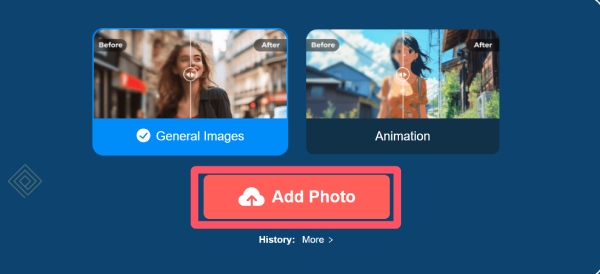
Step 1.Navigate to the official website of AnyRec AI Image Upscaler and click the "Add Photo" button.
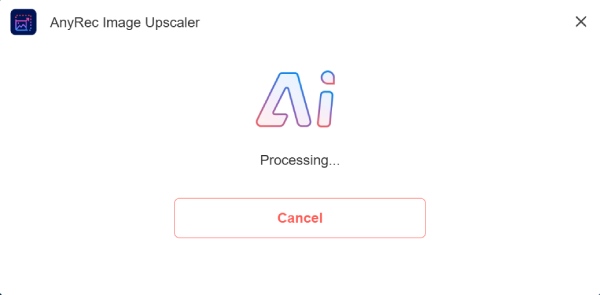
Step 2.The process of enhancing your picture will start automatically with the support of advanced AI technology.
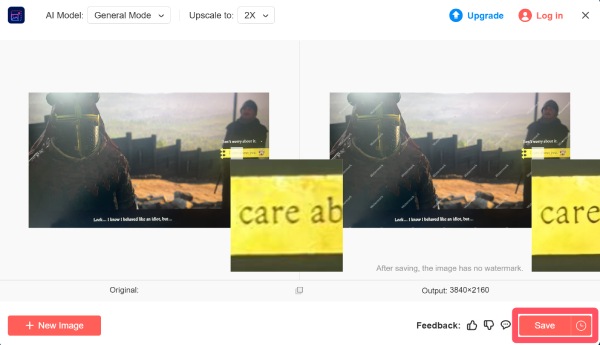
Step 3.You can click the "AI Model" button and the "Upscale" button to adjust the detail of your picture. Finally, click the "Save" button.
Best Picture Enhancers That You Can Trust
With many picture enhancers available online and offline, selecting reliable tools can be challenging. Trusted picture enhancers stand out for their consistent results, stable performance, and user-friendly design. This section highlights powerful image enhancement tools that are widely used for improving resolution, restoring details, and enhancing photos without excessive quality loss.
Picture Enhancers Info
| Picture Enhancer | Watermark Options | Supported Formats | Processing Speed |
| Topaz Photo AI | None | JPG, PNG, TIFF, RAW | Moderate |
| Adobe Photoshop | None | Extensive (JPG, PNG, PSD, RAW) | Slow–Moderate |
| Topaz Gigapixel AI | None | JPG, PNG, TIFF, RAW | Moderate |
| Let’s Enhance | Limited (free plan) | JPG, PNG | Moderate |
| Fotor | Limited (free plan) | JPG, PNG, BMP, TIFF | Fast |
| VanceAI Image Enhancer | Limited (free plan) | JPG, PNG | Moderate |
| Remini | Limited (free plan) | JPG, PNG | Fast |
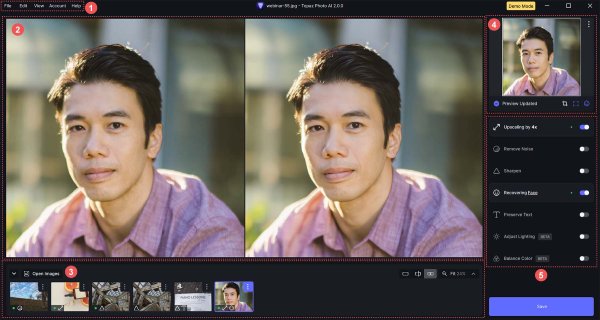
1. Topaz Photo AI
Topaz Photo AI is an advanced image enhancement tool designed for photographers and content creators who need professional-grade results. Its ability to analyse each photo makes it especially effective for restoring low-resolution, old, or poorly shot images while preserving natural textures.
- Pros
- Detail recovery for old photos
- Strong noise reduction to highlight details
- Deal with photos in bulk
- Cons
- Require a relatively powerful computer
- Paid software with no permanent free version
- Processing can be slow for large images
2. Adobe Photoshop
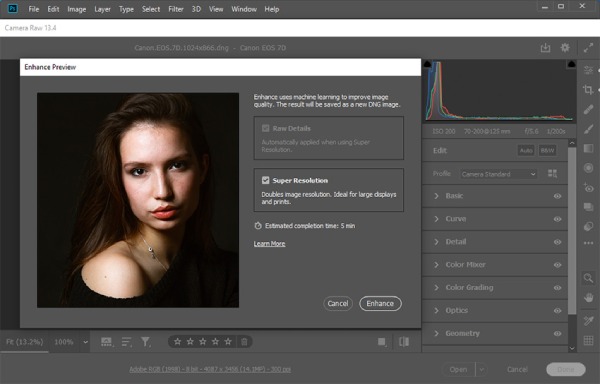
When it comes to photo editing and image enhancement, almost everyone will immediately think of Adobe Photoshop. Its professionalism and processing capabilities are self-evident, as it has been the trusted choice for many years. Even without AI support, its precise adjustment function still enables those who know how to use it to resize images in Photoshop and get the best result that meets their requirements.
- Pros
- Professional-grade results
- Various editing effects
- Save a project for future use
- Cons
- Steep learning curve
- Subscription-based pricing
- Overkill for simple tasks
3. Topaz Gigapixel AI
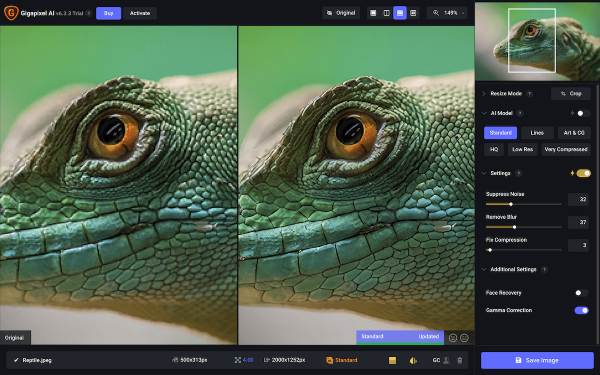
Although sharing the same name, Topaz Gigapixel AI is different from Topaz Photo AI. It focuses on enlarging images in pixels to restore the details of your image. Compared with Topaz Photo AI, this tool is commonly used by photographers and designers who need high-resolution outputs for printing or large displays by enhancing blurry pictures.
- Pros
- An advanced AI technology supported
- Offline desktop software
- Designed especially for professional output
- Cons
- Paid version to get the best output
- High system requirements
- Slower processing on old PCs
4. Let’s Enhance
Let’s Enhance is an online picture enhancer that uses AI to improve resolution, lighting, and color balance. Although it was designed for rapid image enhancement, you will find that it can provide relatively good image quality among the same type of online image enhancers. Overall, it is more suitable for users who want to process a small number of images quickly.
- Pros
- Easy to use
- Cloud-based processing
- Good for social media images
- Cons
- The free version is limited
- Large pictures cannot be uploaded
- Work based on the Internet
5. Fotor
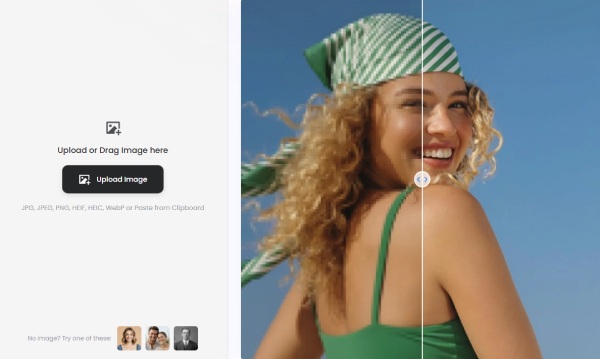
Fotor combines basic photo editing with AI-powered enhancement features. It allows users to improve sharpness, brightness, and overall image quality quickly. The tool is suitable for simple edits and fast image enhancements.
- Pros
- Beginner-friendly interface
- Online and desktop versions
- Multiple editing tools
- Cons
- Limited AI upscaling
- Watermark in free version
- Less suitable for large images
6. VanceAI Image Enhancer
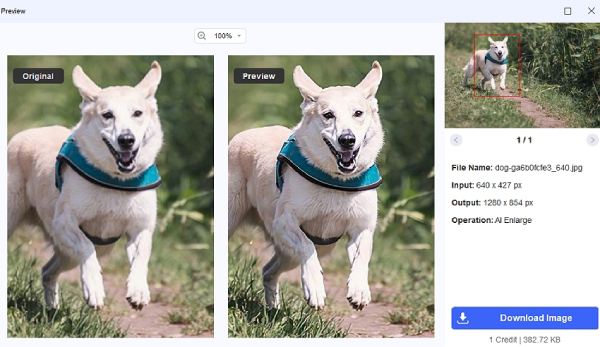
Often, the images you need to handle may be of some special types, such as anime-style or other non-realistic images. At this point, VanceAI Image Enhancer becomes an ideal choice for enhancing pictures that contain non-realistic elements. You will find that the enhanced image has much more vitality.
- Pros
- Strong AI enhancement
- Multiple enhancement modes
- Batch processing available
- Cons
- Credit-based pricing
- Online tool dependency
- Output limits in free version
7. Remini
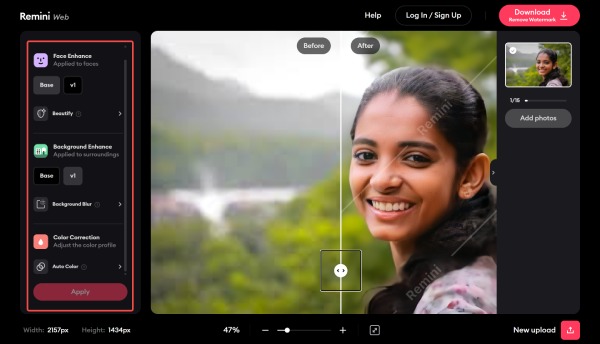
Remini is popular for enhancing old or blurry photos using AI technology. This photo enlarger app is widely used on mobile devices for enhancing resolution of your pictures and improving facial details.
- Pros
- Excellent face enhancement for portraits
- Multiple platforms, including mobiles, are supported
- Fast processing speed for large images
- Cons
- Limited desktop support
- Watermarks on free version
- Not ideal for landscapes
Conclusion
If you want to know how to enhance picture resolution, the options provided in this post can be the answer. They provide you with practical ways to improve image quality without advanced editing skills. By choosing tools that match specific needs, images can be enhanced quickly and reliably. For the best output and the most efficient process, you can try AnyRec AI Image Upscaler for free.
Related Article
About Our Author