
Trustworthy Screen Audio Recorders for Firefox [Latest Updated]

For many Firefox users, it seems rather difficult to find a Firefox screen and audio recorder that can capture the engaging content being viewed. In fact, with the help of some extensions, this task is not as difficult as it seems. This guide introduces trustworthy plugins and also an all-in-one option to help you capture Firefox content efficiently, ensuring clarity, reliability, and ease of use across various recording scenarios.
Guide List
Part 1: Things You Should Know About Firefox Screen and Audio Recorder Part 2: Powerful Plugins for Firefox Screen and Audio Recorder Part 3: An All-in-One Solution to Recording Firefox Screen and AudioPart 1: Things You Should Know About Firefox Screen and Audio Recorder
Recording screen and audio from websites on Firefox requires understanding both the limitations and capabilities of available tools. Firefox does not provide a native solution for high-quality screen or audio recording. Therefore, to achieve reliable results, you can rely on browser plugins or extensions specifically designed for screen and audio capture on Firefox. These plugins vary in functionality: some allow recording of a single tab, while others can capture audio from multiple sources simultaneously, including system sound and microphone input.
Before selecting a Firefox screen and audio recorder, it's crucial to consider some vital factors, such as clarity, stability, file format, etc. Specific plugins may require permissions to access audio streams, so security and privacy are also crucial factors. When free plugins can meet basic recording needs, a professional Firefox screen and audio recorder is preferred.
Part 2: Powerful Plugins for Firefox Screen and Audio Recorder
With so many options available as Firefox screen and audio recorder, many of the extensions are actually still rather rudimentary. Therefore, downloading and trying out each of these plugins one by one is a rather cumbersome task. But don't worry. This post has already prepared suitable options for you. These web recorders stand out for their efficiency, usability, and reliability. Below are three excellent extensions you can try.
Awesome Screenshot & Screen Recorder
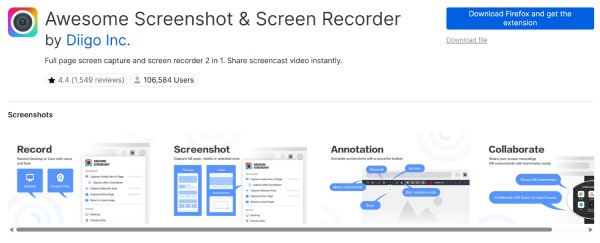
As the most popular screen and audio recorder on Firefox, this tool has been chosen by over 100,000 users for recording purposes. It not only supports recording of the entire page or selected areas of the browser, but also allows you to share your videos and pictures instantly through a unique shareable link after the recording.
- Pros
- Multi-source capture; built-in editing tools.
- Cons
- Occasional lag with long recordings; limited advanced audio settings.
Loom Screen Recorder
Loom Screen Recorder is a Firefox screen and audio recorder created by a private developer. However, the functions and performance it offers are no worse than those of professional tools. You can easily use it to record the content of Firefox and save the recordings in a smaller file size for further use.
- Pros
- Cloud storage and sharing; hide mouse cursor during recording.
- Cons
- Free version has time limits; require an account.
Simple Screen Recorder
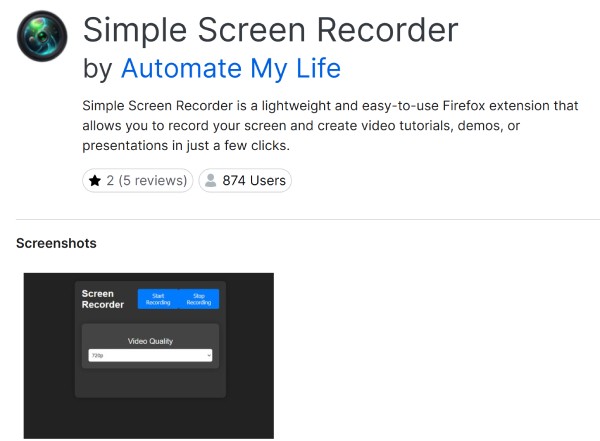
If you just want the most straightforward operation steps to record screen and audio on Firefox, then Simple Screen Recorder is a reliable option. Whether you have any recording experience or not, when using this tool, you only need to click a few times to achieve screen recording. Whether you want to create tutorials, record game processes, or save video calls, the screen recorder can help you easily save the screen as a high-quality video file.
- Pros
- Lightweight; supports multiple formats.
- Cons
- Minimal editing features; not ideal for long videos.
Part 3: An All-in-One Solution to Recording Firefox Screen and Audio
Although extensions allow you to access the screen and audio recorder on Firefox quickly, the functions they can provide are always limited. For those users who desire higher quality and more comprehensive functions in their recordings, a professional screen recorder is necessary. AnyRec Screen Recorder stands out as the all-in-one tool for Firefox recording.

Unlike browser plugins, AnyRec Screen Recorder supports long-duration recordings without lag. Whether creating tutorials, podcasts, or streaming content, AnyRec Screen Recorder ensures smooth, high-quality results and easy management of recorded files, making it a reliable choice for both casual users and professionals.
Completely record all your activities on Firefox with no lag.
It will not affect any of Firefox's activities during the recording process.
Make edits to enhance the visual quality of the recording.
Choose the specific area on Firefox where you want to record freely.
Secure Download
Secure Download
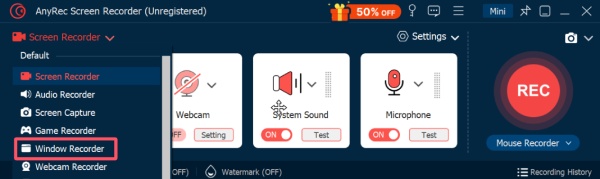
Step 1.Launch AnyRec Screen Recorder on your device and click the "Window Recorder" button under the "Screen Recorder" tab.
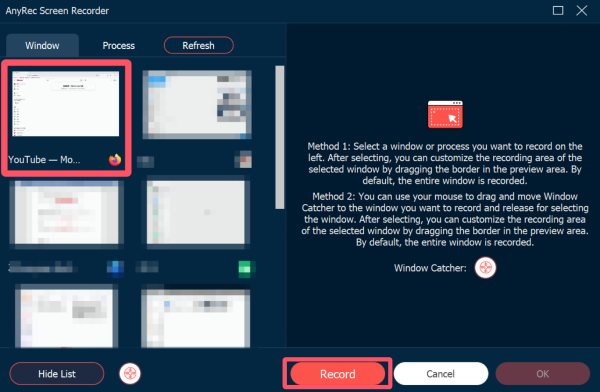
Step 2.Click the "Select the window" button to select your Firefox for the screen and audio recording. Click the "Record" button to start recording with audio.
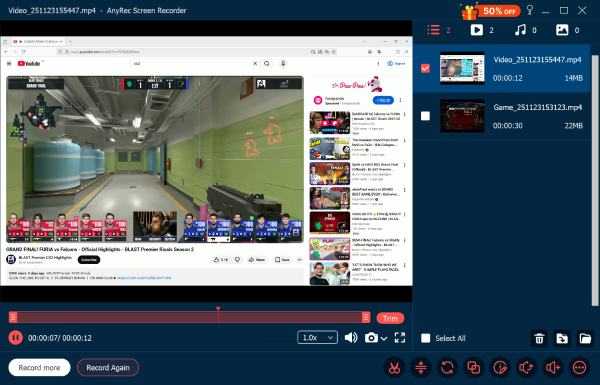
Step 3.Click the "Stop" button when you finish the recording. And the recording will be saved automatically.
Conclusion
Recording screen and audio on Firefox can be simple with the right tools. While browser extensions offer quick solutions, an all-in-one program that can provide professional-quality output is recommended. And if you do have the need, you can download and try AnyRec Screen Recorder for free right now.
Secure Download
Secure Download



