3 Ways to Convert GIF to PNG for Free Online

Different from other photo conversations, turning .gif to .png can be divided into two types. If you convert a static GIF to PNG, you can get one PNG image. But when you convert an animated GIF, you should get multiple PNG files. So, if you get a sequence of PNG images, the GIF to PNG conversion does not fail. Now, let's see how to extract PNG frames from a static or animated GIF.
Guide List
Convert GIF to PNG Online for Free [Single Frame] Convert Animated GIF to PNG Frames [All Frames] Convert GIF to Transparent PNG Online FAQsConvert GIF to PNG Online for Free [Single Frame]
AnyRec Free Image Converter Online allows users to batch convert up to 40 GIFs to PNGs for free. It is a browser-based GIF online converter. Thus, you can save a GIF as a PNG on Windows, Mac, iPhone, and Android without extra installation. You don't need to pay to remove the attached watermark or register a user account. Just upload GIFs, select the output format, and then export as PNG images. That's it.
- • Convert GIF to PNG with a transparent background.
- • Batch convert GIF to PNG format without losing quality.
- • Support 30+ input formats to export as PNG, JPG, and GIF.
- • No watermark. No ads. No sign up.
1. Open the online GIF to PNG converter at https://www.anyrec.io/free-online-image-converter/.
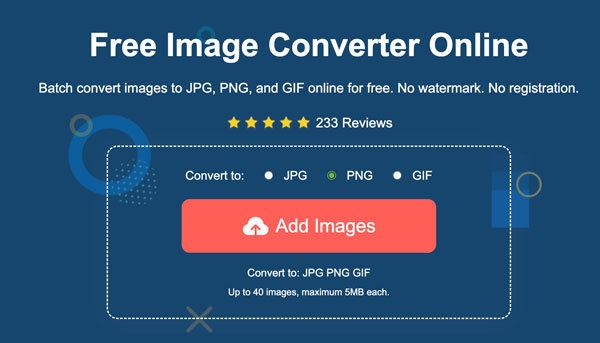
2. Select "PNG" as the output image format. Then click the "Add Images" button to upload GIF files.
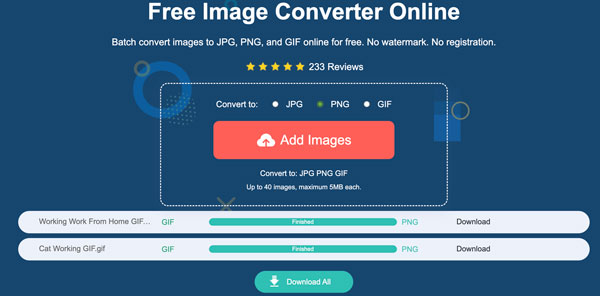
3.The GIF uploading and processing starts immediately. Click the "Download All" button to save all your PNG pictures together.
Convert Animated GIF to PNG Frames [All Frames]
As for an online GIF to animated PNG converter, Ezgif is a good choice. It can split frames and export as a PNG sequence. All your uploaded GIFs will be deleted 1 hour after upload automatically. But you can create permanent GIF links on Ezgif by using this rule: https://ezgif.com/gif-to-apng?url=https://example.com/source-image.gif. Moreover, you can use its free GIF maker to create GIFs from video or images for free.
1. Open Ezgif online GIF to APNG converter on your browser.
2. Drag and drop your GIF file into Ezgif. Or you can enter an image URL instead. Just make sure your GIF animation is smaller than 200MB.
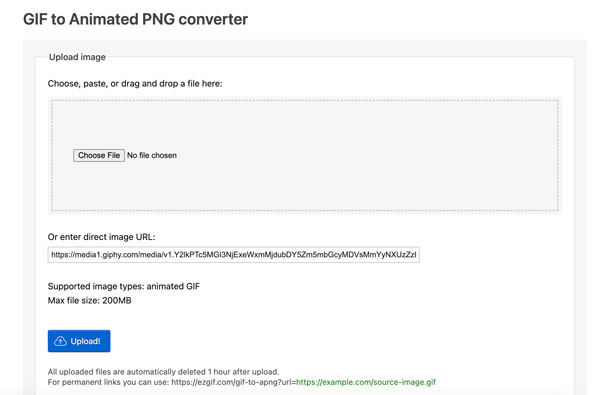
3. Click the "Upload!" button. You can trim and crop GIFs online. Choose the GIF editing tools you need.
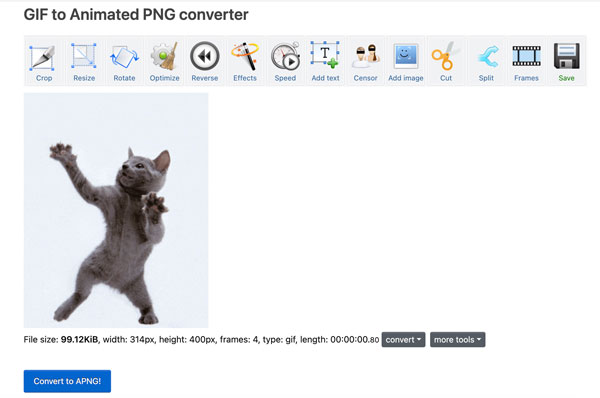
4. Click the "Convert to APNG!" button to change GIF to PNG for free.
Convert GIF to Transparent PNG Online
Some GIF converters export PNG images with a white background by default. If you want to turn a GIF into a PNG with transparency, you can use FreeConvert. Its online GIF to PNG converter provides 2 options. You can decide whether to make a transparent background in your PNG output. Moreover, FreeConvert provides mobile versions, you can get the GIF to PNG converter app to deal with image formats on iPhone and Android.
- 1. Open the FreeConvert GIF to PNG online converter.
- 2. Click the "Choose Files" button. Upload your GIF from local drive, URL, Dropbox, Google Drive, or OneDrive.
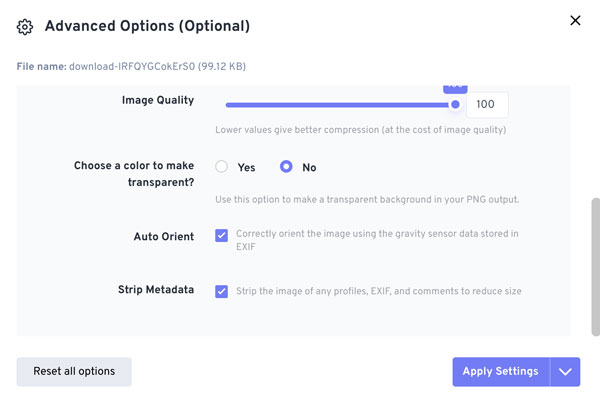
- 3. Click the "Settings" button and adjust all advanced options.
- 4. Scroll down and make sure to tick the "No" option next to "Choose a color to make transparent?". Click the "Apply Settings" button to save changes.
- 5. Now click the "Convert" button. Once the GIF to PNG conversion finishes, click the "Download" button to save the PNG picture.
FAQs
-
Why does the transparent background turn white after converting GIF to PNG?
The GIF converter does not preserve the alpha channel. You can use another GIF image converter to export a transparent PNG instead.
-
Why does the PNG look blurry after GIF conversion?
The GIF to PNG online converter may compress the image automatically. Check and turn off scaling options before export.
-
Why do the colors look slightly different in GIF and PNG images?
GIF uses limited colors. While PNG supports more colors. So the GIF to PNG rendering may change slightly.
Conclusion
All in all, decide whether you need one frame or all frames before the GIF to PNG conversion. Use PNG-24 as the output format for the best image quality. Keep the original resolution and avoid re-compressing after conversions. You can rename frames to keep order if necessary. With just a few clicks, you can use AnyRec Free Image Converter Online to convert GIF animation to PNG into clean and usable still images.
Related Article
About Our Author