
6 Best Apps for Editing Videos with Abundant Features

If you are looking for the best app for video editing for iPhone or Android, then you've come to the right place. Although both iPhone and Android offer built-in options for users to perform video editing tasks, the functions of these tools are limited to only some basic adjustments, such as cropping, flipping, or adding simple text. These features are not sufficient for users who have professional video editing needs on their mobile devices. This post recommends several reliable options, all of which have powerful editing capabilities.
Guide List
Best App for Video Editing for a YouTube Channel 5 Best Apps for Editing Videos [Android & iPhone] Tips for Selecting the Best Apps for Video EditingBest App for Video Editing for a YouTube Channel
If you are looking for the best apps for video editing for YouTube channels, then the tools available on mobile devices usually won't meet your requirements. This is partly because the videos on YouTube channels are usually longer and clearer, which places higher demands on the processing capabilities of the devices. This means that mobile devices are very likely to be inadequate. On the other hand, the operations on mobile devices are always limited, which prevents you from performing precise editing operations.
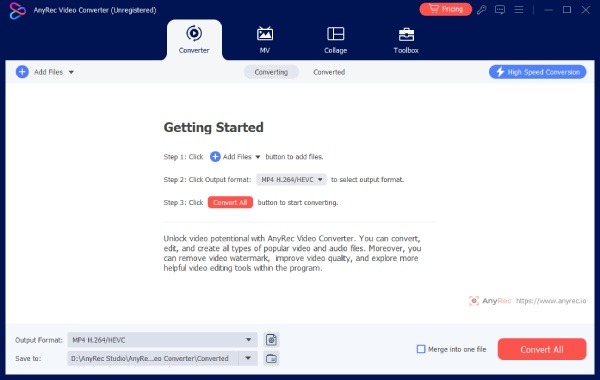
This is why you will need a professional tool on your desktop to complete a truly professional video editing workflow. And AnyRec Video Converter is precisely such a top-notch video editing app for both Android and iPhone devices. This tool offers you a wide range of features to assist you in polishing the visual effects of your videos. Its operation interface is simple and intuitive, and even beginners can complete professional-level video editing with clear guidance.
Provide a variety of editing tools to complete the production of a professional video.
Supports multiple video formats, including MP4, MKV, MOV, and so on.
Preview to check if the output effect of the video can meet your requirements.
Export the video in the preset format, which is compatible with iPhone and Android.
Secure Download
Secure Download
5 Best Apps for Editing Videos [Android & iPhone]
| App Name | Editing Features | Ease of Use | Export Quality | Best For |
| CapCut | Excellent | Good | Very Good | TikTok, Reels, Shorts, general creators |
| KineMaster | Excellent | Good | Good | YouTube videos and advanced editing |
| InShot | Good | Excellent | Good | Social media content creation |
| Adobe Premiere Rush | Excellent | Average | Excellent | Cross-device editing workflows |
| PowerDirector | Good | Good | Excellent | High-performance mobile editing |
1. CapCut ★★★★☆
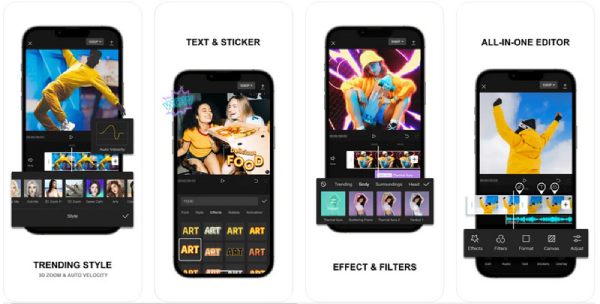
What is a good video editing app for iPhone and Android? Many users review CapCut as a reliable solution. For beginners, using CapCut can quickly assist you in creating videos that meet the requirements of social media and successfully uploading them. However, one of the main reasons that prevents people from choosing it is that you need to pay a relatively high price to unlock all its functions.
- Pros
- Rich collection of effects and templates
- Use the AI model to assist you in editing videos
- A simple and intuitive interface is beneficial for beginners
- Cons
- A higher price is required to access the additional content
- The available video export formats are limited
- The device may cause the phone to heat up during operation
2. KineMaster ★★★☆☆
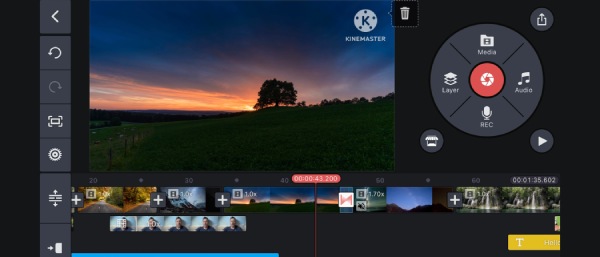
When you use KineMaster to edit your videos on your mobile device, you will find that you have extremely high control over your work. This is one of the best apps for video editing on iPhone and Android, enabling you to precisely control your video editing tasks based on the timeline. Nevertheless, you may find that its operation interface is rather complicated. Even experienced users may find it somewhat confusing regarding its operational logic.
- Pros
- Multi-layer video editing for accuracy
- Editing for audio is also supported
- A variety of visual effects are used to make the video suitable for social media
- Cons
- Editing with the free version will have watermarks
- The operation logic is somewhat perplexing
- The price of the Premium plan is relatively high
3. InShot ★★★☆☆
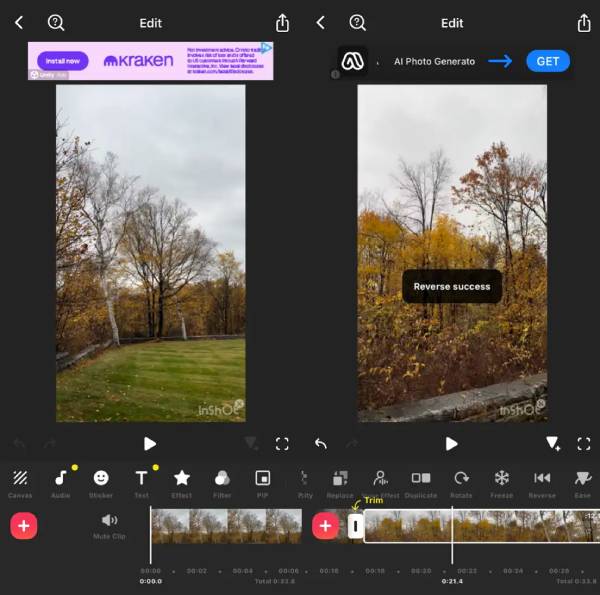
InShot can be regarded as one of the best video editing apps for iPhone or Android devices. Its greatest advantage is that its lightweight size will not impose an excessive burden on your mobile device. Of course, this feature also determines that it is not very capable of handling high-quality or large-sized videos, as these videos may suffer some quality loss after being exported.
- Pros
- The interface is simple and intuitive, making it very easy to follow
- The lightweight version will not have a heavy installation burden
- Be able to run smoothly on low-end devices
- Cons
- The effect of processing high-quality videos is not very satisfactory
- The free version has advertisements when in use
- The speed is relatively slow when dealing with large files
4. Adobe Premiere Rush ★★★★☆
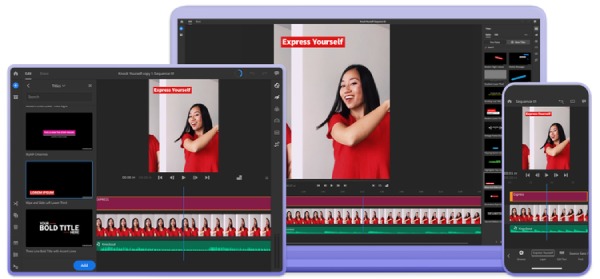
For those professionals who frequently edit images and videos, Adobe is definitely a name they are familiar with. Both Photoshop and Premiere Pro offer a professional workflow to assist you in editing videos and achieving an outstanding result. Adobe Premiere Rush is a good editing app for iPhone and Android. In this alternative to Adobe tools on a mobile device, you can polish your project using the same professional workflow.
- Pros
- Specialized workflow for a professional project
- Synchronize with other Adobe software
- Maintain the original video quality
- Cons
- The operation is rather complicated for beginners
- You need to log in to your Adobe account
- Unlocking the full functionality requires payment
5. PowerDirector ★★★☆☆
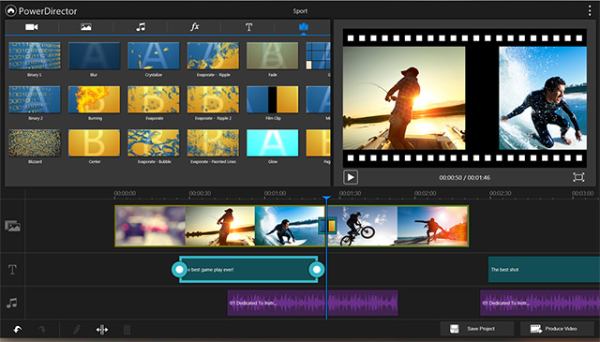
If you are looking for an efficient video editing workflow, then PowerDirector is a great video editing app for both iPhone and Android devices. This tool integrates an AI model throughout almost the entire workflow, helping you automatically complete many necessary steps to save your time. Of course, its interface might be too complicated, which could slow down your operation time.
- Pros
- The entire process incorporates AI technology
- Export the video in high-resolution mode
- During the editing process, one can make use of intelligent suggestions
- Cons
- A subscription is required for usage
- The interface is somewhat complex and even chaotic
- Some functions are hidden in places that are difficult to find
Tips for Selecting the Best Apps for Video Editing
Before you choose the best app for video editing, there are some key points that need to be noted, as they usually determine the overall quality of an app. You can make a better choice by following some of the tips provided below.
- • Consider your editing experience. If you are a beginner, it would be best to choose an interface that is simple and intuitive so that you can complete the tasks more efficiently.
- • Check supported export resolutions. To ensure that the video maintains its original quality after editing, you need to pay attention to the highest resolution that the selected app can support.
- • Evaluate available editing features. Different apps usually offer different editing tools. You can check whether the app provides the corresponding tools according to your needs.
Conclusion
If you are looking for the best app for video editing for your YouTube channel, then the tools available on mobile devices are still not sufficient. Although this post recommends some powerful video editing apps for you, they are limited by the performance of mobile devices and thus cannot fully meet the editing requirements. Therefore, professional video editing services like AnyRec Video Converter are more recommended. If you need it, you can download and try it for free right now.
Secure Download
Secure Download
Further Reading
About Our Author




