Hot

AnyRec Video Converter
120× faster video conversion and editing. No waiting.
Secure Download
Top 6 AIFF to MP3 Converters: What Is AIFF and More

While there are so many audio file formats, two of the most common today are AIFF and MP3. These two formats store sound but serve different purposes; AIFF prioritizes quality, while MP3 is for efficiency. Due to this, you may want to convert AIFF to MP3 to save space and improve compatibility. Therefore, this article will share with you 6 of the best AIFF to MP3 converters, explain more about what AIFF is, and discuss the differences between these two formats.
Guide List
Definition of AIFF The Difference between AIFF and MP3 The Professional Method to Convert AIFF to MP3 1. Xilisoft Audio Converter - Batch AIFF to MP3 Converter 2. Freemake Audio Converter - Simple AIFF to MP3 Converter 3. Audacity - Free AIFF to MP3 Converter with Audio Editing 4. CloudConvert - Online AIFF to MP3 with Custom Settings 5. Zamzar - Web-Based AIFF to MP3 Converter with Email DownloadDefinition of AIFF
In anticipation of how to convert AIFF to MP3, it's essential to understand what an AIFF file actually is. The Audio Interchange File Format is a high-quality, uncompressed audio format made by Apple that stores sound data, which preserves every bit of the original recording. Because of this lossless nature, AIFF files tend to be quite large, but have crystal clear sound quality, making them a preferred choice for professionals.
The Difference between AIFF and MP3
While both AIFF and MP3 are audio files, they are designed for entirely different uses.
AIFF is a lossless, uncompressed format, keeping all the original audio data, which is ideal for studio production and editing. However, this also means it is larger in size. In contrast, MP3 is a compressed, lossy format that lessens file size by removing sounds that are less noticeable to human hearing. This compression makes it perfect for everyday use, from streaming to sharing online.
In short, AIFF centers on audio quality, while MP3 focuses on file efficiency and portability. With this difference, users choose to convert AIFF to MP3. In the next sections, you'll be exploring several reliable AIFF to MP3 audio converters.
The Professional Method to Convert AIFF to MP3
AnyRec Video Converter can batch convert AIFF to MP3 in large file sizes at 120× faster speed. You can confidently convert AIFF to MP3 in just a few clicks while keeping complete control over your audio settings like bitrate, sample rate, and channels. Beyond simple conversion, you can edit your audio file by trimming, merging, or enhancing sound before exporting.

Can convert AIFF to MP3 and over a thousand audio and video formats.
Support batch audio conversion. No maximum file size limit.
Offers a lightning-fast speed without sacrificing sound clarity.
Has customizable audio settings for bitrate, sample rate, codec, etc.
Secure Download
Secure Download
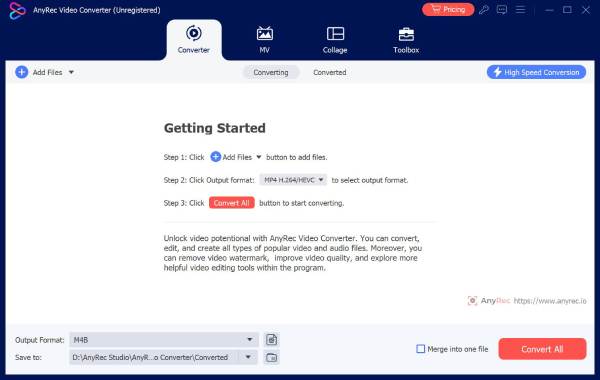
Step 1.Open AnyRec Video Converter. Click the "Add Files" button to upload your AIFF files.
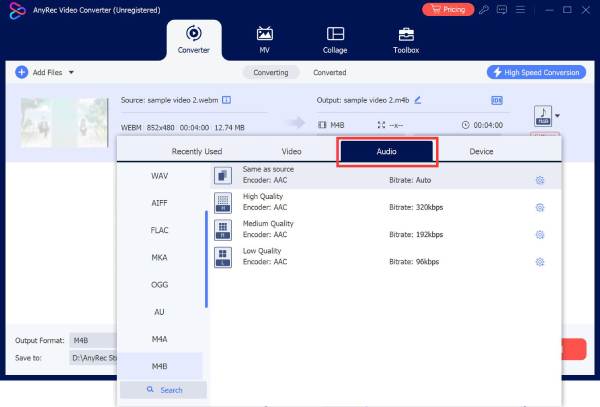
Step 2.Now, open the "Format" drop-down menu beside the file, then head to the "Audio" section and choose "MP3" as your output format.
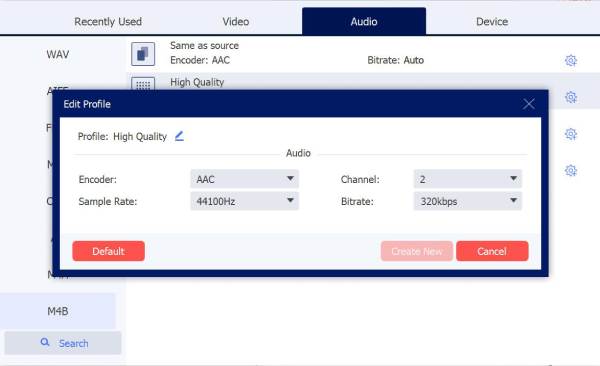
Step 3.Click the "Custom Profile" button to adjust advanced audio settings to match your preferences.
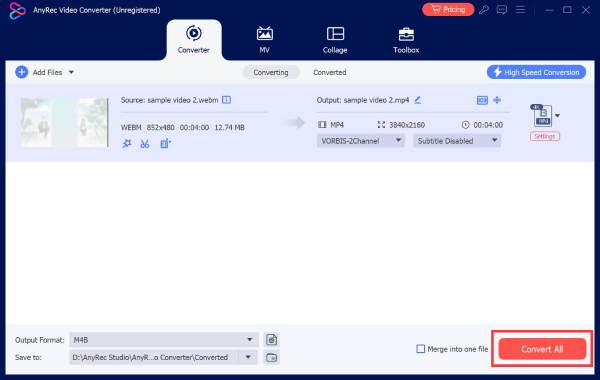
Step 4.Finally, click the "Convert All" button to start the AIFF to MP3 audio conversion.
1. Xilisoft Audio Converter - Batch AIFF to MP3 Converter
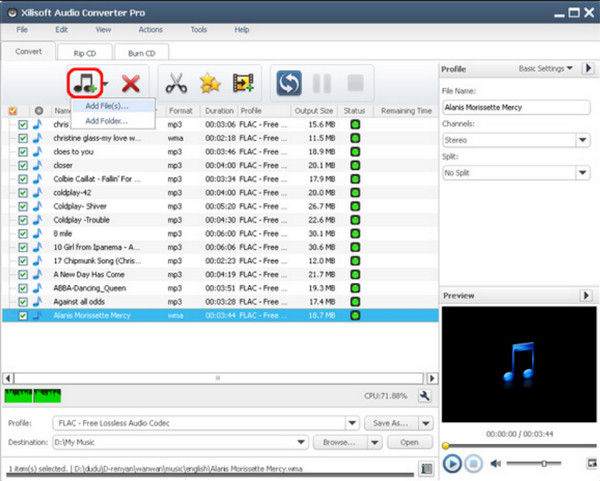
Xilisoft Audio Converter is a versatile desktop AIFF to MP3 converter that maintains excellent audio quality. You can convert multiple AIFF files to MP3 audios on your computer at fast speed.
2. Freemake Audio Converter - Simple AIFF to MP3 Converter

Freemake Audio Converter is ideal for quick audio conversions on Windows and Mac. This AIFF to MP3 converter brings a straightforward interface. It also lets you adjust audio quality by setting your desired bitrate and channel options.
3. Audacity - Free AIFF to MP3 Converter with Audio Editing
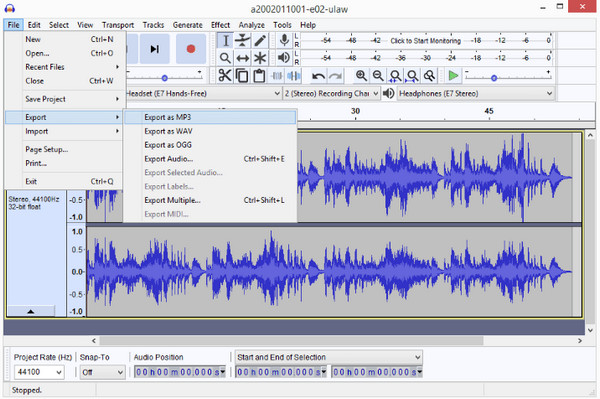
Stands out as a powerful, free open-source audio editor, Audacity can also be your AIFF to MP3 converter. It covers a wide range of formats and allows you to apply professional-grade edits, such as trimming, fading, equalization, noise reduction, and more. It is great for musicians, podcasters, and editors who wish complete control over their audio.
4. CloudConvert - Online AIFF to MP3 with Custom Settings
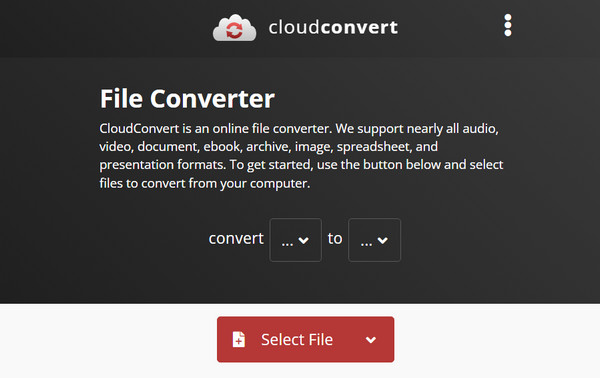
Meanwhile, CloudConvert is an online file conversion platform that covers over 200 formats, including AIFF to MP3 conversion. You can convert files from local and cloud storage spaces flexibly. CloudConvert deletes your uploads after 24 hours automatically. So your personal files will be safe. Plus, its versatility is combined with high-quality output and fast conversion speed.
5. Zamzar - Web-Based AIFF to MP3 Converter with Email Download

Another online AIFF to MP3 converter, Zamzar, works quickly and efficiently to convert files directly from your browser. With its simple drag-and-drop interface, you can convert audio files in seconds! Aside from supporting hundreds of audio and video formats, it also has email notification features where you can receive your converted files with a link.
Conclusion
That's all to turn AIFF to MP3 format without losing quality on Windows, Mac, and online. AnyRec Video Converter is highly suggested for its batch conversion support, audio editor, and beginner-friendly design. You can convert multiple AIFF to MP3 audio files offline quickly. Moreover, you can efficiently manage, convert, and enjoy your audio files without any hassle.
Secure Download
Secure Download
Related Article
About Our Author