
Hot

AnyRec Video Converter
120× faster video conversion and editing. No waiting.
Secure Download
6 Video Loopers to Help You Create Seamless Video Loops

Video looping is a creative technique that allows specific moments to repeat seamlessly, making content more engaging, expressive, and memorable. Although it sounds professional, the process is actually simple nowadays. With the right video looper, creators can control timing, rhythm, and repetition precisely, achieving professional-looking special effects without complex editing skills.
Guide List
What Benefits Can Video Looping Bring to Your Content? The Most Powerful Video Looper for Any Special Effects Top-Notch Video Loopers You Can TrustWhat Benefits Can Video Looping Bring to Your Content?
When you loop a video, it doesn't mean simply repeating the content of your clip. This effect enhances the content by turning brief moments into visually compelling focal points. When the viewers watch the scene again, there's always something new generated. All the elements contained will be highlighted again, drawing the viewer's attention to details that might otherwise be overlooked in a single playthrough. This technique is especially effective for short-form content on social media, where seamless loops increase watch time and encourage replays without feeling repetitive.
Looped videos also help convey emotion and rhythm more clearly. A perfectly timed loop can amplify humor, suspense, or impact, making the content feel more intentional and polished. Whether you are working with educational courses or promotional videos, the part of the video that is looped helps highlight specific steps, making sure the point reaches your audience without additional narration.
From a creative perspective, video looping reduces complexity while increasing expressiveness. Instead of lengthy edits, creators can focus on refining a single moment, achieving stronger visual storytelling with minimal footage and maximum engagement.
The Most Powerful Video Looper for Any Special Effects
Since there are so many advantages of this effect, you may wonder how to create a seamless video loop . When advanced looping control and visual precision are required, a powerful and flexible video looper becomes essential. AnyRec Video Converter stands out for its ability to create smooth, customizable video loops while maintaining high output quality. By combining looping features with professional-grade editing and format support, it offers an efficient solution for creators who want to produce polished looping effects without sacrificing speed or clarity.
Apply loop animation for the video with one click.
Generate a GIF quickly regardless of the video file size.
Trim the source video to get a GIF with an ideal length.
Support multiple importing video formats for looping.
Secure Download
Secure Download
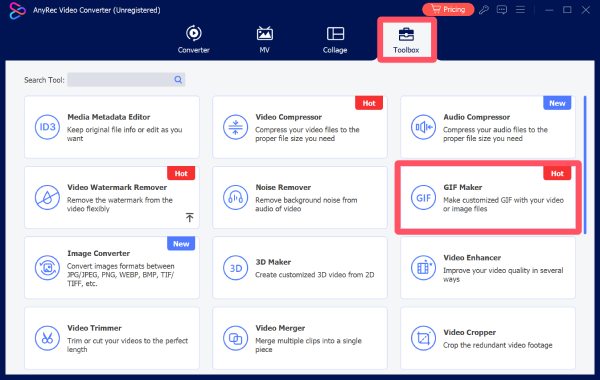
Step 1.Launch AnyRec Video Converter and click the "GIF Maker" button under the "Toolbox" tab.
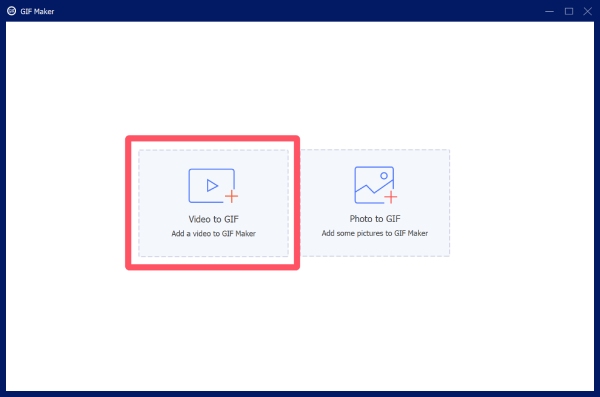
Step 2.In the new pop-up window, click the "Video to GIF" button and select the video for looping from your folders.
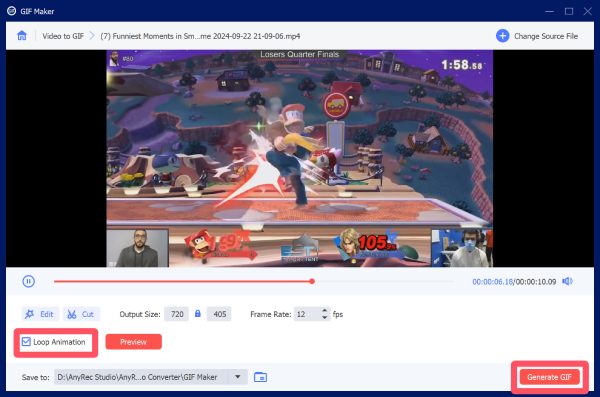
Step 3.To make the video loop, click the "Loop Animation" button. Finally, click the "Generate GIF" button.
Top-Notch Video Loopers You Can Trust
Beyond the all-in-one solution mentioned above, there are many reliable video loopers that you can try. Focusing on different aspects, each of them can help you loop videos with a quick and straightforward process. You can read this section to find out which one can best match your workflow, skill level, and content goals, ensuring consistent results across various video projects.
Video Loopers
| Video Looper | Supported Platforms | Processing Speed | Editing Ability |
| Clideo Video Looper | Web (Windows, Mac, Linux) | Fast | Basic (loop count + trim) |
| Kapwing Loop Maker | Web (Windows, Mac, Linux) | Fast | Moderate (text, simple edits) |
| VEED.IO Video Looper | Web (Windows, Mac, Linux) | Moderate | Advanced (filters, subtitles) |
| Loopideo | Desktop or Web (variable) | Fast–Moderate | Basic (loop precision focus) |
| Boomerang (Instagram) | iOS, Android (mobile) | Fast | Limited (auto loop effect only) |
1. Clideo Video Looper
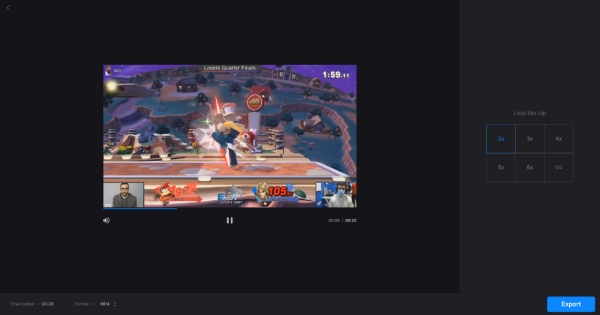
Clideo Video Looper is an online tool that makes looping video clips fast and intuitive. Designed for users who need quick social media–ready loops, it allows multiple loop counts, basic trimming, and instant previews directly in the browser. Its clean interface and simple upload process make it suitable for beginners and those who want to loop short videos with minimal effort.
- Pros
- No software installation needed
- Easy-to-use browser interface
- Adjustable loop count
- Cons
- Internet connection required
- Export quality is limited on the free plan
- Basic editing features only
2. Kapwing Loop Maker
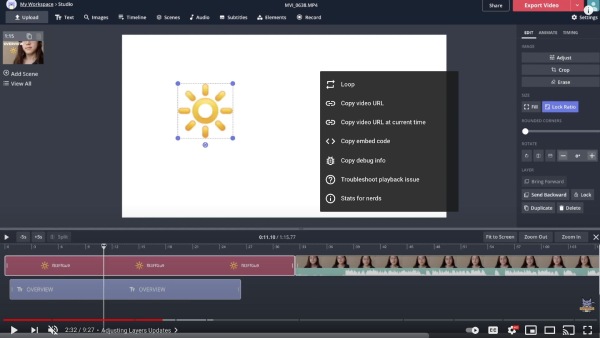
If you are searching for an online video looper that focuses on simplicity and speed, Kapwing Loop Maker is the one you need. By uploading a video and selecting the loop section, you can instantly preview the loop in the browser. The platform also includes introductory text, audio, and transition tools, making it ideal for social media posts. No software installation is needed, which makes it convenient for quick loop creation on the go.
- Pros
- Browser-based (no install)
- Simple interface
- Quick exports
- Cons
- Your video file size may shrink
- Watermarks on the free plan
- Limited advanced settings
3. VEED.IO Video Looper
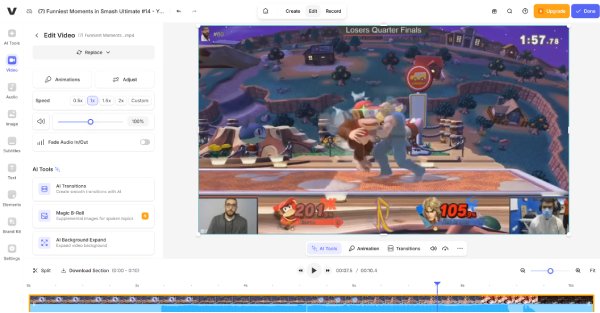
VEED.IO offers cloud-based video looping with additional creative features such as filters, subtitles, and audio overlay. It's designed to help users build engaging looped content without deep editing skills. With drag-and-drop ease and visual controls, this tool is suitable for creators making fun or promotional videos for social platforms and websites.
- Pros
- Support video quality enhancer options
- Extra editing features
- Work with a great processing speed
- Cons
- Free export quality is limited
- The Internet is required during the process
- Some advanced features require a subscription
4. Loopideo
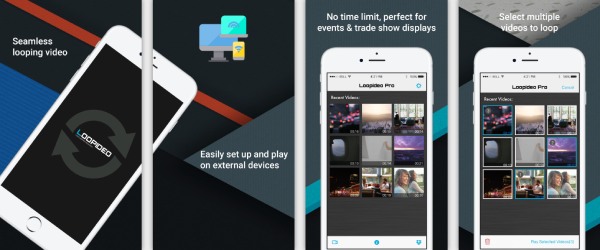
Loopideo is a dedicated looping tool with a focus on perfect replay timing. It excels at creating seamless loops from short clips by analyzing motion and optimizing frame transitions. If looping a video is the one and only goal, then this tool can help you finish the job without other complex editing options. It's a handy utility for quick tasks, especially for GIF-style or video-art content.
- Pros
- Great loop precision
- Fast performance
- Simple setup
- Cons
- Limited overall editing tools
- Fewer format options
- Not ideal for extended footage
5. Boomerang from Instagram
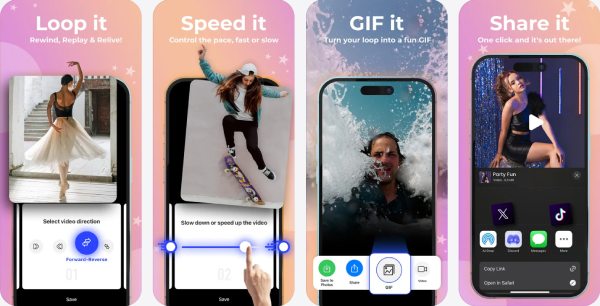
For those who want to loop a video on Instagram, Boomerang stands out as a perfect solution. Developed by Instagram itself, Boomerang captures short clips and automatically generates looping videos that play forward and backward for a playful effect. After applying the looping effect, you can create a side-by-side video and share your content directly.
- Pros
- Work well with Instagram
- Seamless social sharing
- Auto loop effect
- Cons
- Very short loop range
- Limited customization
- Only on mobile
Conclusion
With several video loopers recommended, you can select the one that matches your requirements. However, if you still lack the blueprints for your work, you can use AnyRec Video Converter to preview and find out the best way to loop your videos, making sure the final output feels smooth, intentional, and visually compelling.
Secure Download
Secure Download
Related Article
About Our Author




