
Best Video Editing Software for Beginners Plus Online Tools

Creating videos has never been easier, especially with today's video editing software for beginners. You can make YouTube videos, Instagram Reels, TikTok content, and more with the right tool. The good news is here! The top 5 five video editing software for beginners are shared, along with 3 of the best online video editors you can use directly in your browser.
Whether you want quick editing or downloadable software, see the following to help you edit with confidence.
Guide List
1. AnyRec Video Converter - Fast and High-Quality Video Editing Software 2. iMovie - Mac's Clean Interface Video Editing Software 3. CapCut - Trendy All-in-One Video Editing Software 4. Wondershare Filmora - Creative Effects Video Editing Software 5. DaVinci Resolve - Professional Free Video Editing Software Top 3 Online Video Editors for Beginners1. AnyRec Video Converter - Fast and High-Quality Video Editing Software
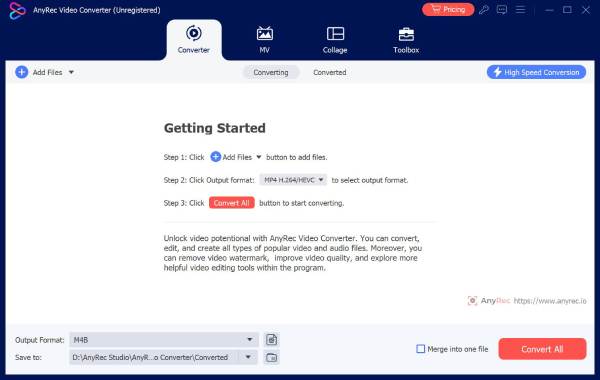
AnyRec Video Converter is a good beginner-friendly video editing software that you can consider. You can to trim, crop, rotate, merge, compress and enhance videos with easy steps. Whether you want to edit school projects, travel clips, or social media videos, AnyRec Video Converter provides a smooth experience.
Export editing videos optimized for platforms like YouTube, TikTok, Instagram, etc.
Trim and cut clips easily to remove unwanted parts from your project.
Real-time preview to instantly check the edits before saving.
Uses advanced processing technology to maintain high-quality after everything.
Secure Download
Secure Download
2. iMovie - Mac's Clean Interface Video Editing Software
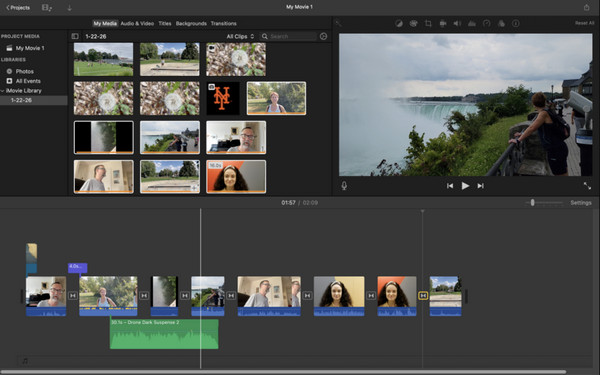
For Mac users, iMovie is still one of the easiest ways to start video editing. Apple made this video editing software for beginners who want clean, polished results. Its drag-and-drop timeline is easy to navigate, and it also comes with built-in transitions, music, filters, and cinematic templates that make videos look professional with no extra effort. Because of its simple design, iMovie is often suggested for students and casual creators who want a stress-free editing experience.
- Pros
- Ideal for quick edits; seamless integration with Apple ecosystem (iPhone, iPad, Mac); support 4K video editing.
- Cons
- No true multi-track editing; no iMovie for Windows and Android versions.
3. CapCut - Trendy All-in-One Video Editing Software
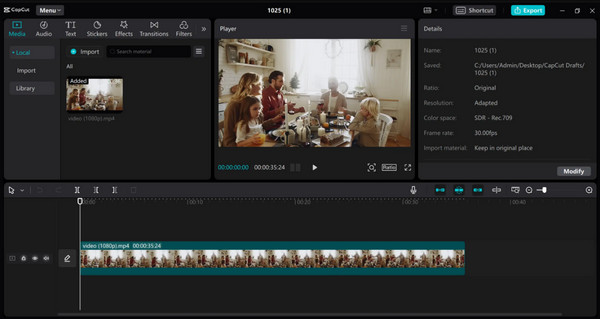
Meanwhile, CapCut has quickly become one of the most well-known video editing tools for beginners, especially for social media creators. This tool is loved by many TikTok and Instagram users due to its trendy effects, templates, and easy editing features. You can instantly add transitions, animations, music, and auto-captions without spending hours navigating and learning the software.
- Pros
- Perfect for TikTok, Reels, and Shorts; free to use with many features; automatic captions and AI tools.
- Cons
- Can feel overwhelming with too many effects.
4. Wondershare Filmora - Creative Effects Video Editing Software
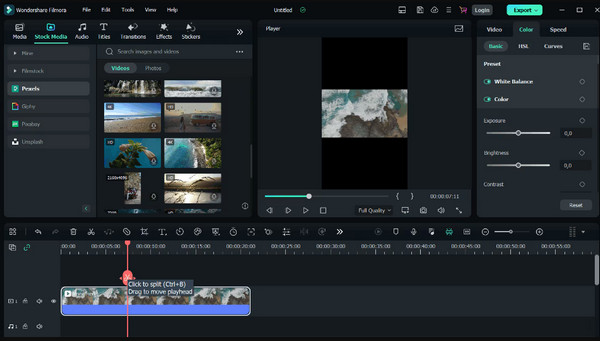
For first-time users out there who wish for more creative freedom, Wondershare Filmora has the balance of simplicity and advanced features. Compared to basic editors, Filmora has a large library of effects, transitions, stickers, and motion graphics. Another reason it can be the perfect video editing software for beginners is its organized workspace, which makes it easy to find and use.
- Pros
- Huge collection of effects and transitions; perfect balance of beginner and advanced tools; can record and edit audio.
- Cons
- Consume more system resources on older devices; the free version has a watermark (You can remove Filmora watermark manually.).
5. DaVinci Resolve - Professional Free Video Editing Software
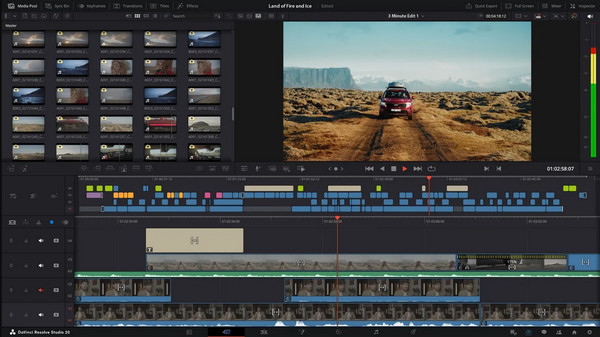
On the other hand, DaVinci Resolve is great for starters who eventually wish to grow into pro-level editing. While it may seem more advanced at first, this video editing software for beginners provides powerful tools that are completely free of charge. It is widely known for its professional audio editing, color grading, and cinematic editing power.
- Pros
- Professional-grade editing tools for free; frequently updated; ideal for visual editing.
- Cons
- Its interface may feel intimidating; it needs a stronger computer.
Top 3 Online Video Editors for Beginners
While video editing software for beginners holds powerful features and offline editing capabilities, online editors are perfect for anyone who loves convenience and accessibility. The following browser-based tools let you edit videos without downloading heavy software.
1. FlexClip
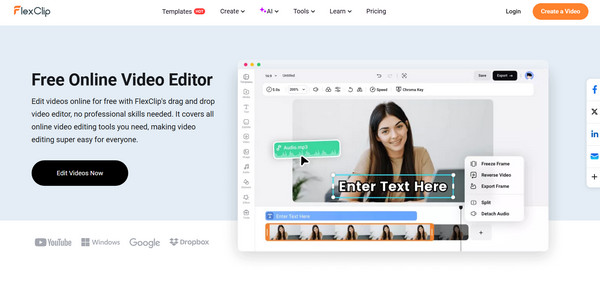
FlexClip is a beginner-friendly online video editor famous for its template-based drifting system. Here, you can create videos quickly using drag and drop tools and a bunch of pre-made designs for slideshows, intros, and social media posts. Furthermore, it includes stock media libraries, text animations, and even royalty-free music for extra creativity.
- Pros
- Large collection of templates; easy browser-based editing.
- Cons
- The free plan has export limitations.
2. VEED.IO
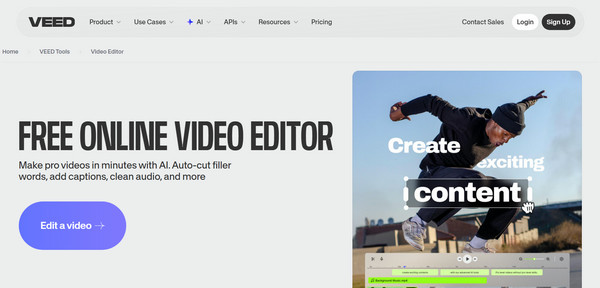
Next is VEED.IO. This online video editing for beginners stands out for its modern interface and powerful subtitle features. It is especially helpful for creators who make social media videos, tutorials, interviews, and podcasts. Also, it trims, resizes, adds music, and applies visual effects quickly in the browser.
- Pros
- Modern editing interface; quick export and sharing options.
- Cons
- Export quality may be limited; internet speed affects the performance.
3. Kapwing
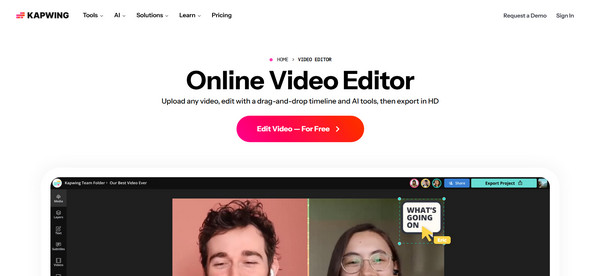
Finally, Kapwing is a versatile online video editor for beginners that has collaborative editing tools. It supports video trimming, image overlays, subtitle editing, and meme creation on a single platform. Beginners will enjoy its intuitive workspace because everything is straightforward to access. It is ideal for students, creators, or teams working on online projects.
- Pros
- Cloud-based storage; ideal for memes and social media content; supports multiple content formats.
- Cons
- Editing large files is slower online.
Conclusion
Looking for the perfect video editing software for starters does not have to be overwhelming. You might prefer powerful desktop tools like CapCut, Filmora, or iMovie, or a convenient online editor like Kapwing. There are tons of options that you can choose from. But for an easy-to-use video converter that delivers fast performance, high-quality exports, and friendly controls, AnyRec Video Converter is worth trying. Enjoy a smooth and hassle-free editing experience with one of the best all-around choices for your editing journey.
Secure Download
Secure Download
Further Reading
About Our Author




