Optimize playback quality before starting your first Blu-ray movie.
Improve Audio Playback Quality
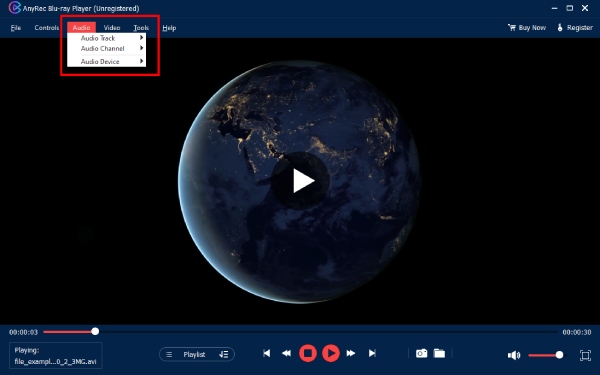
Connect speakers or headphones to your computer. Select the Dolby or DTS output. You can also adjust the audio track, channel, and device.
Watch Blu-ray ISO and Folder Files
Click the “Open File” button to open your ISO file or folder. Start the movie playback. Now you can navigate scenes easily.
Play Blu-ray Movies With Menus
Open your Blu-ray disc. Enable the full navigation menu. Later, you can access chapters and extras.
Connect External Blu-ray Drives Correctly
Plug in your Blu-ray drive. Wait for the device detection. Insert your Blu-ray disc. Then click the “Open Disc” button to play Blu-ray.
Open File
Free download, install, and run AnyRec Blu-ray Player on your computer. Click Open File or Open Disc to import your target media files.
Play Video
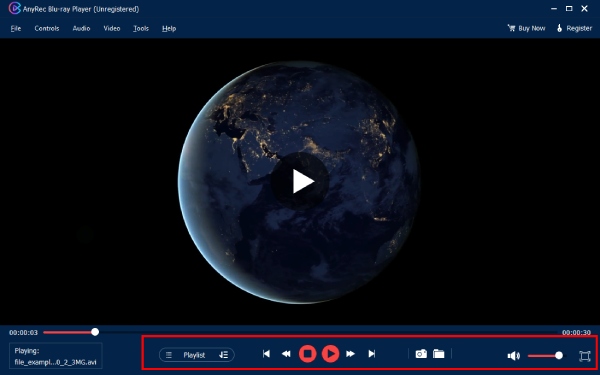
The Blu-ray player software will play your video after loading automatically. You can pause, resume, and stop playing in clicks.
Adjust Playback Settings
From the top toolbar, you can unfold the Controls, Audio, Video, and Tools lists to get more video/audio playback options.

Get Support
If you can’t find the answer to your question, just contact our support team – we will be happy to help.
Contact Us follow us on Facebook
 follow us on X (Twitter)
 follow us on YouTube
Copyright © 2026 AnyRec Studio. All Rights Reserved.