-
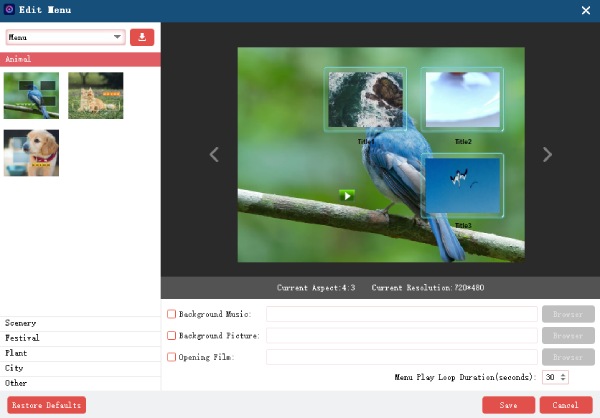
Can I create custom DVD menus with templates, music, and background images?
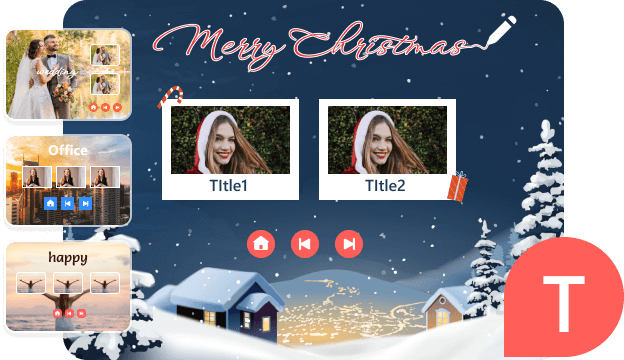
Yes. You can choose holiday, family, wedding, travel, and more themes from the built-in menu editor. Moreover, you can change the background image, add background music, edit button styles, adjust text font and size, reposition elements, and change thumbnails.
-
Can I burn multiple videos to one DVD?
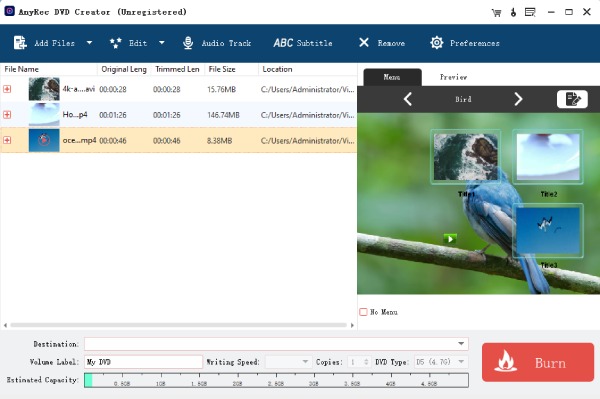
Yes. Add as many videos as your disc can hold. AnyRec DVD Creator supports batch burning in different formats, different sources, all on one disc. Just keep an eye on the disc capacity indicator so you don't go over.
-
Does it support DVD-5 and DVD-9 formats?
Yes. AnyRec DVD Creator also supports DVD-R, DVD+R, DVD-RW, DVD+RW, DVD-RAM, and DVD-DL.
-
Does it support creating DVD folders or ISO files?
Yes. You don't need a physical disc. You can output videos to a DVD folder (in the VIDEO_TS structure) or to an ISO file using AnyRec DVD Creator.
-
How long does it take to burn a DVD?
In general, burning a standard 2-hour video project to DVD takes roughly 10–20 minutes, depending on your PC's hardware and disc write speed. Burning to a folder or ISO is faster since there's no physical write involved.
-
Can I trim, crop, or add effects to videos before burning?
Yes. You can trim, crop, rotate, flip, add text or image watermarks, apply filter effects, adjust audio tracks, and add subtitles in SRT, SUB, SSA, and ASS formats. You can also merge chapters and add an opening film. All are editable with a real-time preview.