You don't always need the whole video. Sometimes you just need a song, a podcast, or a recording. Here are common scenarios of using a free MP3 converter.
Get MP3 audio
Batch convert audio files
Extract audio from video
Need smaller audio files
Share audio easily
Fix audio won't upload
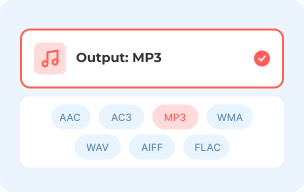
1 Select Audio Format
Click the "Add Files to Convert" button and upload your file. MP3 is the default output format. Or you can choose other audio formats manually.
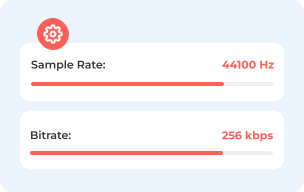
2 Adjust Audio Settings
To adjust output audio settings, click the "Settings" button. Here you can change the audio encoder, channel, sample rate, and bitrate.
3 Convert Audio
Click the "Convert" button. Then set the path folder. The online MP3 conversion will start immediately.
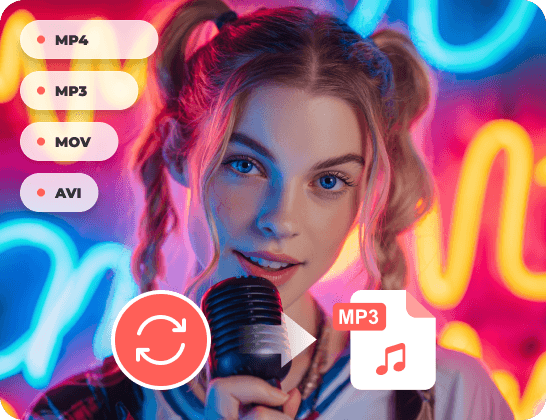
Switching formats shouldn't feel like a difficulty. But most online audio converters have outdated interface, mid-conversion paywalls, or low-quality audio outputs. AnyRec Free MP3 Converter keeps everything straightforward. It supports a wide range of input video and audio formats, including MP4, MOV, FLV, WMV, AMR, WebM, and more. Whether it is an MP4 lecture, a WMA recording, or a FLAC track you need in a different format, it works the same way every time. Fast, free, and doesn't waste your time.
Converting audios one by one is a real time drain. Most free tools make you upload, wait, download, and then start over again for the next file. That's time wasting, especially when you have 10, 20, or 50 audio files to get through. AnyRec Free MP3 Converter doesn't have a file size limit (such as 100 MB, 200 MB, 500 MB) nor a hidden conversion queue. Moreover, it doesn't matter if the files are in different formats. You can mix your WMA, OGG, FLAC, or M4A files and then export as MP3 in one go. It is also supported to convert multiple audio files into different output formats.
Audio quality is the first thing that goes wrong with most free audio converters. You upload a clean WAV or FLAC file and get back an MP3 that sounds hollow, muddy, or just noticeably worse than what you started with. It's one of the most common complaints people have. That's because these online audio converters default to a low bitrate and don't give you any control over it. AnyRec Free MP3 Converter gives you up to 320kbps. You can convert audio to MP3 with full range, including the lows, the highs, and the detail in the middle. What you put in sounds like what you get out, just in a different format.
Both have their strengths. Here's a quick comparison of how the online and desktop MP3 converters stack up. Pick what works for you.
| User pain point | AnyRec Free MP3 Converter Online | AnyRec Video Converter Desktop |
|---|---|---|
| Cost | ||
| "I don't want to pay for something I rarely use." | 100% free. | Free trial available. |
| Batch Conversion | ||
| "I have dozens of files – doing them one by one is painful." | Batch conversion supported. | Batch conversion with multi-core acceleration. |
| Audio Editing Tools | ||
| "I also need to trim, merge, or boost volume after converting." | Conversion only. | Full toolbox included. |
| Speed & Offline Use | ||
| "Conversion is slow or fails when my connection is poor." | Depends on Internet speed. | Uses local CPU/GPU. |
You need a quick online audio conversion for free.
You convert large files regularly and need fast speed.
100% Secure
100% Secure
Can I use it on my phone?
Yes. You can use AnyRec Free MP3 Converter on mobile browsers. Open it on Safari or Chrome on your phone. It can run the same way as on a desktop.
Will it add a watermark to my audio file?
No. The output is a clean MP3 with nothing added. No watermarks, no embedded ads, no tool branding in the file.
What if my file format isn't listed?
AnyRec Free MP3 Converter supports MP3, AAC, AC3, WMA, WAV, AIFF, FLAC, MKA, M4A, M4B, and M4R output formats. If you can't find your target audio format, you can use AnyRec Video Converter software. It provides 1000+ formats and is worth trying.
Is there a limit on how many tiles I can use per day?
No. There is no daily limit. You can convert to MP3 as many files as you need, as many times as you want. There's no usage cap tied to your session or device.
What happens to my file after I download it?
Once the conversion is done and you've downloaded your file, it gets deleted from the server. Nothing is kept on their end. Your file is yours and only yours.
Rachel Kim


 I need background music for my classes in MP3. Most online audio converters I tried had so many ads. I couldn't even find the Download button. AnyRec Free MP3 Converter was clean and straightforward. Uploaded my file, got my MP3, done. No nonsense.
Daniel Osei
I record lectures as videos and then convert them to MP3 files. So, they're easier to listen back to. AnyRec Free MP3 converter handles that perfectly. No sign-up, no file size limit. It works on my laptop and phone. Exactly what I needed.
Sophie Marchand
I work with audio recordings a lot. Other audio converters would cut off my files because they were too large. AnyRec Free MP3 Converter never does that. I've put through some pretty big files, and it handles them without any issues every time.




Upload your audio. Get a clean MP3 audio. Takes less than a minute.
 follow us on Facebook
 follow us on X (Twitter)
 follow us on YouTube
Copyright © 2026 AnyRec Studio. All Rights Reserved.

