Many users look for an online video converter when they face issues like incompatible formats, large file sizes, or upload failures. Here are the most common situations where AnyRec Free Video Converter Online can help.
Fix videos not playing
Extract audio from video
Convert to video/audio formats
Upload to social media
Don't want to download software
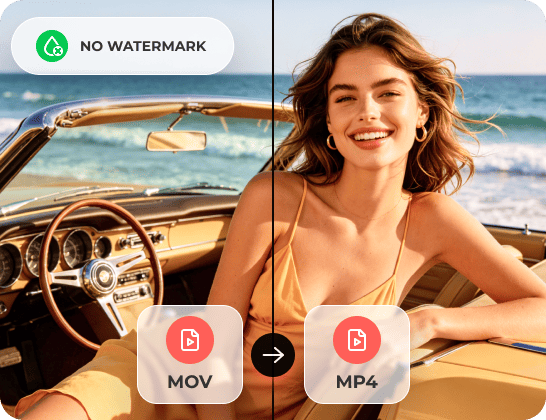
Convert videos without a watermark
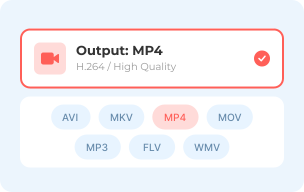
1 Select Output Format
Add your video first. Then choose which video or audio format to export from the bottom.
2 Adjust Settings
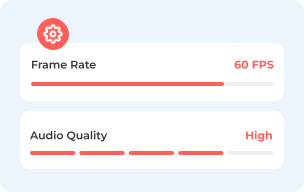
Click the "Settings" button next to your video. You can adjust video resolution, encoder, bitrate, and more.
3 Convert Video
Click the "Convert" button, then set the output folder to change video formats for free.
Choosing the right video format depends on how and where you want to use your video.
| Use Case | Best Format | Why |
|---|---|---|
| General playback | MP4 (H.264) | Works on almost all devices. |
| YouTube | MP4 | Best compatibility & quality. |
| Instagram/TikTok | MP4 | Platform preferred format. |
| Apple devices | MOV | Native Apple support. |
| Editing | MOV/AVI | Higher quality |
| Small file size | MP4 (compressed) | Balanced size & quality. |
You have a video file, and it just won't play where you need it to. Maybe it's an MKV that your phone doesn't recognize, or a MOV file you need to send as an MP4. Sometimes you just want to export audio only as MP3. AnyRec Free Video Converter Online covers all of this in one place. You can convert any video to MP4, MOV, MKV, AVI, M4V, FLV, WMV, WebM, MP3, AAC, and popular formats. It is supported to convert a bundle of videos or a folder of videos to different formats. Fast and clean.
The freemium watermark trap is one of the most common complaints about free online video converters. You spend time picking the format, adjusting video settings, and setting up your conversion. But only to find out the watermark removal costs extra. Some free video converters make you pay monthly to get a clean output. Others limit you to one minute before the watermark kicks in. It feels like a bait and switch. AnyRec Free Video Converter Online doesn't work that way. Free actually means free here.
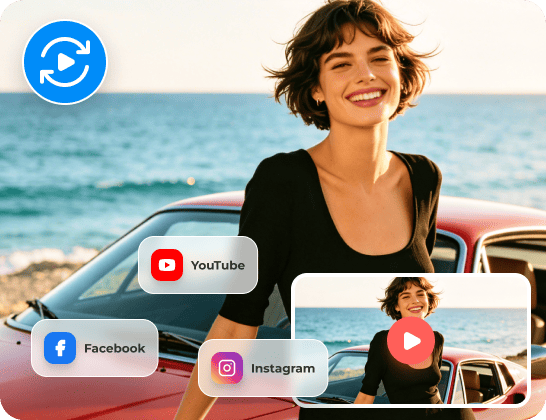
You spend time editing a video, export it, upload it to YouTube, and it comes out looking soft and blurry. That's one of the most common complaints from creators. The reason is usually the format or codec. YouTube prefers MP4 with H.264, as well as Facebook. When you upload a MOV or AVI file instead, the default compression has less to work with, and the result looks noticeably worse. If you don't want to spend time on finding proper codecs, you can set the output video format to YouTube and Facebook instead. Stop guessing and stop getting error messages.
Quick one-off conversion or a full video toolkit? Both are free to start. See exactly which version offers before you decide.
| Feature | Free Video Converter Online | AnyRec Video Converter |
|---|---|---|
| Best for | Quick, small tasks | Large files & professional use |
| File Size | 50MB, 2 files/24 hours | No limits |
| Speed | Depends on internet | Fast GPU acceleration |
| Batch Conversion | ||
| Output Quality | Standard | HD/4K/8K |
| formats | Common formats | 1000+ formats |
| Editing Tools | ||
| Compression | ||
| Privacy | Upload required | Local processing |
| Stability | Affected by network | Stable & reliable |
Use the free online converter for quick and simple tasks.
Use the desktop video converter for large files, batch processing, and advanced editing.
100% Secure
100% Secure
What video formats can I convert to?
You can use AnyRec Free Video Converter Online to change video formats to MP4, MOV, WMV, AVI, MKV, M4V, FLV, VOB, 3GP, WebM, MPG, and GIF formats. For audio, it supports MP3, M4A, FLAC, AAC, WAV, WMA, AIFF, and more.
Can I adjust the video quality or resolution before converting?
Yes. You can change the resolution (from 240p up to 1080p), frame rate, bitrate, and video encoder before you start the conversion. The default keeps the same settings as your original file.
Does it work on Mac and Windows?
Yes. It works not only on Windows and Mac, but also on iPhone and Android. It also runs in any major browser, including Chrome, Safari, Firefox, and others. So there's no platform restriction.
Is it safe to use? Will it show ads or try to install other software?
It's ad-free and contains no malware or viruses. AnyRec Free Video Converter Online won't redirect you to other sites or push extra software installs during conversion.
Eddie Harper


 Most of these online video converters are loaded with pop-ups and sketchy redirects. I was genuinely surprised AnyRec Free Video Converter Online had none of that. Just upload my file, pick the format, and download the result. No nonsense in between.
Myron Walden
Really like that you can change the resolution and bitrate before converting. I need 1080p output. The previous free converter don't let me touch those settings at all. But AnyRec Free Video Converter Online does, and the result looked great.
Gerardo Penton
My phone records videos in HEVC, and my Windows PC wouldn't open any of the files. So I converted HEVC to MP4 here with AnyRec Free Video Converter Online. Now they open fine everywhere.





Add your video and convert it now. No account, no watermark, no waiting around.
Your video, any format, zero cost.
 follow us on Facebook
 follow us on X (Twitter)
 follow us on YouTube
Copyright © 2026 AnyRec Studio. All Rights Reserved.


