
The Only Free Slideshow Makers You Need: Top 10 Ranked

Do you want to put together heartfelt photos, a Reels recap, or a professional pitch deck for your project? Well, you just need the right free slideshow maker to create something breathtaking, and not complex editing skills or a huge budget. From mobile apps to desktop tools, today's list breaks down the top 10 free photo and video slideshow makers. Also, stick around for a special bonus that'll take your slideshow to the next level.
Guide List
1. Canva: AI-Powered Slideshow Maker 2. PowerPoint: Professional Presentation Free Slideshow Maker 3. iMovie: Cinematic Slideshow Maker 4. PowerDirector: Multi-Track Slideshow Maker 5. Icecream Slideshow Maker: Photo-to-Video Slideshow Maker 6. FotoSlider: Beat-Sync Music Slideshow Maker 7. Google Slides: Collaborative Free Cloud Slideshow Maker 8. InShot: Social Media Video Slideshow Maker 9. VivaVideo: Creative Effects Slideshow Maker 10. FotoSlider: Animated Sticker Slideshow Maker Best Recommended for Creating Slideshows on Windows/Mac1. Canva: AI-Powered Slideshow Maker
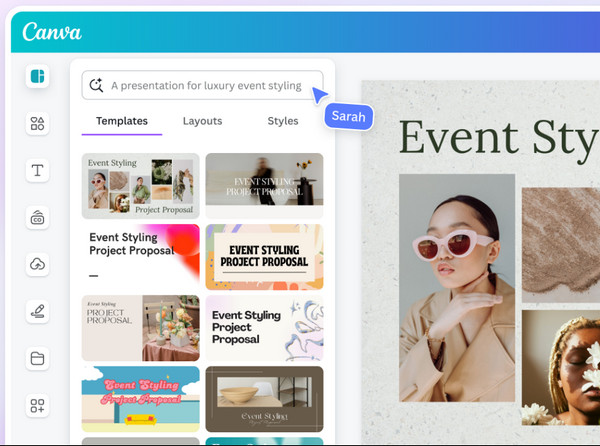
The first free slideshow maker option has revolutionized the way people approach visual content. Canva has a bunch of pre-made templates and stock assets. It has a Magic Design feature that lets you upload photos and let the AI generate full presentations with themes and transitions. Plus, its cloud-based nature lets you start a project on your desktop and finish it on your mobile phone with no problem.
2. PowerPoint: Professional Presentation Slideshow Maker
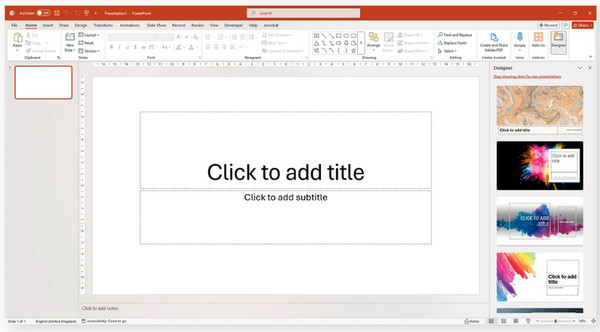
Moving to a more traditional free slideshow maker, PowerPoint remains the standard for professional decks. While you may see it as a basic tool, its Designer panel offers many high-end animations that turn simple images into a cinematic production once completed. It also offers deep integration with other Microsoft 365 apps, letting you easily embed complex charts and live data.
3. iMovie: Cinematic Slideshow Maker
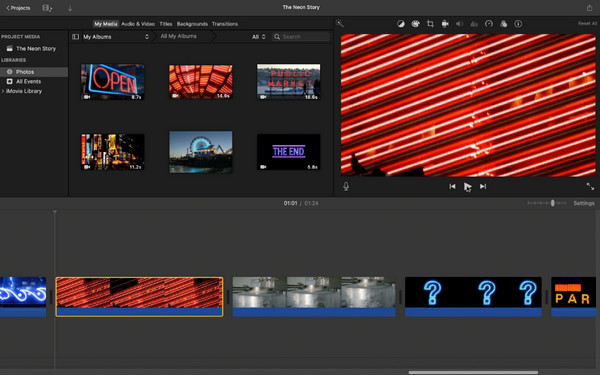
iMovie is the obvious starting point for Mac users. It isn't a dedicated slideshow maker, but it can handle photo editing well. Just drop your images onto the timeline. Then add transitions, set them to music, and export a clean finished video in minutes. With the built-in iMovie trailer templates, you can create a cinematic feel of slideshows with easy steps.
4. PowerDirector: Multi-Track Slideshow Maker
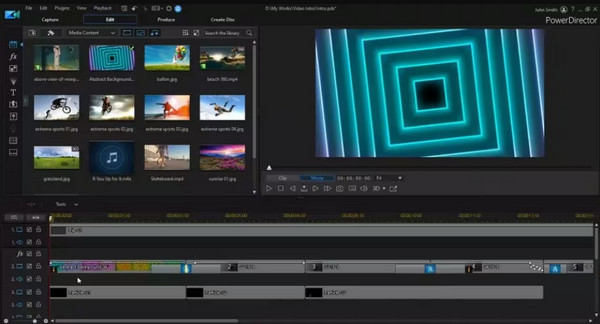
PowerDirector is one of the most capable free Windows slideshow makers. The PowerDirector free version gives you access to a genuine timeline editor, which means more control over timing, transitions, and music than most browser-based tools offer.
Adding photos is straightforward. You drag them onto the timeline, adjust how long each one stays on screen, drop in a transition, and layer music underneath. The built-in effect library is extensive, which is more variety than you'd expect from a free tool.
5. Icecream Slideshow Maker: Photo-to-Video Slideshow Maker
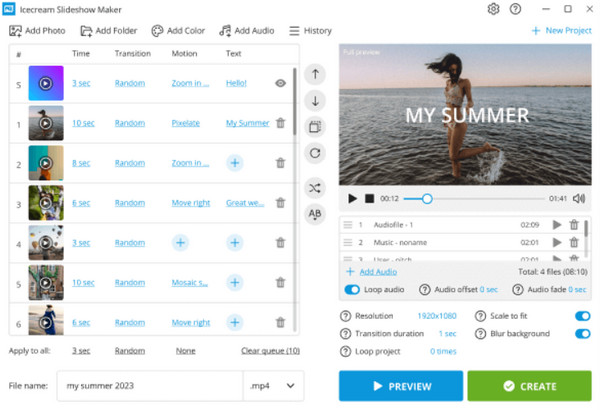
A dedicated photo tool, Icecream Slideshow Maker, is a free slideshow maker app that turns a large batch of photos into a video with no complex settings. It offers a simple drag-and-drop interface for adding music, adjusting the length of each slide, and choosing from thousands of classic transitions.
6. FotoSlider: Beat-Sync Music Slideshow Maker
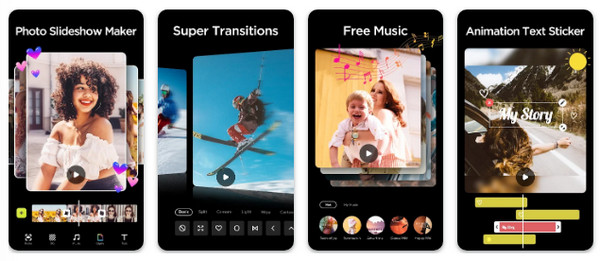
Now, turn your attention to the mobile slideshow maker, FotoSlider. This app focuses heavily on the auditory experience of a slideshow, offering Beat Sync that aligns transitions to your music. It offers a wide range of trendy filters and stickers to help your content stand out on platforms like TikTok and Instagram.
7. Google Slides: Collaborative Cloud Slideshow Maker
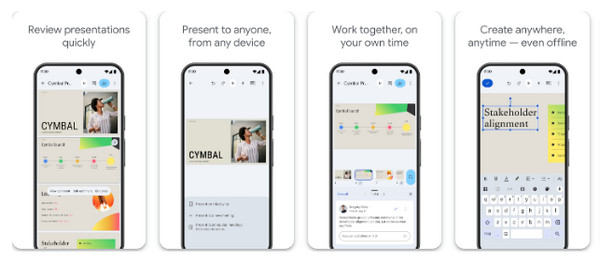
This next mobile entry for free slideshow makers is the king of cloud collaboration. Google Slides is perfect for anyone who works on a slideshow simultaneously from different locations. Its real-time collaboration and commenting feature let multiple users edit the same slide without any issues. Today, Gemini AI also helps generate outlines and speaker notes on the go. (See steps to remove background from pictures in Google Slides for making your own slideshows if necessary.)
8. InShot: Social Media Video Slideshow Maker
The following free slideshow maker app is ideal for content creators. InShot is a mobile editing powerhouse that has a standout Canvas tool, allowing you to instantly resize your slideshow for specific platforms like YouTube. Additionally, it offers a huge library of sound effects and voiceover tools, making it easy for you to add a personal touch to your photo collections.
9. VivaVideo: Creative Effects Slideshow Maker
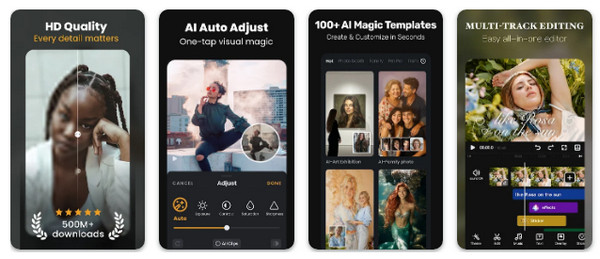
VivaVideo is one of the most capable free slideshow maker apps for both iPhone and Android. The process is simple. You pick your photos, choose a theme or build the sequence manually, add music from your library or the built-in sound collection, and export when you're done.
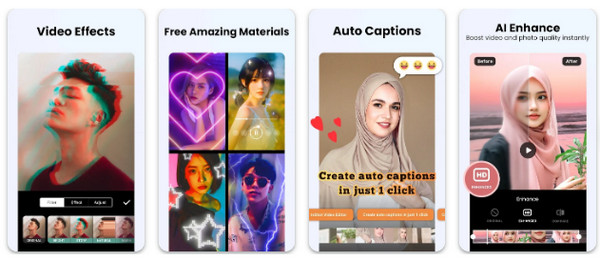
VivaVideo also handles text overlays, stickers, and basic filters well, which makes it more flexible than other slideshow-only apps. Everything is touch-based and designed for small screens. The learning curve is minimal.
10. FotoPlay: Animated Sticker Slideshow Maker
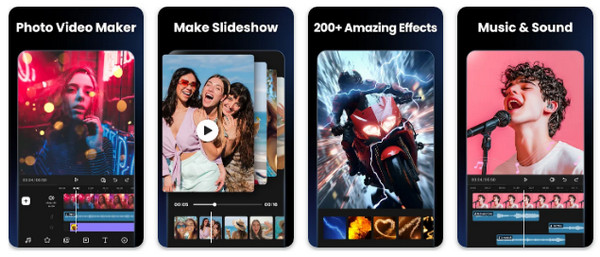
Another variation of a dedicated photo-focused mobile editing app is FotoPlay. Since it specializes in making photo videos pop, it has a massive collection of animated stickers and text effects. The free slideshow maker app also supports multiple music tracks, so you can layer background music with sound effects or even recorded narration.
Best Recommended for Creating Slideshows on Windows/Mac
While there are many free slideshow makers listed above that focus on quick social media clips or design, AnyRec Video Converter shines as a top-tier recommendation for Windows and Mac users. This software is not only a high-speed file converter but is also a creative slideshow maker using its MV feature. It is designed to handle thousands of file formats, ensuring that your photos and videos work perfectly with your slideshow. In addition, it uses a drag-and-drop interface and applies professional themes, filters, and effects with just a few clicks.
MV Maker creates music videos and slideshows with preset themes, transitions, etc.
Import and export media in any format, like MP4, MOV, AVI, and more.
Trim, rotate, crop, add text, and more directly within the slideshow timeline.
Enjoy desired export quality and other settings with its customizable output.
Secure Download
Secure Download
Conclusion
Knowing how to make a slideshow is a superpower. With the selected free sideshow makers with music today, you can create a project on the fly or enjoy more professional polish for your presentations. But when you find yourself needing more, don't hesitate to ask AnyRec Video Converter for help. This desktop suite goes beyond simple conversion, letting you create slideshows with stunning themes and transitions, all while looking crisp on any screen. If you wish for something that grows with your creative needs, this tool is a fantastic addition to your digital toolkit.
Secure Download
Secure Download
Further Reading
About Our Author




