
8 Best Programs for YouTube Video Editing (Desktop/Online)

Your choice of the best editor for YouTube videos today will ensure a seamless viewer experience. From heavy-duty desktop tools to online editors, the options have never been more diverse. Whether you wish to edit a quick tutorial or a cinematic vlog, the following has got you the best free video editing software for YouTube. Also, it provides the technical requirements you need to ensure that every YouTube upload looks crisp on every screen.
Guide List
1. AnyRec Video Converter: The AI-Powered Quality Enhancer Video Editor 2. Wondershare Filmora: Easy AI Creative Suite YouTube Editor 3. Final Cut Pro: Pro-Grade Powerhouse Video Editor 4. iMovie: Seamless Entry-Level YouTube Video Editor 5. CapCut: Social Media Viral Editor 6. FlexClip: Huge Template-Driven YouTube Editor 7. Kapwing: Collaborative-Focused Video Editor 8. VEED.IO: AI Subtitle and Translation YouTube Editor YouTube Video Requirements and Tips1. AnyRec Video Converter: The AI-Powered Quality Enhancer Video Editor
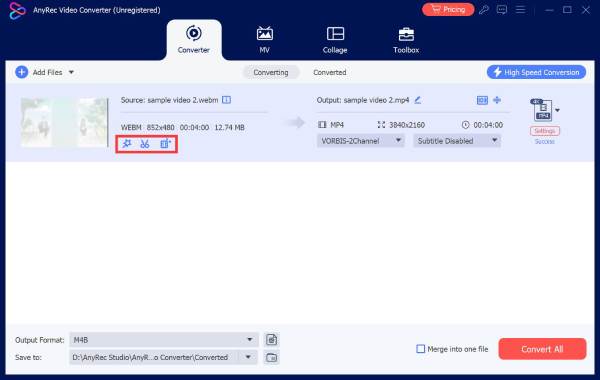
Choosing the best software for editing YouTube videos can feel like a treasure hunt. So, to start the list, here's AnyRec Video Converter, a versatile powerhouse that focuses on editing your footage while maintaining the highest possible resolution. This video editor software excels at turning low-quality videos into crisp results. Besides conversion, it lets you trim, crop, add filters, effects, text, and more with zero technical skills. You can even create video collages for YouTube by combining up to 13 different screens into one frame.
High-speed editing tools like trimmer, rotator, cropper, watermarks, and more.
Convert a 1080p clip to 4K for better YouTube playback quality.
Ensures your footage is converted into a YouTube-friendly format without pixelation.
Preview each edit to make sure it is YouTube-ready before saving.
Secure Download
Secure Download
2. Wondershare Filmora: Easy AI Creative Suite YouTube Editor
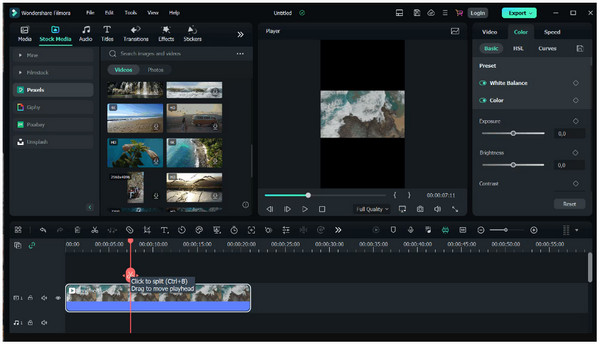
For creative storytelling, Wondershare Filmora steps in as the best program for YouTube editing, especially for inspiring influencers. This video editing software makes complex editing feel like a breeze. Here, you can enjoy a massive library of eye-catching effects and royalty-free music. Whether you want a quick tutorial or vlog, the app ensures the process is as fun as the final result.
3. Final Cut Pro: Pro-Grade Powerhouse Video Editor
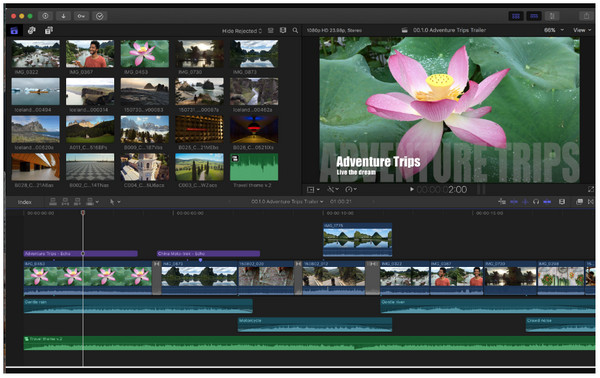
While the previous program focused on ease of use, Final Cut Pro steps into the professional side. This macOS program for YouTube video editing is built for speed, letting you add clips and shuffle them without any sync issues or gaps. It makes use of Apple's silicon greatly to handle 8K video and multicam projects. Adding to its greatness is advanced color grading and HDR support for high-end YouTube productions.
4. iMovie: Seamless Entry-Level YouTube Video Editor
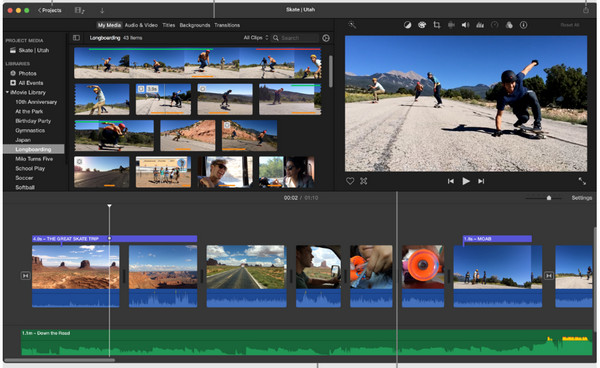
iMovie (get iMovie for Windows) offers a familiar and no-cost solution for the Apple ecosystem. It is made for anyone who needs to turn inspiration into a finished project in just minutes. Using its magic movie feature, it is one of the best programs for YouTube video editing on Mac, identifying the best parts, and creating a polished edit.
5. CapCut: Social Media Viral Editor
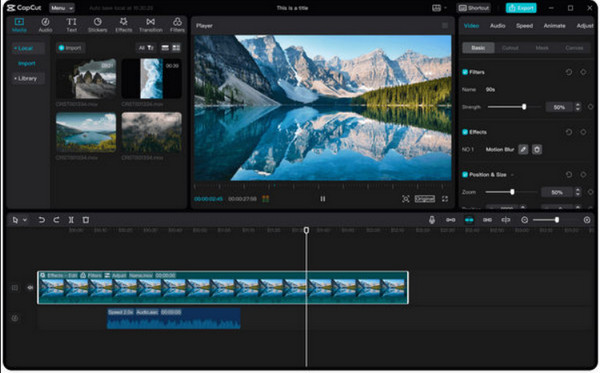
From Apple's classic, here's a modern trendsetter perfect for short-form and YouTube content. CapCut, originally a mobile favorite, now has a desktop version packed with trending transitions, stickers, and 3D effects. This video editor for YouTubers also has a background removal tool that lets you switch environments without any green screen.
6. FlexClip: Huge Template-Driven YouTube Editor
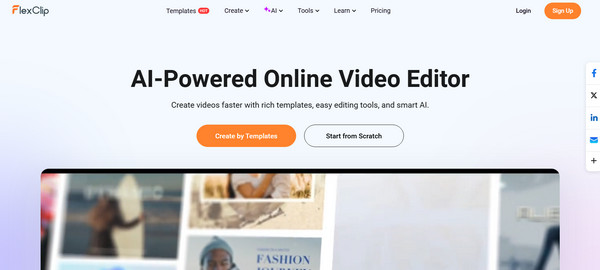
Switching to browser-based convenience, the first one here stands out for its large library of professional templates: FlexClip. This online video editor for YouTube has an AI blog-to-video tool that transforms written articles into an edited video draft with stock media and voiceovers. Also, you can collaborate with teams in real-time, which is ideal for group projects.
7. Kapwing: Collaborative-Focused Video Editor
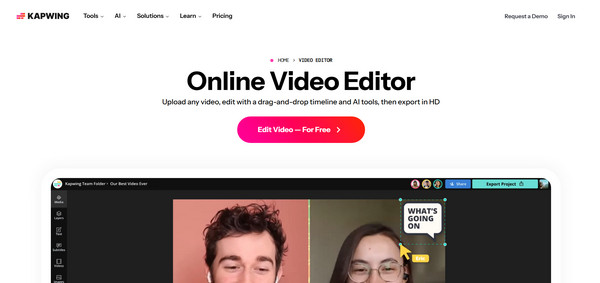
If you prefer a more hands-on online editing experience, then Kapwing has a collaborative workspace. Its smart cut feature automatically detects and removes unwanted silence from your footage. It is one of the best video editors for YouTube that works entirely in your browser, letting you jump between any computer and continue exactly where you left off.
8. VEED.IO: AI Subtitle and Translation YouTube Editor
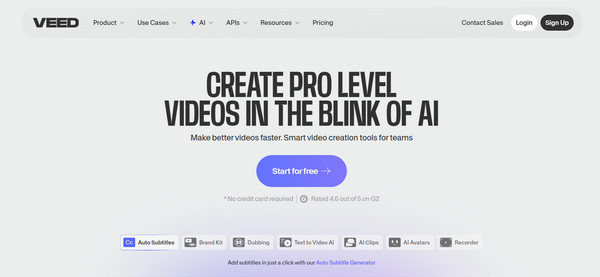
Finally, for those aiming for a global audience, VEED.IO leads the online YouTube video editing game with its AI translation and subtitling capabilities. This tool can transcribe your video and translate it into more than 50 languages with just a click! Plus, it has a unique eye contact correction tool that makes it look like you're staring into the camera, as if you weren't reading a script.
YouTube Video Requirements and Tips
While having the best video editor for YouTube, ensuring your final video meets its standards is what guarantees your content looks perfect on every screen. Thus, before concluding this post, here are the essential requirements and some tips to ensure your videos are optimized for maximum reach and quality.
• Recommended Video Requirements. To keep your uploads smooth, stick to the following specifications:
File Format: MP4
Video Codec: H.264 for standard, or HEVC (H.265) for 4K and 8K content.
Audio Codec: AAC-LC
Aspect Ratios: 16:9 for standard lengthy videos and 9:16 for YouTube Shorts.
File Size and Length: Verified accounts can upload up to 256 GB (12 hours long)
Frame Rates: Supports 24, 25, up to 60 fps.
• Use 4K for Better Quality. Prioritize 4K content for viewers, especially those watching on smart TVs.
• Smart Silence Removal. Ensure you remove dead air to prevent viewers from clicking away during a pause.
• Native Resolution Exporting. Always export video in its native resolution, as changing it can cause blurring that hurts your professional images.
Conclusion
Regardless of your workflow, hardware, and creativity, there's a right video editor for YouTube for you! There's a desktop powerhouse like Final Cut Pro or the quick edits of FlexClip; you can create engaging content for your audience. One more thing: if your raw footage needs a little extra love, AnyRec Video Converter is the best of the eight editors discussed. This software edits clips, stabilizes shaky videos, and removes background noise at high speed. By matching it with YouTube's requirements, you can make standout content in a crowded feed.
Secure Download
Secure Download
Further Reading
About Our Author




