
Hot

AnyRec Video Converter
Convert and edit videos/audios in 1000+ formats.
Secure Download
A Through Review: Adobe Video Editing Tool in the Present

For a long time, Adobe video editing software has been regarded as the industry standard and has been widely used by professionals, content creators, and filmmakers. However, with the rapid changes in the video field, many users are now questioning whether Adobe's solutions are still worth continuing to use. In this review, you will explore Adobe's video editing ecosystem, its core features, usability, and whether it remains a reliable choice in today's editing landscape.
Guide List
A Brief Introduction to Adobe Editing Software Features of Adobe Premiere Pro for Video Editing How to Edit Video in Adobe Premiere Pro Easily Adobe Video Editing Online - A Quick Option An Efficient Alternative to Adobe Video Editing AppA Brief Introduction to Adobe Editing Software
Adobe Premiere Pro is one of the most well-known Adobe video editing applications in the industry, widely used for film production, YouTube content creation, and professional media projects. As part of the Adobe Creative Cloud ecosystem, it integrates seamlessly with other Adobe tools. It is extremely convenient for your workflow. For example, if you edit your video with Adobe Premiere Pro, you can save the project and continue to apply and enhance more details using After Effects for visual effects and Audition for audio effects. In this way, a complete post-production workflow is built.
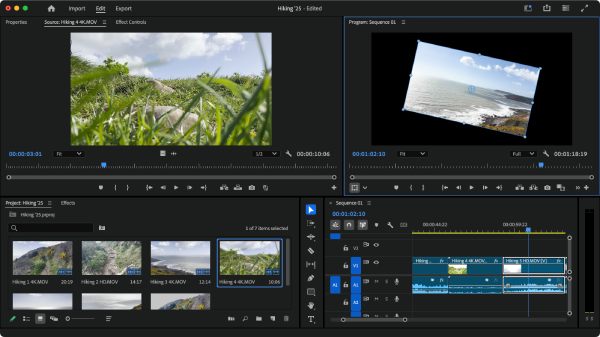
When it comes to the capabilities of Adobe video editing tools. They are still impressive today. For the most basic editing requirements, first of all, a wide range of video formats and resolutions, including 4K and even 8K editing, are supported. It means that they are capable of ensuring compatibility with modern production standards. Its original operation methods, such as timeline-based editing and precise control over clips, still exist and continue to offer you professional-level settings.
Features of Adobe Premiere Pro for Video Editing
Adobe Premiere Pro offers a comprehensive set of features that cater to both beginners and advanced users. These features enable precise editing, creative flexibility, and professional-level output. Of course, for many users, especially beginners, the learning curve of Adobe video editing tools has always been a daunting obstacle, making some users look for Adobe alternatives. You need to invest a lot of time in mastering all the operations and understanding where each function is located. However, once you acquire this knowledge, you will find that it is almost indispensable and extremely useful.
Advanced Timeline Editing
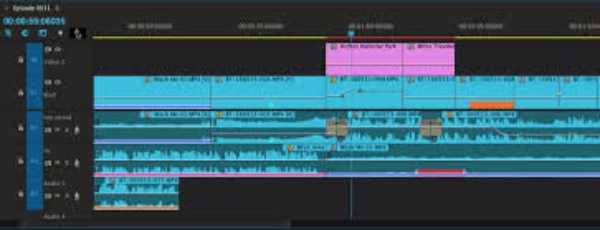
Premiere Pro uses a non-linear editing system that allows users to arrange clips freely on a timeline. This provides precise control over trimming, sequencing, and layering multiple video and audio tracks. It is ideal for complex editing projects where flexibility and accuracy are essential.
Powerful Effects & Transitions
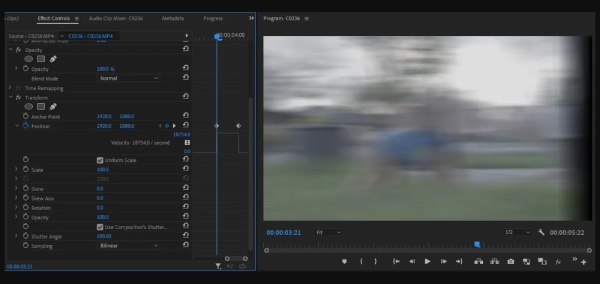
For video editing, eye-catching effects and transitions can provide excellent visual effects for your videos. Adobe's video editing tools offer a very comprehensive library of materials. By applying certain effects or transitions properly, you can largely enhance video quality and storytelling. Users can apply color grading, motion effects, and visual filters, while also integrating with After Effects for more advanced visual compositions.
Multi-Format & High-Resolution Support
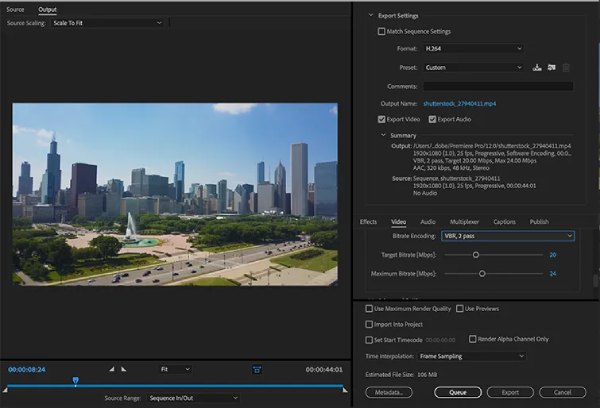
Adobe Premiere Pro supports a vast array of video formats and resolutions, and it's extremely helpful when you are dealing with professional-level content, including 4K and 8K. This ensures compatibility with different cameras and devices, allowing users to work on high-quality projects without conversion issues.
Seamless Integration with Adobe Ecosystem
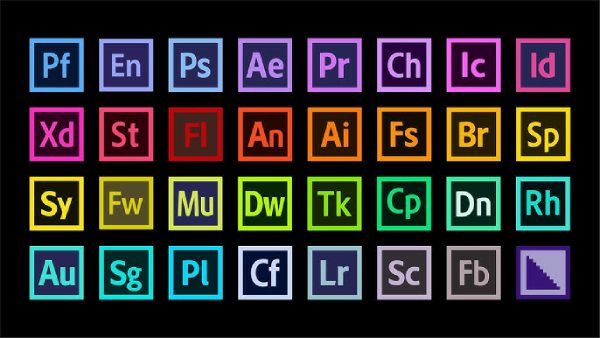
One of its biggest advantages is its integration with other Adobe video editing software like After Effects, Photoshop, and Audition. This enables a smooth workflow across different stages of production, from editing to visual effects and audio processing.
How to Edit Video in Adobe Premiere Pro Easily
Although Adobe Premiere Pro is a professional tool, it still provides a relatively structured workflow that helps users complete editing tasks efficiently. From importing media files to arranging clips on the timeline and exporting the final video, the process is systematic and customizable. In this section, you will learn how to edit video in Adobe Premiere Pro, like flipping a video in Premiere Pro, with ease.
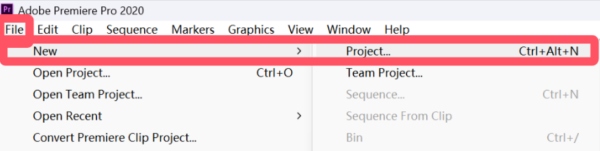
Step 1.Launch Adobe Premiere Pro and click the "New" button under the "File" tab to create a new project for editing your video.
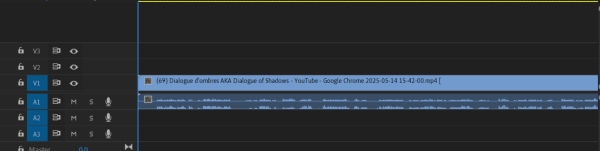
Step 2.Open the folder where you store your video files. Click to drag the video file onto the box and the timeline to start editing the video using Adobe Premiere Pro.
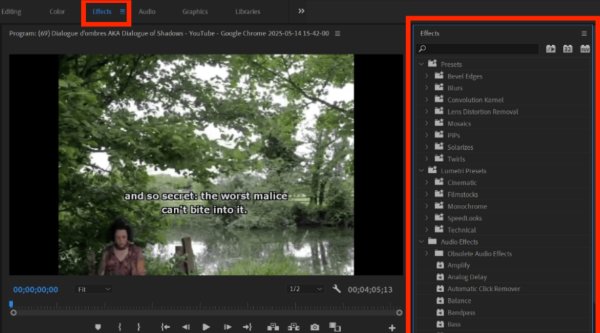
Step 3.Click the "Effects" button. And in the pop-up window, you can select the effects that you want to apply. Drag the effect you select into the timeline.
Step 4.Click the "Editing" button to adjust the detailed parameters and edit the video the way you want. You can preview the visual effects.
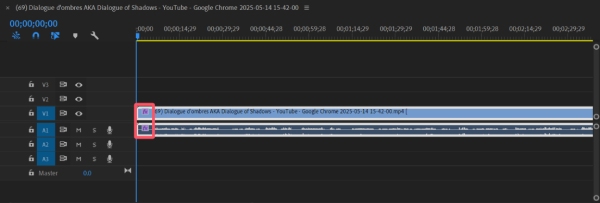
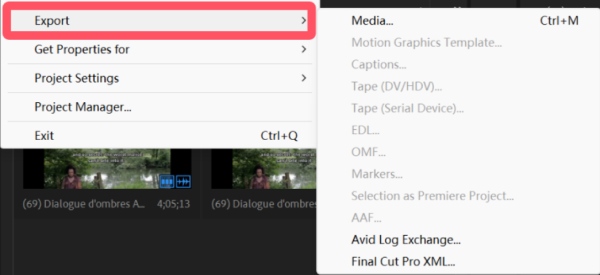
Step 5.Once finished, click the "Export" button under the "File" tab to save the edited video.
Adobe Video Editing Online - A Quick Option
For users who prefer a faster and simpler solution, Adobe also offers an online editing tool called Adobe Express. This web-based platform offers a wide range of basic video editing functions. Although its functions are not as comprehensive as those of the official version of the tool, during the usage process, you will be pleasantly surprised to find that the entire process is unprecedentedly simple for an online Adobe video editing tool. It is suitable for quick edits and social media content without installing complex software.
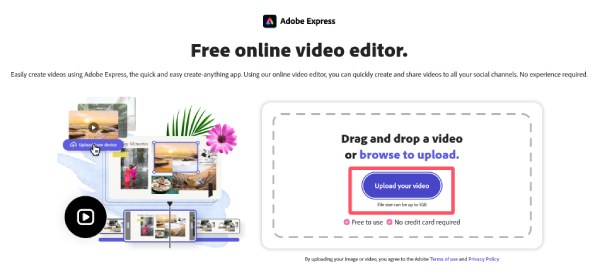
Step 1.Navigate to the official website of Adobe Express. Click the "Upload your video" button to import your video for editing within Adobe Express.
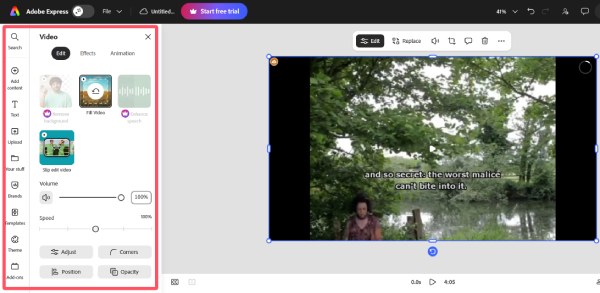
Step 2.In the left panel, click to select different effects and apply them to your video. You can preview to check the video.
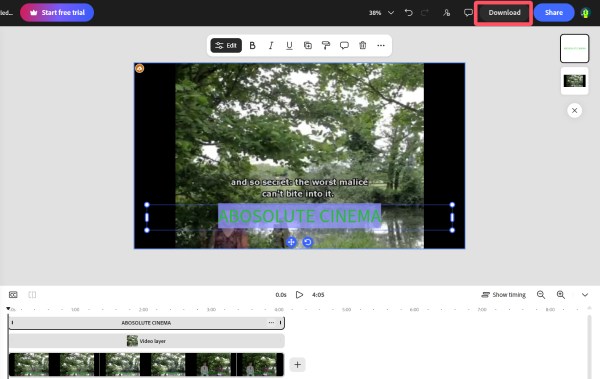
Step 3.Once finished, click the "Download" button, and your video, edited with Adobe Express, will be saved on your device.
Tips
For a better visual effects, you have to remove Adobe stock watermarks on the output file.
An Efficient Alternative to Adobe Video Editing App
If you are looking for a simpler and more beginner-friendly alternative, AnyRec Video Converter is a practical option. It combines video conversion and editing features in one tool, allowing users to trim, crop, enhance, and adjust video easily and quickly. With its intuitive interface and fast processing speed, it is ideal for users who need efficient editing without the complexity of Adobe video editing software .
Simple to operate, with customizable aspect ratios and preset options.
Support over 1000 video formats, including MOV and MKV. Import and crop instantly.
Further merge, rotate, flip, add text, and watermarks to cropped videos.
Add background music, themes, filters, and subtitles to cropped videos.
Secure Download
Secure Download
Step 1.Launch AnyRec Video Converter and click the "Add Files" button to import the video you want to edit. Then, click the "Edit" button.
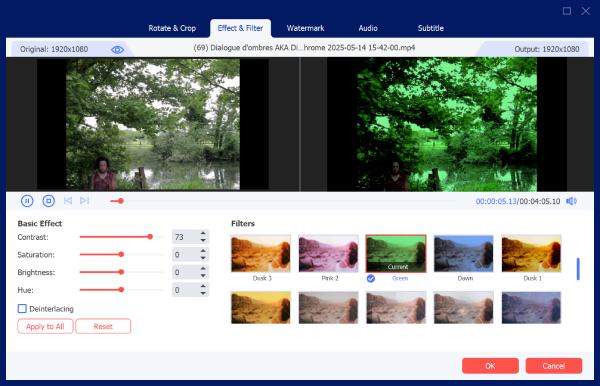
Step 2.In the pop-up window, select different editing tools in each tab and apply them to your video. You can preview the visual effects before saving.
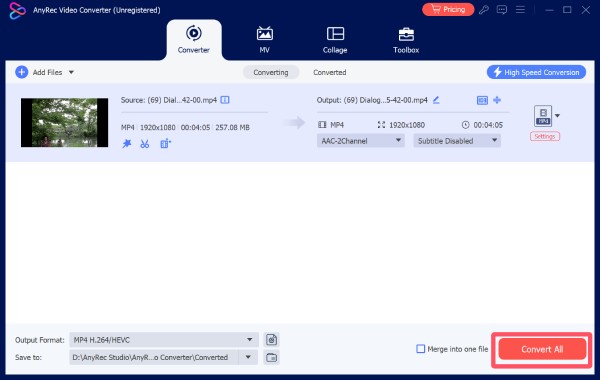
Step 3.In the main interface, click the "Convert All" button to save the video file that you have just edited.
Conclusion
In conclusion, Adobe video editing tools, especially Premiere Pro, still work out well and remain powerful and reliable solutions today. Besides, for a fast workflow with your browser, Adobe Express is now also available. However, for users who prefer simpler workflows and powerful features, AnyRec Video Converter stands out as the best alternative tool.
Secure Download
Secure Download
About Our Author




