
Online Video Croppers - What to Choose [Easy & Quick Guide]

An online video cropper is one of the easiest methods for removing unwanted areas from your video. By using simple web-based tools, you can quickly complete the task of cropping videos in your browser without having to download or install any additional software. However, for those users who have less experience with online tools, choosing a suitable online video cropping tool is quite challenging. However, after reading this post, you will be able to quickly select the ideal tool according to your own needs.
Guide List
The Handiest Online Video Cropper for Productivity Popular Online Video Croppers That You Can Rely On Tips: Things to Consider When Using Online Video CroppersThe Handiest Online Video Cropper for Productivity
If you are looking for a stable yet feature-rich solution, an online video cropper is far from enough. While they are handy to operate on your browser, there can be many limitations. That's why a professional tool is needed for a professional and efficient workflow. And AnyRec Video Converter is a great option. With precise cropping features and fast-processing speed, it's ideal for video cropping on any platform.
Simple to operate, with customizable aspect ratios and preset options.
Support over 1000 video formats, including MOV and MKV. Import and crop instantly.
Further merge, rotate, flip, add text, and watermarks to cropped videos.
Add background music, themes, filters, and subtitles to cropped videos.
Secure Download
Secure Download
Step 1.Launch AnyRec Video Converter and click the "Add Files" button to import the video file. Then, click the "Edit" button.
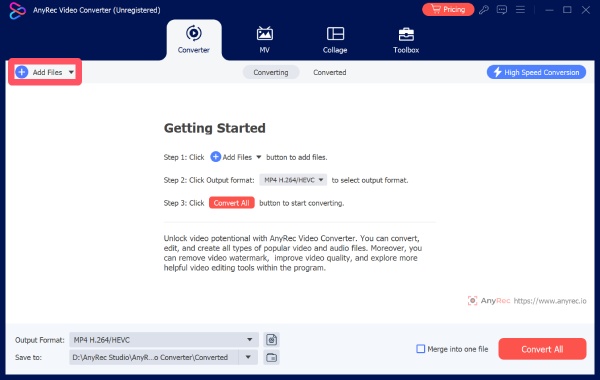
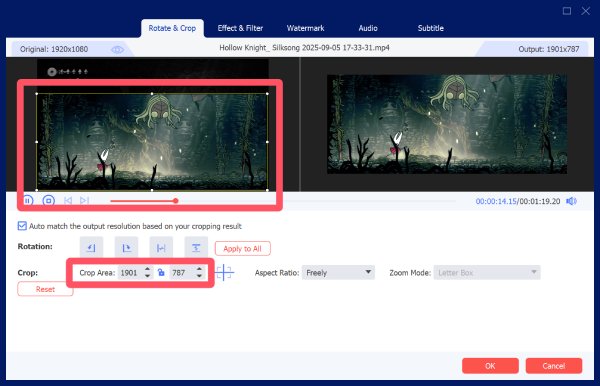
Step 2.Under the "Rotate & Crop" tab, click to select the area that you want to crop. You can also control it precisely by entering the parameters.
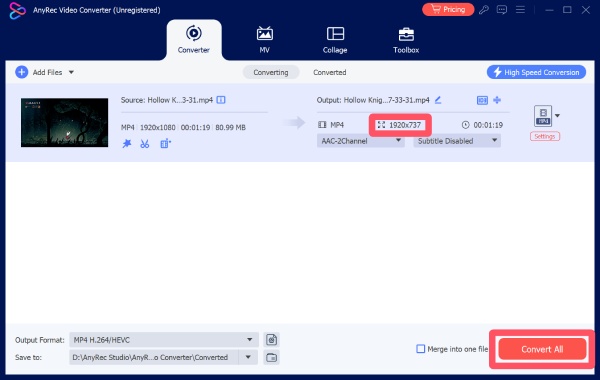
Step 3.Once finished, you can check the detailed parameters of your video file. Finally, click the "Convert All" button to save the video file.
Popular Online Video Croppers That You Can Rely On
There are many online video cropping tools available that offer quick and easy editing without installation. These tools vary in features, performance, and limitations, such as file size or export quality. In this section, you will discover several reliable online video croppers that can help you complete your tasks efficiently.
| Name | Processing Speed | Output Quality | Advanced Tools |
| Clideo Video Cropper | Fast (cloud-based) | Good | Limited (basic editing, some mixed tools) |
| Kapwing | Medium to Slow | High | Strong (timeline editing, collaboration, presets) |
| VEED.IO | Medium | Good | Moderate (subtitles, filters, extra editing tools) |
| Ezgif Video Cropper | Fast | Basic | Very Limited (cropping and resizing only) |
| 123 Online Video Cutter | Medium | Good | Basic (preset ratios, preview feature) |
| Canva Video Cropper | Medium | Good | Strong (design tools, templates, text integration) |
| FlexClip | Medium to Slow | Good | Moderate (templates, transitions, overlays) |
| Adobe Express Video Cropper | Fast | High | Moderate (Adobe-powered tools, simple editing) |
| Fastreel by Movavi | Fast | Good | Limited (preset ratios, basic editing) |
1. Clideo Video Cropper
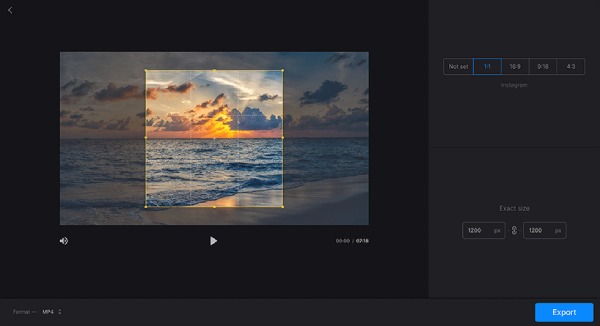
When it comes to the best online video cropper, Clideo Video Cropper is a name often mentioned. This online video editing platform has been popular for years, as it offers simple and efficient video cropping. With its clean interface and cloud-based processing, you will find the whole process so quick without requiring technical skills.
- Pros
- Easy-to-use interface
- Multiple formats are supported
- Cloud-based workflow
- Cons
- Watermark is contained on the free plan
- Advanced tools are mixed somehow
- A stable internet connection is required
2. Kapwing
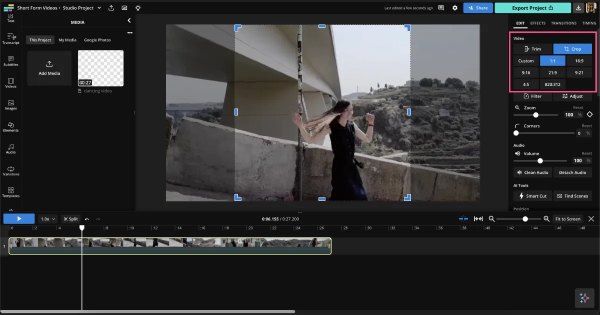
Kapwing is an all-in-one online video editor that includes a powerful cropping feature. Compared with other options, Kapwing is an online video cropper for large files . It means that you can upload some large videos without certain file size limitations. During the process, you can use and adjust with timeline editing, aspect ratio presets, and collaborative tools, making it ideal for content creators. Users can crop videos for social media platforms with ease.
- Pros
- Cloud collaboration supported for teamwork
- Edit with precise parameters
- Resize the aspect ratio after cropping
- Cons
- Watermark is contained on free version
- The processing speed can be slow
- An account is required to use all tools
3. VEED.IO
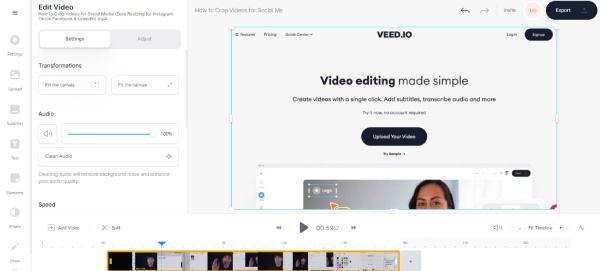
As a versatile online video editor with a built-in cropping function, VEED.IO is preferred by many users. Although Veed.IO is not a dedicated video cropping tool, the basic functions it offers are already sufficient to meet common needs. And after completing the video trimming, you can utilize the extensive tool library to further edit your project to achieve better visual effects.
- Pros
- Beginner-friendly interface and guide
- Extra editing tools for polishing videos
- Support most of common formats
- Cons
- Free version has some limitations
- Watermark can block you from seeing some details
- Advanced features are limited if you don’t sign in
4. Ezgif Video Cropper
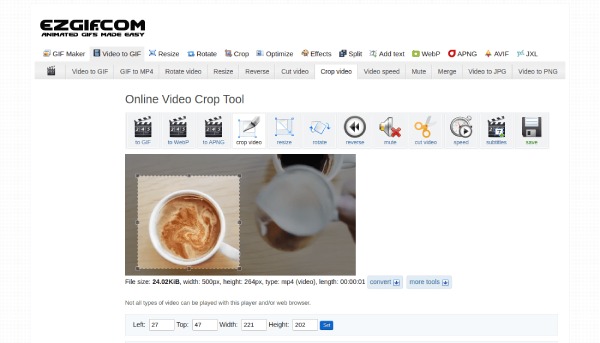
Although it was originally designed to crop GIF files online, the current version of Ezgif can now handle various file formats, including common video formats. This lightweight online tool supports basic cropping and resizing without complex settings. However, you may find less advanced options, especially those editing ones. Basically, it's a great option for those who only ask for a quick cropping task.
- Pros
- Simple and fast for efficiency
- No sign-up required throughout the process
- Totally free to use with all tools provided
- Cons
- Not too many tools for professional editing
- Strict file size restrictions
- The interface is outdated
5. 123 Online Video Cutter
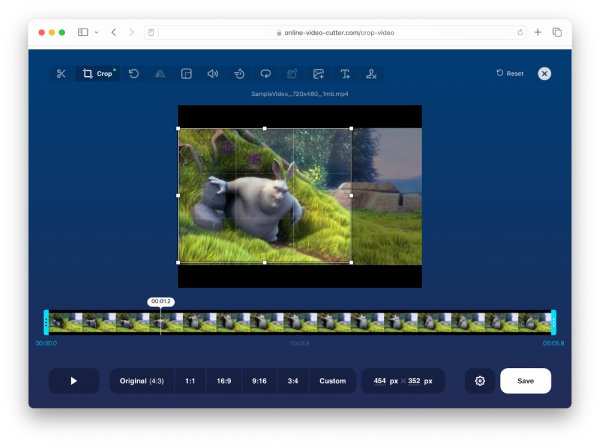
The 123 series have been constantly launching numerous online tools for processing video files, and Online Video Cropper is one of the services they have introduced. Within the tool, you can use preset aspect ratios and custom cropping options based on your needs. And you can preview before saving the files to avoid wasting time on downloading them too many times.
- Pros
- Support large files
- Easy to use
- Multiple editing options
- Cons
- Require Internet to crop your video files
- Limited advanced features
- Slower upload speed compared with other tools
6. Canva Video Cropper
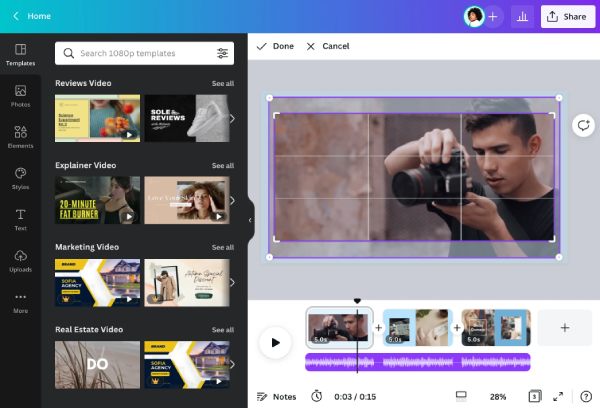
Canva offers a video cropping feature within its design platform. This online video cropper allows users to crop videos while combining them with graphics, text, and templates. This makes it ideal for creating social media content and presentations.
- Pros
- Rich design features
- Intuitive interface
- Cloud-based workflow
- Cons
- Limited export options in the free plan
- Require a login to use all tools
- Not focused solely on video editing
7. FlexClip
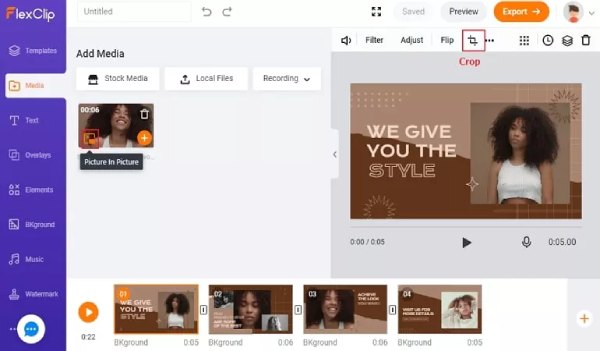
FlexClip is an online video editor with a built-in cropping tool that allows users to adjust video frames easily. It also includes templates, transitions, and text overlays, making it suitable for marketing and content creation.
- Pros
- Template-rich platform
- Multiple templates and transitions are provided
- Cloud-based editing is convenient for teamwork
- Cons
- Free version limitations
- Watermark on exports
- Slower rendering speed
8. Adobe Express Video Cropper
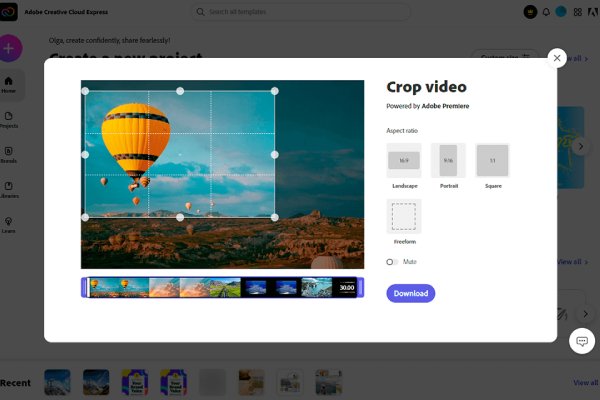
As one of the best editing tools, Adobe has always been the top choice for professional works. However, some users, especially new beginners, find the process of cropping videos in Adobe Premiere too complex with a steep learning curve. Adobe now introduces Adobe Express as its online solution. Backed by Adobe technology, this online video cropper provides powerful processing ability. And with the straightforward guide, you won't find the task complex.
- Pros
- Reliable performance with professional level
- Simple interface compared to its desktop tools
- Trusted brand for a long time
- Cons
- Limited advanced features
- Requires login to export your project
- Fewer customization options
9. Fastreel by Movavi
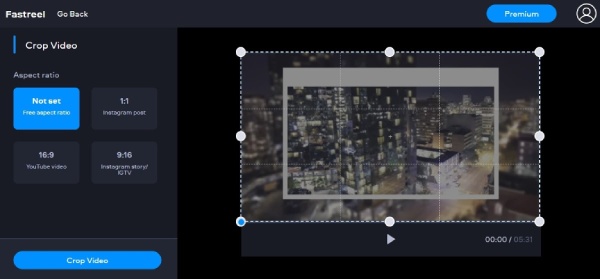
Fastreel is an online video editing tool by Movavi. Many useful tools are provided to polish your videos with editing features. An online video frame cropper is one of the features contained. It offers preset aspect ratios and quick processing, making it a convenient option for users who want to crop videos on Windows 10 simply and quickly.
- Pros
- Easy to use
- Quick processing
- Clean interface
- Cons
- Watermark on free exports
- The quality of the video after trimming has slightly declined
- Require a stable Internet connection
Tips: Things to Consider When Using Online Video Croppers
When using online video croppers, it is important to consider several factors to ensure the best results and a smooth editing experience. Choosing the right tool can save time and help maintain video quality.
- • File size limitations: Many online video croppers restrict the size of uploaded videos. Before selecting or using them, you should be aware of the file size that you are going to deal with.
- • Output quality: Some tools may compress videos heavily, reducing quality. Choose platforms that maintain resolution and clarity.
- • Processing speed: Online tools depend on internet speed. So, before you start to crop videos using an online video cropper, please make sure you have a stable connection to avoid possible damage to the file uploaded.
- • Privacy and security: Uploading videos online may pose privacy risks. If you want to ensure the privacy of your data as much as possible, a reliable platform or, preferably, an offline desktop tool is recommended.
Conclusion
In conclusion, online video frame croppers provide a fast and convenient way to edit videos. While they are ideal for quick tasks, limitations are unavoidable. If you are searching for more advanced features, professional software is needed for greater control and better results. When it comes to efficient video cropping, AnyRec Video Converter is the most suitable solution.
Secure Download
Secure Download
About Our Author




