Best MP4 Players You Can Trust for Different Scenarios

MP4 is one of the most common video formats, but that doesn't mean every MP4 file will play perfectly everywhere. You may get no sound, playback errors, or problems with high-resolution videos. This guide shows you how to play MP4 files on Windows and Mac using free tools and desktop players. If you want one player for different types of media, AnyRec Blu-ray Player also supports MP4 and other common video formats.
Ask AI for a summary
A powerful MP4 player is extremely important for people who frequently watch videos. Such a tool not only enables you to watch the original quality MP4 videos without any quality loss, but also allows you to have full control over the video playback so that you can watch the video in the way you desire. However, there are always numerous choices for different devices. Don't worry. This post has tested and reviewed the best players for playing MP4 for various devices and scenarios.
Guide List
The Most Powerful MP4 Player for Lossless Playback A Built-in MP4 Player for Playback on Windows 10/11 QuickTime Player - The Default MP4 Player on MacBook PotPlayer: A MP4 Player with Abundant Extra Features An Online Solution to MP4 Player via Jumpshare A Trustworthy MP4 Player App for Both Android & iOS| MP4 Player | Playback Quality | Extra Features | Ease of Use | Best For |
| AnyRec Blu-ray Player | Excellent | Hardware acceleration, snapshots, video adjustments | Very Easy | Lossless MP4 playback and home theater experience |
| Windows Media Player | Good | Media library, playlist management | Excellent | Everyday playback on Windows PCs |
| QuickTime Player | Good | Screen recording, AirDrop integration | Excellent | Native playback for Mac users |
| PotPlayer | Excellent | Subtitle search, AI subtitle translation, codec customization | Moderate | Advanced users and movie enthusiasts |
| Jumpshare | Good | Online preview, shareable links | Excellent | Quickly previewing MP4 files online |
| VLC Media Player (Mobile) | Very Good | Network streaming, subtitle support, format compatibility | Good | Watching MP4 videos on mobile devices |
The Most Powerful MP4 Player for Lossless Playback
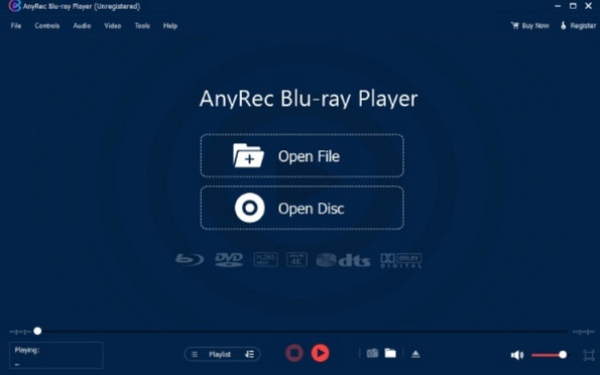
If you are looking for the most powerful MP4 video player, then you cannot miss AnyRec Blu-ray Player. Thanks to its powerful processing capabilities and hardware acceleration, AnyRec Blu-ray Player enables you to play your MP4 files in their original quality, with video and audio synced. During the entire playback process, your MP4 will not have any degree of compression. In addition, you also have full control over your video files, which means you can perform functions such as pausing, fast-forwarding, and taking screenshots with hotkeys at will.

Smooth MP4 and Blu-ray playback with various screen sizes.
You can capture a quick screenshot while watching MP4.
Play the MP4 file in its original video and audio quality without any compression.
Adjust the MP4's brightness, contrast, hue, gamma, and saturation as you like.
Secure Download
Secure Download
A Built-in MP4 Player for Playback on Windows 10/11
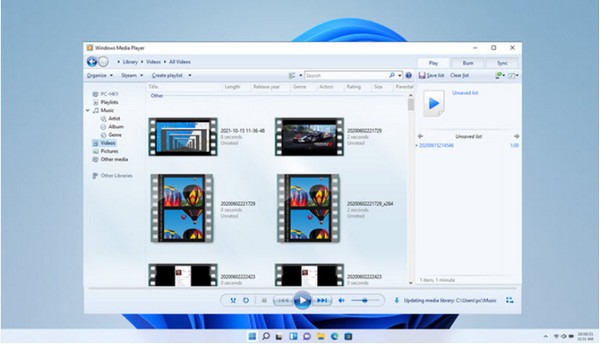
If your computer is running Windows 10/11, then in fact you have a default option for playing MP4 files. Windows Media Player is a media player that is pre-installed on your system and supports various video formats, including MP4. It can play your MP4 files at the original quality and is very easy to use for beginners. You only need to use it to open the MP4 file. However, for those users who desire precise playback control and additional features, its functionality may be insufficient.
- Pros
- Open directly on Windows 10/11 without the need for installation
- Display the metadata information of the MP4 file
- Customize and categorize different MP4 files
- Cons
- No support for external subtitles during playback
- The control interface is too simplistic.
- Cannot play MP4 files encoded in HEIC format.
QuickTime Player - The Default MP4 Player on MacBook
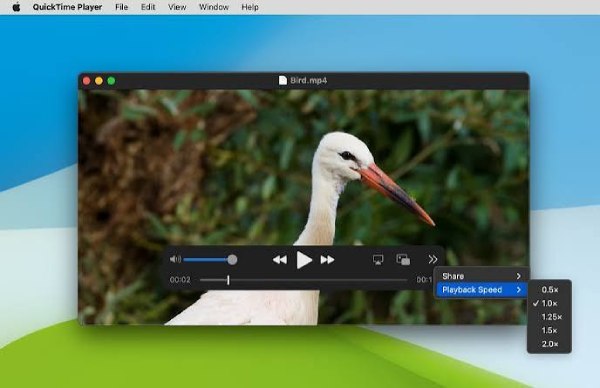
For users of MacBooks, QuickTime Player is also a default video player for the MP4 format. It has all the basic functions to help beginners quickly access MP4 files. Compared to Windows Media Player, it offers some additional features, although they are not very extensive. For Apple users, it has another major advantage. Using this tool to play MP4 files means you can enjoy a very convenient playback process within the Apple ecosystem.
- Pros
- Share MP4 files with other Apple devices via AirDrop
- Record a portion of the content during the playback of the MP4
- Support simple subtitle replacement operation
- Cons
- QuickTime cannot open some MP4 files of H.264/H.265
- The software version hasn't been updated for a long time
- Does not support the custom selection of the decoding method
PotPlayer: A MP4 Player with Abundant Extra Features
Many movie fans are looking for the best MP4 player for watching 4K movies with customizable options. If you ask some movie fans, many of them would probably answer PotPlayer. For the playback of MP4 files, it offers a wide range of video and audio decoders for various decoding formats. For users who enjoy watching various movies, the most convenient feature of PotPlayer is that it allows you to embed local subtitles or search for subtitles online. In the latest update, it even offers various AI models to assist you in translating movie subtitles even if you don't have an SRT file at hand.

- Pros
- Insert local subtitles or search for online subtitles
- Customize hotkeys to control the playback of the MP4
- Provides a series of convenient AI models
- Cons
- The operation is somewhat complicated for beginners
- The instructions are not very clear
- Playing consumes a considerable amount of resources
An Online Solution to MP4 Player via Jumpshare
So, are there any reliable online MP4 players available? Often, you may receive some small-sized files attached to emails or posted on social platforms. However, many platforms may not support previewing the MP4 video format, preventing you from viewing what is contained in these MP4 files. At this point, all you need to do is upload these MP4 files to Jumpshare, and you can quickly preview them. No need to download software, no need to log in to an account. It's very convenient. However, its drawback is that it only supports MP4 files with a maximum size of 1GB. At the same time, its playback is highly dependent on the network connection.

- Pros
- Direct and clear file upload path
- The uploaded MP4 file will be automatically deleted after it is played
- Add a link to enable others to access the MP4 file
- Cons
- The playback of MP4 files is subject to the network
- There may be instances of lagging or freezing
- The maximum file size supported is 1GB for the MP4 format
A Trustworthy MP4 Player App for Both Android & iOS
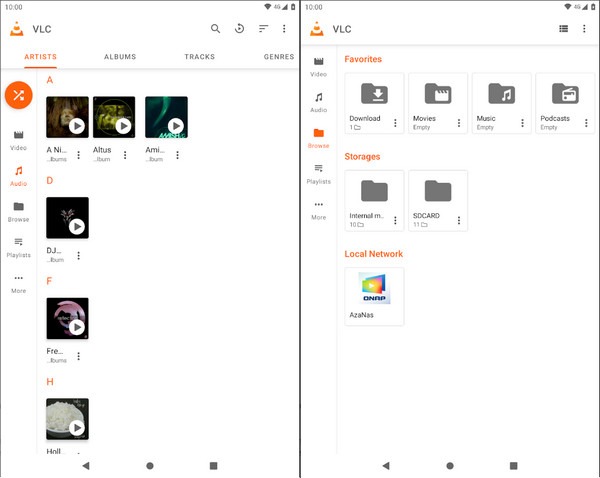
In the current digital age, mobile phones are also one of the most important devices for watching videos. So, how do you open an MP4 file on a mobile device? The default tools will undoubtedly be helpful to you, but both the default players for Android and iOS may encounter playback failures or compression quality issues. At this point, you will need professional software to play MP4 files on your mobile phone. The VLC media player has long been dedicated to video playback. Now, it has launched a mobile version specifically designed for mobile devices, allowing you to quickly access MP4 files in their original quality.
- Pros
- Support playback of local or live-streaming MP4 videos
- VLC media player is safe to play MP4 on your phones
- Customize the renaming and categorization of MP4 files
- Cons
- The interface is a bit complicated for beginners
- Sometimes it might be impossible to find out where the MP4 file is located
- The video playback will become sluggish when playing an MP4 file
Conclusion
6 different ways to play an MP4 are introduced in this post. Depending on the different devices and scenarios, you can choose different tools to meet your playback requirements. If you want to enjoy a professional cinema-level experience while watching MP4 videos, then you can choose AnyRec Blu-ray Player to immediately embark on a top-notch adventure.
Secure Download
Secure Download
Related Articles
About Our Author