
Top 10 Best Low-End Screen Recorders that Remains High Quality

For your PCs, having heavy and functional screen recording software will affect your computer's performance. Thus, you need a low-end screen recorder for your old Windows PC, which will not slow down the speed or give you poor performance. This post has 10 shared best low-end screen recorders, with their pros and cons. Hopefully, you will make the best choice for screen recording!
Guide List
Part 1. Basic Features Summary of the Low-end Screen Recorder Part 2. Top 10 Low-End Screen Recorders for All Users Part 3. How to Choose a Low-end PC Screen Recorder Part 4. FAQs about the Best Low-end Screen RecordersPart 1. Basic Features Summary of the Low-end Screen Recorder
No matter what computer you have, here is the list of 10 best low-end screen recorders with different system requirements, features, pros, and cons. Keep reading to know more about them in detail.
| Tool | Resource Usage | Ease of Use | Additional Features | Overall Suitability | Minimum Requirements | Max FPS | Watermark |
| AnyRec Screen Recorder | Light | Easy | Useful editing tools for beginners | Excellent for low-end computers | 2GB RAM, dual-core CPU | 60 FPS | No |
| OBS Studio | High | Moderate to Advanced | Advanced settings, live streaming | Not ideal for very low-end systems | 4GB RAM, i5 CPU recommended | 60 FPS+ | No |
| Windows Game Bar | Light | Easy | Game-focused, minimal settings | Good for casual use on low-end PCs | 4GB RAM, Windows 10+ | 60 FPS | No |
| ShareX | Moderate to High | Moderate to Advanced | Customizable, annotation tools | Moderate on low-end systems | 2–4GB RAM | 30–60 FPS | No |
| CamStudio | Light | Easy | Region selection, basic editing | Good for low-end systems | 2GB RAM | 30 FPS | No |
| TinyTake | Light | Easy | Annotation, file sharing | Excellent for low-end computers | 2GB RAM | 30 FPS | Yes (free) |
| ScreenRec | Light | Easy | Cloud storage, private sharing | Excellent for low-end computers | 2GB RAM | 60 FPS | No |
| Loom Screen Recorder | Light | Easy | Instant sharing, webcam overlay | Good for quick recordings | 4GB RAM | 30 FPS | Yes (free) |
| Screencast-O-Matic | Moderate | Easy | Webcam recording, editing tools | Good for low-end systems | 2–4GB RAM | 30 FPS | Yes (free) |
| Icecream Screen Recorder | Light | Easy | Zoom recording, scheduled tasks | Excellent for low-end computers | 2GB RAM | 30 FPS | Yes (free) |
Part 2. Top 10 Low-End Screen Recorders for All Users
1. AnyRec Screen Recorder
System Requirements: Windows 7/8/10/11; Mac OS X 10.12 or above; 2GB RAM.
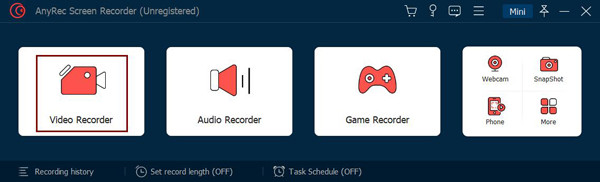
AnyRec Screen Recorder is a lightweight program for Windows/Mac. This program is a low-end screen recorder but a powerful one that lets you capture all online meetings, calls, webinars, gameplay, a scrolling page, and other activities on your screen. After recording, you can do further edits, like trimming clips to remove unnecessary parts in the beginning and end before you export it.
Features:
- Capable of recording in full screen, a selected window, or a customized part.
- Support real-time drawings to your recordings or captured screenshots.
- Equipped with custom hotkeys to quickly start/stop/pause/resume.
- Let you preview the recording to trim and cut unwanted parts of the video.
- Pros
- Highly integrated functionality, combining recording and basic editing into a single workflow.
- Well-optimized for low-spec devices.
- Intuitive interface with a low learning curve.
- Support multi-format output and basic parameter adjustments.
- Cons
- The free version does not include advanced editing features.
Best for: Users with low-spec computers, entry-level content creators, and users seeking an all-in-one solution for simple editing.
2. OBS Studio
System Requirements: Windows 11/10; Mac OS Catalina 10.15 or later.
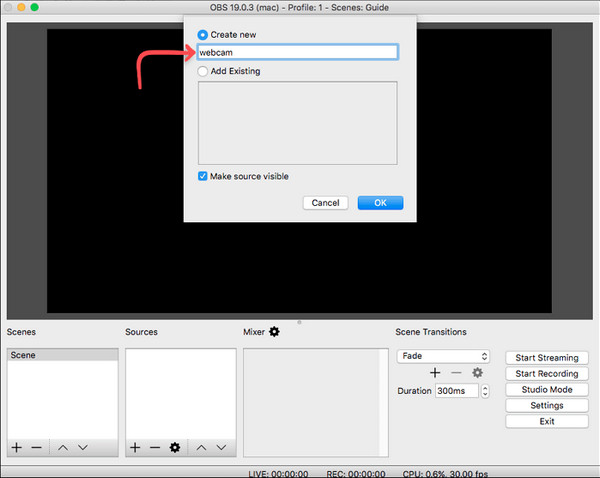
Another low-end screen recorder is the OBS Studio — which works on Windows, Mac, and Linux. It is an open-source program that allows users to record screen activities and stream live videos. Plus, it supports capturing and recording multiple scenes simultaneously, one of its fan-favorite features.
Features:
- Allow you to record your webcam and then add it as an overlay.
- Support selecting multiple windows or areas to record and capture.
- Capable of recording two or more monitors at once.
- Pros
- Completely free, open-source, and watermark-free.
- Highly customizable encoding, streaming, and scene settings.
- Support multi-source mixed recording.
- Rich plugin ecosystem with strong extensibility.
- Cons
- High resource usage.
- Complex initial setup.
- Prone to lag on low-end devices.
Best for: Professional streamers, gamers, and advanced users who require in-depth control over streaming and encoding.
3. Windows Game Bar
System Requirements: Windows 11/10 with Intel Quick Sync H. 264.
The Xbox Game Bar is a default low-end screen recorder on Windows that enables users to screen record and share instantly. With this, you are allowed to connect with other players and stream gameplay while playing. However, it won’t work with older versions of Windows and is only available on Windows 10 and above.

Features:
- Quickly start recording by simply pressing the Windows + G keys.
- Allow you to take screenshots and share them on social media platforms.
- Let you chat with other players while recording.
- Pros
- Come pre-installed with the system.
- Launch quickly and respond promptly.
- Offer excellent support for game recording.
- Cons
- The available features are very limited.
- Cannot customize complex recording scenarios.
- There are many restrictions on the recording area.
- It is not suitable for content creation.
Best for: General Windows users for lightweight game recording or occasional screen capture.
4. ShareX
System Requirements: Windows 7/8/10/11 with 100MB Memory.
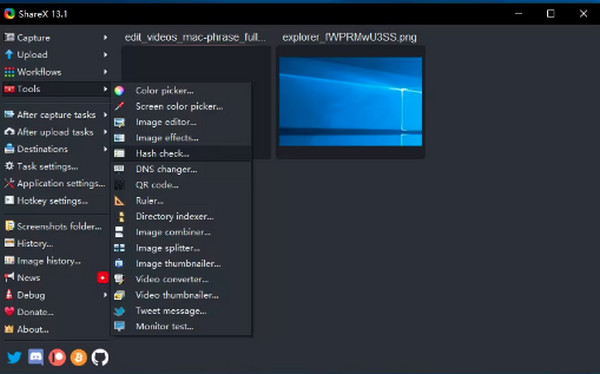
ShareX is the following low-end screen recorder that fully supports Windows. It offers a range of screen recording options, like full screen, selected windows, and customized regions. Furthermore, it supports image editing tools to do additional edits on your screenshots before you share them.
Features:
- Support scrolling page capture.
- Let you upload recordings to many cloud services.
- Allow you to record for as long as you want.
- Pros
- Highly customizable screenshot and recording workflows.
- Support automatic uploading and sharing.
- Include a variety of built-in tools, such as OCR and annotation.
- Cons
- The screen recording feature is relatively limited.
- The setup process is cumbersome.
- Difficult for beginners to get started.
Best for: Developers, tech-savvy users, or those who need highly customizable screenshot and screen recording workflows.
5. CamStudio
System Requirements: Windows 7/8/10/11 with 2GB RAM.
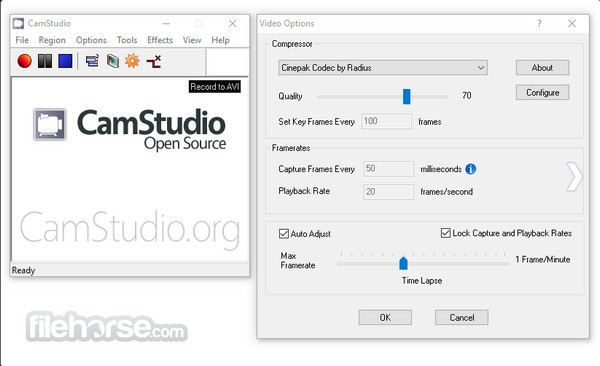
CamStudio is a low-end screen recorder for Windows that supports recording all screen and audio activities. CamStudio can also record any area of your screen, like the mentioned screen recorders. Moreover, it doesn't put any watermarks on your recordings besides being a no-cost software.
Features:
- Support adding annotations and voice-overs as well.
- Let you customize the frame rate in the video options.
- Allow recording up to 12080 x 720 HD quality.
- Pros
- The software has a small footprint.
- Use minimal system resources.
- Simple and intuitive to use.
- Support basic screen recording.
- Cons
- The features are somewhat outdated and do not incorporate AI or new functionalities.
- Video compression efficiency is low.
- Stability is average, and the app may experience lag.
- Update and maintenance are infrequent.
Best for: Users of older devices with minimal feature requirements who only perform basic screen recording.
6. TinyTake
System Requirements: Windows 7/8/10 with 4GB RAM.
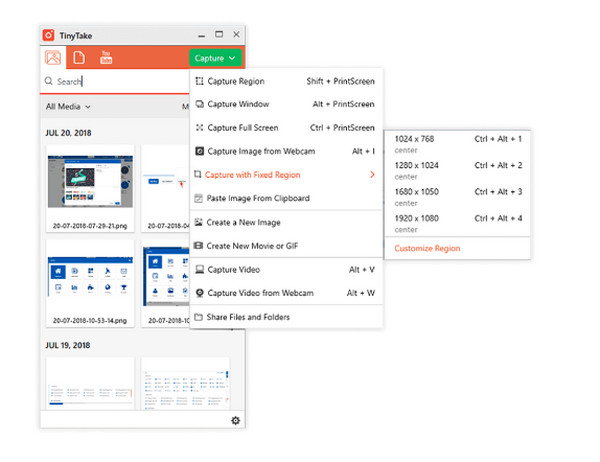
TinyTake is a free and low-end screen recorder that works well as a video recording software for Windows and Mac. With this, you can easily capture and record your screen and share them with others. If you want a hassle-free capturing of your screen, TinyTake makes the process super fast.
Features:
- Capable of adding annotations to your screenshots and videos.
- Support selecting capture areas, like the entire screen or active windows.
- Can share recordings via emails, URLs, or directly to social media.
- Pros
- Screenshot and screen recording are tightly integrated.
- Support quick annotation tools.
- Built-in cloud storage and sharing.
- Easy to use and ideal for office work.
- Cons
- Recording duration is limited.
- Video editing capabilities are limited; it can only record.
- Must register for an account to use it.
Best for: Office users who need to quickly take screenshots, annotate, and share them.
7. ScreenRec
System Requirements: Windows 7/8/10/XP with 2GB RAM.
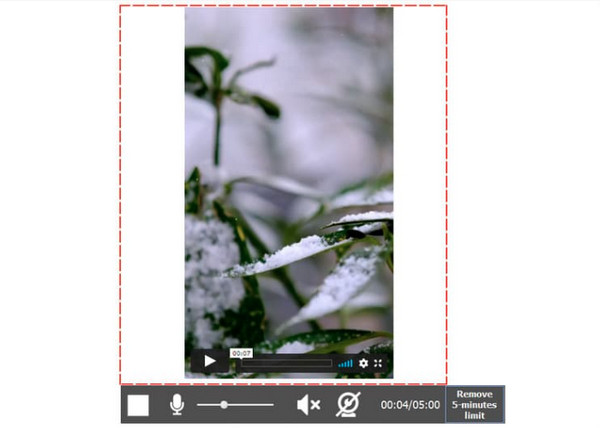
The ScreenRec is an all-in recording solution for computers. It is a low-end screen recorder that offers no time restrictions in recording screen activities as well as the sound from a computer or mic. Furthermore, it lets you record with the mouse cursor and with the click sounds, and the audio quality will still be excellent.
Features:
- Give you a private sharing link to share them immediately.
- Use cloud recording, which lets you upload all in a secure video platform.
- Let you add audio as a voiceover and a webcam as an overlay.
- Pros
- A shareable link is automatically generated after recording.
- Support cloud storage.
- Watermark-free output.
- Low resource usage.
- Cons
- Limited editing features.
- Relies heavily on online functionality.
- Limited customization options.
Best for: Teams or customer service scenarios require remote collaboration and instant sharing of screen recordings.
8. Loom Screen Recorder
System Requirements: Windows 10; Mac OS X 10.14.6 or above; iOS 15 and Android 8.0.
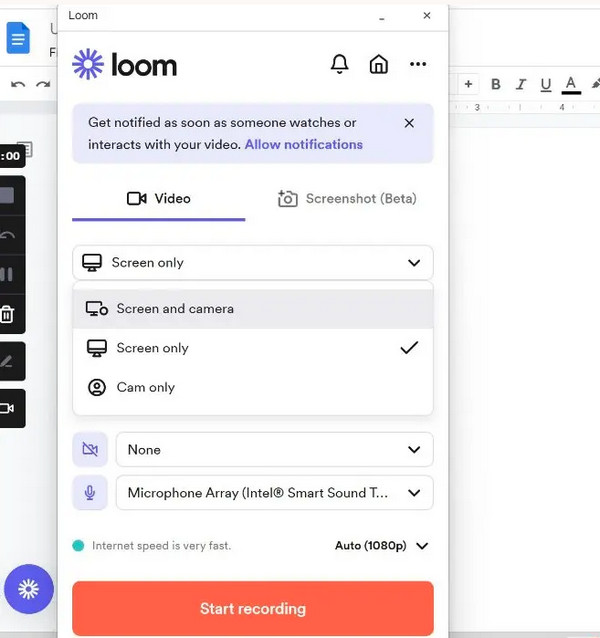
The Loom Screen Recorder application can be your desktop tool, a Chrome extension, and a mobile application. This low-end screen recorder supports recording video and audio from the mic and system, as well as the ability to record over a custom background. And without installing any program, you can record the camera, mic, and screen simultaneously.
Features:
- Allow you to add a webcam overlay to your recording.
- Support uploading instantly with its sharing link.
- It has three capture modes: screen and camera, the screen only, and the camera only.
- Pros
- Support instant sharing of video links.
- Feature integrated camera picture-in-picture.
- Ideal for team communication scenarios.
- User-friendly and easy to use.
- Cons
- The free version includes a watermark.
- There is a limit on recording duration.
- The editing features are fairly basic.
Best for: Users engaged in team communication, product demonstrations, and asynchronous video communication.
9. Screencast-O-Matic
System Requirements: Windows 10/11; Mac OS X 10.13 or higher; with 4GB RAM.
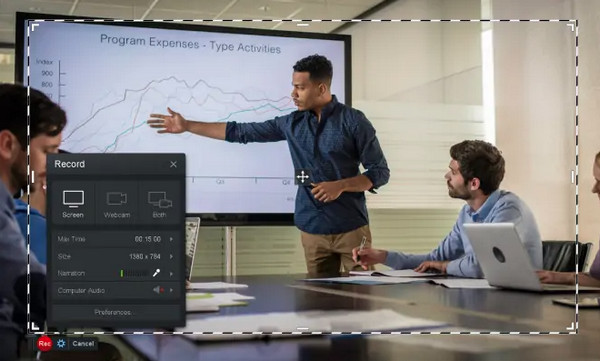
Screencast-O-Matic is another program that can be your best low-end screen recorder. The program lets you record screens and webcams at the same time and offers more with its premier version. Besides this, you can easily do edits after recording anytime with it, like blurring or highlighting different areas, adding text, cropping, etc.
Features:
- Equipped with a built-in editing tool for quick edits.
- Can quickly get your screenshots and recordings.
- Let you apply animated and video effects before saving the recording.
- Pros
- Support screen and camera recording.
- Include a simple built-in video editor.
- Ideal for creating educational content.
- Cons
- The free version includes a watermark on recordings.
- Some advanced editing features require a paid subscription to unlock.
- Export format options are limited.
Best for: Educators are creating lesson recordings, producing online courses, and delivering camera-based explanations.
10. Icecream Screen Recorder
System Requirements: Windows 7/8/10/XP with 2GB RAM.
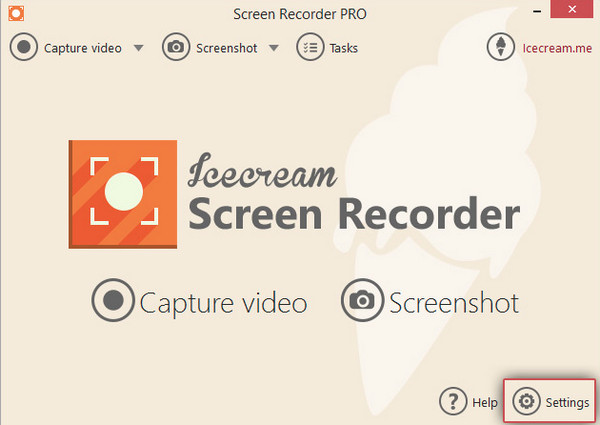
IceCream Screen Recorder is among the low-end screen recorders that support capturing and recording screens. It also has editing capabilities like the others mentioned. In addition, you can resize the portion of your screen to put the attention of your viewers while recording. The program is compatible with Windows and Mac.
Features:
- Support selecting the capture and recording area of your screen.
- Let you share recordings instantly on whatever platform you like.
- Can do instant editing with its drawing tools.
- Pros
- Support region-specific and full-screen recording.
- Include zoom and scheduled recording features.
- Ideal for everyday office recording.
- Cons
- The free version includes a watermark.
- Offer fewer advanced features.
- Format support is limited.
- Stability during long recordings is average.
Best for: Light users for daily office tasks, simple tutorial recording, and scheduled recording.
Part 3: How to Choose a Low-end PC Screen Recorder
Low CPU usage. Ideal 10%–30%. Usage exceeding 50% will likely cause lag.
Support "adjustable settings". Must be able to adjust the following: Resolution (720p / 480p) FPS (30 or lower) and Bitrate.
Hardware acceleration support.
Single-function. Rich editing features are not suitable for low-spec computers. Such as multi-track editing, Complex scene transitions, or Advanced effects.
Part 4: FAQs about the Best Low-end Screen Recorders
-
Does CamStudio have limits in recording?
No, this low-end screen recorder offers no time limit for a recording. However, it does have in terms of file sizes. So you can capture longer recordings with low quality.
-
Can Loom Screen Recorder edit recordings?
Yes. Loom Screen Recorder supports editing in your web browser or as an application. You can trim, add buttons, add new clips, and more.
-
Is the Xbox Game Bar good at recording long meetings?
This low-end screen recorder on Windows is not the best when it comes to recording long meetings. You can only record the screen using it for up to 30 minutes, and it will turn off after.
Conclusion
Those are the top 10 picks for low-end screen recording software. We hope you've found the perfect low-end screen recording software for your computer. Since each program has its own unique features, they'll meet your needs in different ways. However, there's one excellent option that's particularly well-suited for low-end computers: AnyRec Screen Recorder. It perfectly delivers most of the features that low-end computers can handle. Download it now and give it a try!
Secure Download
Secure Download



