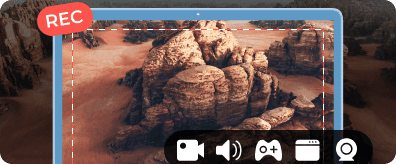
Unlock Premium Features
Download AnyRec Screen Recorder to get studio-quality audio with pro-level noise reduction.


Record voice directly in your browser. Your recordings stay private.

One stop to begin recording
To begin recording, please grant the browser permission to use your microphone.
*Please download the desktop version to export audios in more formats.
*Please download the desktop version to export audios in more formats.
Mac audio recording is not available at the moment. Please switch to a PC to use our free audio recorder. Want more powerful features? Download AnyRec Screen Recorder below.
Mobile recording is not available at the moment. Please switch to a PC to use our free audio recorder. Want more powerful features? Download AnyRec Screen Recorder below.
Secure Download
From work calls to late-night ideas, AnyRec Free Voice Recorder captures it all. If it sounds good, you can record it, no restrictions on what or when.

Capture ideas with a quick voice recording.

No need to rent a sound booth.

Keep your attention on the conversation.

Record full episodes without the cutoffs.

Narrate at home, still sound professional.

Keep a personal journal with quick voice recordings.
Ever had a recording cut off right when things got important? Many online voice recorders stop you at 5 or 10 minutes during the middle of a class, interview, long study session, and more. Then you are stuck restarting, stitching files together, or losing the good part completely. With AnyRec Free Voice Recorder, none of those problems happen. You can click the Record button and record for as long as you need. No interruptions. No starting over.

Many free online voice recorders require you to download software, create an account, or verify your email before using. And when you record sounds and voices, you may get hit with a paywall or a trial that just ran out. AnyRec Free Voice Recorder skips all those problems. Just open your browser and start voice recording. You can use the free voice recorder whenever you need it, without creating an account or paying a subscription.

Ideas don't show up on schedule. Neither do important calls, sudden interviews, or that voice memo you need to send right now. AnyRec Free Voice Recorder is there whenever life throws a recording at you. It handles casual and professional recordings equally well. You can record voice notes, podcasts, meetings, lectures, interviews, music ideas, and more in one tool. Whether you're recording a quick voice note or a longer conversation, you can use the same simple recording workflow.

Whether it's a quick note or a full interview, getting started takes seconds. Here's exactly how it works.
1 Allow Microphone Access
Click the "Start Recording" button. Allow the microphone permission in your browser.
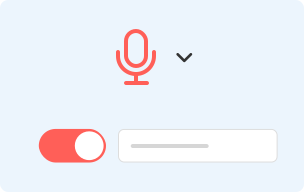
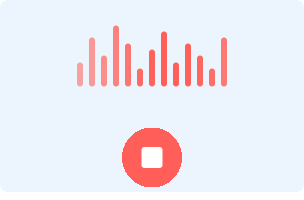
2 Start Voice Recording
Once recording starts, begin speaking normally. The recorder is designed to start capturing audio right away.
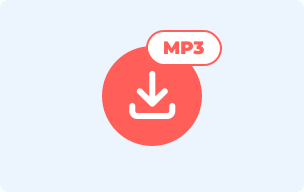
3 Download Your Audio
Click the "Stop" button to end the recording. Then save it as an MP3 file locally.

Most praised for no time limits, clean audio, and no-signup experience.
Verified User
"I need a quick voice recording for a client demo without installing other programs. AnyRec Free Voice Recorder runs directly in the browser. So, I could start recording voice right away. The audio quality was better than expected for a free tool. I can finish and share the recording within minutes."
Verified User
"AnyRec Free Voice Recorder runs straight from the browser and sounds surprisingly clean for a free tool. I export the voice recording and send it off within minutes. Genuinely useful for quick turnaround jobs."
Verified User
"I practice pronunciation by recording myself, and then comparing my voice with native speakers. AnyRec Free Voice Recorder makes it easy to record multiple takes until I get it right. I also like that there are no ads interrupting my practice sessions."
Can I pause and resume a recording?
Yes. You can pause anytime mid-recording and resume when you are ready. You won't lose anything you've already captured.
Can I use an external microphone instead of my built-in one?
Yes. Connect your microphone to your computer, then select it before you start recording.
Is there a limit to how many recordings I can make?
No. You can record as many times as you need, back to back, with no daily cap.
Is my recording stored or shared anywhere?
Your recordings are processed and saved locally on your device. They aren't uploaded to our servers.




Voice recording shouldn't cost you anything. So here you go.
 follow us on Facebook
 follow us on X (Twitter)
 follow us on YouTube
Copyright © 2026 AnyRec Studio. All Rights Reserved.