
Powerful Online Watermark Removers That You Can Trust

An online watermark remover can help you get rid of the annoying watermarks, especially when you want to reuse or enjoy a clean version of a video or image. While some watermarks are necessary for copyright protection, there are situations where removing them becomes essential for personal or professional use. Fortunately, online watermark removers provide a quick and convenient way to handle this task without installing software. In this guide, you will explore some of the most reliable online watermark removers available today.
Guide List
The Most Powerful Watermark Remover Online Without Limits Trustworthy Options for Free Watermark Removers Online FAQs About Watermark Removers OnlineThe Most Powerful Watermark Remover Online Without Limits
If you are looking for an efficient and easy-to-use solution, AnyRec Free Watermark Remover is a strong choice. It allows you to remove watermarks from videos and images directly in your browser without complicated steps. With its intuitive interface and smart processing, you can eliminate unwanted logos, text, or overlays while maintaining original quality. This online watermark remover is especially suitable for users who want fast and reliable results without installing additional software.
- Delete multiple watermarks accurately without affecting image quality.
- Fill the selected area with auto-generated textures pulled from the image data.
- Preview image details instantly with the before and after window.
- Adjust settings and parameters of image watermark removal for better results.
Step 1.Launch AnyRec Free Watermark Remover on your browser and click the "Add Photo" button to upload the image.

Step 2.Use the tools provided in the toolbox to select the area that contains the watermark that you want to get rid of. Click the "Remove" button.

Step 3.After a short time of processing, this online watermark remover will finish the task. Click the "Save" button to save the image.

Trustworthy Options for Free Watermark Removers Online
In addition to professional tools, many free online watermark removers can help you complete the task quickly. These tools vary in terms of performance, supported formats, and output quality. In this section, you will discover several trustworthy options that can effectively remove watermarks while keeping your content usable.
| Name | Media Support | Processing Speed | Editing Tools |
| HitPaw Online Watermark Remover | Image & Video | Fast | Moderate (AI-based + manual selection) |
| 123 Watermark Remover | Image & Video | Medium | Basic (simple selection tools) |
| Apowersoft Online Watermark Remover | Image & Video | Medium to Slow | Moderate (batch + flexible selection) |
| Media.io Watermark Remover | Video | Fast | Basic (area selection, preview) |
| AniEraser | Image & Video | Fast | Moderate (AI automatic detection) |
| Pixlr Watermark Remover | Image | Medium | Advanced (photo editing tools) |
| Inpaint Online | Image & Video | Medium | Moderate (smart fill, object removal) |
| WatermarkRemover.io | Image & Video | Fast | Basic (fully automated AI removal) |
1. HitPaw Online Watermark Remover
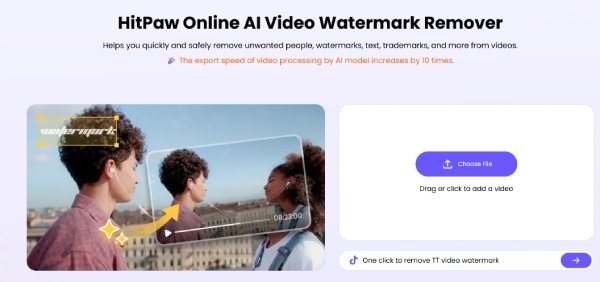
HitPaw Online Watermark Remover is one of the best options you can think of. This web-based tool is designed to remove watermarks from videos and images quickly. Although it runs merely on your browser, its AI technology is capable of detecting and erasing unwanted elements while maintaining decent quality. HitPaw offers both efficiency and solid performance.
- Pros
- AI-powered watermark detection and removal.
- Can be applied to both video and image.
- The instruction is extremely clear.
- Cons
- Limited free usage for each account.
- A stable Internet connection is required.
- Output quality may vary for complex backgrounds.
2. 123 Watermark Remover
The 123Apps toolkit has launched several tools suitable for editing videos online, which can run in your browser. And 123 Watermark Remover Online for free is one of them. It means that you can not only deal with basic watermark removal tasks, but also complete a quick post-production using the other tools provided.

- Pros
- No installation required.
- Work well with other 123 Tools.
- Deal with small-size file quickly.
- Cons
- Limited advanced tools for detailed parameters.
- Strict file size restrictions.
- Slower upload speed for large files.
3. Apowersoft Online Watermark Remover
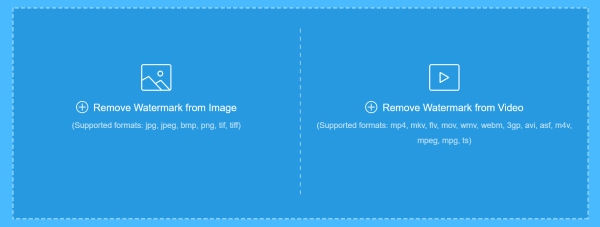
For those who want to remove the TikTok watermark online for free, you can rely on Apowersoft Online Watermark Remover. While the paid version provides a large resource library, its free version allows you to select and remove multiple watermark areas simultaneously. And this feature is just enough for watermark removal. If you are satisfied with its advanced editing tools, you can also pay for a license to enjoy them for post-production.
- Pros
- Support batch processing of watermark removal.
- The instructions are extremely clear to follow.
- Flexible selection tools to locate the watermark.
- Cons
- Limited free features.
- Slower processing speed.
- The output quality can be reduced.
4. Media.io Watermark Remover
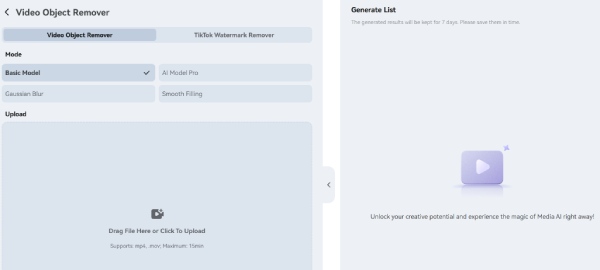
A powerful tool can help you remove a watermark from video online without blur, and that's exactly what Media.io offers. Media.io is not just a simple online tool for removing watermarks. When you preview the output before saving it, you will find the quality of your video is as crisp as not reduced. It provides a straightforward workflow where users upload files, mark the watermark area, and process the removal quickly.
- Pros
- Easy workflow to remove multiple watermarks.
- Support common formats.
- Quick processing for small and medium size files.
- Cons
- Cannot work without a stable Internet connection.
- Limited customization when removing watermarks.
- File size limits for the free plan.
5. AniEraser
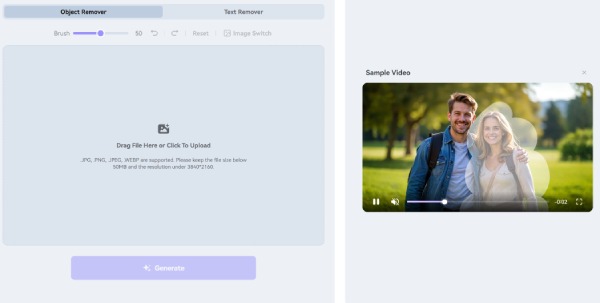
When it comes to an AI-powered online watermark remover , AniEraser is also a popular choice. Its greatest advantage is that it can make the entire watermark removal process very effortless. This tool is capable of automatically detecting the area that contains a watermark and removing it with minimal manual input.
- Pros
- AI-based detection for invisible watermarks.
- Detect the watermark automatically with AI technology.
- Further process with manual input.
- Cons
- Paid features for full access.
- Occasional inaccuracies with auto-detection.
- The uploading process can take a long time.
6. Pixlr Watermark Remover
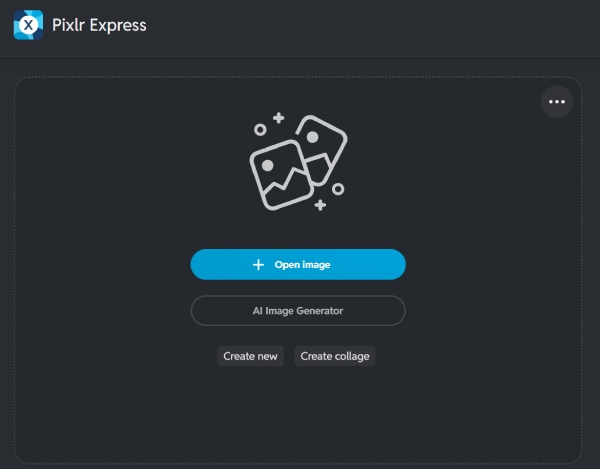
If you want to remove the watermark from the photo, then Pixlr Watermark Remover would be a good choice. This free online watermark remover is specifically designed to remove watermarks from photos. Its working process is very simple. All you need to do is follow the simple step-by-step instructions, and you can quickly complete the watermark removal task as shown in the picture.
- Pros
- Advanced editing tools for further polish.
- Free version available for basic features.
- Run directly on your browser.
- Cons
- Not ideal for dealing with watermarks from videos.
- Require extra manual work for deeply removal.
- Steep learning curve for beginners.
7. Inpaint Online
Inpaint Online, as an excellent online watermark remover, not only helps you remove watermarks but also enables you to erase unwanted elements from the image. If there are redundant parts in your photo that need to be removed, Inpaint Online can assist you.

- Pros
- Smart fill technology.
- Easy to use without complex steps.
- Work extremely well on images.
- Cons
- Cannot be used on videos.
- Restricted free usage daily.
- Require a stable Internet connection.
8. WatermarkRemover.io
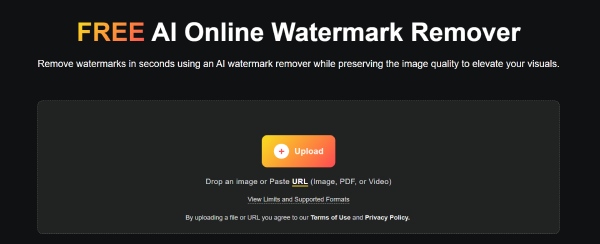
When it comes to online watermark removers for free, what's important is how many functions the free version can support. In this regard, WatermarkRemover.io performs extremely well. The free version of it offers relatively comprehensive functions, and even without using the paid version, it can still meet the basic usage requirements.
- Pros
- Fully automated for detection and removal.
- Fast processing speed for small-size image.
- Clean interface and straightforward operation.
- Cons
- Image-only support.
- Limited free credits.
- Less control over results.
FAQs About Watermark Removers Online
-
Are online watermark removers safe to use?
Most well-known tools are safe, but you should always use trusted platforms. If you use some dangerous online watermark removers, the pictures and videos you upload may be at risk of privacy infringement.
-
Will removing a watermark reduce video quality?
It depends on the tool and method used. Online watermark removers with stronger processing capabilities can better ensure the original quality of the uploaded files. However, for online tools, their capabilities are always limited. Therefore, professional tools are more recommended.
-
Can all watermarks be removed completely?
Not always. Given the current technology, online watermark removers have been able to meet the requirement of effectively hiding watermarks. However, they usually do not withstand precise observation. For professional-level watermark removal operations, you still need to seek assistance from specialized software.
Conclusion
In conclusion, online watermark removers for free provide a convenient and efficient way to remove unwanted elements from videos and images. Generally speaking, online tools often have some limitations in terms of processing capabilities. Among all choices, AnyRec Free Watermark Remover can quickly achieve clean and professional-looking results.
Related Article
About Our Author




