
Best Volume Boosters to Select for Explicit Sound Effects

Volume boosters can be quite helpful, as low audio volume can significantly affect your listening experience. When the volume is too low, important details may be lost. In this guide, you will discover some of the most reliable volume boosters available, along with useful tips to help you choose the right one for your needs.
Guide List
The Most Powerful Volume Booster with High Quality Top Choices for Volume Boosters That You Can Trust [Bonus] Tips for Selecting a Proper Volume Booster FAQs About Volume BoostersThe Most Powerful Volume Booster with High Quality
If you are looking for a reliable and professional solution to enhance audio volume, AnyRec Video Converter stands out as the best choice for you. When the volume in the media file is too low, this volume enhancement application enables you to increase the audio volume without causing obvious distortion. It also has advanced audio editing capabilities. It supports multiple audio formats and allows you to customize settings, enabling you to precisely control the volume adjustment. No matter what device you are using or what format you are dealing with, AnyRec Video Converter is capable of increasing volume the way you want, making it suitable for both beginners and experienced users.
Improve audio quality by adjusting audio output settings.
Support audio file formats such as MP3, FLAC, AAC, WAV, etc.
Offer other audio editing tools like volume booster, delay, and more.
Support batch conversion and audio editing in any file format.
Secure Download
Secure Download
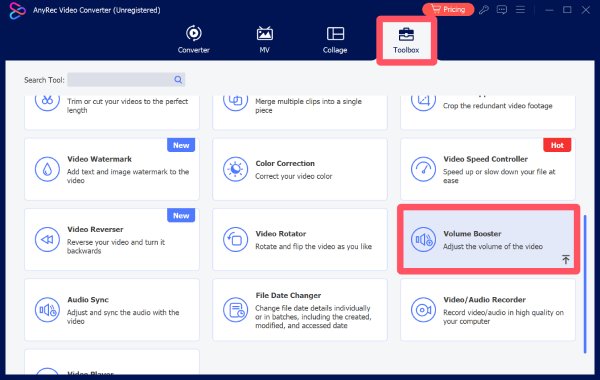
Step 1.Launch AnyRec Video Converter and click the "Volume Booster" button under the "Toolbox" tab.
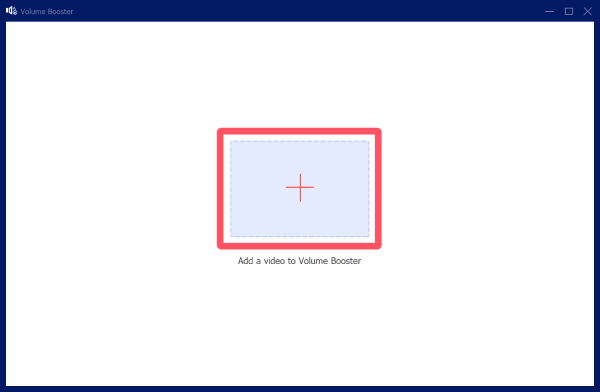
Step 2.In the pop-up window, click the "Add Files" button to import your media file whose volume is not strong enough.
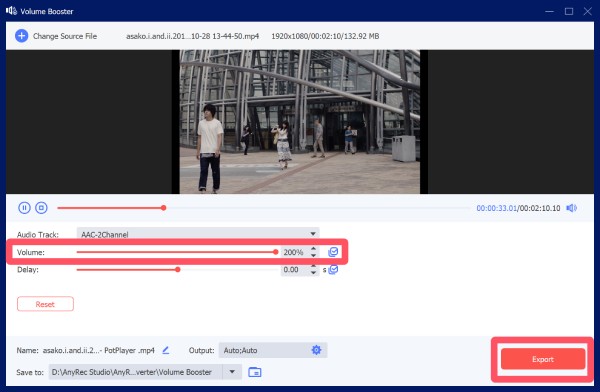
Step 3.Under the "Volume" tab, click to adjust the volume until it matches your need. Finally, click the "Export" button.
Top Choices for Volume Boosters That You Can Trust
Beyond AnyRec Video Converter, there are many other volume boosters available that cater to different needs and platforms. Each of them has its own advantages and disadvantages. You can select the desired one that can best suits your needs. For example, an online volume booster can provide simplicity and efficiency, while volume boosters of Chrome extensions offer ease of use. In this section, you will explore several trusted options that can help improve your audio experience effectively.
| Name | Scenarios | Max Volume | Equalizer |
| VLC Media Player | Video playback, casual use | Up to 200% | No |
| Audacity | Audio editing, professional use | Custom (manual) | Yes |
| Boom 3D | Music, movies, gaming | System-wide boost | Yes |
| Letasoft Sound Booster | System-wide audio boosting | Up to 500% | No |
| FxSound | Streaming, music enhancement | Moderate boost | Yes |
| Equalizer APO | Advanced system audio control | Custom (manual) | Yes |
| Kapwing | Online video/audio editing | Moderate boost | No |
| VEED.IO | Online content creation | Moderate boost | No |
| Media.io | Quick online processing | Moderate boost | No |
| VideoLouder | Simple video volume boosting | Moderate boost | No |
1. VLC Media Player
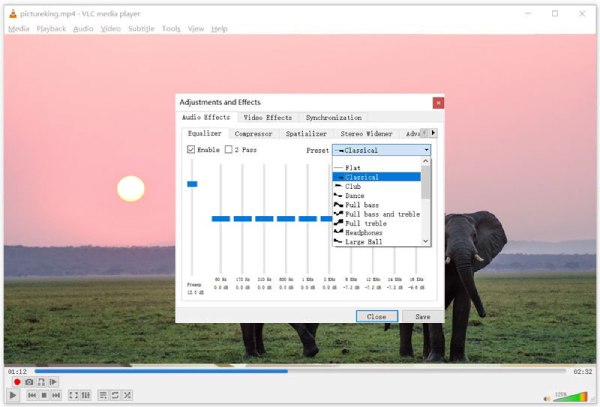
Although VLC media player is widely known to many users for its powerful playback capabilities, it can also be used as a volume booster. If you find that the volume of the video is not loud enough while playing it, you can directly use the built-in tools of the player to adjust the volume of the video to reach the level you need. With support for numerous formats and platforms, VLC is a convenient choice for users who want a simple, no-cost solution without installing specialized audio tools.
- Pros
- Totally free, as it is an open-source media player
- Various formats are supported during the process
- You are allowed to boost the volume up to 200%
- Cons
- Limited audio controls for advanced requirements
- The volume may distort at high levels
- It is not designed especially for audio enhancement
2. Audacity
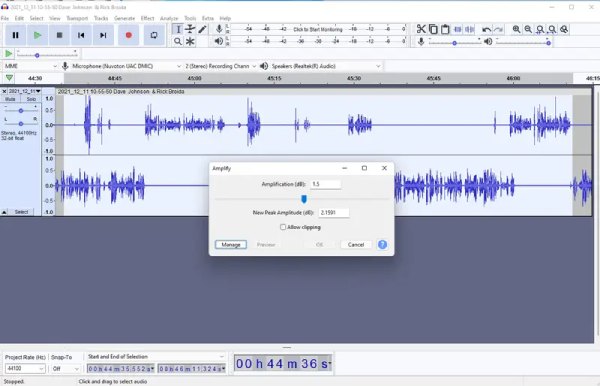
Audacity is a powerful open-source audio editor that includes volume boosting and normalization features. It allows precise adjustments through amplification, compression, and equalization tools. For many new users, the main interface and operation method of it may seem rather complicated. But once you learn its basic steps, this MP3 louder is actually very simple. This makes it ideal for users who need detailed control over audio levels and want to enhance sound quality during editing.
- Pros
- Advanced audio editing tools
- Completely free to use
- High precision control
- Cons
- Steeper learning curve
- Not beginner-friendly
- Require manual exporting
3. Boom 3D
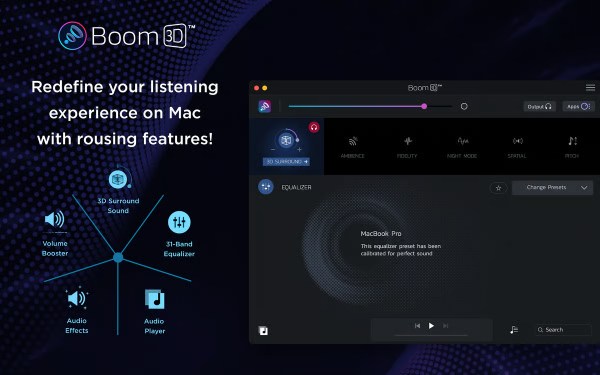
If you wonder how to boost microphone volume, Boom 3D can give you the answer. As a premium audio enhancement software, Boom 3D is designed to boost volume with 3D surround effects. You will find it super handy since it works system-wide, allowing you to enhance audio across all applications. It is particularly popular among users who want immersive audio experiences for music, movies, and gaming. Therefore, many users with professional demands for sound often choose Boom 3D as their volume booster.
- Pros
- System-wide volume boost
- Immersive 3D sound
- User-friendly interface.
- Cons
- Paid software
- Consume considerable system resources
- Limited free trial with not full features
4. Letasoft Sound Booster
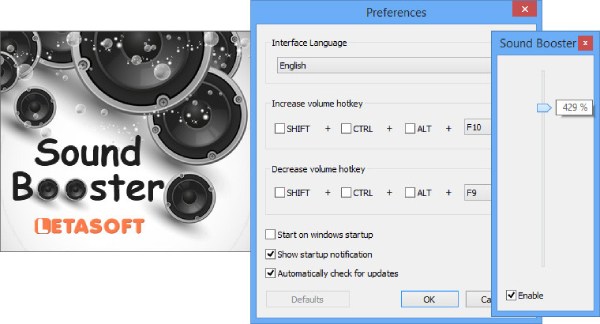
Letasoft Sound Booster is a lightweight Windows application that increases system volume beyond the default limit. The operation of this volume booster is very simple, and it enables you to adjust the volume of the sound in real time while it is playing. This has greatly facilitated the overall audio editing workflow. It supports all applications, making it ideal for boosting low-volume audio in videos, browsers, and media players.
- Pros
- Advanced audio editing tools
- Completely free to use
- High precision control
- Cons
- Steeper learning curve
- Not beginner-friendly
- Require manual exporting
5. FxSound
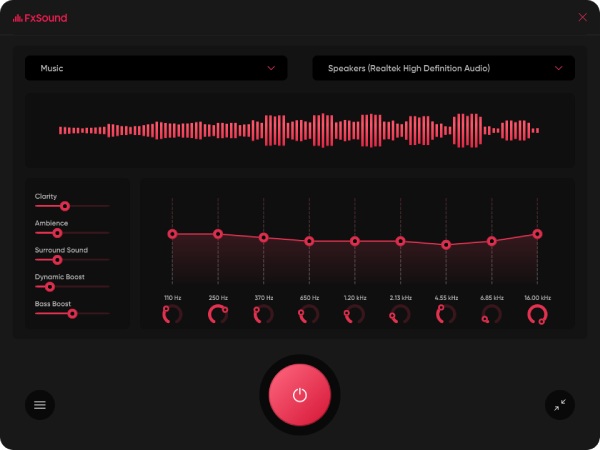
For those who want to find a decent YouTube volume booster, FxSound is a good option to help you improve volume, clarity, and bass. This audio enhancer uses advanced processing to boost sound without heavy distortion. This free volume booster ensures that the volume performance of your media files is optimally enhanced by adjusting precise parameters. It is especially useful for streaming, music playback, and low-quality audio files. Of course, when using this tool, you need to ensure that your computer has sufficient running memory to guarantee its smooth operation, as it consumes considerable resources.
- Pros
- Improve clarity and bass
- Extremely easy to use
- Lightweight for quick installation
- Cons
- Limited customization in free version
- Only work for Windows 10/11
- Require background running during the process
6. Equalizer APO
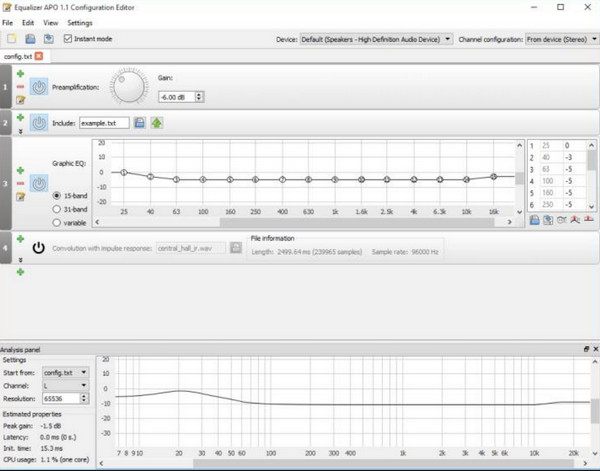
Equalizer APO is a powerful audio processing tool for Windows that allows detailed volume boosting and equalization. During the use of this MP3 volume booster, you will find that precise and customizable volume control is permitted. It works at the system level and provides highly customizable audio settings, making it suitable for advanced users.
- Pros
- Highly customizable
- System-wide effect
- Free and open-source
- Cons
- Complex setup at start
- Not beginner-friendly
- No graphical interface by default
7. Kapwing
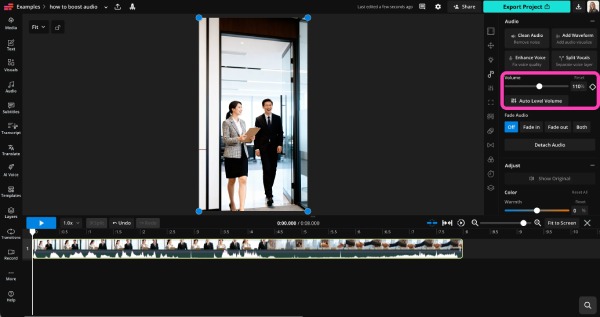
If you are looking for an easy way to increase the volume of your media files, then an online volume booster is exactly what you need. Kapwing is such a tool that enables you to directly control the volume of media files on your browser. You can upload files, adjust audio levels, and export them directly in the browser. It is ideal for quick edits without installing software.
- Pros
- No installation required
- Run on your browser directly
- Support both video and audio
- Cons
- Require internet during the whole process
- Limited free exports for free use
- Watermark contained on free plan
8. VEED.IO
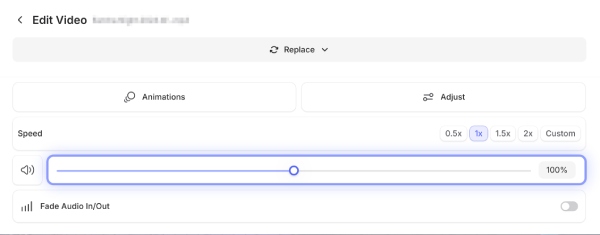
Also, as an online tool, VEED.IO can function as a volume booster on Firefox. This means that you don't need to download any additional software or go through a series of installation procedures before you can start your workflow directly. This web-based video editor offers volume adjustment. This online volume booster is a good choice for both beginners and content creators. You can quickly boost audio while editing videos online.
- Pros
- Beginner-friendly
- Online access on the browser
- Integrated editing tools
- Cons
- Free version limitations
- Slow uploads for large files
- Watermark contained for free use
9. Media.io
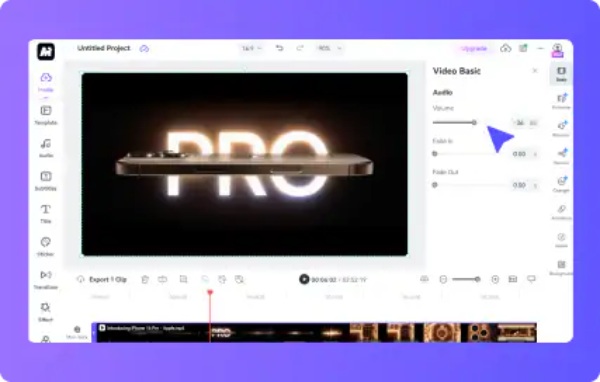
Media.io is an online media processing tool that supports audio volume boosting. It provides a simple interface for adjusting sound levels and exporting files quickly. Although it is an online tool, you will find that its processing speed is extremely fast. You will find that the volume of your media files has been adjusted to your preference almost immediately, without having to wait long. However, the processing speed prevents it from supporting the upload of overly large media files.
- Pros
- Simple interface and instruction
- Multiple formats are supported
- Quick processing speed
- Cons
- Internet-dependent
- File size limits on free plan
- Fewer advanced features
10. VideoLouder
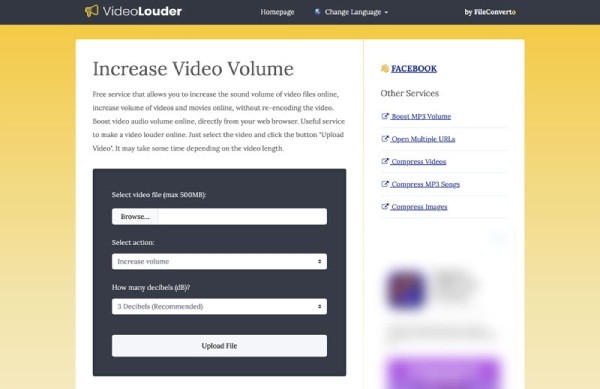
VideoLouder is a dedicated online volume booster specifically designed to increase video volume. It allows users to upload videos and boost audio levels without complicated settings, making it a quick solution for low-volume files.
- Pros
- Very easy to use
- No installation required
- Focused on volume boosting
- Cons
- Limited features
- File size restrictions
- Slower processing for large files
[Bonus] Tips for Selecting a Proper Volume Booster
If you want to enjoy the most efficient workflow when attempting to increase the volume of your media file, choosing the right volume booster is one of the key elements. You can select a proper volume booster if you figure out your specific needs and usage scenarios. To ensure the best results, consider the following tips:
- • Check audio quality preservation: A good volume booster should increase loudness without introducing distortion or noise. Look for tools that maintain clarity even at higher volume levels.
- • Support for multiple formats: Make sure the tool supports common audio and video formats, so you can work with different types of files without compatibility issues.
- • Ease of use: If you are a beginner, choose a tool with a simple interface and straightforward controls. Advanced users may prefer more customizable settings.
- • Batch processing capability: If you need to adjust multiple files at once, a tool with batch processing can save significant time and effort.
- • Additional editing features: Some volume boosters also include trimming, equalization, or background noise removal from audio, which can further enhance audio quality. Try to find those that contain more advanced features.
FAQs About Volume Boosters
-
Will increasing volume reduce audio quality?
This depends on the tool being used. If you are using a high-quality volume enhancer, you will increase the volume while minimizing distortion. However, you should also be aware that excessive amplification may still affect the clarity of the sound quality.
-
Can I boost volume for both video and audio files?
Yes. Many volume boosters support both audio and video files, allowing you to adjust sound levels directly within video content.
-
Are free volume boosters reliable?
Some free tools are reliable for basic use. And those popular ones can ensure security in most situations. While free volume boosters can save you budget, they may have limitations in features or output quality. For better results, professional tools are often recommended.
Conclusion
In conclusion, volume booster apps are essential tools for improving low audio levels and enhancing your overall listening experience. While there are multiple choices provided these days, most of them bear some limitations. With AnyRec Video Converter, you can achieve clearer and more enjoyable sound in your media files.
Secure Download
Secure Download
Related Article
About Our Author




