
8 MP3 Recorders to Capture Voice and Music on PC/Mac/Online

Many people just want to record audio as MP3 without dealing with complex settings. So, it is important to find a MP3 recorder. Those important factors should be considered, including clean sound, stable recording, no distortion, and input audio source selections. Later, you can record streaming music, podcasts, audio calls, voice notes, and more to the MP3 format easily.
Guide List
Most Recommended MP3 Recorder for Windows/Mac 1. Audacity - Multi-Track Editing and Advanced Controls 2. GarageBand - High-Quality Recording with Music Tools 3. Rev Online Voice Recover - Privacy-Safe Browser Recording 4. Online Voice Recorder - Fast, No Signup MP3 Recording 5. VEED.IO MP3 Recorder - Audio Recording with Noise Reduction 6. Voice Memos - Quick, High-Quality iOS Recording 7. Easy Voice Recorder - MP3 Recording with Format FlexibilityMost Recommended MP3 Recorder for Windows/Mac
While there are many tools existing for capturing MP3 audio on a computer, not all of them are convenient for beginners. So, here's a far better MP3 recorder for a smooth and high-quality recording: AnyRec Screen Recorder. With its clear layout, you can easily record system audio, microphone input, or both at the same time. Whether you want to save online audio, create voiceovers, or capture calls, you can switch on toggle buttons to start audio recording.
Record system audio and microphone audio at once or individually.
Improve your sound with noise cancellation and microphone enhancement tools.
Test your audio setup in advance to prevent recording issues.
Adjust sample rate, bit rate, and format for the best audio quality.
Secure Download
Secure Download
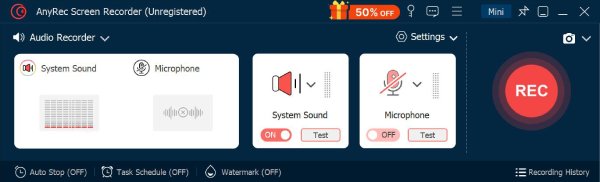
Step 1. After launching AnyRec Screen Recorder, open the recording menu. Click "Audio Recorder" to start setting up your sound capture session.
Step 2. Enable "System Sound" and/or "Microphone" switch buttons, depending on what you wish to record. You can quickly adjust the volume levels.
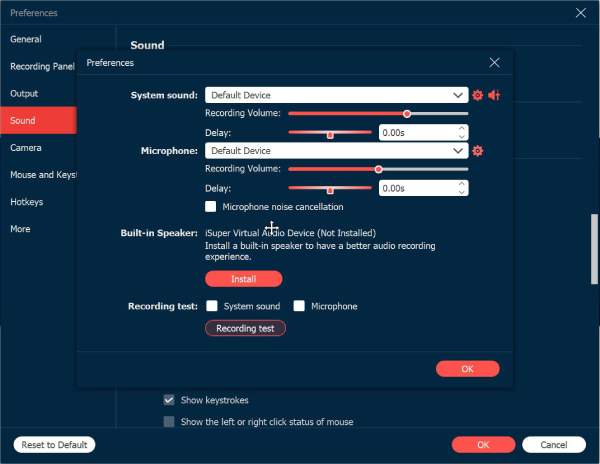
For clearer audio, head to "Settings" then "Sound" and activate the "Microphone Noise Cancellation" feature.
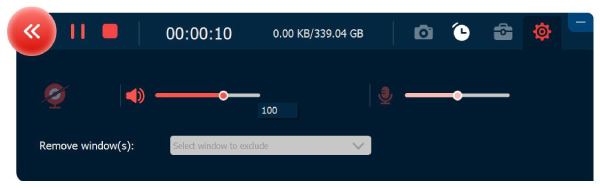
Step 3. When everything is configured the way you want, click the "REC" button to begin capturing your audio. You may change the volume at any time during the recording.
Step 4. Once you're done, click the "Stop" button to preview the recording. Use the built-in trimmer to trim or cut MP3 if necessary.
Secure Download
Secure Download
1. Audacity - Multi-Track Editing and Advanced Controls
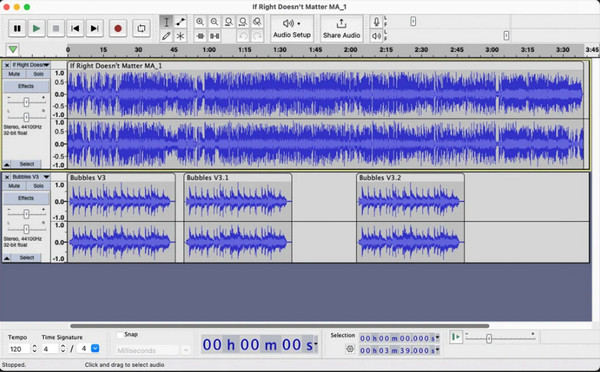
One of the most widely used free audio recorders and editors today is Audacity. This MP3 recorder for Windows, Mac, and Linux lets you capture high-quality audio from a microphone or internal sources. Its powerful multi-track editing tools give you precise controls over layers of audio. Plus, you can remove background noise, apply effects, enhance vocals, trim, and mix tracks after recording audio with Audacity effortlessly. It is ideal for podcasters, musicians, and anyone who wants full-featured recording and editing in one place.
2. GarageBand - High-Quality Recording with Music Tools
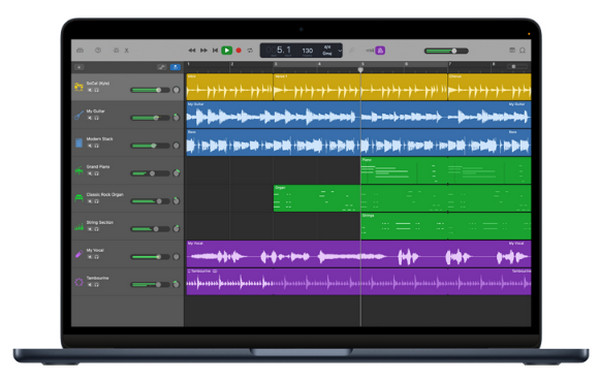
GarageBand is a powerful recorder and editor at the same time, available for free on macOS, giving users far more flexibility than standard recording apps. This Mac MP3 recorder allows you to capture microphone audio with excellent clarity, and its professional-grade tools can refine your sound with ease. Here, you can adjust input levels, apply presets, add compression, and apply effects to enhance recordings. It is not only great for simple GarageBand MP3 recordings but also for music demos, podcasts, and vocals.
3. Rev Online Voice Recover - Privacy-Safe Browser Recording
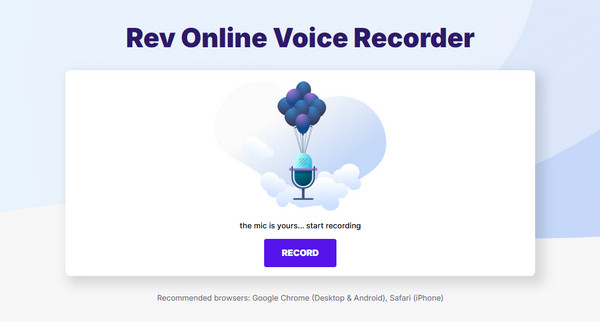
Meanwhile, if you wish for a secure online recording with a bit of editing, here's one of the best choices for you. Rev Online Voice Recorder is a web-based free MP3 recorder made for users who want to record microphone voice without installing anything. Its interface features a clean and direct design, focusing only on recording, trimming, and exporting the audio. One of the advantages that amazes users is that you can control all recording locally and download your MP3 instantly.
4. Online Voice Recorder - Fast, No Signup MP3 Recording
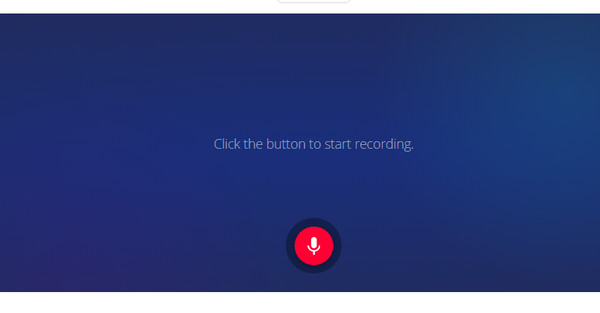
Next for web-based MP3 recorders is the Online Voice Recorder. This online voice recorder does not require registration, so you can start recording audio right away! Despite its simplicity, it features a helpful trimmer, letting you cut out unnecessary parts before saving. Also, it runs entirely in your browser, keeping everything secured and device-based only. Thus, if you wish for an audio recorder that performs well without extra features, Online Voice Recorder is one of the fastest options online.
5. VEED.IO MP3 Recorder - Audio Recording with Noise Reduction
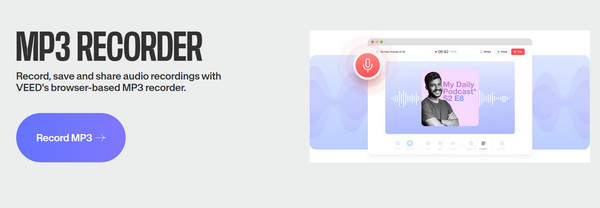
Another robust online MP3 recorder, VEED.IO, provides audio enhancement tools besides basic recording. Included here are noise reduction, automatic leveling, and trimming options. Using the VEED.IO tool, you can record voiceovers, memos, tutorials, and export them directly to MP3 format. Since it is a mix of recording and editing in one browser, this makes it excellent for creators who want polished audio recording without extra software.
6. Voice Memos - Quick, High-Quality iOS Recording
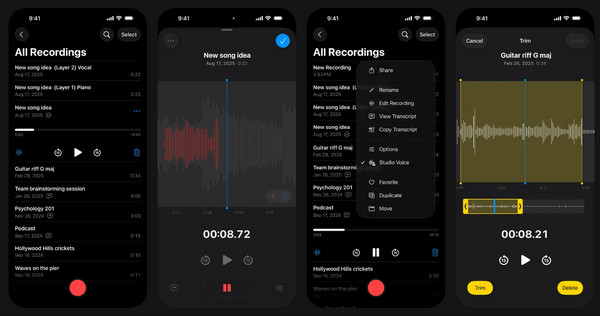
Voice Memos is the built-in audio recording included on all iPhones, giving iOS users impressive clarity with little effort to record MP3s. Besides audio recording, this MP3 recorder app supports trimming, organizing folders, duplicating, and even syncing recordings automatically thanks to iCloud. Since Voice Memos is already built, you can launch it instantly without installing anything, making it ideal for quick recordings for interviews, school notes, reminders, and other tasks.
7. Easy Voice Recorder - MP3 Recording with Format Flexibility
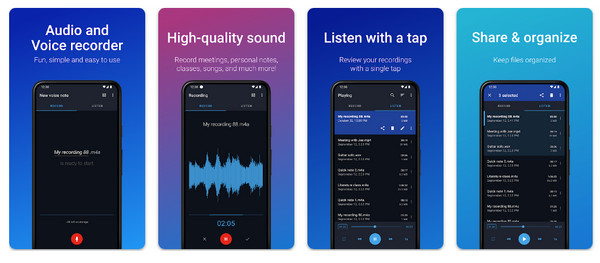
A popular Android MP3 recorder app that supports high-quality audio, Easy Voice Recorder offers one-tap recording, making it very convenient for capturing meetings, music, lectures, etc. The app has widgets and shortcuts for quick access, even from your lock screen. Plus, it allows you to organize audio recordings into folders. Or you can share them via email or messaging apps. Also, this app's flexible format options make it perfect for users who want control over file type and quality on Android audio recording.
Conclusion
These are 8 best MP3 audio recorders across desktop, mobile, and online platforms. Each can capture audio, but they differ in some areas, like the quality, friendliness, and customization support. If you wish for a high-performance solution that handles both video and MP3 recordings, use AnyRec Screen Recorder. This tool provides versatile control over audio input, letting you capture audio very well. Always get your high-fidelity audio recording and video capture here!
Secure Download
Secure Download



