
10 Best Screen Recorders for Games, Tutorials, and Meetings

For your latest victory, engaging tutorials, or quick sharing with a remote team, having the best screen recorder is essential. Do you need a lightweight or a no-install capture tool? Perhaps a professional desktop powerhouse. To help you stop the search, this post has hand-picked the top 10 best free screen recorders for PC, online, and mobile for 2026. By the end of this guide, you'll see which tool can make you record on-screen activities with total confidence.
| Recorder | Platform | Max Resolution | System/Mic | Editing Tools |
| AnyRec Screen Recorder | Windows, Mac | 8K | Yes | Yes |
| OBS Studio | Windows, Mac | 4K | Yes | No |
| Bandicam | Windows | 4K | Yes | Yes |
| Camtasia | Windows | 4K | Yes | Yes |
| Clipchamp | Browser | 1080p | Yes | Yes |
| Loom | Browser | 4K | Yes | Yes |
| Record it! | iOS | 1080p | Yes, but limited | Yes |
| Go Recorder | iOS | 1080p | Yes | Yes |
| AZ Recorder | Android | 4K | Yes | Yes |
| XRecorder | Android | 1080p | Yes | Yes |
Guide List
1. AnyRec Screen Recorder – All-in-One Toolkit Screen Recorder 2. OBS Studio – Open-Source Professional Recorder 3. Bandicam – Lightweight Gaming Screen Recorder 4. Camtasia – Screen Recorder with World-Class Editor 5. Clipchamp – Integrated Online Screen Recorder 6. Loom Screen Recorder – Quick Sharing Screen Recorder 7. Record it! – Creative Reaction Screen Recorder 8. Screen Recorder: Go Record – High Resolution iOS Recorder 9. AZ Recorder – Android Multi-Purpose Recorder 10. XRecorder – High-Performance Gaming Recorder1. AnyRec Screen Recorder - All-in-One Toolkit Screen Recorder
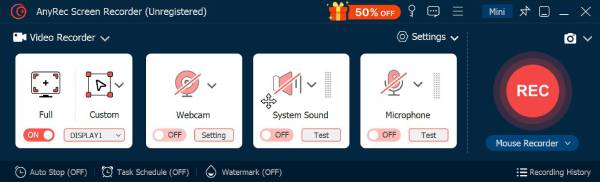
Beyond simple recording, the best screen recorder here is a professional, all-in-one desktop solution that captures everything from high-speed gameplay to webinars. Get to know AnyRec Screen Recorder! This versatile software ensures even 4K recordings remain lag-free. You can take advantage of its different capture modes to capture video, audio, webcam, and even mobile screens. Also, it comes with a robust set of real-time drawings and a screenshot button during screen recording. Whether you want crystal-clear audio recordings or professional-grade videos, these tools won't disappoint!
Dedicated recording modes for Video, Audio, Game, Webcam, Phone, etc.
Customize output settings to get your desired quality and sound.
Add text, lines, arrows, and shapes while the recording is still in progress.
Allows for automated recording by setting start and top time.
Secure Download
Secure Download
- Pros
- 4K/8K recording is supported; offers lossless quality exports; clean recordings with no watermark.
- Cons
- For complete features, you need the Pro version.
2. OBS Studio - Open-Source Professional Recorder
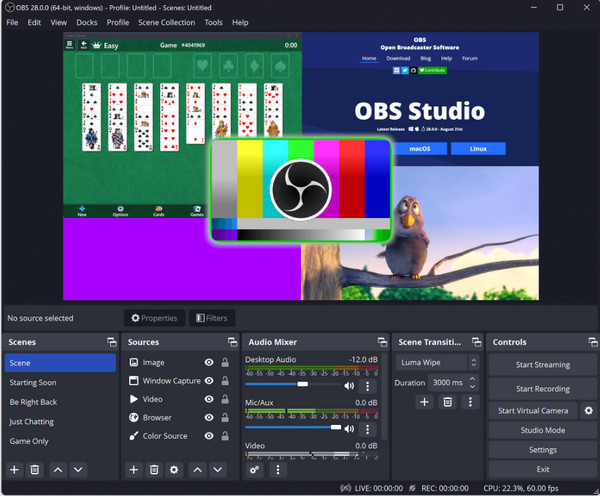
For a professional broadcasting suite, OBS Studio here is the industry standard for high-end production. If you're going to layer webcams, images, and multiple simultaneously for recording, this may be the best free screen recording software for PC. It features a high-performance audio mixer with filters, e.g., noise gates and suppression to give you crystal-clear sound. As an open-source, it gains from a library of community-made plugins that automate any task from scene changing to advanced overlays.
- Pros
- Professional-grade streaming and mixing features; free with no watermarks.
- Cons
- No built-in video editor; very steep learning curve, especially for starters.
3. Bandicam - Lightweight Gaming Screen Recorder
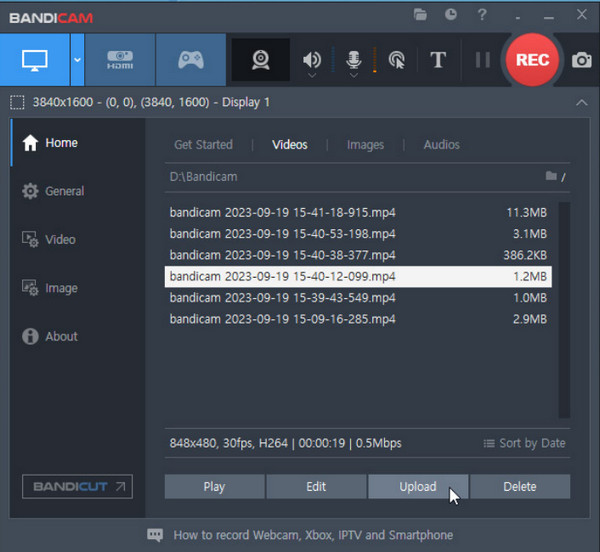
Bandicam, on the other hand, is famous for its high-speed gameplay capture with less system lag. It uses hardware acceleration that ensures the frame rate stays high even while capturing 4K video. Unlike other screen recording software in this list, Bandicam allows you to record for 24 hours straight, making it a favorite for lengthy gaming sessions. With its real-time drawing feature, you can highlight parts of the screen as you speak.
- Pros
- Very straightforward for high FPS games; perfect compression that keeps sizes small.
- Cons
- Works for Windows only; the free version has a watermark and a 10-minute recording limit.
4. Camtasia - Screen Recorder with World-Class Editor
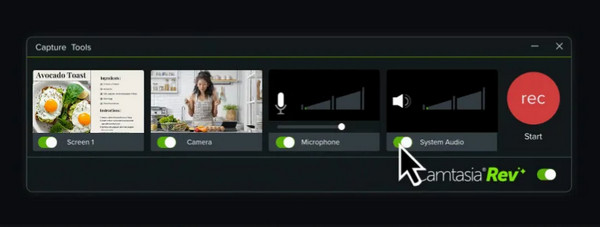
A premium choice for a high-quality recorder with an exceptional video editor, that's what Camtasia is! It is specifically made for tutorials, giving you collections of animations, cursor effects, and callouts. It is one of the best screen recorders for Windows, where you can record even mouse clicks and keystrokes, add quizzes and a table of contents into your video.
- Pros
- Best built-in video editor; simple drag and drop interface.
- Cons
- Huge price tag; requires a powerful computer for heavy editing.
5. Clipchamp - Integrated Online Screen Recorder
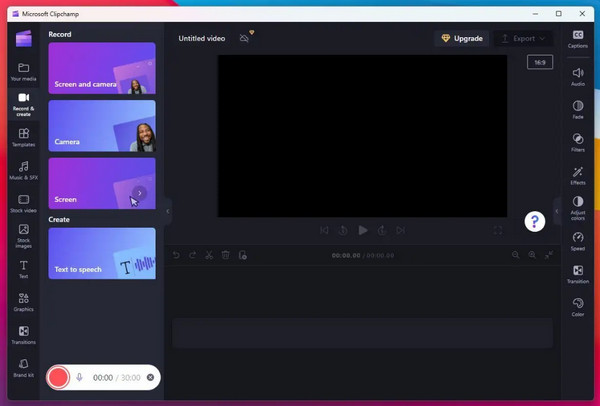
Meanwhile, Clipchamp here works as a recorder and editor directly on your browser. This best screen recorder from Microsoft provides AI-powered text-to-speech narrators that analyze your recordings to improve delivery. Moreover, it lets you trim, crop, and layer all captures with stock music and transitions right away before saving.
- Pros
- No need for any installation; 1080p exports are free from any watermarks.
- Cons
- Its performance relies heavily on the internet speed; limited to Chrome and Edge browsers.
6. Loom Screen Recorder - Quick Sharing Screen Recorder
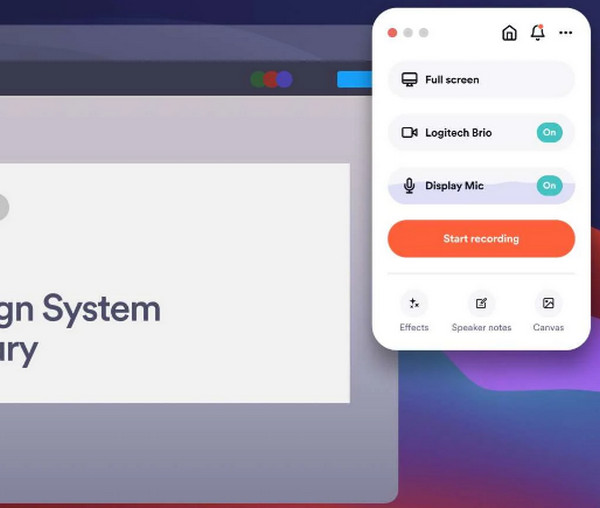
Loom Screen Recorder is made primarily for workplace collaboration. Using this online capture tool, you can record your screen and camera at once and generate a link once done for quick sharing. Furthermore, it lets you leave comments and reactions on the video timeline for faster feedback, making it one of the best screen recorders for communication-first-focused users.
- Pros
- Quick cloud uploading and sharing; perfect collaboration and feedback tools.
- Cons
- Free version offers 5-minute recording only; limited editing capabilities.
7. Record it! - Creative Reaction Screen Recorder
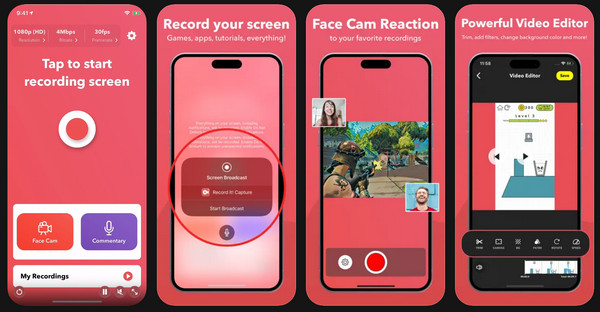
Stepping to the best screen recorder for iPhone, Record it! is one of the top-tier options if you wish to add a personal touch to your recordings. Aside from its facecam reaction feature that lets you overlay a video onto your clip, it also has an organized library to keep your recordings separated from all other photos.
- Pros
- Highly intuitive interface for iOS; lets you do post-recording audio and video commentary.
- Cons
- Advanced features needed Pro subscription; bugs for lengthy recording.
8. Screen Recorder: Go Record - High Resolution iOS Recorder
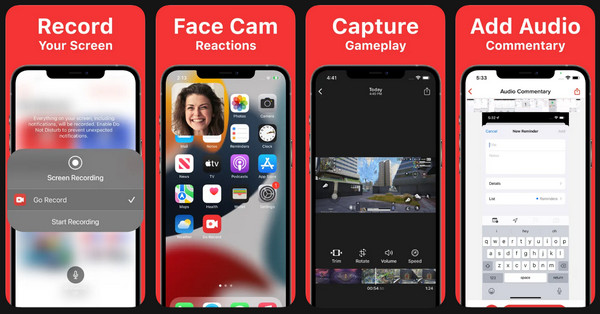
Next for the best screen recorder is Go Record. This app focuses on video quality and stability for demonstrations, supporting high-quality 1080p recording at 60FPS to give you a smooth playback on fast-moving apps. One of its unique powers is its floating window controls that let you start, pause, resume, and stop without needing to open the app interface.
- Pros
- No root needed; captures internal audio for apps and games.
- Cons
- Users report a corruption issue; the free version has frequent ads.
9. AZ Recorder - Android Multi-Purpose Recorder
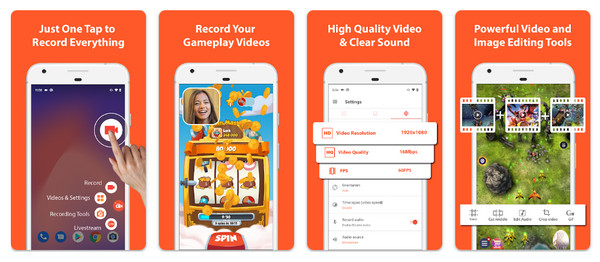
For the Android system, you have the AZ Recorder, a long-standing screen recorder for Android that offers a wide array of features without rooting. It is unique with its built-in live streaming capability, letting you share your phone directly to YouTube, Facebook, and Twitch. Plus, it features a Shake to Stop gesture, preventing you from having to edit out the last seconds of your video where you need to pull down the notification bar to stop the recording.
- Pros
- Can capture 2K and 4K resolution; no recording time limits.
- Cons
- The free version is ad-supported; background apps can cause frame drops.
10. XRecorder - High-Performance Gaming Recorder
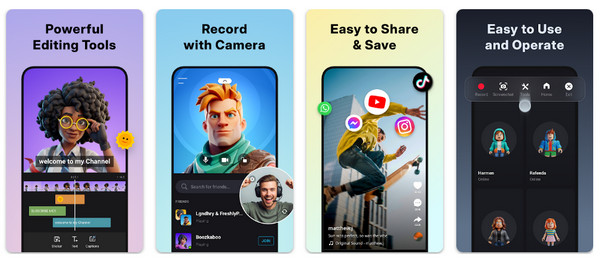
Rounding out the list of the best screen recorders, here's XRecorder for mobile gamers and content creators. This mobile app excels at capturing audio and HD video at 60FPS without any text or time limits. Its Brush Tool lets you draw or annotate on screen directly while recording, making it ideal for creating mobile tutorials on the go! However, there is no XRecorder for PC version yet.
- Pros
- Works for free without watermarks; offers video trimmer and speed controller.
- Cons
- Can't capture internal audio on versions below Android 10; has intrusive ads in the menu.
Conclusion
By knowing what you're looking for, you can immediately choose the best screen video recorder from above tools you have just explored! You can have the high-end capabilities of a desktop tool, the quick sharing of a browser solution, or the on-the-go experience of a mobile app. But besides recording, you may still look for both simplicity and professional power from one tool. So, AnyRec Screen Recorder is highly recommended. You can enjoy a seamless recording experience with high-quality on your desktop while providing exciting features. It is really the best choice for anyone who wants a reliable, high-performance tool that works every time.
Secure Download
Secure Download
About Our Author




