
Top 8 Audio Enhancers in 2026: Clean and Boost Sound Today

Poor audio is the fastest way to lose an audience's interest. You may be a podcaster, a YouTuber, or a professional editor, and the right audio enhancer can help you achieve that polished studio feel. Fortunately, you no longer need a thousand-dollar mic for those results, since today's guide breaks down the top eight audio quality enhancer solutions across desktop, online, and mobile. From noise removal to vocal leveling, make your message heard loud and clear today!
Guide List
1. AnyRec Video Converter 2. Audacity 3. SoundPimp Top 3 Online Audio Enhancers Best 2 Mobile Audio Enhancers for iOS and Android Techniques for Controlling Noise to Enhance Audio Effects1. AnyRec Video Converter
As a versatile multimedia suite, AnyRec Video Converter not only converts several files but also has a specialized Noise Remover designed for both speed and quality. Here, you can significantly improve your audio tracks by cutting out unwanted noises like hums or windows with just a click. Beyond that, this audio enhancer software can also boost volume to fix all your quiet recordings. It supports a wide range of formats, too, ensuring that whether you're handling MP3, AAC, or FLAC, the results remain high-fidelity.

An intelligent noise remover that eliminates various noises to ensure crisp output.
Handles a wide variety of file types, such as MP3, FLAC, AAC, MP4, MOV, etc.
With full control over the file, you can adjust the bitrate, codec, and resolution.
Listen and watch the polished version before the final save.
Secure Download
Secure Download
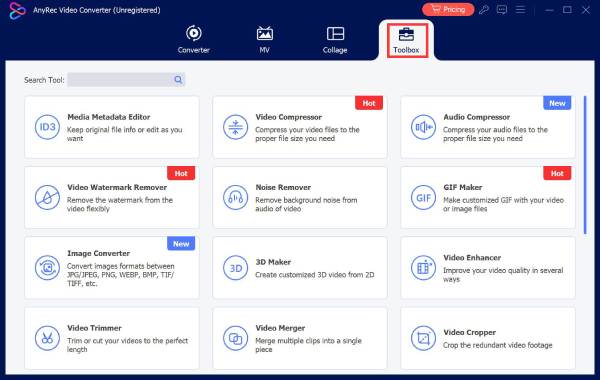
Step 1.Once you have launched AnyRec Video Converter, navigate to the "Toolbox" tab in the top menu. From the selection of toolkits, locate and choose the "Noise Remover" tool to start.
Step 2.Upload your audio file to open the editing interface. Make sure the "Enable audio noise reduction" option is selected, then use the sliders to fine-tune "Volume" or correct "Delay" for perfect synchronization.
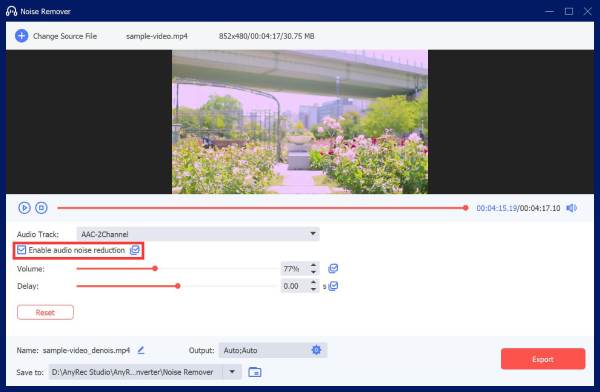
Step 3.For further personalization, you can click the "Output" menu to adjust technical specifications. Once you're okay with the results, click the "Export" button to save your enhanced audio.
Secure Download
Secure Download
2. Audacity
Audacity excels as an open-source audio editor, offering a professional-grade environment. Its most famous feature is the Noise Reduction effect, which removes specific frequencies of unnecessary sounds. Plus, this sound enhancer supports multitrack editing, letting you layer music with enhanced tracks effortlessly.
Step 1.Upload your file to Audacity, and highlight a portion of the track that contains background noise.
Step 2.Then, head to "Effect", choose "Noise Removal and Repair", then "Noise Reduction", and click on "Get Noise Profile".
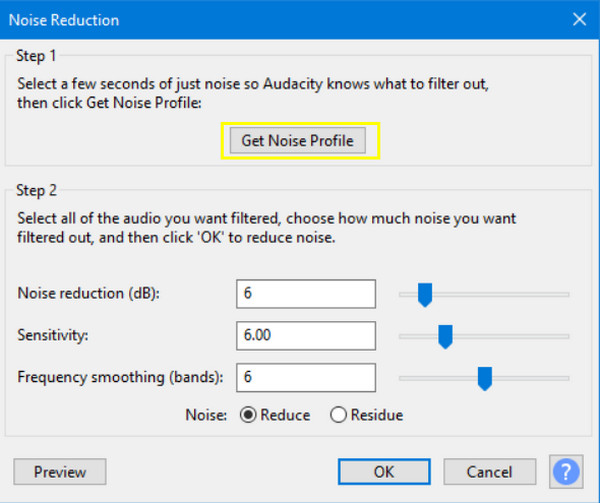
Step 3.Select the entire track, and go back to the "Noise Reduction" menu and click the "OK" button to apply the filter. Next, apply "Filter Curve EQ" to boost treble.
Step 4.You can also use "Normalize" to bring the volume to a standard level before saving. It is a good way to make your audio sound better.
- Pros
- Supports high-end spectral analysis; is completely free and open-source.
- Cons
- Changes are forever once saved; it has a dated user interface.
3. SoundPimp
Meanwhile, SoundPimp is a unique MP3 audio enhancer that works as a system-wide driver to enhance the spatial quality of your recording. It uses a High-Definition Stereo technology to cut out crosstalk, widening the soundstage far beyond the placement of your speakers. Unlike other editors, this tool enhances audio in real-time, making it great for gaming, streaming, or watching movies.
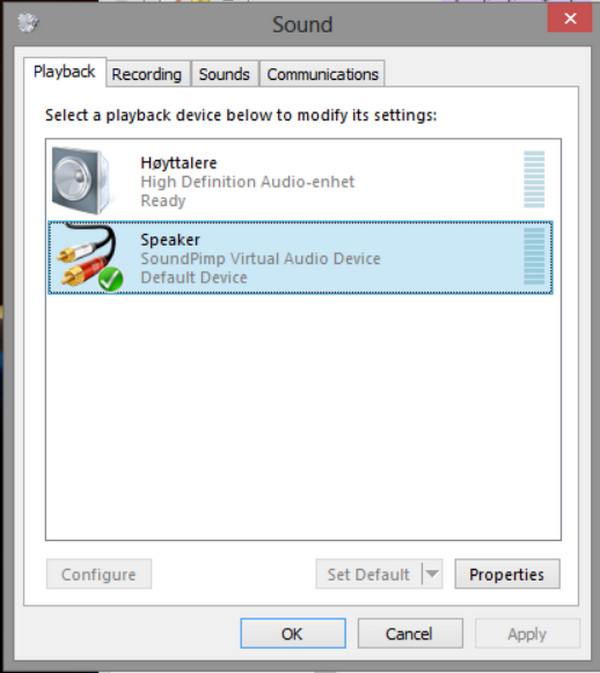
Step 1.Once you have SoundPimp, set it as the "Default Playback Device" in your system settings. Launch the SoundPimp dashboard while playing any audio source.
Step 2.Toggle ON the "HDS" button to activate the enhancement algorithm.
Step 3.Adjust the "Effect" slider to control the width of the stereo field.
Step 4.Then, fine-tune the "Balance" settings to ensure your speakers are perfectly calibrated.
- Pros
- Can improve the physical soundstage of speakers; works across all browsers and apps.
- Cons
- Not a file editor; has issues in low-quality recordings.
Top 3 Online Audio Enhancers
Switching from installation to a browser-based audio enhancer, these online conveniences are a perfect solution for anyone who needs a professional finish without the installation of heavy software. Here are the top three online audio enhancers that can analyze waveforms and apply complex filters in seconds.
1. Media.io Free AI Audio Enhancer
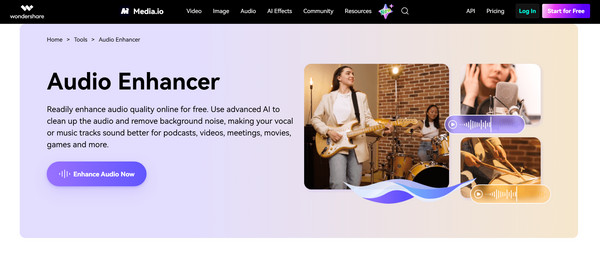
First is the Media.io Free AI Audio Enhancer, providing an AI-driven platform that has a one-click audio restoration for social media creators and podcasters. Also, this online AI audio enhancer offers a Reverb Remover, which is perfect for a voice recording that's done in an echoey room.
- Pros
- Specifically tuned for vocal clarity; needs no technical knowledge to start.
- Cons
- File size limits found in the free versions; requires a stable connection.
2. Voice.ai Free Online Audio Enhancer
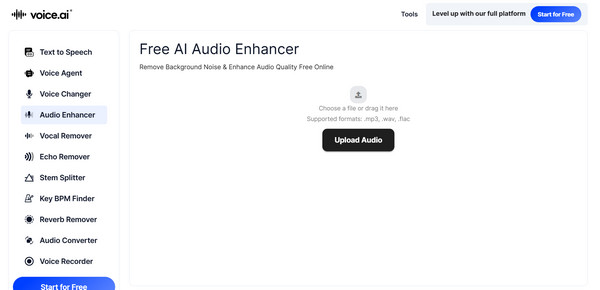
Next for online audio enhancers is Voice.ai. This tool focuses on the power of AI to not just clean but also improve the audio quality of a recording. One of its standout features is its ability to cut out mouse clicks and plosives that ruin recordings.
- Pros
- Handles harsh vocals excellently; super-fast processing speeds.
- Cons
- Its AI somehow makes the voice sound slightly robotic.
3. Clipchamp AI Audio Enhancer
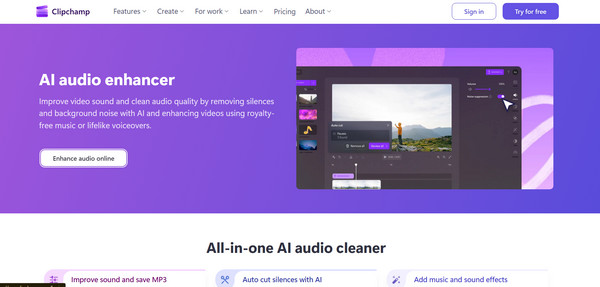
Alongside these specialized tools, Clipchamp has a powerful browser-based editor that has an Audio Enhancer feature. It balances audio levels, ensuring that background music never overpowers the main speaker. It also includes a silent remover that eliminates dead air and any pauses.
- Pros
- Integrated with video editing; automatically cuts out long silences; provides high-quality filters.
- Cons
- Focuses on editing rather than restoration; needs a Microsoft account.
Best 2 Mobile Audio Enhancers for iOS and Android
Finally, for anyone who needs power on the go, mobile audio enhancers can turn your smartphone from a simple recorder into a portable studio. The following apps can apply real-time EQ and noise suppression during recording or playback.
1. Dolby On
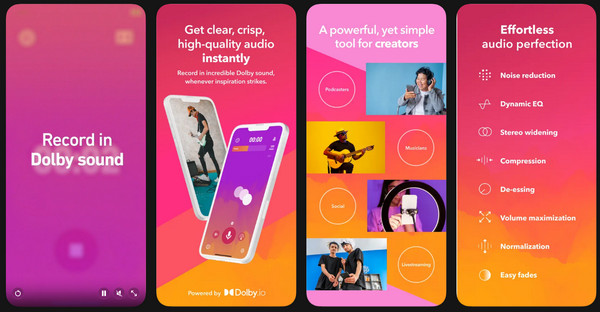
Dolby On for iOS is an essential app that brings cinematic-quality audio processing to your iPhone. This audio enhancer app's strengths lie in its Dynamix EQ and Stereo Widening, making flat recordings sound rich and three-dimensional.
- Pros
- Fully free with no ads; has a very intuitive visual EQ.
- Cons
- Heavy battery drain during lengthy recording sessions.
2. Wavelet
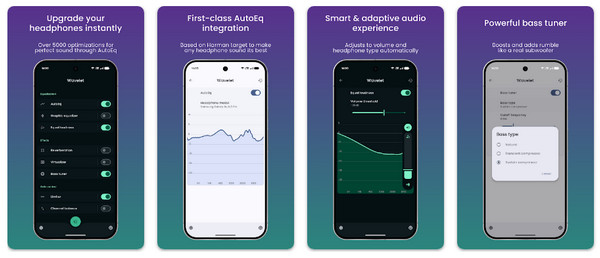
Moving to the Android ecosystem, here's Wavelet, a sophisticated audio enhancer app that focuses on enhancing audio during playback. Its AutoEq feature analyzes over 3000 different headphone models to automatically correct their frequency response.
- Pros
- Huge database of headphone-specific calibrations;
- Cons
- Advanced features need a Pro in-app purchase; it does not record or edit files.
Techniques for Controlling Noise to Enhance Audio Effects
The final phase for achieving that professional sound quality, besides the help of an AI audio enhancer, is applying methods before the recording to ensure your audio enhancers have the cleanest data to process.
Below are some of the essential techniques for controlling background noise to maximize your audio effects:
- Optimal Microphone Placement. Controlling the distance between the main source and the microphone is a necessary technique to ensure your voice stays prominent. At the same time, background hums remain easier to filter out later with an audio enhancer.
- Utilizing Noise Gates. With this security guard for your audio, you can block out low-level hums, fans, or distant traffic.
- Acoustic Treatment and Sound Absorption. Use foam panels, bass traps, or heavy blankets that can lessen sound reflections and standing waves.
- Proper Gain Staging. Since noise often comes when a weak signal is boosted too late, gain staging sets the input levels correctly at every stage to make sure the signal stays well above the noise floor.
- Applying High-Pass Filters. Most unwanted noises, like air or vibrations, exist in the low-frequency range. With a High Pass Filter, you can eliminate background noise from audio below a specific frequency, usually 80-100Hz.
Conclusion
With the mix of desktop audio enhancers, AI-driven online platforms, and mobile apps, enhancing audio is not a daunting task anymore. But remember that while those eight tools are a worker, the best results still come with smart recording techniques. If you wish for an all-in-one solution that offers both power and simplicity, start with AnyRec Video Converter. It serves as a robust converter, but also has audio enhancer tools that can strip away distractions and boost vocals in seconds. Get that professional-grade sound without the steep learning curve now.
Secure Download
Secure Download
About Our Author




