
7 Must-Have Android Phone Recorders for 2026 (Plus One!)

While the built-in option for Android devices is convenient for quick recording, having an Android screen recording app these days elevates your mobile recording game! Today's post has a list of the top seven Android screen recorders that balance performance with high-definition clarity. Whether you want to capture a legendary victory or create a tutorial, these tools can handle it. Plus, there's a recommendation for achieving more. Scroll down for the details!
Guide List
1. AZ Screen Recorder - No-Root HD Live Streaming and Recording 2. XRecorder - AI-Powered Recorder and Video Editor 3. ADV Screen Recorder - Screen Recorder with Customizable Overlays 4. Mobizen Screen Recorder - Clean Mode HD Screen Recording 5. Glip - Game Recorder with Unlimited Cloud Storage 6. ScreenPal - Tutorials and Multi-Device Sync Recorder 7. Vidma Record - Lightweight and One-Tap Sharing Recorder Recommended for High-Quality Android Screen Recording1. AZ Screen Recorder - No-Root HD Live Streaming and Recording
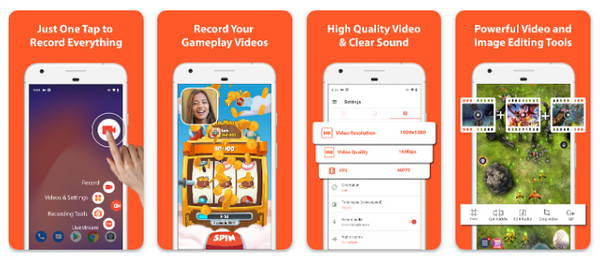
The first premier choice for Android screen recorder is AZ Screen Recorder. It supports recording in resolutions up to 4K at 60fps, ensuring every detail is captured crystal clear. You can then trim, merge, and even convert your clips into GIFs right away after recording. If you want a highs definition output without rooting your device, this app won't disappoint!
- Pros
- Offers no watermarks and time limits; covers native internal audio on Android 10+.
- Cons
- The free version has frequent ads within the menu interface.
2. XRecorder - AI-Powered Recorder and Video Editor
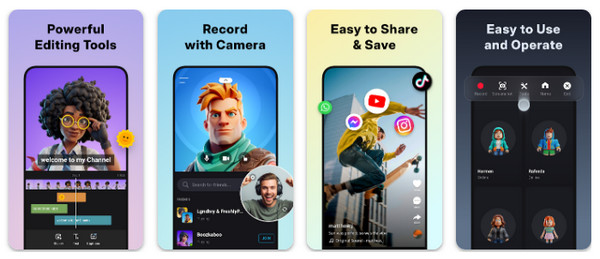
Switching to making educational and instructional content, here's XRecorder for you. This Android screen recorder app is famous for its Brush Tool, which lets you draw, circle, or point elements on your screen in real-time. Moreover, it provides no watermarks and no time limits; just a stable recording even for users on the free tier. Additionally, you have the chance to recover some deleted videos via the Trash feature, as it saves them for up to 3 days.
- Pros
- Exceptional annotation tools; Shake-to-Stop gesture.
- Cons
- Its main screen can feel cluttered compared to other alternatives. No XRecorder for PC version yet.
3. ADV Screen Recorder - Screen Recorder with Customizable Overlays
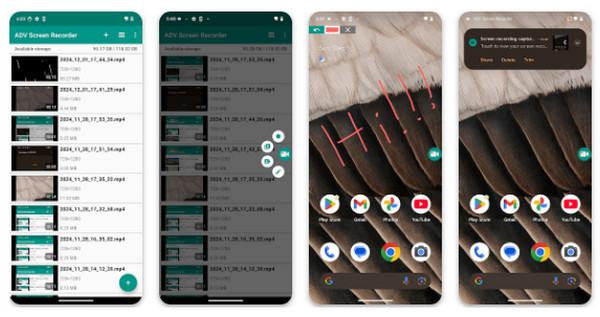
Next is ADV Screen Recorder. With its unique dual-engine recording system, you can select between basic tasks and an engine that supports more complex configurations. In this Android screen recording app with audio, you can add personal text or banners as overlays, which is perfect for branding your content. You can show your face or your surroundings, too, while you record your screen.
- Pros
- Very customizable overlays; lightweight and does not drain battery quickly.
- Cons
- The advanced engine may be unstable on older Android systems.
4. Mobizen Screen Recorder - Clean Mode HD Screen Recording
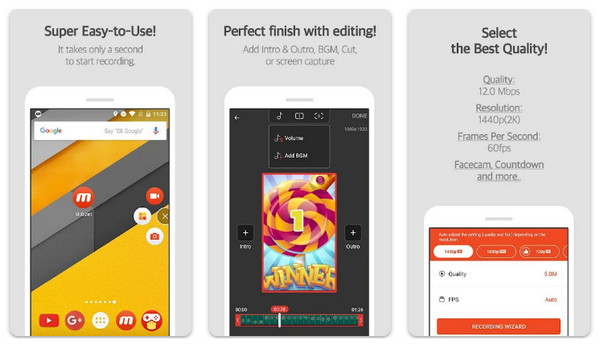
Moving on to Mobizen Screen Recorder, specializing in giving everyone a professional look recording. Using its Clean Mode feature, you can hide the record button and air circle to screen record on Android, ensuring the final video shows nothing but the content. Plus, this Android screen recorder has auto tap and auto-swiping feature, which is effective for demonstrating tasks or mobile gaming tutorials.
- Pros
- Clean mode removes all clutter; external SD card support.
- Cons
- 2K recording is locked behind a subscription.
5. Glip - Game Recorder with Unlimited Cloud Storage
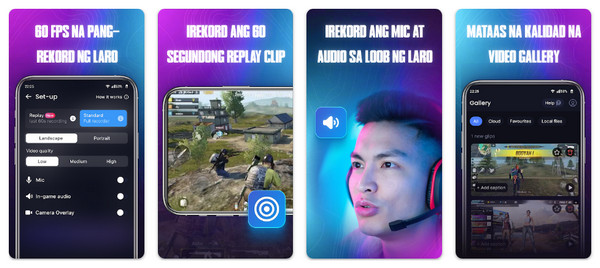
Meanwhile, Glip takes performance a step further by being tailored specifically to mobile gamers. Glip Android screen recorder is made to record gameplay at up to 60 or 120 FPS on supported devices, giving you lag-free and smooth action. It also has a wallet that lets users earn rewards by joining in gaming quests and sharing their content.
- Pros
- High-performance gaming optimization; comes with free unlimited storage.
- Cons
- The reward system might feel unnecessary for other users.
6. ScreenPal - Tutorials and Multi-Device Sync Recorder
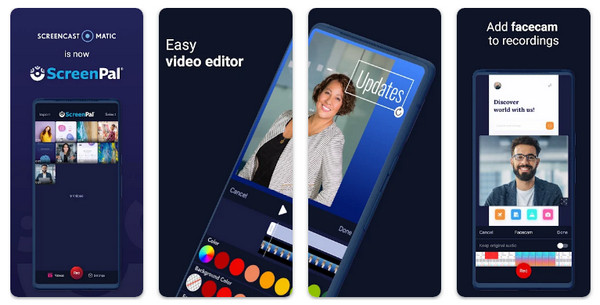
ScreenPal is built-in for professional environments. With its AI-powered features like facecam background removal, it lets you record professional tutorials anywhere. Furthermore, it integrates with a cloud hosting platform, making it easy for you to share the generated link with teams rather than sending a large video file. ScreenPal screen recorder for Android app is perfect for those who create, manage, and track how viewers interact with the video content.
- Pros
- Offers AI background effects, speech-to-text captions, and easy link sharing.
- Cons
- AI and hosting features need monthly paid plan.
7. Vidma Record - Lightweight and One-Tap Sharing Recorder
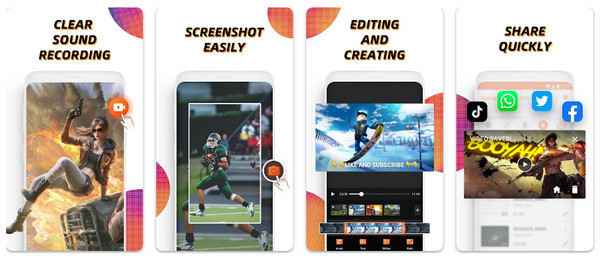
While the previous Android screen recorder focuses on professional sharing, Vidma Record concludes the list by centering on friendliness and privacy. It features a Shake-to-Stop function, ending the recording discreetly without opening the notification bar. Also, it provides quick editing tools, e.g., rotating, cropping, and speed adjustments. Its simple interface also makes it an ideal choice for anyone who wants a recorder without any complex setups.
- Pros
- Uses local storage for maximum privacy; responsive gesture controls.
- Cons
- Advanced editing features needs Premium version.
Recommended for High-Quality Android Screen Recording
While those Android screen recorder offers great convenient, if you seek an ultimate professional edge, transition to AnyRec Screen Recorder. By mirroring your Android phone to a computer via the Phone Recorder mode, you can take advantage of the full power of your PC's hardware. The lag-free recording experience on a bigger screen is attractive. The tools provide a stable, high-bitrate environment that captures every pixel with precision. In addition to that, it holds more recording modes for video, audio, webcam, and more exciting features. So, for anyone serious about professional content creation, you will enjoy this tool, offering both mobile flexibility and desktop power.
Phone Recorder to seamlessly cast Android screen to PC for recording.
High resolutions and customizable settings to ensure videos are crisp.
Enhance tutorials by adding arrows, lines, text, and more during the session.
Remove unwanted segments from the beginning or end before exporting the file.
Secure Download
Secure Download
Conclusion
Once you have decided your best Android screen recorder apps, you can enjoy a smooth, high-quality screen recording experience. If you're looking to elevate your Android phone recording, AnyRec Screen Recorder outperforms all those mobile apps. The tool provides a screen mirroring method to record Android on your PC, capturing 4K output while keeping your mobile device cool. Using it, you will only get polished, professional, and ready for any platform video files.
Secure Download
Secure Download
About Our Author




