[Top List] Best AI Image Upscalers - Online & Offline

If you're looking for the best AI image upscaler, then you've come to the right place. Although there are many online tools available to help you improve the quality of images, their quality varies greatly, and some of them even fail to complete the tasks properly. So how should we choose? After testing, this post has selected seven of the best tools for AI image upscaling for you. Now start reading to find the one that suits you.
Guide List
Things You Need to Know Before AI Image Upscaling Best AI Image Upscalers for Extreme Quality FAQs About Best AI Image UpscalersThings You Need to Know Before AI Image Upscaling
Before you choose an AI image upscaler, there are some basic facts that you need to know. If this is your first time dealing with tasks related to image processing. In simple terms, AI image upscaling can maximize efficiency. Because AI will automatically handle many necessary steps for you, and all you need to do is upload the image and save it.

Therefore, the original quality of the uploaded images has a significant impact on the outcome of the images. Generally speaking, if the quality of your original images is higher, then the AI tools will enhance their clarity based on the original state. For images that were already relatively blurry, AI image upscaling can only make them appear somewhat clearer, but there may be some deficiencies in the details.
Best AI Image Upscalers for Extreme Quality
When it comes to the best free AI image upscaler, there is actually still a considerable amount of room for discussion here. Because it is difficult for one person to say that a certain tool must be the best, as every tool has its own advantages and disadvantages. Therefore, when you are looking for the best option, the most important thing is to focus on your own needs. For example, for a user who needs to process portrait pictures, the best tool for them might be different from that of a user who wants to process landscape photos. This section provides you with some tools and their best usage scenarios. You can make a choice based on your own needs.
| Tool Name | Platform | AI Quality | Best For | Ease of Use | Key Limitation |
| AnyRec AI Image Upscaler | Online | High | Quick & natural enhancement | Very Easy | Batch process takes time |
| Let’s Enhance | Online | High | Professional & print images | Easy | Credit-based free plan |
| UpscalePro | Online | High | 4K upscaling & fast workflow | Easy | Require sign-up |
| Topaz Gigapixel AI | Desktop | Very High | Professional photography | Moderate | Paid & hardware demanding |
| Upscayl | Desktop | High | Offline & privacy-focused use | Moderate | Require installation |
| ImgUpscaler | Online | Medium-High | Batch processing | Easy | Upload size limits |
| Waifu2x | Online | Medium | Anime & illustrations | Easy | Limited for real photos |
1. AnyRec AI Image Upscaler
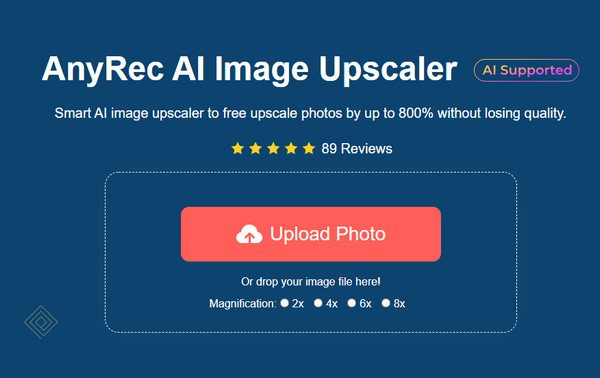
It's difficult to select the best AI image upscaler; however, if there is indeed one, it would undoubtedly be AnyRec AI Image Upscaler. It combines high quality with high speed, enabling you to complete the enhancement of the image in the shortest time. Unlike many other tools that have many restrictions, AnyRec AI Image Upscaler also supports batch processing, and the size limit for a single image file is as high as 50MB. Overall, it is perfectly suitable for use in various scenarios and is the best choice for you to perform AI image upscaling.
Why We Recommend It First
- • Use AI technology to upscale images from 200% to 800% to polish their details.
- • Can be used for various purposes, including portraits, products, and cartoons, etc.
- • Upscale images to improve clarity of details before printing, sharing, or archiving.
- • Support images in JPG, JPEG, PNG, BMP, TIFF, TIF, and other popular formats.
- Pros
- You can upload pictures up to 50MB in size
- Support batch processing of images
- The processing speed is extremely fast
- Cons
- Require internet connection
2. Let's Enhance
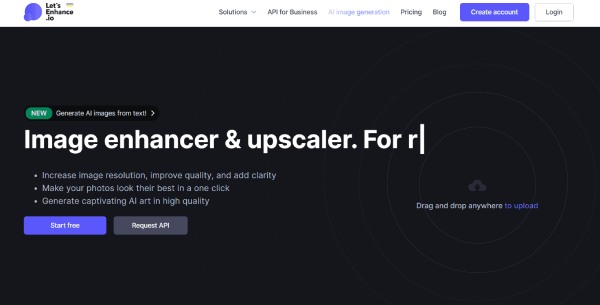
If you have personally tried searching for AI image upscalers, then you might have heard of Let's Enhance. This reliable AI tool is among the most powerful of the numerous online image processing tools. When you use it, you will find that you don't need to perform many operations. Because the AI will automatically scan and complete a series of image enhancements. Whether for daily use or for commercial projects, Let's Enhance can effectively assist you in unblurring an image.
- Pros
- High-quality AI detail reconstruction to upscale your images
- The AI will read the overall style of the image
- The colors of the image after enhancement are relatively natural
- Cons
- The daily usage limit is limited
- You must log in to use its basic functions
- The processing speed is slow when dealing with larger images
3. UpscalePro
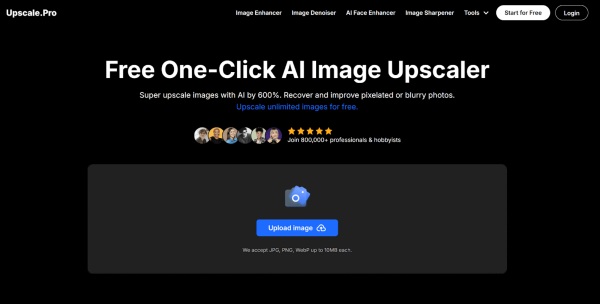
For AI image upscaling, a range of 2x to 4x is a good choice. UpscalePro offers image enhancement within this range. Basic image formats, including JPG, PNG, and WebP, are all supported in this tool. Its operation is also very convenient. All you need to do is upload your picture and then wait for the AI to automatically complete the optimization for you. However, for many people, a file size of 10MB significantly limits the number of files that can be uploaded.
- Pros
- The process is very simple, even for beginners
- The AI will automatically complete the image optimization task
- The pictures you upload will be automatically deleted later
- Cons
- The maximum size of the image that can be uploaded is 10MB
- The processing time will be quite long
- There are no additional manual adjustment options
4. Topaz Gigapixel AI
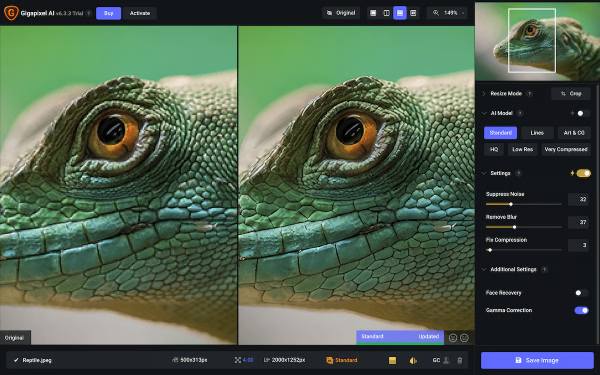
Topaz Gigapixel AI has also been one of the favorite free AI image upscalers for many users. Unlike many online tools that only use a single AI model, this image quality enhancer offers multiple AI models. By comparing the data among them, it enables your images to achieve theoretically superior upscaling results. When this can significantly improve your outcome, it means that the tool will take a considerable amount of time to provide the result.
- Pros
- Exceptional detail recovery
- Multiple AI models available to upscale your images
- Suitable for professional and commercial use
- Cons
- You need to upgrade to a premium account to use it
- It will consume a considerable amount of resources of the device
- It takes a long time to process complex images
5. Upscayl
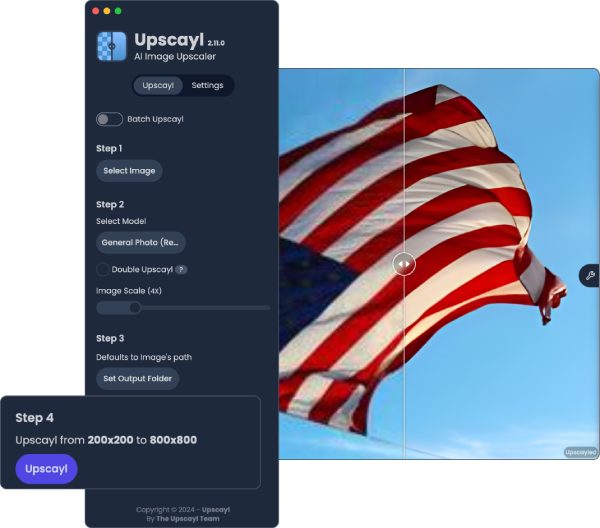
When different tools use different AI models, it is difficult to determine which one is the best online AI image upscaler. However, this is not a big problem for Upscayl, as it has multiple models built in for you to choose from. This means that when you upload different types of photos, ranging from portrait shots to landscape photos, you can manually adjust different models to provide the best optimization effect for the images. This ensures some manual adjustment flexibility while leveraging AI technology.
- Pros
- Completely free and open-source
- Offer a variety of different AI models
- Suitable for various types of pictures
- Cons
- Before using the AI model, installation is required
- During use, it will consume a considerable amount of resources
- Sometimes there will be situations where the system gets stuck
6. ImgUpscaler
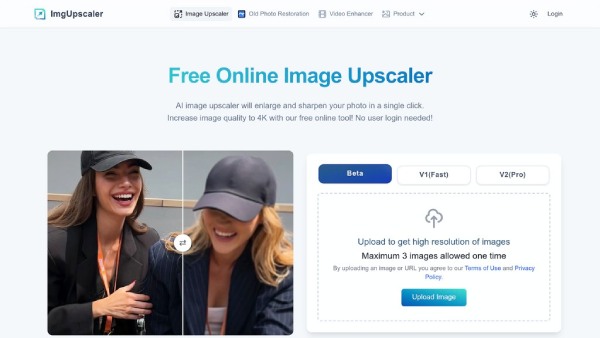
ImgUpscaler is also a reliable free AI image upscaler. This tool offers three different AI models, namely Beta, V1 (Fast), and V2 (Pro) modes. Although the free version does not have access to all three models, the free AI models are already sufficient to meet the daily needs of most users. When you have taken some photos that you are not completely satisfied with, you can use them to enhance the images for saving or sharing quickly.
- Pros
- Three AI models are provided
- Upload 3 images and process them in a batch
- Work for multiple image types
- Cons
- The free version does not have access to all the models
- The processing of pictures with complex colors was not done well
- The processing speed will be relatively slow
7. Waifu2x
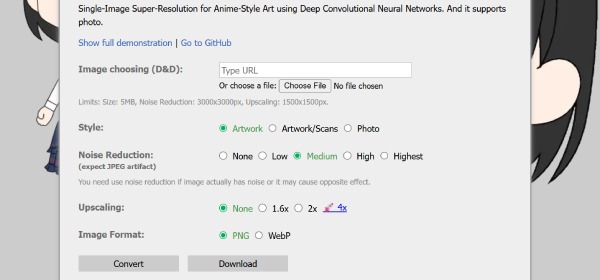
Is there a free AI image upscaler for anime images? The answer is yes. As an open-source and free tool, Waifu2x has been a preferred choice for many anime enthusiasts for handling images over the years. Its interface is simple and intuitive. Even beginners can follow the clear instructions to upscale images quickly and save them on their devices.
- Pros
- Excellent for anime and line art
- The interface is very simple and intuitive
- Open-source and totally free to enlarge images online
- Cons
- Not ideal for realistic photos or portraits
- Limited customization for post-production
- The interface may be a little bit outdated
FAQs About Best AI Image Upscalers
-
What is an AI image upscaler?
In simple terms, an AI image upscaler can quickly analyze the basic information of an image with the help of an AI model and automatically assist you in enhancing the image quality, making the details appear clearer.
-
Can AI upscalers fully restore low-quality images?
Yes, they do help. However, considering that there might be some damaged or missing details in the old photos. The old image restoration tool is more recommended.
-
Are free AI image upscalers reliable?
Generally speaking, when you upload an image and perform AI image upscaling, the tool will automatically delete the uploaded image after a certain period of time. However, to protect personal privacy, it is still recommended that you do not upload any sensitive private information.
Conclusion
This post has introduced the best AI image upscalers online; each of them has its own pros and cons. You can select the desired one based on the image that you are going to deal with. However, for most circumstances, you can use AnyRec AI Image Upscaler to deal with images of any kind. You will find that the output is clear while maintaining its natural appearance.
About Our Author