
Beginner-Friendly DJI Video Editing Software for PC

Is there a DJI editing software? Many DJI device users are asking this similar question. While DJI devices are capable of f capturing high-quality aerial and action footage, users are searching for a straightforward way to edit these videos efficiently. Whether you are a beginner or an experienced creator, choosing suitable DJI video editing software can greatly improve your workflow and final output. In this guide, you will explore available options and discover reliable tools to edit DJI videos on a PC with ease.
Guide List
Is There an Official DJI Video Editing Software The Best Software to Edit DJI Videos Easily Trustworthy DJI Video Editing Software for PCIs There an Official DJI Video Editing Software
DJI does provide its own official video editing solutions, but they are mainly designed for mobile devices. It means that there is no official DJI editing software for PC. Apps like DJI Fly and DJI Mimo allow users to edit footage directly on iPhone or Android devices. These apps include basic editing features such as trimming, adding music, applying filters, and exporting videos for social media sharing. For beginners, they offer a convenient way to edit videos immediately after shooting.
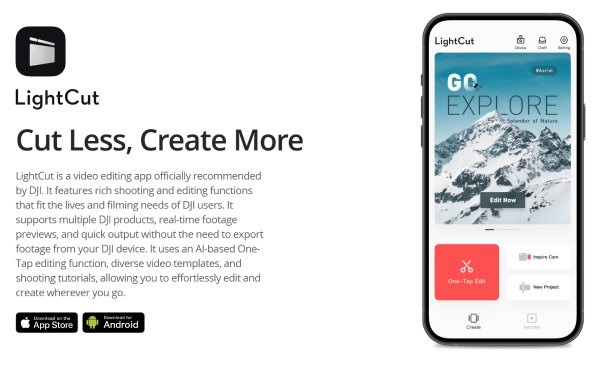
However, these mobile apps come with limitations when it comes to more advanced editing needs. The most important aspect is the screen size. Mobile apps mean that you can only perform your video editing on a small screen. Obviously, this poses a challenge to the precise control during the editing process. Some users have also reported that they cannot fully see the details of the videos being captured on small screens. However, many users have called for the immediate release of official DJI editing software for PCs. But as of now, there is no relevant information. This led many people to start looking for a reliable third-party desktop application.
The Best Software to Edit DJI Videos Easily
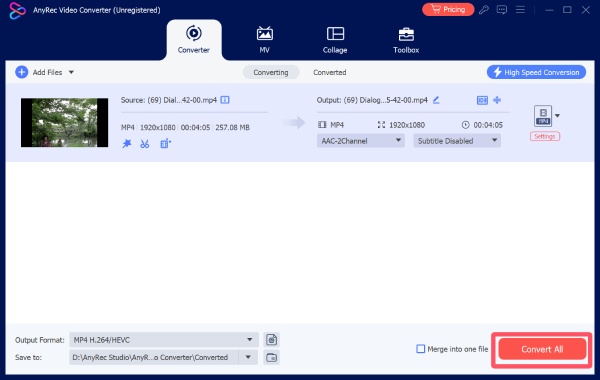
For users who look for a powerful way to edit DJI videos , AnyRec Video Converter serves as an excellent DJI video editing software on PC. It offers a wide range of editing features such as trimming, cropping, merging, and enhancing videos, allowing you to process DJI footage efficiently. With its intuitive interface and fast processing speed, you can handle high-resolution videos smoothly and export them in various formats, making it a practical solution for both beginners and experienced users.
DJI video editor for trimming, merging, rotating, adding effects, and more.
Hardware acceleration for faster exports and smoother performance.
Offer high-quality format conversion for DJI video files, up to 4K resolution.
Enhance quality by reducing noise, optimizing brightness and contrast, and upscaling.
Secure Download
Secure Download
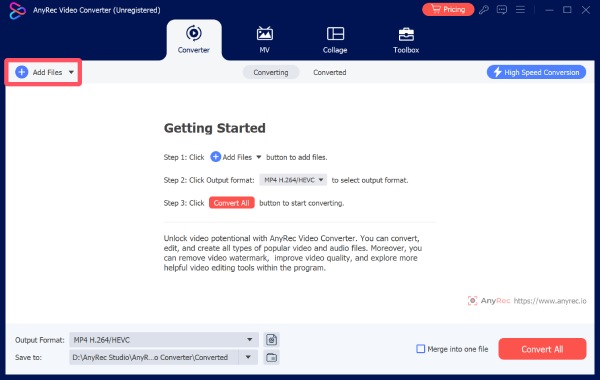
Step 1.Launch AnyRec Video Converter and click the "Add Files" button to import the DJI video for editing. Click the “Edit” button to proceed.
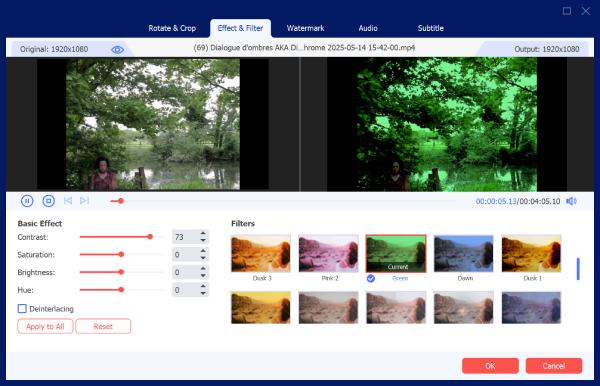
Step 2.Under different tabs, you can select and apply the desired effects for DJI video editing. You can preview the video before saving.
Step 3.Finally, save the DJI video edited by clicking the "Convert All" button.
Trustworthy DJI Video Editing Software for PC
Apart from AnyRec Video Converter, which is a comprehensive solution, there are many other reliable options available. Although they inevitably have some drawbacks, they can still ensure normal use. This section recommends several of the best software for editing DJI videos.
| Name | Output Quality | Processing Speed | Processing Speed |
| Adobe Premiere Pro | Very High | Medium to Fast | Very Advanced (professional editing, full control) |
| DaVinci Resolve | Very High | Medium | Very Advanced (color grading, VFX, all-in-one tools) |
| Filmora | High | Fast | Moderate (effects, templates, basic editing tools) |
| CyberLink PowerDirector | High | Fast | Advanced (balanced features, effects, fast rendering) |
| OpenShot | Medium | Slow to Medium | Basic (trimming, transitions, layering) |
1. Adobe Premiere Pro
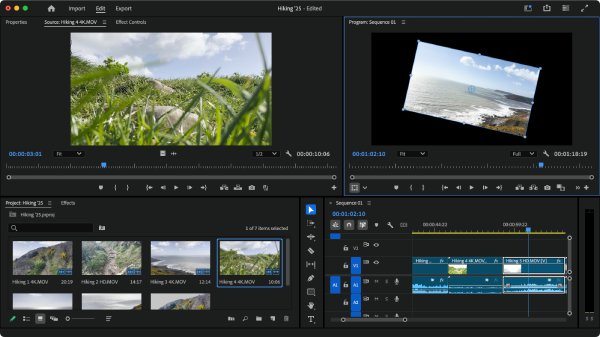
No need for much introduction. Adobe Premiere Pro has long been the top choice for professional video editing. Whether you are a video shooter or a content creator, Adobe Premiere Pro offers you the most comprehensive editing functions and the most precise control, ensuring a smooth and efficient workflow. It is arguably one of the best software to edit DJI videos.
- Pros
- Industry-standard features.
- Powerful editing tools.
- Excellent format support.
- Cons
- Expensive subscription.
- Steep learning curve.
- High system requirements.
2. DaVinci Resolve
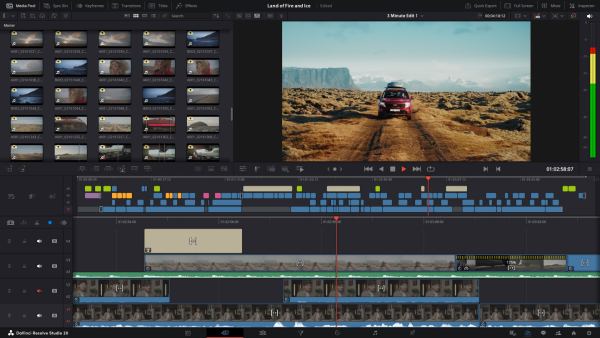
For users who have high demands for visual effects, especially in terms of color, DaVinci Resolve is a DJI video editing software for PC that can meet your requirements. This MKV editor is extremely effective in adjusting the picture quality, allowing you to fully unleash the visual appeal of the videos you have meticulously shot.
- Pros
- Outstanding color grading.
- Free version available.
- All-in-one solution.
- Cons
- Complex interface.
- High hardware demands.
- Learning curve for beginners.
3. Filmora
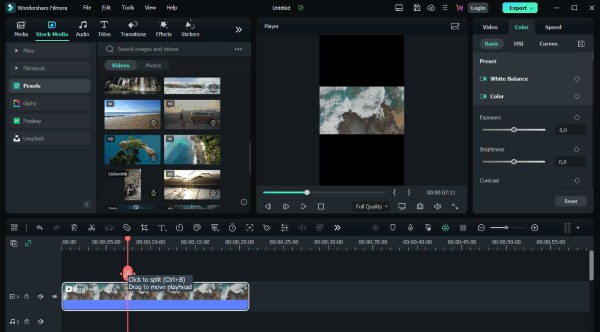
If you are not very familiar with video editing or are just a beginner, then Filmora is one of the best software to edit DJI videos for you. Its operation interface is very simple, and the instructions are very clear. You can easily complete the simple editing of your DJI videos without needing any additional professional knowledge.
- Pros
- Easy to use.
- Rich effects library.
- Fast editing workflow.
- Cons
- Watermark in free version.
- Limited advanced controls.
- Subscription required.
4. CyberLink PowerDirector
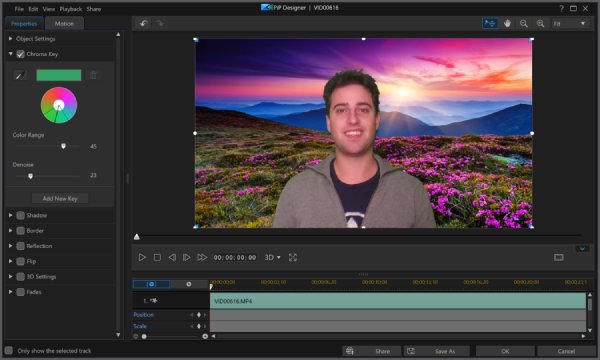
CyberLink PowerDirector is a feature-rich DJI video editing software that balances ease of use and advanced functionality. As an established video editing tool, its interface may seem outdated. But this does not affect the fact that its functions are very comprehensive. Although it may take you some time to get used to its interface, this WebM video editor can still easily handle basic video editing tasks.
- Pros
- Fast rendering speed.
- User-friendly interface.
- Advanced features available.
- Cons
- Paid software.
- The interface can feel cluttered.
- Some features locked behind premium.
5. OpenShot
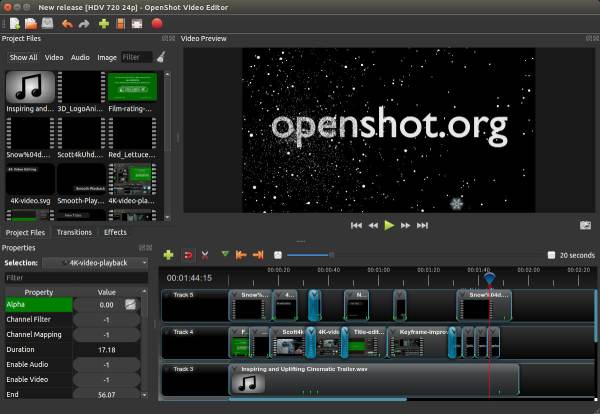
OpenShot video editor is an open-source video editor designed for simplicity and accessibility. With its support for common video formats, it can be used as a DJI video editing software. OpenShot offers basic editing tools such as trimming, transitions, and layering. If a lightweight tool is what you need, then OpenShot is the one.
- Pros
- Free and open-source.
- Simple interface.
- Cross-platform support.
- Cons
- Limited advanced features.
- Occasional stability issues.
- Slower performance.
Conclusion
In conclusion, there is no such thing as an official DJI video editing software for PC. However, you can choose a professional third-party tool to perform more accurate and powerful video editing on your PC. If you are in need of a tool that can offer powerful functions while maintaining high efficiency, AnyRec Video Converter is definitely capable of enhancing the quality of your DJI videos.
Secure Download
Secure Download
About Our Author




