
Top 10 Powerful Video Quality Enhancers You Won’t Miss

These days, a video quality enhancer can help you solve the video quality problems caused by various reasons. Nowadays, video quality enhancers have gone beyond the simple sharpening function. Many tools now employ intelligent zooming, noise reduction, and color optimization techniques to enhance clarity while maintaining the naturalness of the video. This guide will introduce what beginners should pay attention to, recommend the most hassle-free solutions, and list the reliable video quality enhancers worth considering.
Guide List
Tips for Selecting a Video Quality Enhancer for Beginners The Most Hassle-Free Tool for Video Quality Enhancement Other Top 9 Powerful Video Quality Enhancers You Can TrustTips for Selecting a Video Quality Enhancer for Beginners
For beginners, the biggest challenge in choosing a suitable video quality enhancer lies in finding tools that can balance the processing of the material. In simple terms, a high-quality video quality enhancement software should be able to improve the clarity of the picture without introducing artificial edges, excessive contrast, or unnatural colors.
In addition, usability is also an essential factor to consider if you are a beginner. Such a tool should be able to provide clear enhancement options without requiring overly complex settings. At the same time, compatibility with standard video formats and stable export performance are also very important, especially when dealing with large files or long videos.
The Most Hassle-Free Tool for Video Quality Enhancement
If you are looking for a video quality enhancer that can both perform automated operations and allow for moderate customization adjustments, AnyRec Video Converter can help you achieve the best results. With built-in video enhancement features, it focuses on improving resolution, reducing noise, and optimizing brightness and contrast, and can be used without requiring professional skills.
During the process of enhancing the video, AnyRec Video Converter allows you to view the effect improvements in real time, making it easier to evaluate the improvement effect before exporting. Its preset functions also enable beginners to easily enhance clarity while avoiding overly aggressive processing methods that may damage image quality. AnyRec provides a simple operation process, which is very suitable for beginners and amateur creators. It is a balanced and efficient method for video quality enhancement.
Support the upgrade of video quality to 1080p, 2k or even 4K.
Ensure that the video quality can play normally after the enhancement.
Provide a series of editing tools to apply special effects to your videos.
Preview to check if the video quality meets your requirements.
Secure Download
Secure Download
You can follow the steps below to learn how to enhance video quality:
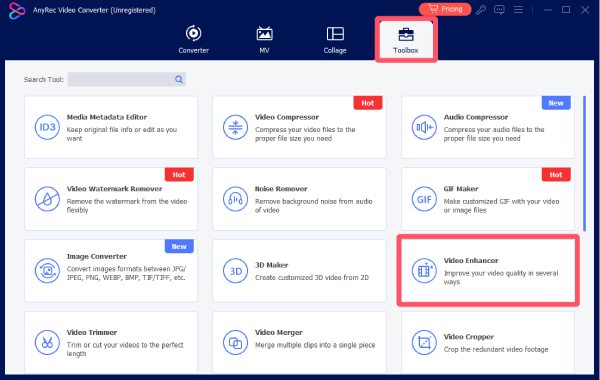
Step 1. Launch AnyRec Video Converter on your device and click the "Video Enhancer" button under the "Toolbox" tab.
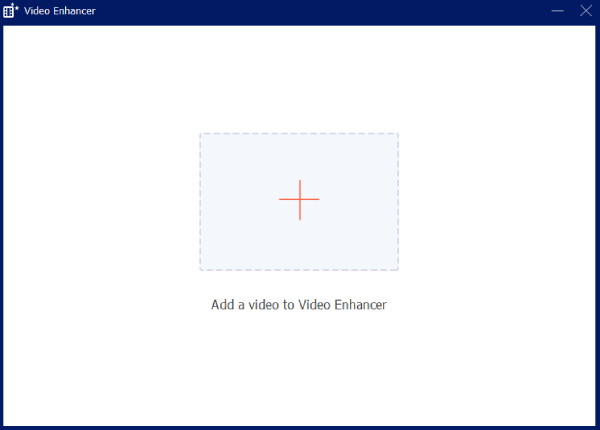
Step 2. In the pop-up window, click the "Add Files" button to upload your video to enhance its quality.
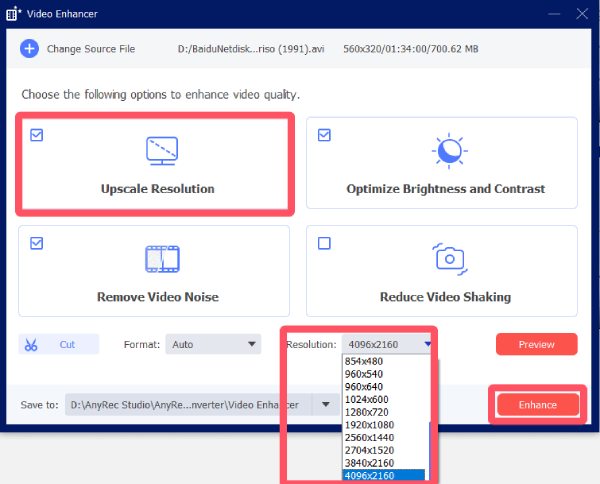
Step 3. Click the "Upscale Resolution" button and click the "Resolution" button to improve the video quality. Finally, click the "Enhance" button.
Other Top 9 Powerful Video Quality Enhancers You Can Trust
Although there are numerous tools on the market claiming to enhance video quality, it can be pretty challenging to find the ones that actually deliver reliable results. But don't worry, this section has tested and selected the trustworthy tools for you. They have advantages in terms of stability, actual performance, and user feedback, covering solutions suitable for beginners as well as software for more advanced enhancement tasks.
1.Topaz Video AI
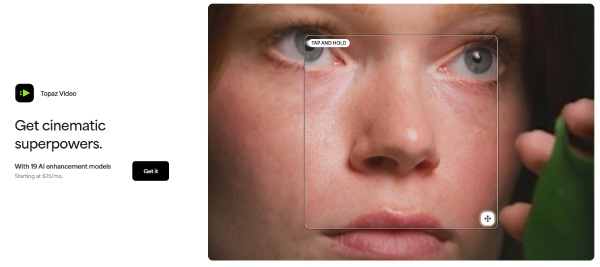
Topaz Video AI is known for its AI-driven approach to video quality enhancement. It can intelligently analyze your video files, enlarge the low-resolution parts, and automatically restore the details that are not clearly visible in old or compressed videos. This tool is often used in archival projects or for video segments that need significant improvement. However, to achieve the best results, powerful hardware support is required.
- Pros
- Strong AI upscaling and restoration capabilities
- Effective for old or low-quality videos
- Analyze the details of your video intelligently
- Cons
- High system requirements
- Slower processing times on large files
- There may be some instances of lagging
2.Adobe Premiere Pro
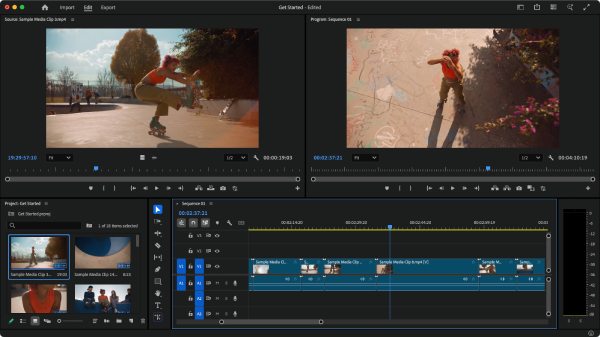
As a professional video editing software that has been widely used for many years, Adobe Premiere Pro can also help you achieve the goal of improving video quality. Through advanced tools such as sharpening, noise reduction, and color correction, you will notice that your video gains more precise details. Although it is not a specialized enhancement tool, it can provide precise control over the improvement of video quality and is therefore very suitable for experienced editors who want complete manual control.
- Pros
- Professional-grade enhancement options
- Integrate well with other Adobe tools
- Precise control over parameters
- Cons
- Steep learning curve
- Subscription-based pricing
- A demanding operating environment
3.DaVinci Resolve
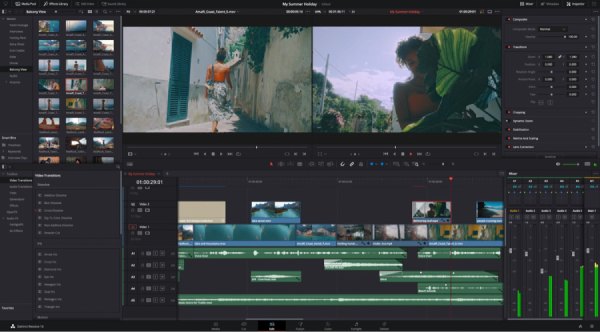
DaVinci Resolve is widely respected for its color grading and noise reduction capabilities. It is particularly effective for enhancing contrast, color accuracy, and detail. The free version is powerful, but many advanced enhancement features are reserved for the paid edition.
- Pros
- Industry-leading color correction tools
- Free version available
- Upscale 1080p to 4K with professional effects
- Cons
- Complex interface for beginners
- Advanced features require the Studio version
- The price can be a little bit high
4.AVCLabs Video Enhancer AI
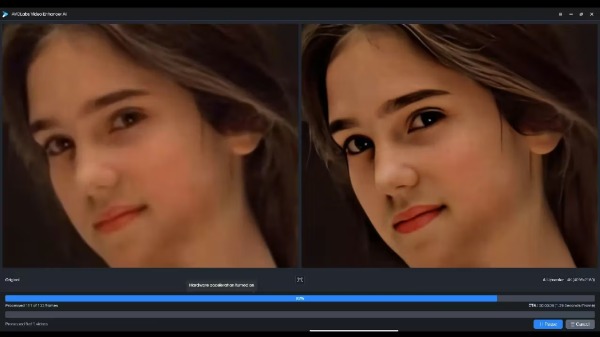
AVCLabs Video Enhancer AI focuses on automated video quality enhancement through AI models. It is designed to upscale resolution, reduce noise, and sharpen details with minimal manual input. This makes it appealing to users who prefer automation over manual tweaking.
- Pros
- AI-powered enhancement with simple controls
- Good results on low-resolution footage
- Preview to check the result
- Cons
- Limited manual customization
- Processing can be slow
- AI can sometimes make mistakes
5.HitPaw Video Enhancer
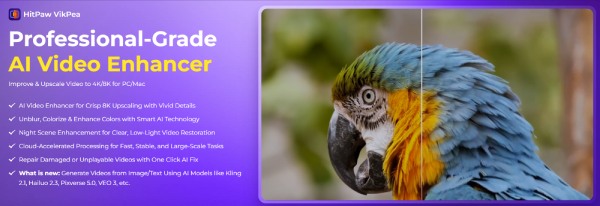
HitPaw Video Enhancer is also a highly praised video quality enhancer. For those users who desire quick optimization results without the need for complex settings, it will be a great option. In your videos, this tool will utilize different preset enhancement models to optimize the results. Therefore, it is highly suitable for users dealing with various types of videos.
- Pros
- Beginner-friendly AI presets
- Simple and clean interface
- Conduct analysis based on different scenarios
- Cons
- Fewer advanced adjustment options
- Results vary depending on the footage type
- The video output format is relatively limited
6.Final Cut Pro
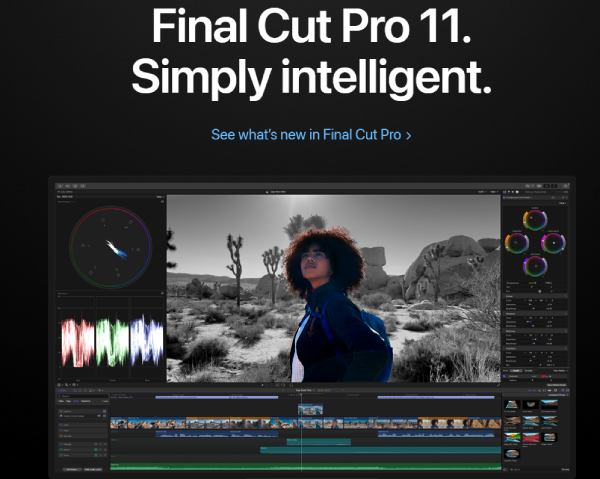
Final Cut Pro is Apple's professional video editor, offering high-quality enhancement tools optimized for macOS. It performs well in noise reduction, color correction, and sharpening, especially on Apple Silicon devices. You can upscale 720p to 1080p using Final Cut Pro in no time.
- Pros
- Excellent performance on Mac systems
- High-quality color and enhancement tools
- Deal with several parts together
- Cons
- macOS only
- One-time cost may be high for casual users
- Processing large files may be sluggish
7.VEGAS Pro
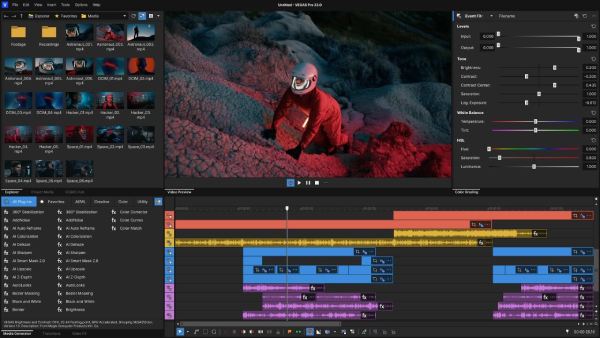
If you are not sure how to adjust your video parameters more precisely, then you can use VEGAS Pro. This tool achieves a good balance between professional editing functions and ease of use, allowing you to adjust the output results according to understandable and straightforward parameters. In general, VEGAS Pro can effectively improve the overall quality of the video without being overly complex or difficult to understand for anyone.
- Pros
- Flexible enhancement and editing tools
- Suitable for intermediate users
- Be friendly to new beginners
- Cons
- Windows-only software
- Interface can feel dated
- License required for advanced features
8.Lightworks
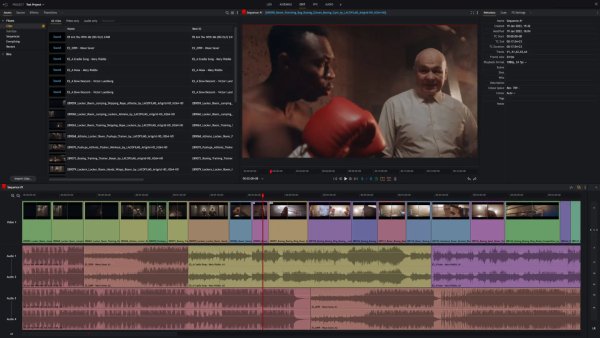
Lightworks is a professional editing platform with tools that support video quality refinement, including color correction and contrast adjustment. It is often used for film and broadcast projects, though enhancement workflows may feel less streamlined.
- Pros
- Professional-grade editing foundation
- Free version available
- The adjustment of brightness details is quite precise
- Cons
- Limited export options in the free version
- Enhancement tools require experience
- Workflow can be relatively slow
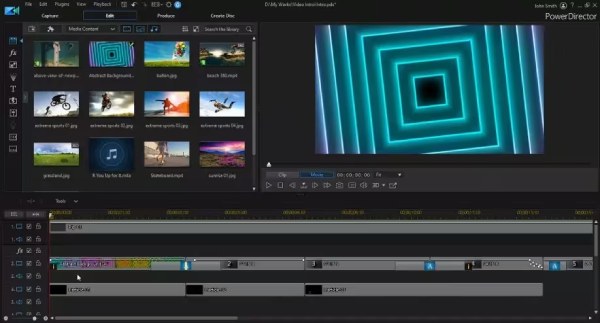
9.PowerDirector
PowerDirector is designed for users who want a balance between ease of use and enhancement capability. It includes AI-assisted tools for sharpening, color correction, and noise reduction, making it a practical choice for home users and content creators.
- Pros
- User-friendly with AI-assisted features
- Good balance of power and simplicity
- Good effect on restoring blurry images.
- Cons
- Some features are locked behind premium plans
- Less precise than professional editors
- The improvement in sound quality is not very impressive
Conclusion
Enhancing video quality no longer requires advanced editing skills or complex workflows. With the right video quality enhancer, clarity, sharpness, and overall visual appeal can be significantly improved in just a few steps. With AnyRec Video Converter, even imperfect videos can become clearer, more engaging, and better suited for sharing or publishing.
Secure Download
Secure Download



