5 Best WebM Players for Smooth Video Playback on Windows/Mac

A WebM file can be perfectly fine and still refuse to play when you open it. This is especially common on Mac, where QuickTime Player does not natively support WebM. You may also run into missing audio, subtitle issues, or choppy playback without proper WebM video players. If you just want to watch the file, converting it first can feel like an unnecessary extra step. A good WebM player should open the file directly and handle the video and audio without much setup.
Guide List
Why Can't I Play WebM Files Best WebM Players for Windows and Mac How to Play WebM Files on Windows and MacWhy Can't I Play WebM Files
Here are common reasons explaining WebM playback problems.
Your Default Player Doesn't Support WebM
Windows Media Player and QuickTime don't natively support WebM. The WebM file isn't broken. But the default media player can't read WebM files.
The Codec Isn't Supported
WebM is a container, not a codec. Older video player software can't decode VP9, and AV1-encoded files fail on any device without an AV1 decoder.
The WebM File Is Corrupted
Interrupted downloads or a rough edit can damage the WebM file itself. This shows up as a black screen or freezing, and it happens the same way in every player you try.
The File Has an Unusual Audio Track
Video plays, but there's no sound. WebM videos can carry Opus or Vorbis audio. However, not every player has both installed.
Best WebM Players for Windows and Mac
The best WebM player depends on what you need beyond basic playback. VLC is a strong free choice, while IINA fits Mac users who want a cleaner interface. If you also watch Blu-ray discs, DVDs, or other video formats, AnyRec Blu-ray Player is a more versatile option. See the table below and get a quick comparison.
| WebM Player | WebM Support | 4K | Subtitles | Audio Tracks | Other Formats |
| AnyRec Blu-ray Player | VP8/VP9/AV1, no setup | Yes | External | Dolby TrueHD, DTS-HD | MP4, MKV, MOV, AVI, Blu-ray, DVD, ISO |
| VLC | VP8/VP9/AV1, no setup | Yes | Built-in | Multi-track | Nearly everything |
| IINA | Native | Yes | Built-in | Multi-track | Wide format range |
| PotPlayer | Native | Yes, hardware-accelerated | Built-in | Multi-track | Extensive |
| Elmedia Player | Native | Yes | Built-in | Multi-track | AVI, FLV, MKV, WMV, MOV, MP4 |
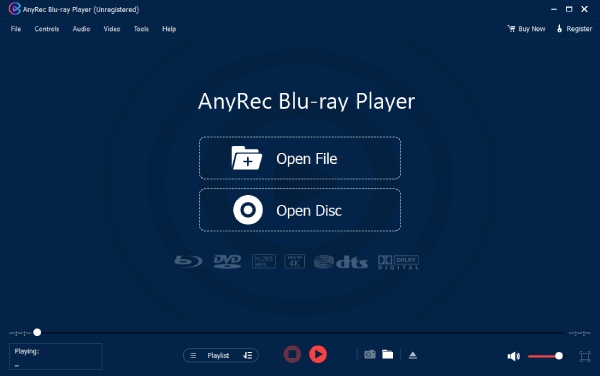
Best Overall WebM Player: AnyRec Blu-ray Player
AnyRec Blu-ray Player is a good choice if you watch WebM. It supports WebM, MP4, MKV, MOV, AVI, Blu-ray discs, DVDs, and ISO files. This WebM player handles VP8, VP9, and AV1 WebM videos without asking you to install separate codec packs. You can also switch audio tracks, load external subtitles, and enjoy Dolby TrueHD or DTS-HD audio.
Best for: Anyone who wants one player for WebM, discs, and other common media files.
Secure Download
Secure Download
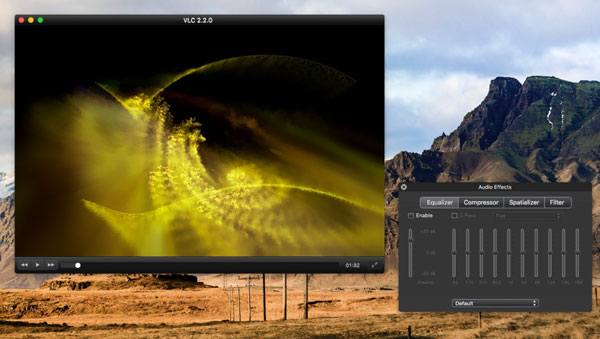
Best Free WebM Player: VLC Media Player
VLC Media Player remains one of the easiest free ways to open WebM files on multiplatform. It supports VP8, VP9, and AV1. So, you normally do not need to install additional codecs for WebM playback. VLC also handles 4K video, subtitles, multiple audio tracks, and playlists. You can add several WebM files and play them in sequence. The VLC interface is not as polished as some newer players. But it is reliable and supports a huge range of formats.
Best for: Most users who want a free WebM player.
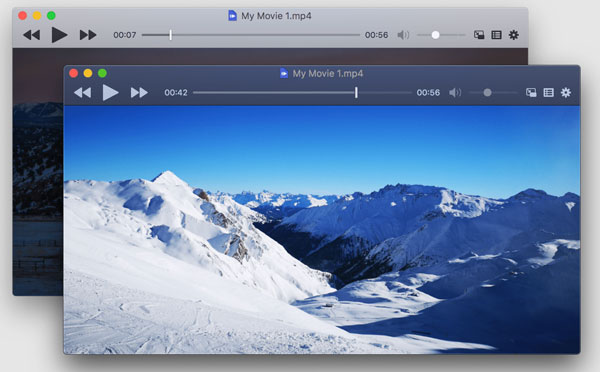
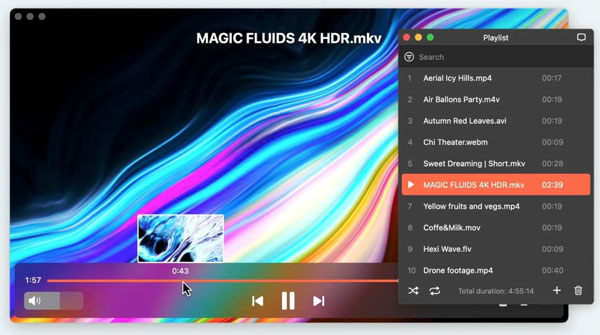
Best WebM Player for Mac: IINA
IINA is designed specifically for macOS and uses mpv as its playback engine. It supports WebM and many other video formats, including high-resolution content. The interface feels more at home on a Mac than many cross-platform players. You also get subtitle controls, audio-track selection, keyboard shortcuts, and playlist support from this Mac WebM player. IINA is free and works well for everyday playback. It is a better fit than VLC if you prefer a modern Mac-style interface and do not need Blu-ray playback.
Best for: Mac users who want a clean, native-feeling WebM player.
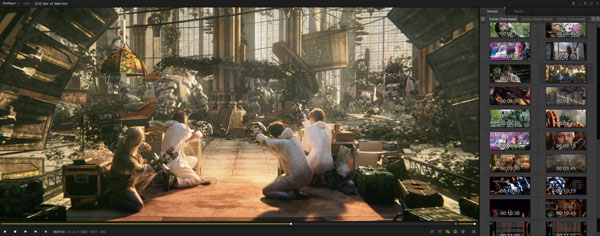
Best WebM Player for 4K Videos: PotPlayer
PotPlayer is a feature-rich Windows player that supports WebM and high-resolution video, including 4K playback. It has broad codec support, subtitle controls, audio-track selection, playback adjustments, and plenty of customization options. This makes PotPlayer useful when you want more control over how a video looks and sounds. The downside is that PotPlayer is a Windows-only WebM player, and its large number of settings can feel overwhelming at first.
Best for: Windows users who play 4K WebM files and want detailed playback controls.
Best WebM Player for Streaming: Elmedia Player
Elmedia Player is a good choice if you want to play WebM files on your Mac and send them to a larger screen. It supports WebM and many other video formats, along with external and embedded subtitles and multiple audio tracks. Its main advantage is built-in streaming. With the Elmedia Player Pro version, you can stream local WebM videos to Apple TV, Chromecast, Roku, and DLNA-compatible Smart TVs. It also supports 4K streaming to compatible devices.
Best for: Mac users who want to play WebM files and easily watch them on a TV or other supported device.
How to Play WebM Files on Windows and Mac
If your default player cannot open a WebM file, you do not necessarily need to convert WebM to MP4 or other formats. Use AnyRec Blu-ray Player to get a WebM file playing smoothly.
Step 1.Open AnyRec Blu-ray Player. Click the "Open File" button. Browse and import your WebM video.
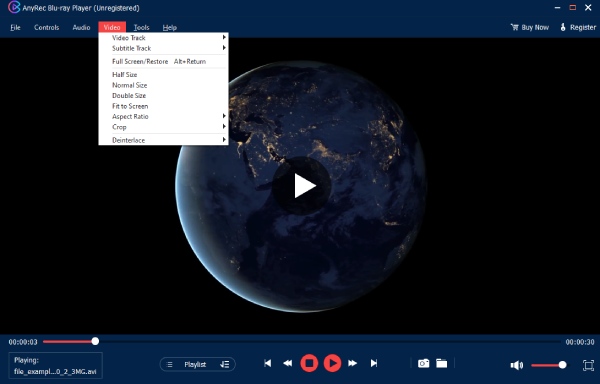
Step 2.If your WebM files contain different subtitle tracks, you can expand the top "Video" drop-down list. Choose your target subtitle from the "Subtitle Track" submenu.
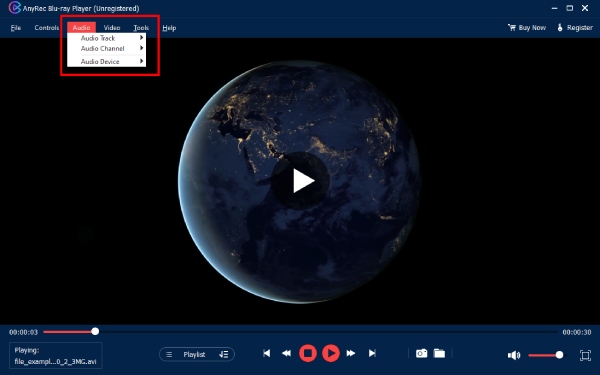
Step 3.Moreover, you can adjust audio track, audio channel, and audio device from the "Audio" drop-down list.
Conclusion
Having trouble playing WebM in QuickTime Player or Windows Media Player? You may be better off using a player that supports WebM directly. A WebM video player fixes it in seconds. For anyone who want one program for different types of media, AnyRec Blu-ray Player is a solid pick. It opens WebM natively, handles 4K without choking, and doubles as a Blu-ray and DVD player too, which most WebM-only players simply don't offer.
Secure Download
Secure Download
Related Articles
About Our Author