6 Reliable Tools for an Old Photo Restoration with Details

Old photo restoration is a very practical skill. When you find the right method, the old photos in your hands will regain their vitality, and those unclear details will also be presented before your eyes. However, not all photo editing tools can accomplish this task, as it involves rather complex image analysis and processing capabilities. But don't worry. This post offers you some reliable options. After learning about different tools, you can choose the best old photo restoration software that suits you.
Guide List
Factors to Consider Before Restoring Old Photos The Best Old Photo Restoration Online for free 5 Other Reliable AI Old Photo Restoration Tools to PickFactors to Consider Before Restoring Old Photos
Before starting to search for the best free online photo restoration service, there are some key factors that you need to be aware of. This section lists several points that you need to be aware of in advance to help you understand the matters that need to be considered when using this technology, so as to achieve better results.
1. Original Image Quality
When you start restoring old photos, an important factor to consider is the original quality of those old photos. Although the old photos used for restoration might not be particularly clear, the complexity of the content they contain can also have an impact. For instance, photos with less detailed color are easier to restore.
2. Type of Damage
For some old photo restoration projects, restoring the damaged parts is a very important step. Many old photos may have suffered from creases, wear and tear, or even damage. In this situation, AI tools can better analyze the overall picture and assist you in restoring old photos.
3. Color vs. Black-and-White Restoration
Restoring black-and-white images differs from restoring color photos. In simple terms, some old photo restoration software only supports detail restoration, which means they are only suitable for black-and-white photos and cannot intelligently colorize them. For color photos, it is always more appropriate to choose a tool that can fill in the color details.
The Best Old Photo Restoration Online for free
Whether it's a color photo or a black-and-white one, AnyRec AI Image Upscaler, as the best online free photo restoration service for old photos , can perfectly assist you in completing your task. With the assistance of the AI model, AnyRec AI Image Upscaler will scan and analyze your entire image, and after calculation, it will automatically complete the image restoration process. All you need to do is upload the picture and wait - it's that simple. Of course, if you want to make some manual adjustments, this tool also offers sufficient flexibility.

Why Choose It to Restore Old Photos
- • Use AI technology to restore old photos without losing its original texture.
- • Upscale and enhance old photos to help all the details look clean and sharp again.
- • Restore old photos to improve clarity of details before printing, sharing, or archiving.
- • Stay up-to-date with new upscaling AI algorithms and functions for enhancement.
5 Other Reliable AI Old Photo Restoration Tools to Pick
Apart from AnyRec AI Image Upscaler, there are also some tools that can assist you in restoring old photos. If you search on the internet yourself, you might find that many alternatives can be overwhelming. Don't worry. After testing, this section has selected some reliable tools for you. They each have their own advantages and disadvantages. You can choose from them according to your own needs.
| Tool Name | AI Restoration Quality | Best For | Processing Speed | Ease of Use | Key Limitation |
| Remini | High | Portrait & facial restoration | Fast | Very Easy | Over-enhancement on faces |
| VanceAI Restorer | High | Scratches & faded photos | Medium | Easy | Credit-based usage |
| MyHeritage Enhancer | Medium–High | Family & historical portraits | Fast | Very Easy | Limited free features |
| Fotor AI Image Upscaler | Medium | Quick online edits | Fast | Very Easy | Watermark in free version |
| Hotpot AI Restorer | Medium–High | General restoration tasks | Fast | Easy | Output consistency varies |
1. Remini
AI old photo restoration can significantly save your time and effort, as the AI model will handle most of the steps. Remini has provided such convenience. By focusing on restoring all the various details in old photos, this 4K image upscaler enables you to rediscover some elements in the old photos that were previously obscured due to blurriness.

- Pros
- Excellent facial detail enhancement
- Work well on blurry details
- Available on mobile devices
- Cons
- The daily usage limit is limited
- The pictures outside the portrait are not very good
- You need to log in to access all features
2. VanceAI Photo Restorer
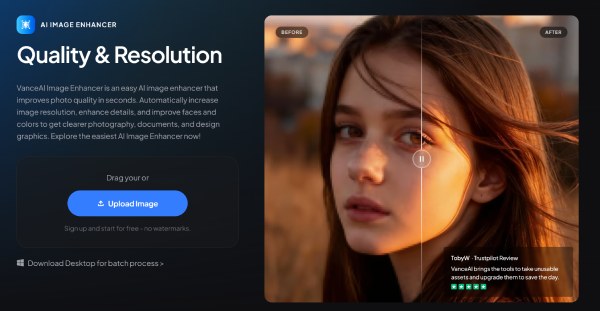
If you have old photos that are damaged, then VanceAI Photo Restorer might be able to help you. Although its detailed restoration is not as excellent as it could be, it can effectively restore the damaged parts based on the overall elements in your photo. This is of great value for those precious old photos.
- Pros
- Automatic scratch and damage repair for old photo restoration
- Batch repair of your uploaded old photos
- The overall quality of the repair is quite good
- Cons
- The refinement of the details was not done well enough
- The repair process is proceeding rather slowly
- Only a certain number of photos can be repaired each day
3. MyHeritage Photo Enhancer
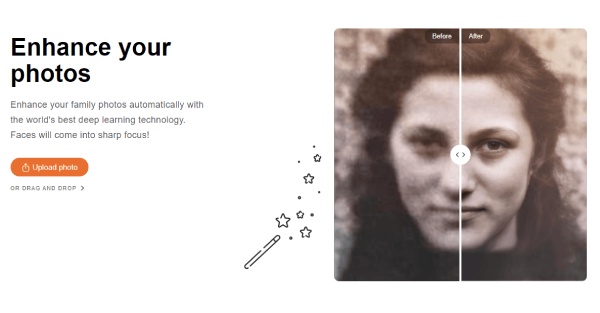
As a professional tool for restoring old photos, MyHeritage Photo Enhancer has become a popular choice among many users. If you have family or historical portraits in your possession, then it would be the perfect choice for you. During the process of restoring old photos, it can quickly sharpen the less clear details, ensuring that your old photos can be displayed clearly in their entirety when exported.
- Pros
- Strong family & historical portrait enhancement
- Add some special visual effects to enhance old photos
- Simple workflow and friendly to beginners
- Cons
- The number of old photos that can be uploaded each day is limited
- The supported image formats are limited
- The damaged part cannot be well-repaired
4. Fotor AI Image Upscaler
Some common image editing tools can also assist you in completing the task of AI old photo restoration. Fotor AI Image Upscaler is such a tool. Although this photo enlarger app was not specifically designed for the restoration of old photos, it can still assist you in polishing the details. When there are blurry parts in your old photos, you can use this tool to restore clarity to them.

- Pros
- Integrated editing tools for photos of any kind
- User-friendly interface and clear guidance
- Decent restoration quality for unblurring your images
- Cons
- Watermark will be attached to photos in the free version
- Limited advanced AI features for photo editing
- Not specialized tools for old photo restoration
5. Hotpot AI Picture Restorer
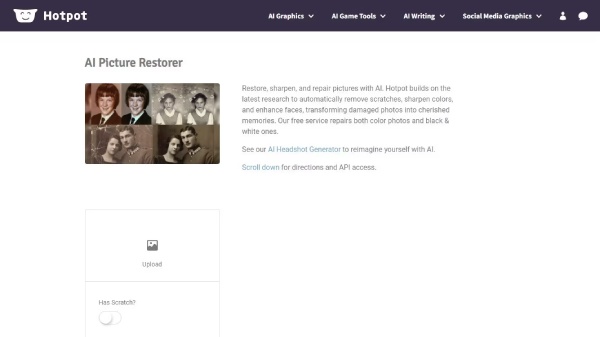
If your main concern when restoring old photos is about efficiency, then Hotpot AI Picture Restorer is a good choice. Although its restoration capabilities are relatively limited, only allowing for simple sharpening and enlargement, its processing speed is extremely fast, enabling you to obtain old photos that are suitable for daily use quickly.
- Pros
- Fast processing speed to save your time
- Support scratch removal from old photos
- AI models are provided to help you restore old photos
- Cons
- The quality of the repair is not particularly good
- The entire process requires a stable network connection
- It is not very useful for the damaged old photos
Conclusion
In simple terms, with the help of the old photo restoration online free tools, the entire process will become relatively simple and easy. You don't need to perform any complicated operations to obtain a relatively high-quality output, thereby uncovering more details in the old photos. For those old photo restoration projects that aim for both quality and efficiency, AnyRec AI Image Upscaler is undoubtedly the most reliable choice. If you need it, you can use it for free right now.
Related Articles
About Our Author