Hot

AnyRec Video Converter
120× faster video conversion and editing. No waiting.
Secure Download
[Listed] Reliable MP3 Compressors for High-Quality Audio

A good MP3 compressor is essential nowadays, whether you need to store, upload, or share files. As one of the most widely used audio formats, compressed MP3 files can reduce the file size without making the sound flat or distorted. This guide focuses on reliable MP3 compressors, explains the truly important factors to consider when choosing a compressor, and points out the most potent tools suitable for both amateur and professional uses.
Guide List
Part 1: Things You Need to Know for Picking an MP3 Compressor Part 2: The Most Powerful MP3 Compressor for Professional Quality Part 3: Trustworthy MP3 Compressors to Reduce File SizePart 1: Things You Need to Know for Picking an MP3 Compressor
Before you start compressing an MP3 file, it's essential to understand what actually affects MP3 compression results. File size reduction is not just about making numbers smaller - it directly impacts how the audio sounds afterward.
Bitrate Control
Bitrate determines how much audio data is preserved per second. Lower bitrates mean smaller files, but pushing too low can cause noticeable distortion. So, if you want a great result when compressing an MP3 file, the tool has to balance these factors well, selecting presets such as 128 kbps, 192 kbps, or variable bitrate (VBR).
Audio Quality Preservation
Some tools apply outdated or overly aggressive compression algorithms. To select a powerful MP3 file compressor these days, you can choose those compressors that use optimized encoders, which retain clarity for vocals and mid-range frequencies.
Batch Processing
When working with multiple files, batch compression saves time. If you intend to compress several files together, an MP3 compressor that supports batch processing is needed. This is particularly useful for podcasts, music libraries, or archived recordings.
Format Compatibility
Even if MP3 is the primary target, it helps when a compressor supports other audio formats. After all, if you often deal with audio files, you may encounter other formats.
Part 2: The Most Powerful MP3 Compressor for Professional Quality
Although there is a need to compress MP3 files, most users definitely do not want to suffer excessive loss in quality. For those who need consistent results and fine-grained control, AnyRec Video Converter stands out as a powerful MP3 compression solution. Whether you are a beginner or a professional, this compressor can help complete tasks efficiently as per your requirements.
Compress your MP3 files in an efficient way with advanced technology.
Maintain the quality of the MP3 during the compression process.
Adjust parameters such as bitrate, sample rate, channel, and so on.
Preview the compressed MP3 file before saving to determine the effect.
Secure Download
Secure Download
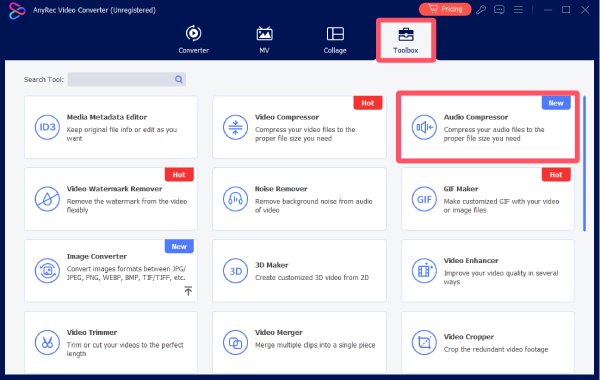
Step 1. Launch AnyRec Video Converter and click the "Audio Compressor" button under the "Toolbox" tab.
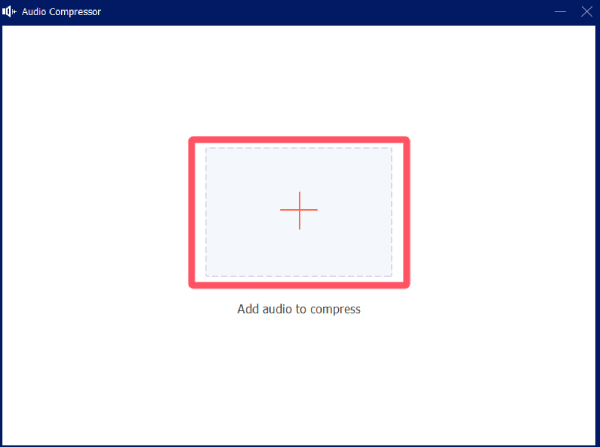
Step 2. In the pop-up window, click the "Add Files" button to import your MP3 files for compression.
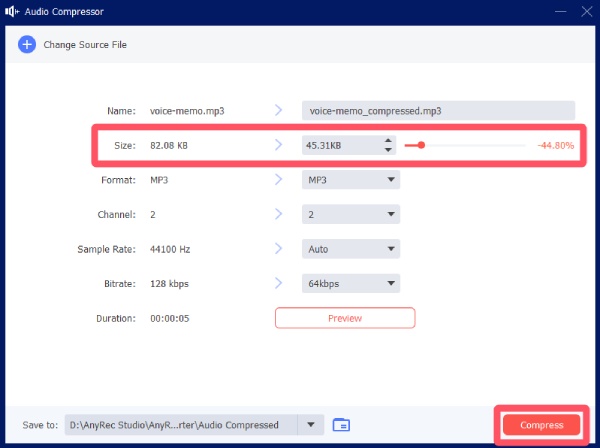
Step 3. Under the "Size" tab, you can click to adjust the size of the MP3 file. Click the "Compress" button, and the compressed file will be saved.
AnyRec Video Converter can also deal with video files, supporting process like compressing MP4 and alike.
Part 3: Trustworthy MP3 Compressors to Reduce File Size
When choosing an MP3 file compressor, reliability matters as much as compression strength. Nowadays, there are many tools claiming that they can balance quality and volume very well. But in reality, actually achieving this is not an easy task. Therefore, it doesn't seem easy to select the appropriate option. But don't worry. This section has already tested the actual performance of various tools for you and has recommended several reliable MP3 compressors for you below.
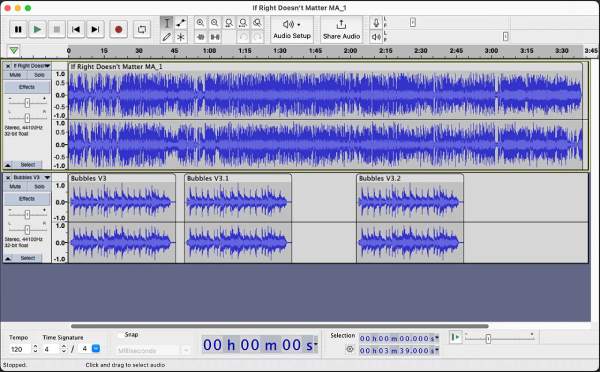
1.Audacity
Although it was not explicitly designed for compression, it provides detailed control over the encoding parameters. For users who want to clean or edit the audio before reducing the file size, it is beneficial to do so instead of simply compressing the files randomly.
- Pros
- Free and open-source with extensive community support
- Allow detailed control over MP3 export settings
- Professional parameter settings
- Cons
- Interface can feel complex for simple compression tasks
- Require additional setup for MP3 encoding on some systems
- The visualization of audio effects is not very good
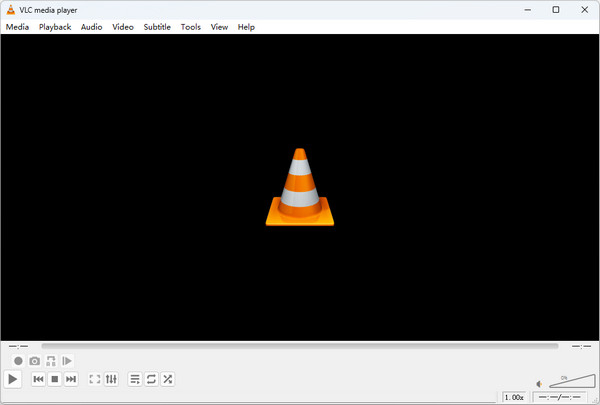
2.VLC Media Player
The VLC media player is renowned for its playback capabilities, but it can also be used to handle audio files. It's built-in conversion tool supports compressing MP3, allowing for quick reduction of file size without the need to install specialized audio software. If you usually use the VLC media player to watch videos, then using this MP3 compressor to meet basic compression requirements is a reliable choice.
- Pros
- Free and widely available on all major platforms
- No additional plugins required for MP3 compression
- Can be used for playing audio and video in various formats
- Cons
- Limited control over advanced audio parameters
- Not ideal for batch processing large audio libraries
- Not a professional-level audio editing tool
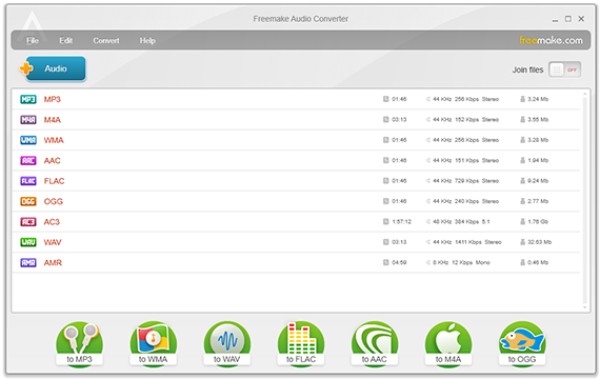
3.Freemake Audio Converter
Freemake Audio Converter focuses on straightforward audio format conversion and compression. Its MP3 compression presets are easy to apply and work reliably for everyday tasks such as reducing music file sizes for mobile devices. The tool favors simplicity over customization, which can be a benefit or a limitation depending on needs.
- Pros
- Simple interface with ready-made compression presets
- Suitable for beginners and casual users
- Specially designed for mobile devices
- Cons
- Limited advanced customization options
- Free version may include branding or restrictions
- May get sluggish when dealing with large files
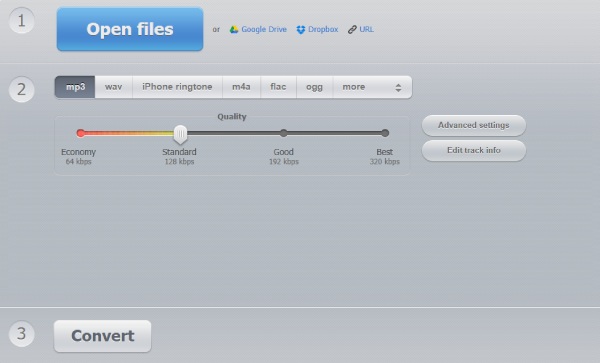
4.123 Online Audio Converter
If you prefer to use online tools to complete the MP3 compression task, then you just need to visit 123 Online Audio Converter on your browser. This MP3 file compressor online offers a convenient option for compressing MP3 files without the need to install software. It supports basic bitrate adjustments and works well for small files or occasional use cases, but may not be the best choice for sensitive or large-scale audio projects.
- Pros
- No installation required and easy to use
- Support multiple audio formats beyond MP3
- Completely free, no need to pay
- Cons
- File size limits may restrict larger uploads
- Uploading files may raise privacy concerns
- Compression may take a relatively long time
Conclusion
Currently, MP3 compressors have become an essential tool, especially for those who need to store or share files. It not only helps you manage your storage space but also significantly speeds up the sharing process. Therefore, choosing the right tool is crucial. For users who want to balance audio quality and file size perfectly, AnyRec Video Converter is the most suitable option.
Secure Download
Secure Download
Related Articles:
About Our Author