
8 Tools to Convert AAX to MP3 - Play Audiobooks Anywhere!

Ever tried playing an Audible book, an AAX format, on an MP3 player, but encountered playback limitations? If so, to own your media and enjoy offline listening on any device, converting AAX to MP3 is essential. Luckily, the conversion solutions have never been more powerful. From high-speed desktop software to quick online tools, the following parts break down the 8 best effective AAX to MP3 converters this year. Find the best solution for your digital library.
Guide List
AnyRec Video Converter - GPU-Accelerated AAX to MP3 Converter AAX Media Player - Windows Native Playback and Batch AAX Conversion Libation - Open-Source AAX Library Management inAudible - Advanced Metadata Precision Converter Noteburner AAX to MP3 Converter - Lossless Quality Converter Media.io AAX to MP3 - AI-Enhanced Online Conversion Online Audio Converter - Browser-Based with Multi-Track Support Convert.Guru - Minimalist One-Click AAX ConverterAnyRec Video Converter - GPU-Accelerated AAX to MP3 Converter
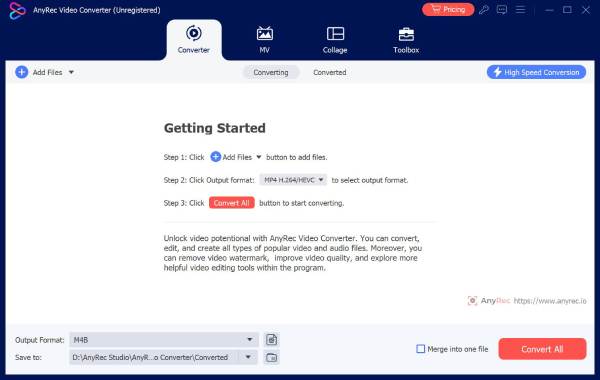
The best way to start the list of tools to convert AAX to MP3 is with a robust desktop powerhouse designed for anyone who needs more than a simple file change. Here comes the AnyRec Video Converter. This AAX audio converter uses hardware acceleration to process large AAX files faster than any recording method. It also features a built-in editor that lets you trim extra segments or combine multiple clips before finalizing the output. Furthermore, it has support for over a thousand different formats, making it a versatile addition to any media enthusiast's digital toolkit.
Offer faster conversion speed with its Blu-Hyper encoding technology.
Upload multiple AAX files and convert them at once to save time.
Supports all modern formats like MP4, MKV, AVI, MOV, WMV, FLAC, WAV, etc.
Customized results by adjusting sample rate, bitrate, and more settings.
Secure Download
Secure Download
AAX Media Player - Windows Native Playback and Batch AAX Conversion
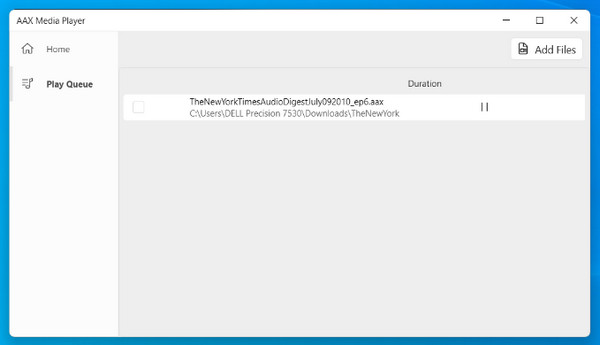
Next here is the AAX Media Player. Aside from serving as a dedicated listener, it offers a high-speed AAX audiobook to MP3 converter. It specializes in batch processing, letting you queue an entire collection of books and transform them into MP3s in one process. Also, this AAX player uses the native system resources to preserve lossless audio quality during the entire conversion.
Libation - Open-Source AAX Library Management
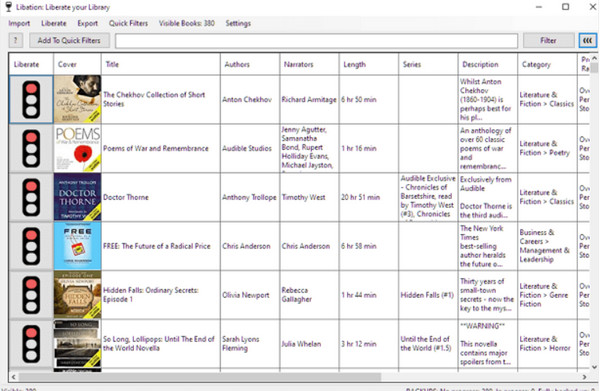
If you prefer a community-driven approach, Libation works as your completely free, open-source solution to convert AAX audiobooks to MP3 and manage your entire Audible account. It syncs directly with your Audible library to download and decrypt books in just one step. In addition, it creates a spreadsheet of your entire collection and downloads PDF booklets automatically.
inAudible - Advanced Metadata Precision Converter
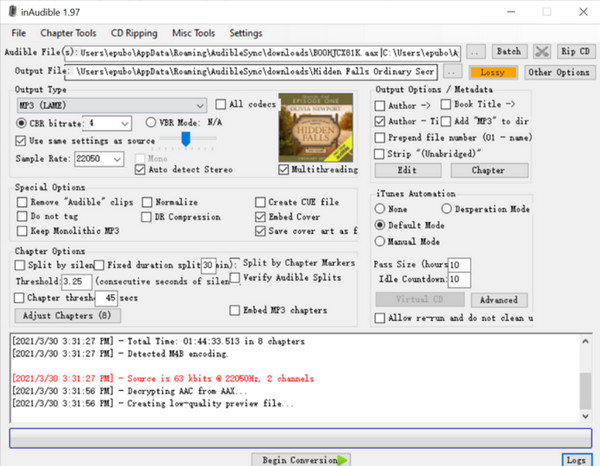
Turn your attention to a tool beloved by audiobook fans, the inAudible is a classic tool famous for its precision in handling chapter and metadata structures. Besides turning audible AAX files to MP3, it excels at chaptering, allowing you to split huge 20-hour files into individual MP3 tracks. While it has a more technical interface than other alternatives, it provides unmatched control over the album art and ID3 tags embedding, making it a top choice if you want to mirror the exact structure of a printed book.
Noteburner AAX to MP3 Converter - Lossless Quality Converter
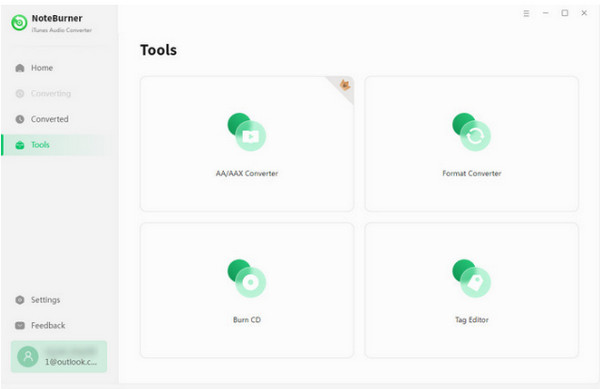
Noteburner has a highly polished audible AAX to MP3 converter with a focus on speed and fidelity. This tool is loved for its 10x conversion speed, which helps reduce the waiting time, especially for lengthy narrations. Furthermore, it features an Intelligent Mode that detects the best output settings for your hardware, giving you nothing but a seamless listening experience. Beyond that, it preserves a hundred percent lossless audio quality, making it a desired choice for many.
Media.io AAX to MP3 - AI-Enhanced Online Conversion
Switching to the cloud, Media.io is a sophisticated online AAX to MP3 converter that is powered by AI-driven processing. It features a highly intuitive interface. With a simple drag-and-drop system, Media.io online AAX converter can handle heavy uploading on remote servers. While other online tools struggle with large files, Media.io supports significant sizes, perfect for most standard-length audiobooks. You can also trim audios and delete unwanted clips. Plus, it has a Save to Dropbox feature that lets you move your converted files to the cloud storage for quick syncing.
Online Audio Converter - Browser-Based with Multi-Track Support
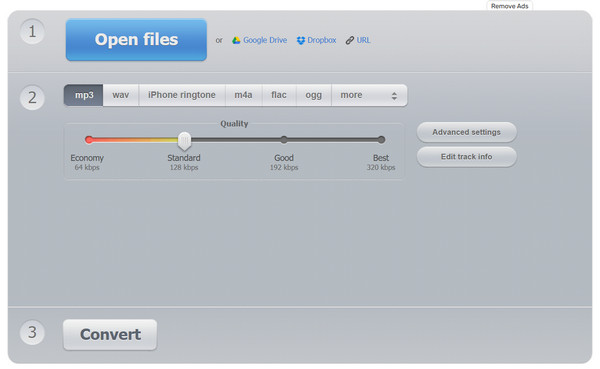
In a similar place in terms of convenience, Online Audio Converter has a wide range of configuration options within your browser. Its service offers local cloud processing, so the AAX to MP3 conversion process happens within your browser's cache to protect your privacy. You can also adjust the fade-in/out settings and enjoy the conversion of more than 300 formats, making it a great choice for creating short previews of your audiobooks.
Convert.Guru - Minimalist One-Click AAX Converter
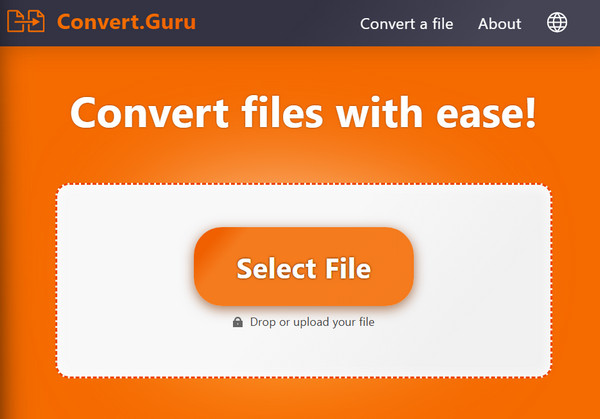
For the ultimate simplicity for AAX to MP3 conversion, Convert.Guru provides a focus, especially made for users who have a single file and want to convert it as quickly as possible. It has no cluttered menus and complicated settings of other tools. But despite that, it keeps a high standard for audio fidelity and ensures that your output file is not overly compressed. It is your perfect emergency tool for when you wish your audio files were ready immediately.
Conclusion
Whether you love the chapter-splitting features of inAudible or the browser-based convenience of Convert.Guru, you now have a lot of options to choose from to convert audible books to MP3. By doing so, you can enjoy your favorite stories on any device, from car stereos to offline players. If you haven't chosen any tool yet, for an all-in-one experience, use AnyRec Video Converter. While other tools are perfect for single tasks, this tool can turn massive audiobooks into high-quality MP3s in just seconds. Also, its exciting features like editors, audio booster, trimmer, and more give you total control over the final sound, making it the ultimate companion for your AAX audiobooks today and tomorrow.
Secure Download
Secure Download



