Hot

AnyRec Video Converter
120× faster video conversion and editing. No waiting.
Secure Download
[Tested & Reviewed] Top 6 Mac Video Editors to Unlock Creativity

If you are also looking for the best Mac video editors, then you've come to the right place. Although there are many options for you to choose from, they may not necessarily meet your work requirements. Don't worry. This post recommends 6 tools for various use cases. The pros and cons of each of them have also been described in detail. You can choose a video editor for Mac that suits your needs and preferences.
Guide List
An All-in-One Mac Video Editor for Any Requirement Best Mac Video Editors for Different Scenarios FAQs About Mac Video Editors| Tool | Best For | Key Features | Applicable Scenarios |
| AnyRec Video Converter | All-in-one editing | Editing, conversion, compression, effects, filters, enhancement, GPU acceleration | General editing, enhancement, conversion, YouTube/TikTok |
| iMovie | Beginners & basic editing | Templates, transitions, basic timeline editing | Home videos, simple edits, basic vlogs |
| Adobe Premiere Pro | Professional video production | Advanced timeline, customizable workspace, Creative Cloud integration | Films, advertisements, professional YouTube production |
| Filmora | Creative editing with templates | Effects, music, templates, previews, fast rendering | Vlogs, social media, creative videos, YouTube |
| Lightworks | Team collaboration | Multi-format editing, project sharing, cross-platform workflow | Collaborative projects, semi-professional editing, film projects |
| Clideo | Quick online editing | Nine online editing tools, timeline editing, browser-based workflow | Quick edits, short social-media videos, occasional online editing |
An All-in-One Mac Video Editor for Any Requirement
When it comes to all-in-one Mac editing software that adapts to any situation, this tool is AnyRec Video Converter. It offers a wide range of editing tools to help you edit your videos like a professional. Even if you have no experience at all, don't worry. The operation method of this tool is very simple and intuitive, with a clear guide. Whether it's the advanced special effects or the specific parameters, you can quickly edit your video to suit your needs.
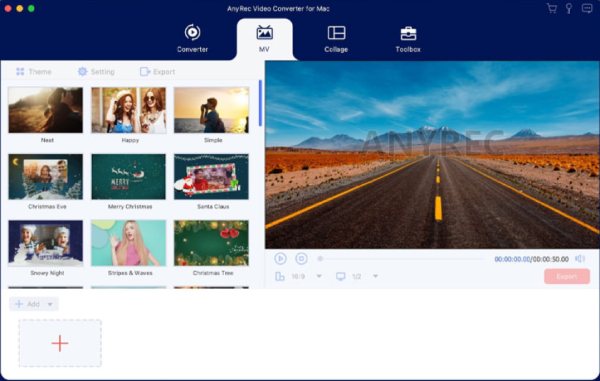
- Pros
- Edit the video for any scenarios on your Mac.
- Fast processing speed without losing quality.
- Multifunctional tool; edit, convert, and compress.
- Cons
- Pay to enjoy complete features after a free trial.
GPU-accelerated tool for fast rendering without losing quality.
Enhance video clips by removing noise, upscaling, and more.
Filters, effects, templates, and more tools to edit your footage.
Adjustable resolution, frame rate, quality, format, and more settings.
Simple interface and easy-to-follow guide.
Secure Download
Best Mac Video Editors for Different Scenarios
For users with diverse work requirements, different MacBook editing software is often necessary. Different tools have different features, and they can be used for various editing purposes. After testing, this section has recommended 6 of the best tools suitable for various situations for you. You can choose the option that best suits your needs.
Test Condition: To ensure that tests across different scenarios can be conducted under relatively objective conditions, we conducted the tests on the same device (MacBook Air M3). Different video files were edited and tested using the latest version of each software application. These videos are approximately 500MB each, in MP4 format, and last around 40 minutes. These videos respectively contain movie clips, concert scenes, and daily-shot footage for vlogs.
1. iMovie – A Default Mac Video Editor
iMovie is widely regarded as the most user-friendly Mac video editing software available. You can open this tool, which is pre-installed on your Mac, using Spotlight without downloading or installing any additional software. Although, as a built-in tool, iMovie offers limited editing capabilities, you don't need to worry at all about basic editing tasks. In conclusion, if you are looking for a simple and convenient solution, iMovie will not disappoint you.
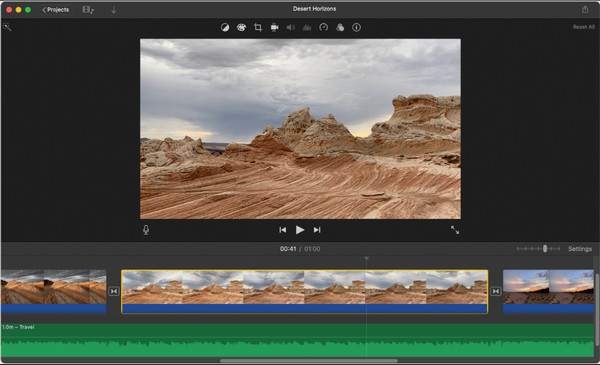
- Pros
- It only consumes a very small amount of system resources.
- Pre-installed on Mac devices, no extra tools required.
- Good set of transitions and templates.
- Cons
- Not perfect for complex projects.
- Limited advanced editing features.
- It only supports some of the most common formats.
2. Adobe Premiere Pro – An Industrial-Level Mac Video Editor
If you often handle tasks related to video editing, then you surely won't be unfamiliar with Adobe Premiere Pro. This Mac movie editor has long been a professional-grade editing tool widely trusted by users. Many professional video editing processes, such as for advertisements, television programs, and movies, all use Adobe Premiere Pro. Although its interface and process are quite complex, for users who know how to use it, it offers very rich and comprehensive editing options.
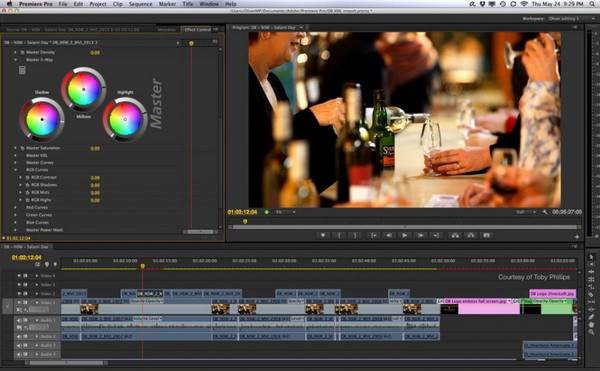
- Pros
- Seamless integration with Adobe Creative Cloud.
- Have a customizable workspace for professional work.
- Precise controls with timeline and control panels.
- Cons
- Steep learning curve even for users who know little about editing.
- This Mac video editor can be resource-heavy.
- You need to purchase it before you can start learning and using this tool.
3. Filmora – A Mac Video Editor with Abundant Materials
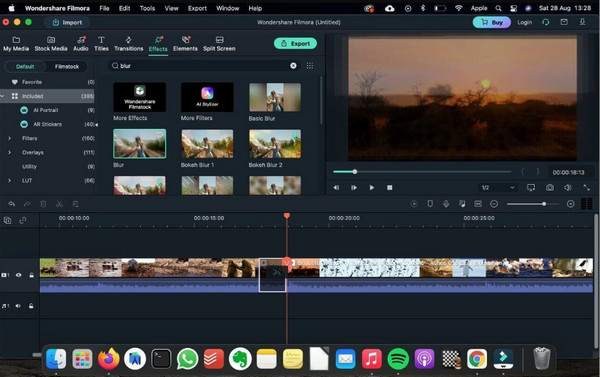
For many users who want to use Mac editing software for post-production, the biggest problem isn't how to operate it; it's that they don't know how to edit to achieve the best results. Filmora has, to a large extent, provided you with some solutions in advance. During the process of editing videos with it, you can browse and apply the various options provided in the material library to check whether they are suitable for your video. This process greatly helps you edit the video to achieve the best results.
- Pros
- Rich library of effects and music for you to select.
- Fast rendering is supported during editing.
- Preview to check how the effects work on your videos.
- Cons
- A watermark will be added to videos on the free version.
- Occasional bugs and crashes while dealing with large videos.
- Some materials require payment to access the videos.
4. Lightworks – For Collaboration within a Mac Video Editor
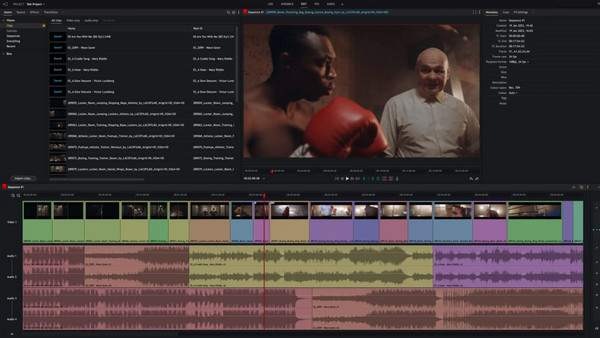
Lightworks is renowned for its use in high-end film and television productions, such as Pulp Fiction, which fully demonstrates its powerful capabilities. One of the greatest advantages of this Mac video editor is that you can seamlessly collaborate with other users during semi-professional editing. Lightworks also supports real-time project sharing across multiple platforms, making team collaboration in video editing unprecedentedly convenient.
- Pros
- Cross-platform video editor for quick synchronization.
- Multi-format export options for different requirements.
- Support real-time project sharing by converting MP4 videos to links.
- Cons
- The free version limits export resolution.
- Complicated for first-time users.
- The equipment consumes a considerable amount of energy.
5. Clideo – A Quick Online Mac Video Editor
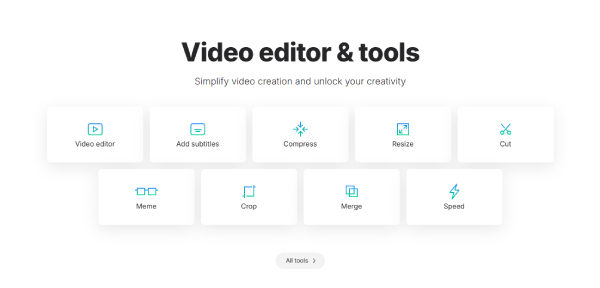
An online tool is also a very convenient option. As for these types of Mac editing software, they can be run directly in your browser. After testing over a dozen online tools, we found that Clideo was the most suitable one. Its page offers 9 different tools, allowing you to access and use the corresponding editing tools directly. However, during use, its processing speed is not particularly fast.
- Pros
- Run it directly in your browser.
- Nine intuitive tools are provided.
- A timeline has been provided to enable precise control.
- Cons
- The processing speed is rather slow.
- You need to log in to use this Mac movie editor.
- Files larger than 1GB cannot be uploaded.
FAQs About Mac Video Editors
-
What is the best video editor for Mac suitable for beginners?
AnyRec Video Converter and iMovie. The former video editor for Mac offers you a simple yet professional editing process. The latter, as an in-built tool, provides basic editing options.
-
What is the best Mac editing software for YouTube and TikTok?
AnyRec Video Converter and Filmora. Both offer a rich library of materials and customizable options, allowing you to achieve the desired visual effects for your videos.
-
Is there any risk associated with the online MacBook editing software?
It depends. Most online tools will delete the files you uploaded within a few hours after you finish editing them. Please be careful not to choose websites or online Mac video editing software flagged as risky.
Conclusion
This post introduces you to 6 Mac video editing software options. Due to their various advantages and disadvantages, these tools are respectively applicable to different editing scenarios. After reading this post and gaining a thorough understanding, you can make your choice based on your own needs. If you are looking for a universal tool suitable for any situation, AnyRec Video Converter is the best choice.
Secure Download
Secure Download
Related Articles:
About Our Author