Hot

AnyRec Blu-ray Player
Play Blu-ray & DVD on PC and Mac. Hear every detail.
Secure Download
[In-Depth] Leawo Blu-ray Player: Review & Alternative

People who are looking for a device to enjoy Blu-ray content on their PCs might be familiar with Leawo Blu-ray Player. Recently, the CD slots have been removed. Also, the production of Blu-ray disc players is decreasing. Therefore, many people are looking for Blu-ray playback options on computers. This post offers a detailed review of Leawo Blu-ray Player and alternatives. All information comes with a period of use; you can read it to see if it's a good fit for you.
Guide List
Leawo Blu-ray Player: A Basic Introduction How Does Leawo Blu-ray Player Perform The Best Alternative to Leawo Blu-ray PlayerLeawo Blu-ray Player: A Basic Introduction
Leawo Blu-ray Player has long been a popular choice among users. Many people use it to watch Blu-ray content on their computers. It supports Windows and Mac. Meanwhile, its powerful decoding technology is a great help. It allows you to enjoy the video and audio content of Blu-ray discs in their original form.
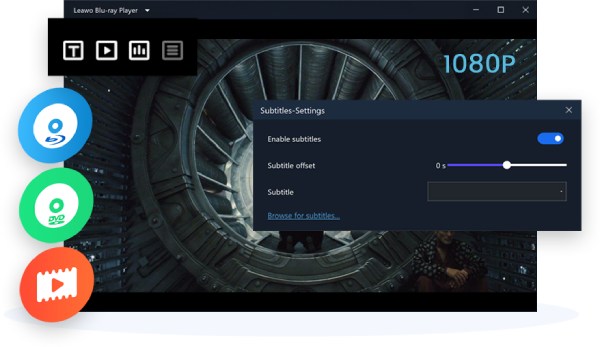
Besides offering a high-quality Blu-ray experience from 1080P to 4K, full control over video playback is available. The screen display, subtitles, audio tracks, and playback speed. All these parameters can be adjusted while ensuring the quality remains unaffected.
How Does Leawo Blu-ray Player Perform
So, how does the Leawo Blu-ray Player perform in actual use? We use it to watch eight different types of Blu-ray movies in a row for several days. We found that it had some surprising advantages, but also some unsatisfactory flaws. You can read this section to gain a detailed understanding of this player. Based on its pros and cons, you can determine whether it meets your daily usage requirements.
Test Condition: We used Leawo Blu-ray Player to play 5 different types of videos. They range in length from five minutes to two hours. Besides a 2-hour Blu-ray movie, we also tested a 5-minute gameplay recording and a 15-minute WebM short film. These tests ensure that users with various needs can also use this as a reference.
Pros
1. Detailed Track Selection
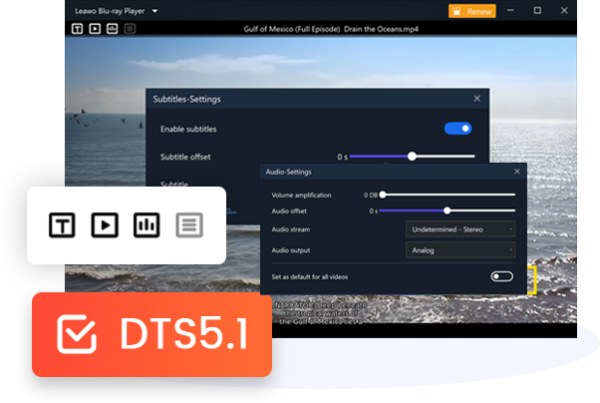
Generally speaking, a Blu-ray disc does not have only one track. It can contain video, audio, and subtitles. For viewers who access different tracks, Leawo Blu-ray Player offers a convenient option. It allows you to quickly switch between tracks with a simple selection.
2. Multiple Formats Supported

Many people who enjoy watching Blu-ray videos do not limit themselves to Blu-ray discs. You can find resources for Blu-ray videos in many places. For these resources, compression methods and release approaches may vary. Different uploaders have their own habits. In these situations, you will find that they do not always appear in the same format. Leawo Blu-ray Player eliminates the need to monitor the video format constantly. Its powerful decoding technology makes the process a lot easier. Almost all common and even rare video formats can be played smoothly.
3. Customized Display Settings
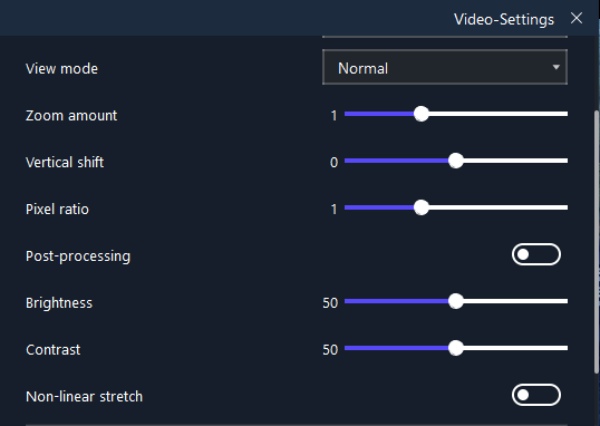
When you encounter any errors during the playback, Leawo Blu-ray Player makes it a cinch. You can change specific playback parameters for the desired effect on the screen. You don't need to have a deep understanding of these settings. The preview function lets you make changes immediately in this Blu-ray player software.
Cons
1. Extra Installation Required
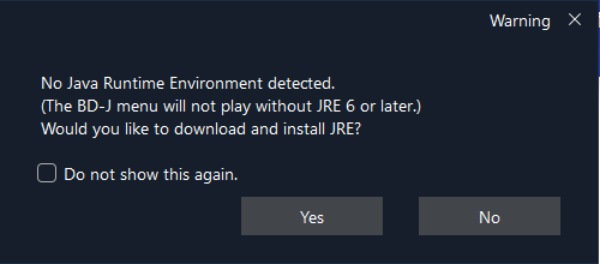
Leawo Blu-ray Player does not inherently own powerful decoding technology. This capability is associated with the additional decoder. It has to be installed after the tool is first opened. For privacy or security reasons, many may deny the installation. Then, you will find that many video files in various formats cannot be played properly.
2. Frequent Pop-up Ads
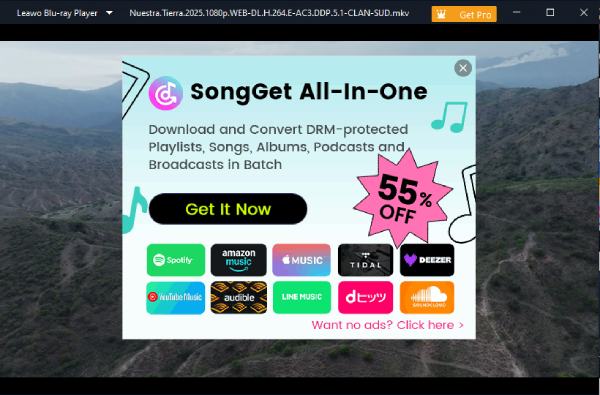
Although it can offer relatively smooth playback, the ads pop up from time to time. We find them everywhere and quite annoying. They appear whether you have just opened Leawo Blu-ray Player or paused playback. Its advertisements seem to stick around and refuse to disappear. Many users chose to abandon it as the default player precisely because of this.
3. Limited Subtitle Settings
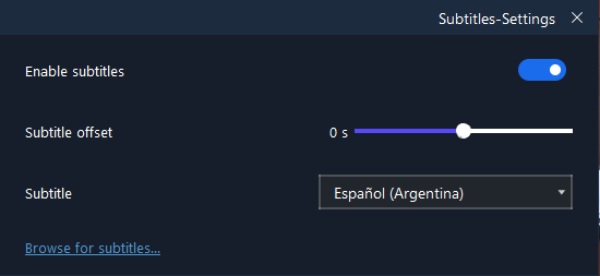
Compared to VLC Media Player or PotPlayer, Leawo Blu-ray Player lacks subtitle support. If your video doesn't come with a built-in subtitle file, you won't have subtitles to view either. In those established players, you can search for subtitles online or model transcriptions.
The Best Alternative to Leawo Blu-ray Player
For the best alternative to Leawo Blu-ray Player, AnyRec Blu-ray Player is the answer. This tool is free of restrictions and advertisements, then. This media player has an intuitive and clean interface with no unnecessary options. You can easily customize your playback through the Control Panel. No matter the video format, it will be displayed with cinema-level quality. And all details will be presented smoothly in AnyRec Blu-ray Player.
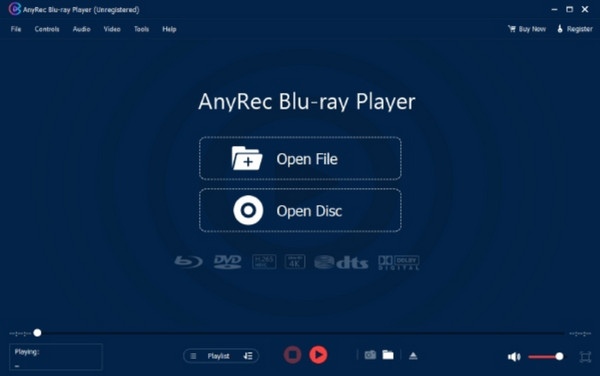

Play 4K videos with original pictures and audio quality.
Configure videos like brightness, contrast, and saturation.
Change audio channels to reverse stereo, left or right.
Support audio decoders like Dolby, AAC, and TrueHD.
Secure Download
Secure Download
| Items | Leawo Blu-ray Player | AnyRec Blu-ray Player |
| Best For | Basic Blu-ray playback | High-quality Blu-ray & video playback |
| 4K Video Playback | Yes | Yes (Original-quality playback) |
| Subtitle Controls | Limited | More flexible playback controls |
| Additional Decoder | Required for some formats | Advanced built-in decoding technology |
| Advertisements | Frequent pop-up ads | No ads |
| Interface | Functional but can be distracting | Clean and intuitive |
| Playback Control | Yes | Yes (Hotkeys and comprehensive controls) |
| Overall Experience | Suitable for basic playback | Better for professional, high-quality playback |
| Verdict | Good basic option | ⭐ Recommended |
Conclusion
Leawo Free Blu-ray Player is particularly suitable for new beginners. They are just starting to check Blu-ray content on their computers. However, they might notice various detailed limitations as well as numerous advertisements. For a simple yet professional Blu-ray player, AnyRec Blu-ray Player is a better alternative.
Secure Download
Secure Download
Related Articles:
About Our Author