
Audio Recorder for Android - 9 Worth Trying in 2026

You just captured an important detail using your Android phone, only to realize later that your recording sounds like it was taped inside a can. In this scenario, you'll know the right audio recorder for Android can make a huge difference. After spending time looking for which apps, this guide narrowed it down for you, giving you the top 8 Android audio recording apps alongside the best tool that can turn your phone into a professional-grade microphone. Dive into the best tools now!
Guide List
Dolby On: Studio-Quality Audio Recorder Google Recorder: Android Recorder with AI Real-Time Transcription Hi-Q MP3 Voice Recorder: High-Fidelity Audio Recorder App Otter.ai: Collaborative Android Meeting Recorder Easy Voice Recorder Pro: Reliable Audio Recorder for Android without Time Limit RecForge II: Android Audio Recorder with Advanced Multi-Code Editing Smart Voice Recorder: Long-Duration Android Audio Recording App Samsung Voice Recorder: Galaxy-Integrated Interview Mode Recorder Bonus Tip: Record High-Quality Audio with AnyRec Screen RecorderDolby On: Studio-Quality Audio Recorder
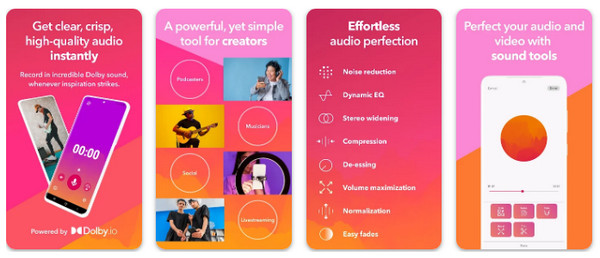
The first Android audio recording app for today is the Dolby On. It is considered the best choice for musicians and vocalists who want a portable production suite. This tool uses advanced spatial audio technology to apply noise reduction, EQ, and more to every track.
- Pros
- Only studio-quality sound is offered; lossless audio and video recording.
- Cons
- The automated EQ sometimes can feel too much for simple notes; more resource-heavy.
Google Recorder: Android Recorder with AI Real-Time Transcription
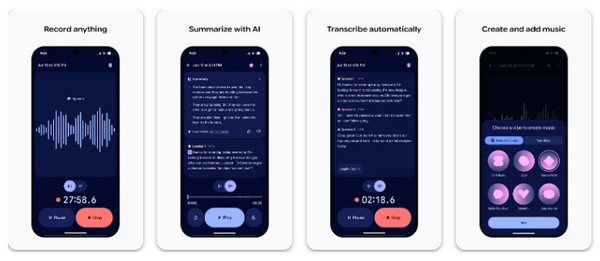
Moving to productivity, this audio recorder app for Android, named Google Recorder, is the standard for anyone who needs accurate spoken words. Even without an internet connection, this app is smart enough to convert speech to text as well as identify sounds like music, laughter, or applause.
- Pros
- Powerful search functionality; unmatched transcription accuracy that works even offline.
- Cons
- Many AI features are restricted to Google Pixel devices; limited file management options.
Hi-Q MP3 Voice Recorder: Customizable High-Fidelity Audio Recorder for Android
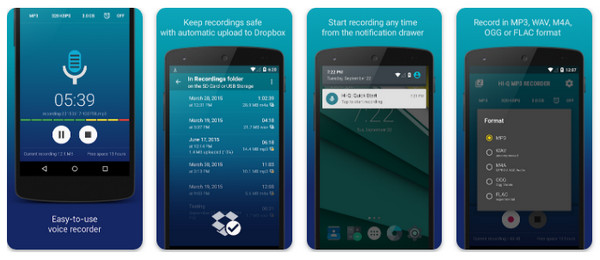
For anyone who prefers technical control, Hi-Q is the voice recorder for Android you're looking for! This Android audio recorder app offers settings for sample rates and bitrates that you can adjust. You can capture screen videos in high-quality 320 kbps MP3 or lossless formats. Thus, you can get crystal clear files while remaining a manageable size.
- Pros
- Huge customization for mic selection; reliable cloud backup support.
- Cons
- The free version has a 10-minute limit per audio recording; its interface looks outdated compared to rivals today.
Otter.ai: Collaborative Meeting Recorder for Android
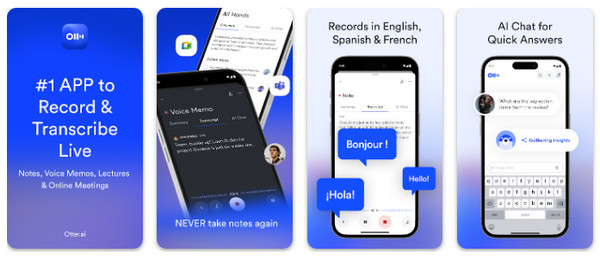
Switching to professional environments, Otter.ai works more like a virtual assistant than a simple audio recorder app for Android. It is made to detect and label different speakers in one room, making it perfect for teams during long interviews. It also has seamless integration with apps like Zoom and Google Meet to ensure your meetings are always documented.
- Pros
- Best speaker identification; real-time collaboration.
- Cons
- Rely heavily on a powerful internet connection; the free tier has monthly minute limits.
Easy Voice Recorder Pro: Reliable No-Limit Audio Recorder for Android
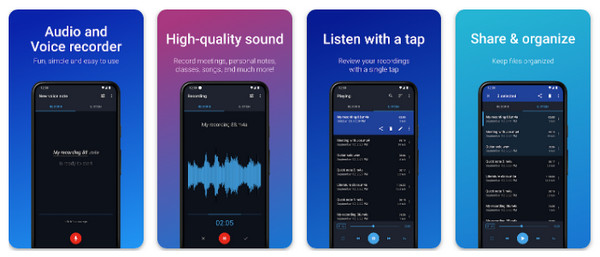
If you're handling long-duration tasks like a three-hour lecture, then Easy Voice Recorder Pro is for you. Using this Android voice recorder, you can enjoy a stable experience to record audio on Android with no time limits. It also supports Android audio recording via Bluetooth microphones. Therefore, you can enjoy extra flexibility when your phone is across the room.
- Pros
- Extremely easy-to-use interface; supports lossless formats.
- Cons
- Powerful features like cloud sync are needed to be paid; no built-in editing tools.
RecForge II: Audio Recorder with Advanced Multi-Code Editing
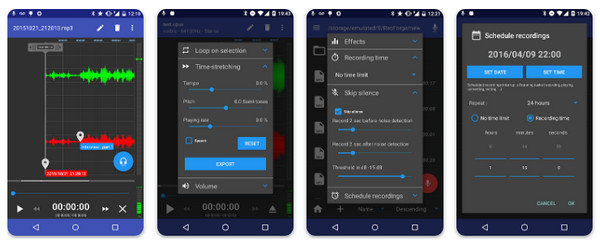
RecForge II is a technical audio recorder for Android that can serve as a mobile audio editor, too. This tool supports an impressive range of codecs and lets you adjust the pitch, tempo, and playing rate of your audio recordings on the go.
- Pros
- Complete editing suite, like trimming; very detailed technical monitoring.
- Cons
- Steeper learning curve; its visual design is cluttered.
Smart Voice Recorder: Long-Duration Android Recorder
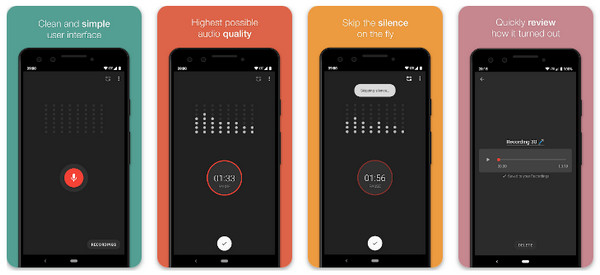
Next is Smart Voice Recorder, an audio recorder app for Android specifically made to save battery life and storage during lengthy recording sessions. It utilizes a sensitive algorithm to automatically pause the capture once it detects silence, removing dead air from your audio.
- Pros
- Light on battery consumption; Skip Mode manages storage space.
- Cons
- No AI transcription, unlike newer rivals; background static issues.
Samsung Voice Recorder: Galaxy-Integrated Interview Mode Recorder
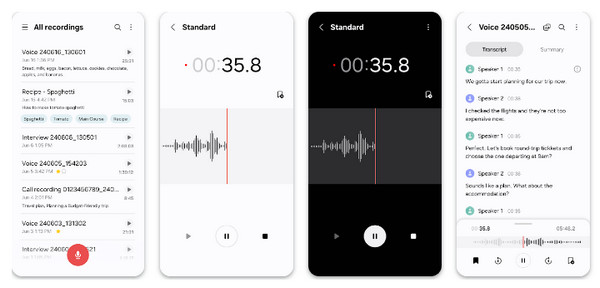
Ending the traditional apps, this built-in Samsung Voice Recorder uses specialized hardware to provide superior audio. With its Interview Mode, you can capture both microphones of the two speakers with equal clarity.
- Pros
- Free AI-powered summaries and transitions; integrated into Samsung.
- Cons
- Limited to the Samsung ecosystem; no advanced manual gain controls.
Bonus Tip: Record High-Quality Audio with AnyRec Screen Recorder
While most audio recording apps for Android on this list focus on external sound, AnyRec Screen Recorder is a multiskilled solution for recording high-fidelity internal audio together with your screen activity. For your games, streaming videos, online meetings, and phone activities, this tool works perfectly for you to record high-quality sound from them! Here, you can selectively capture system audio, mic input, or both at once to make sure you get every detail of a digital session. Plus, it features a clean, watermark-free experience that any professional creators love for high-quality output.
Capture system sound and microphone audio at the same time.
Phone Recorder for mirroring Android screen and recording phone activity.
Record lengthy content such as gameplay or meetings without interruption.
Export your audio in formats like MP3, AAC, WMA, etc, with your desired settings.
Secure Download
Secure Download
- Pros
- Capture internal audio in lossless quality; no watermarks on content; ad-free tool.
- Cons
- Uses more battery than an audio-only app.
Conclusion
Capturing high-fidelity audio on your Android phone is no longer a headache with the best of the best audio recorder apps discussed! From Google Recorder's AI-driven recording to studio-grade processing of Dolby On, you can choose an Android audio recorder app that aligns with your needs. While those are perfect for capturing sound on the go, if you wish to capture the internal system from a video, game, or meeting, add AnyRec Screen Recorder to your digital toolkit! This video and audio recording software records both system and mic without losing quality, and even covers various recording modes such as Phone Recorder. Capture every digital sound now!
Secure Download
Secure Download
About Our Author




