
Hot

AnyRec Screen Recorder
Capture every moment. Record like a pro.
Secure Download
10 Audio Recorder Apps You Must Try! Pros, Cons, and Steps

Audio recording has become a crucial part of everyday life, whether it is for lectures, interviews, voice notes, or creating content on the go. Since smartphones are becoming more powerful, looking for the best audio recorder app now is what you're aiming for. And with so many apps available today, finding the right one can feel overwhelming. So, this guide here gives you ten highly recommended audio recording apps, helping you choose the perfect app for your needs.
| Audio Recorder App | Best Use Case | Supported Formats | Free or Paid |
| Dolby On | Professional sound processing with noise reduction | M4A, WAV | Free |
| Easy Voice Recorder | Meetings, lectures, and daily memos | MP3, WAV | Free/Paid |
| Android Stock Recorder | Casual notes | MP3, 3GP | Free |
| ASR Voice Recorder | Every day and professional recordings | MP3, WAV, OGG, FLAC, M4A | Free/Paid |
| Smart Voice Recorder | Lectures, interviews, and long sessions | WAV | Free |
| Hi-Q MP3 Voice Recorder | Studio-quality audio recordings | MP3 | Free/Paid |
| Otter | Meetings, interviews | MP3, WAV | Free/Paid |
| RecForge II | Musicians, podcasters | MP3, WAV, FLAC, OGG | Free/Paid |
| Cogi | Meetings and study sessions | MP3, WAV | Free/Paid |
| Voice Recorder & Audio Editor | Quick memos and lengthy recording sessions | MP3, WAV | Free |
1. Dolby On - Audio Recorder with Noise Reduction
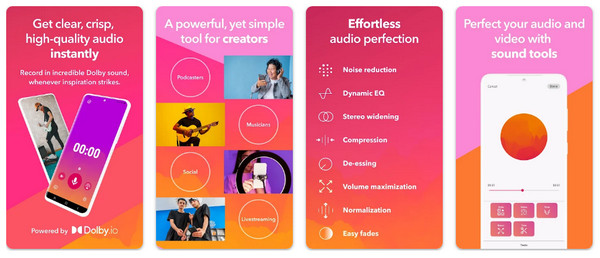
Applies studio-grade effects such as noise reduction, this audio recorder app ensures high-quality processing of your recordings.
Pros: High-quality output, no ads; has built-in trim and edit.
Cons: Some distortion may happen; limited file backup options.
Steps:
- 1. Open the Dolby On app, then tap on "Record".
- 2. Apply filters/effects as needed.
- 3. Finish the recording and save or share.
2. Easy Voice Recorder - One-Tap Recording with Background Capture
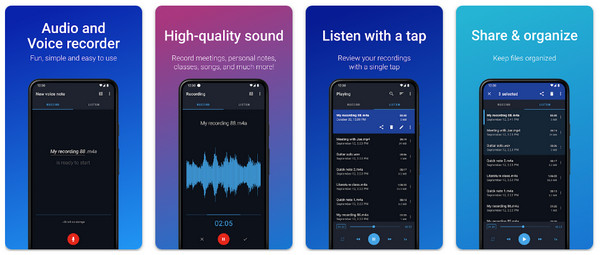
Easy Voice Recorder focuses on fast, reliable audio and voice recordings on iPhone and Andorid. You can turn your phone as a portable recorder to capture classes, meetings, songs, interviews, and more kinds of audios directly.
Pros: One-tap start recording; supports easy sharing and file management.
Cons: Free tier shows ads; has basic editing only.
Steps:
- 1. Open the Easy Voice Recorder app on your phone, tap the "Record" button.
- 2. After a while, tap "Stop".
- 3. Then share or save the file.
3. Android Stock Recorder - Built-in and Easy Audio Capture
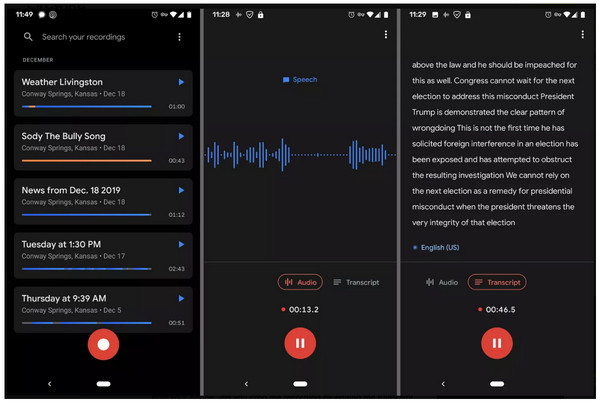
Android Stock Recorder can record audio on Android and then transcribe into text within the app. It is a good choice to take voice notes and transcribe meetings.
Pros: It is stable and battery-efficient; simple interface for quick recording.
Cons: May lack cloud-sync; limited advanced formats and editing.
Steps:
- 1. Open your phone's built-in Voice Recorder app.
- 2. Tap "Record" to begin.
- 3. End the recording, then use the edit/share options.
4. ASR Voice Recorder - Multi-Format Recording and Profiles
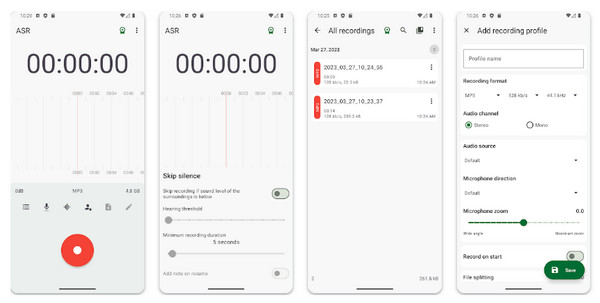
Flexible audio and voice recorder app that supports MP3, WAV, and M4A, as well as preset profiles for various recording scenarios.
Pros: Has playback speed control, tags, and good file organization.
Cons: Ads in the free version; settings are overwhelming for beginners.
Steps:
- 1. Start the ASR Voice Recorder app, select your desired format in settings.
- 2. Tap "Record" to begin, then "Stop" to finish.
- 3. Tag or export the file to share.
5. Smart Voice Recorder - Long-Form Audio Recording
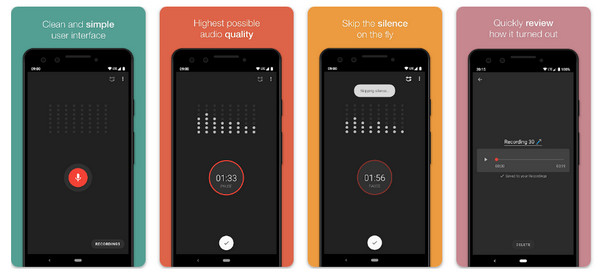
This audio recorder app is optimized for long recordings with features such as skip-silence to save space, perfect for lectures and meetings.
Pros: Ideal for extended sessions; has auto-save features; is a lightweight recorder.
Cons: UI is too basic; minimal editing tools.
Steps:
- 1. Get the Smart Voice Recorder launched.
- 2. You can enable the "Skip Silence" and then tap "Record".
- 3. Later, finish the recording and access the file.
6. Hi-Q MP3 Voice Recorder - High-Quality MP3 Recording
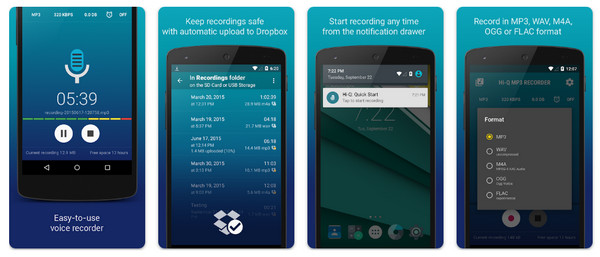
Hi-Q MP3 Voice Recorder produces clear audio and has convenient Wi-Fi transfer and cloud upload options.
Pros: Easy Wi-Fi transfer; high-quality MP3 output.
Cons: Free tier has ads; fewer in-app editing tools.
Steps:
- 1. Run Hi-Q on your device.
- 2. Tap "Record" to capture audio.
- 3. Stop and use the Wi-Fi transfer or cloud to move files.
7. Otter - Real-Time AI Transcription
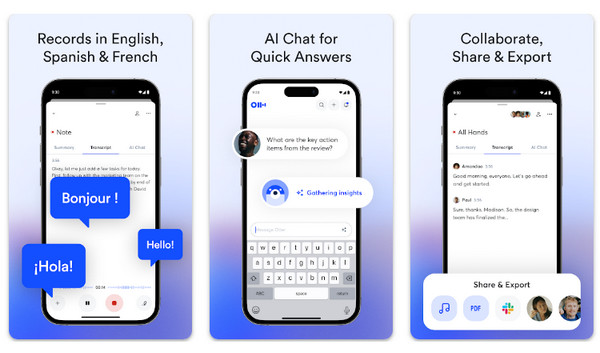
Combining recording with real-time transcription and collaborative notes features, Otter works great for meetings and interviews.
Pros: Live AI transcription; speaker detection and collaboration tools.
Cons: Stores sensitive audio in the cloud; accuracy depends on quality.
Steps:
- 1. Launch the Otter app, and sign in.
- 2. Tap "Record" and the tool will transcribe as you speak.
- 3. Stop recording, edit it as needed, and export.
8. RecForge II - Audio Recorder with Built-in Audio Editing
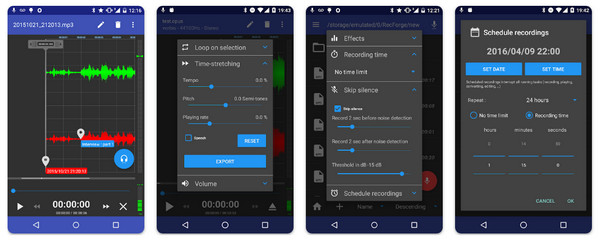
A powerful audio recorder app that has trimming, pitch adjustment, and multi-format export, which suits musicians and podcasters.
Pros: Good control for creative audio work; high sample rates and multiple formats.
Cons: Pro features behind a paywall; steeper learning curve.
Steps:
- 1. Start the RecForge app and set a sample rate and format.
- 2. Tap on "Recorder", then later "Stop".
- 3. Use the editor to trim and export the file.
9. Cogi - Smart Recorder App that Saves Key Moments
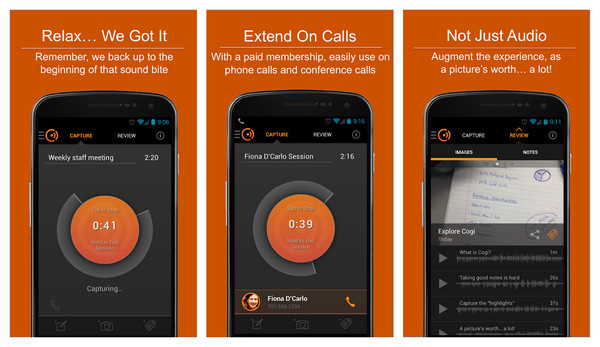
Cogi captures and highlights key moments instead of recording everything, pairing audio clips with text notes as well.
Pros: Has note-taking and cloud backup; automatically captures essential moments.
Cons: Can be overkill for casual memo use; may be pricier than basic recorders.
Steps:
- 1. Once launched, create an account.
- 2. Start audio recording and tap to highlight a moment.
- 3. Tap "Stop" to finish, and review the highlighted clips.
10. Voice Recorder & Audio Editor - Unlimited Recording with Simple Editing
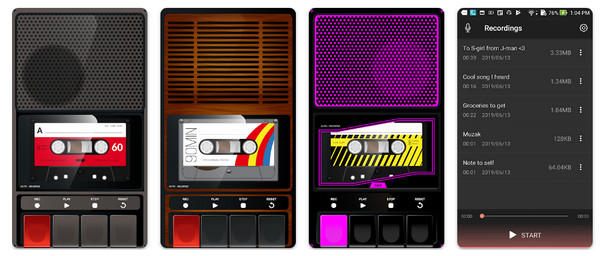
A simple audio recorder app that eliminates the arbitrary time limits and offers easy trims and exports.
Pros: Simple editing tools; only device storage limits apps, and has a tape-deck style interface.
Cons: UI may feel too simple; editing is so basic.
Steps:
- 1. Launch the app on your device.
- 2. Tap "Record".
- 3. Tap "Stop" to save, open it, and trim if needed.
Bonus Tip: The Best Audio Recorder Alternative on PC/Mac
After the long list of audio recorder apps, if you want an audio recorder that has more control and better quality than mobile apps, a dedicated desktop like AnyRec Screen Recorder is the ideal choice. This recording software does not just record voice; it can also capture system audio, browser sounds, music streams, online meetings, calls, and more with crisp clarity. You can record all computer audio and make a digital copy as MP3. To some degree, it is your almighty audio recorder and downloader.
High-quality audio recording from mic, system sound, or both.
Has noise cancellation and audio enhancement options for cleaner results.
Real-time monitoring to adjust levels before and during recording.
Built-in trimming tool to cut unnecessary segments quickly.
Secure Download
Secure Download
Conclusion
You can use the above voice and audio recording apps for quick voice memos, long lectures, meetings, or other professional audio work. But if you prioritize higher-quality audio, more control, and professional-level features on your computer, pick AnyRec Screen Recorder. This tool delivers stable performance, clean audio capture, noise reduction, and more exciting features, making it ideal for music, podcasts, meetings, and more recordings at home.
Secure Download
Secure Download
Related Articles:
About Our Author




