
Why is My iPhone Hot? Reasons and 10 Ways to Fix It

It is more than just uncomfortable when your iPhone feels unusually hot. This affects performance, battery life, and even your device's lifespan. "Why is my iPhone hot?" you might ask. From heavy app usage to battery issues, this guide shares the 10 effective solutions to help fix iPhone overheating issues, tackling the reasons for iPhone gets hot for no apparent reasons. Whether it is adjusting settings or updating iOS, get your iPhone running safely and efficiently again.
Guide List
Possible Reasons Why Your iPhone Getting Hot 10 Common Solutions to Fix Your iPhone Getting HotPossible Reasons Why Your iPhone Getting Hot
Before fixing your iPhone overheating issue, understand what is causing it first. While iPhones are made to handle heat efficiently, some conditions and habits can make them work harder.
Why is your iPhone getting hot? Below are the most common reasons why it happens.
- • Background Apps Running. Even when you're not using them, active apps in the background consume system resources.
- • Intensive App Usage. Running heavy apps such as mobile games can push your device to its limits, which generates excessive heat.
- • Using While Charging. Charging produces heat already, and using it at the same time adds more strain.
- • Exposure to Direct Sunlight. When your device absorbs external heat, it can cause your iPhone to overheat, which can lead to performance shutdowns. So don't put your iPhone in a hot car or direct sunlight.
- • Outdated iOS Version. Older versions have bugs that lead to increased CPU usage.
- • Poor Ventilation from Cases. Poorly ventilated phone cases trap heat inside, which is why your iPhone struggles to cool down.
- • Network Issues. When your iPhone struggles to maintain a connection, it boosts its signal power, which causes components to heat up.
- • Background App Refresh Conflict. Features like this, alongside Location Services, frequently update apps and track your location, which increases your processing load and temperature.
- • Faulty Apps. Poorly coded apps can run excessive background processes that can overheat your device.
10 Common Solutions to Fix Your iPhone Getting Hot
It is normal for your iPhone to get hot during use, but if it gets uncomfortably hot, it may be signaling an underlying issue. After seeing the factors contributing to this issue, it's time for several practical solutions to cool down your iPhone.
Below are 10 common fixes to help you keep your device running smoothly and safely.
1. Close Background Apps
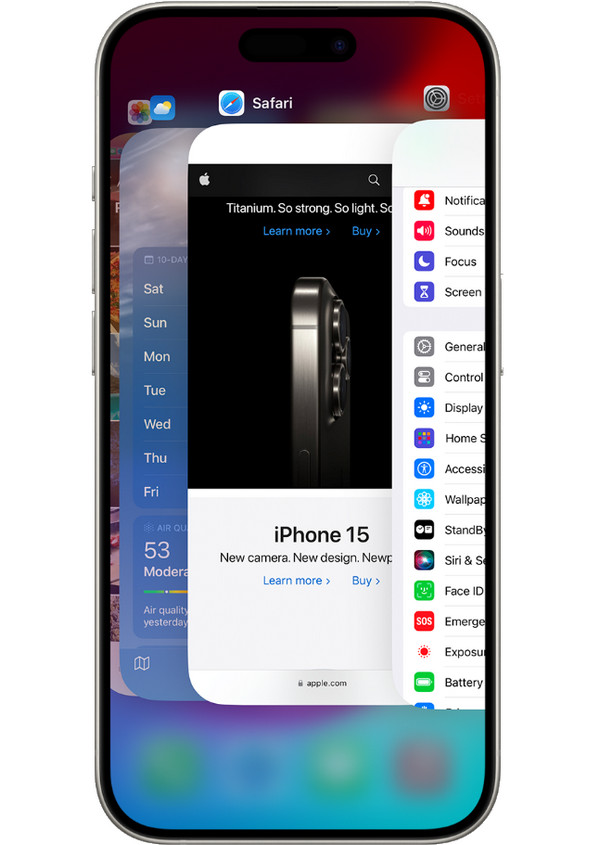
Too many background apps running at once can overwork your device's processor, causing the iPhone feels hot to touch issue. Try closing apps regularly to reduce system strain.
Step 1 Swipe up from the bottom of the iPhone screen to open the "App Switcher".
Step 2 There, browse through all active apps.
Step 3 Swipe up on each to close it completely.
2. Avoid Using While Charging
Using your iPhone while charging can cause the battery to work harder. So your iPhone gets hotter than normal.
- 1. Connect your iPhone to the charger.
- 2. Please avoid using heavy apps while charging.
- 3. Please let your phone rest until it is fully charged.
3. Remove the Case While Charging
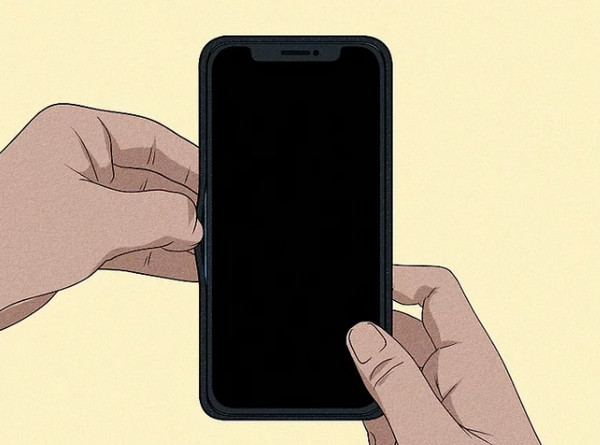
Especially those thick phone cases can cause the iPhone overheating when it is off. Removing it while charging may help improve airflow.
Step 1 Detach your phone case before charging your device.
Step 2 Place your device on a flat, hard surface.
Step 3 Remove the Case While Charging.
4. Disable Unused Features
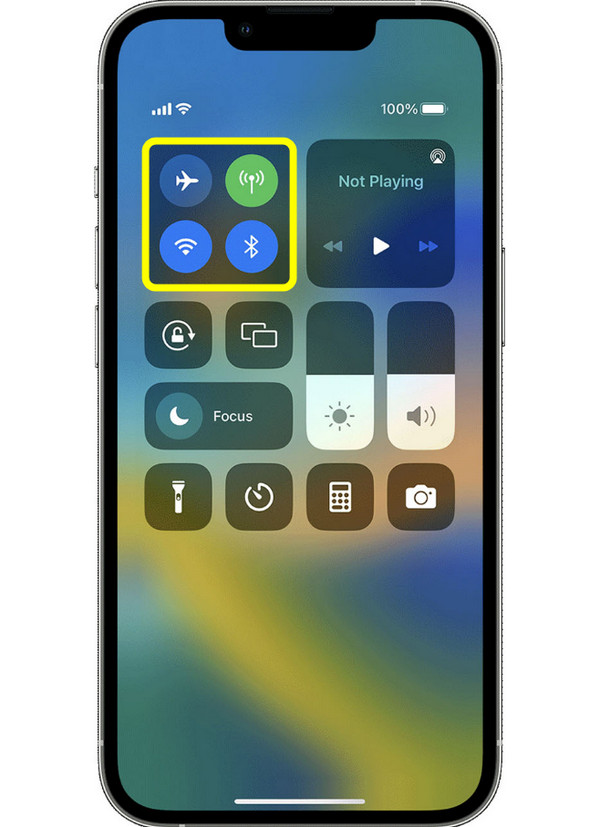
Features like AirDrop, Bluetooth, Wi-Fi, etc., constantly running will generate unnecessary heat. Turning them off when not in use can help to cool down a hot iPhone.
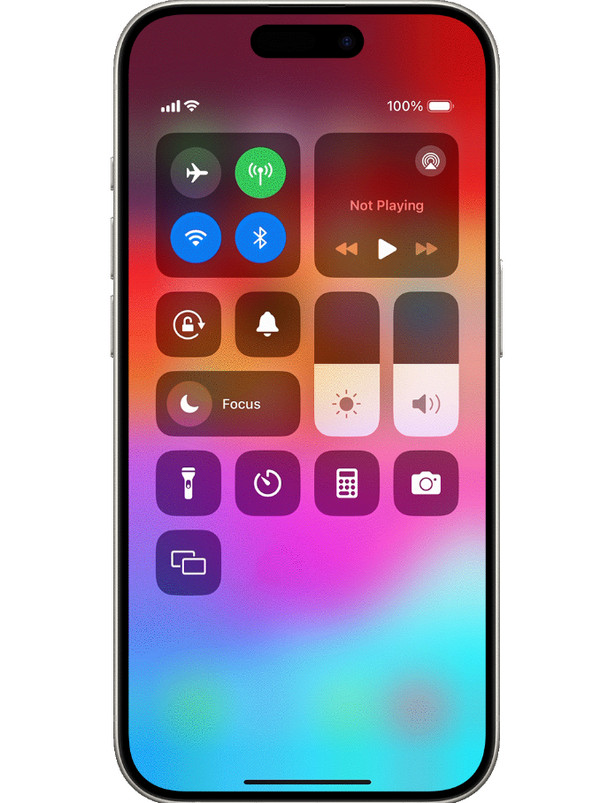
Step 1 Open the "Control Center" by swiping up or down, depending on your iPhone model.
Step 2 From there, turn off Bluetooth, Wi-Fi, and AirDrop if not needed.
Step 3 You can also do it in "Settings".
5. Update iOS
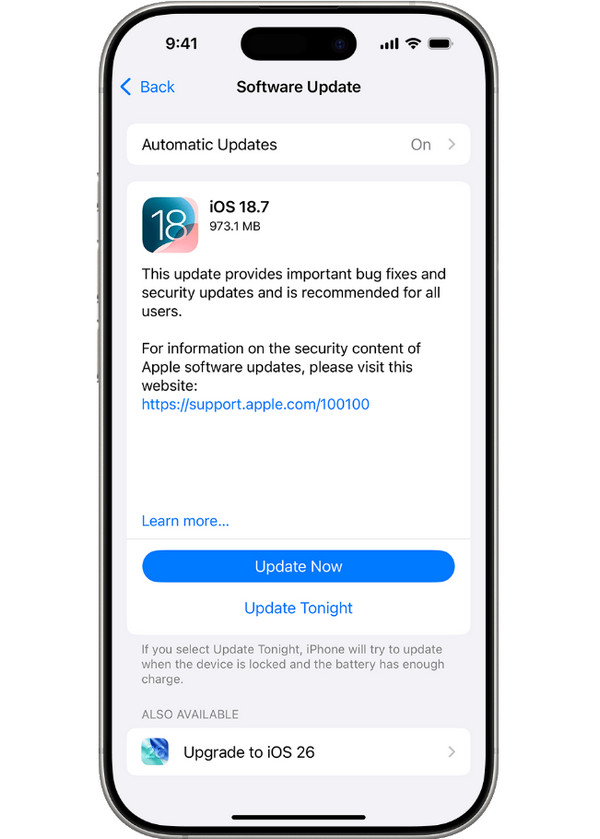
An outdated version has bugs that cause the iPhone gets hot all of a sudden. Keeping your device updated ensures stability and compatibility.
Step 1 Open "Settings", tap on "General".
Step 2 Select "Software Update".
Step 3 If an update is available, tap the "Update Now" button.
6. Lower Screen Brightness
A bright display is among the main causes why your iPhone is getting hot. Try reducing it to maintain a cooler temperature.
Step 1 Swipe down from the upper-right corner.
Step 2 Sccess the "Control Center".
Step 3 There, drag the brightness slider down to a lower level.
7. Disable Background App Refresh
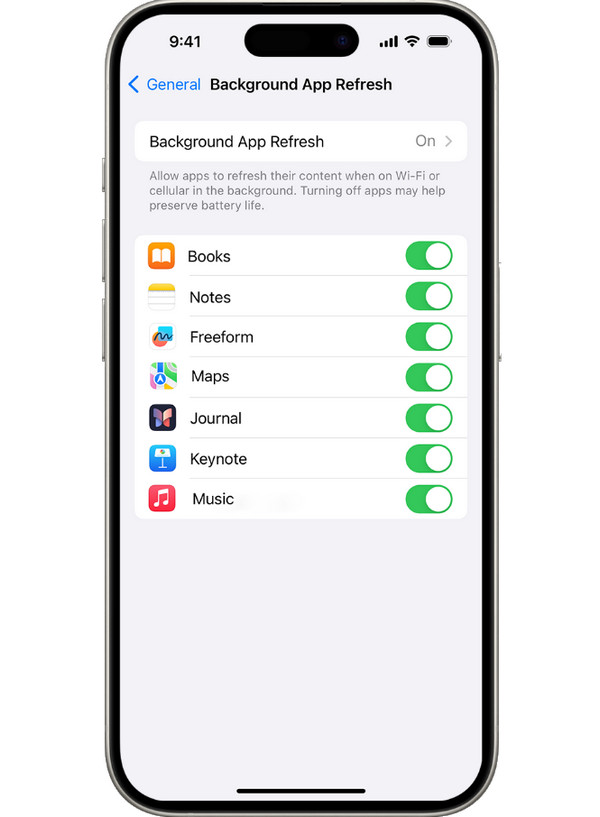
While Background App Refresh is convenient for updating content even when you're not using it, it consumes more processing power, which causes iPhone to get hot faster.
Step 1 Open "Settings".
Step 2 Go to "General", and tap on "Background App Refresh".
Step 3 Select "Off" or "Wi-Fi only" to reduce load, preventing unnecessary activity.
8. Reset iPhone Settings
Since iPhone overheating may result from conflicting settings too, resetting all settings can help resolve this, but it's crucial to back up your data first to not losing important files.
Therefore, to securely back up your iPhone, use AnyRec PhoneMover. This professional iPhone transfer software allows you to transfer all or selected data to your computer safely. Unlike iCloud/iTunes, it gives you complete control and flexibility. So, you can transfer, back up, and restore any data without overwritten. It works fast, reliably, and ensures that no file gets affected during the process. If you want to back up iPhone without iCloud or iTunes, you can click the Free Download button to get this software immediately.
Secure Download
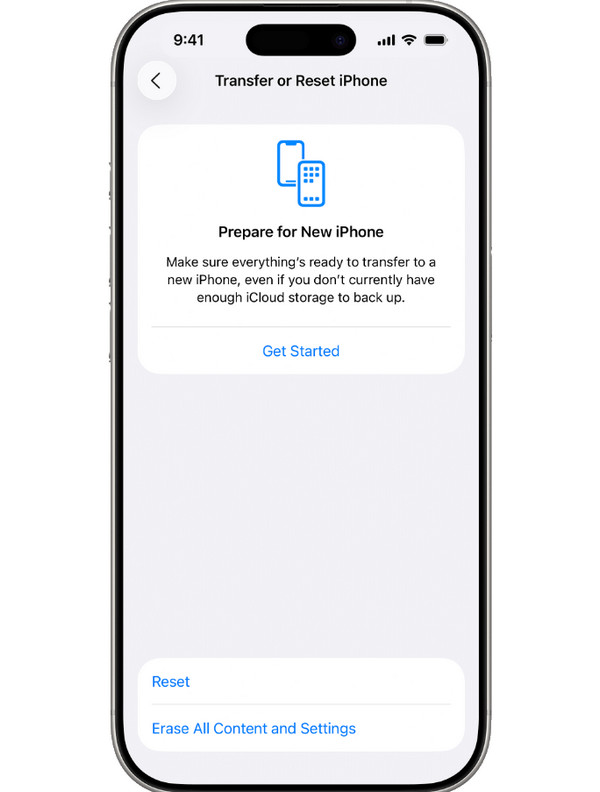
Step 1 After backing up your data, open "Settings" on your iPhone.
Step 2 Go to "General" and tap on "Transfer or Reset iPhone".
Step 3 There, choose "Reset" and select "Reset All Settings".
Step 4 Confirm the decision and wait for it to be completed.
9. Avoid Direct Sunlight Exposure
If you leave your iPhone under direct sunlight or in any hot environment, of course, it can quickly raise its temperature. Ensure it stays in a cool, shaded area to prevent iPhone from overheating.
10. Check for Battery Health Issues
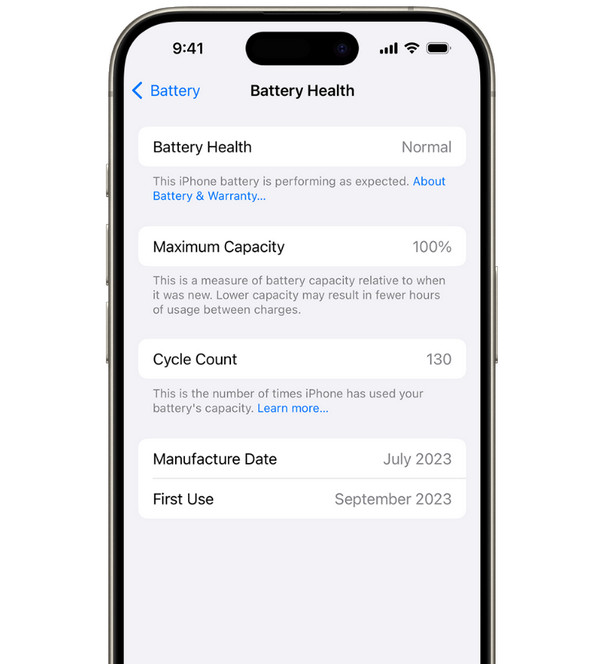
A weak battery can cause your iPhone getting too hot more than usual, especially during heavy use. Keep it in check to determine whether you need a replacement to prevent overheating.
Step 1 In "Settings", go to "Battery" and select "Battery Health & Charging".
Step 2 There, check the "Maximum Capacity" percentage.
Step 3 If it is below 80%, consider getting it replaced at an Apple Store near you.
Conclusion
A common issue for iPhone users, but it does not have to cause panic, is overheating. You can apply the above solutions to stop iPhone overheating. Out of all the reasons and fixes, if you decide to reset all settings to resolve the issue, don't forget to back up important data first with AnyRec PhoneMover. This tool lets you safely back up your data to a computer before performing a reset, keeping your contacts, messages, photos, and other files safe. It is your smart choice to back up iPhone without iTunes and other traditional programs. With its secure and easy way, you can have peace of mind while optimizing your device's performance.
Secure Download



