Best AI GIF Upscalers for Professional Enhancement

A GIF upscaler is a very useful tool nowadays. Unlike ordinary image formats, a GIF as a moving image does not have just one frame of image, but rather a series of moving frames of images. Therefore, ordinary image editing tools cannot directly edit GIFs. However, with the help of a GIF upscaler, you can directly perform an enhancement on your GIFs to share them with other friends or post them on social platforms. This post recommends several reliable ways to upscale GIFs for you.
Guide List
4 Reliable Options to Upscale GIFs Online Tips for GIF Upscaling for Better Quality [Bonus] Upscale Static Images Online for Free4 Reliable Options to Upscale GIFs Online
Apart from AnyRec AI Image Upscaler, there are also some reliable GIF resolution upscalers. If you have tried searching, you might find that there are many options available online, leaving you unsure which one is truly suitable for you. In fact, many of them are not able to assist you in completing the task of editing GIFs. After this section has been tested, it has filtered out some GIF upscalers that can truly benefit you. You can choose one based on your own needs.
| Tool Name | AI Enhancement | GIF Support Type | Processing Speed | Ease of Use | Key Limitation |
| EZGIF | Low | Direct GIF editing | Fast | Very Easy | No AI enhancement |
| Waifu2x (Frames) | Medium-High | Frame-based workflow | Medium | Moderate | Requires manual workflow |
| ImgUpscaler | High | Frame-based workflow | Medium | Easy | Needs GIF-to-frames process |
| Deep Image AI | High | Frame-based workflow | Medium-Slow | Easy | Credit-based usage |
1. EZGIF
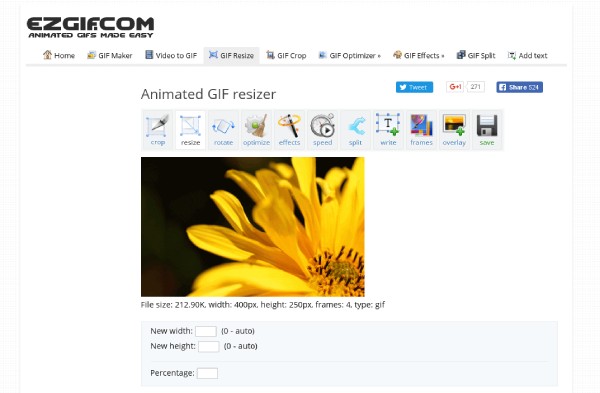
As a GIF upscaler that has provided assistance to users for many years, EZGIF is very popular among many users. After uploading the GIF, you can manually adjust each part according to your own requirements. Although no AI tools were used, manual adjustment ensured that the output could best meet your requirements.
- Pros
- No registration required to access full features
- Support further editing GIFS after enhancement
- Fast and lightweight for small-sized GIFs
- Cons
- Work without AI assistance
- Limited detail reconstruction
- Only manual adjustments provided
2. Waifu2x GIF
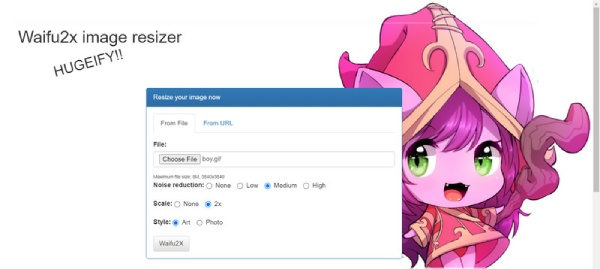
If you have experience in processing anime images online, then Waifu2x is surely a name you are familiar with. But what you might not know is that Waifu2x can also assist you in completing the task of GIF upscaling. By extracting each frame from the GIFs, you are allowed to make manual adjustments to the image of each frame. This approach enables your GIFs to be processed in detail, thus meeting your specific requirements.
- Pros
- Excellent for anime and line art
- Edit and crop GIFs online
- Extract each frame to upscale and edit
- Cons
- Can not upscale GIFs as a whole
- Not ideal for GIFs with realistic objects
- Processing speed can be a little bit slow
3. ImgUpscaler
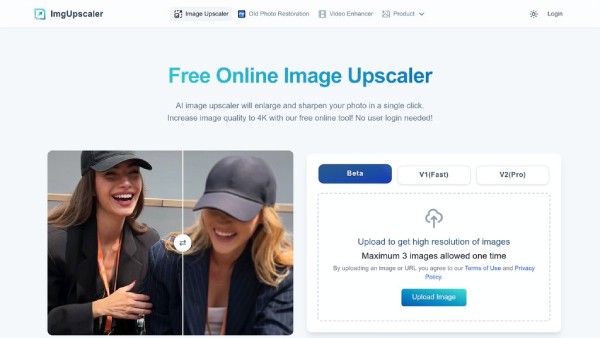
For those users who are looking for a free AI GIF upscaler, ImgUpscaler is a good choice. With the assistance of AI technology, you don't need to perform many manual operations. You can simply wait for the AI model to help you enhance the GIF automatically. However, this also becomes its drawback, as it implies that you have very little freedom for manual adjustment.
- Pros
- AI-powered detail enhancement with automatic process
- Batch processing is supported to save your time
- Simple interface and clear guidance
- Cons
- The adjustment for each frame of the image may vary
- You cannot access the full features on the free plan
- Output consistency depends on frames
4. Deep Image AI
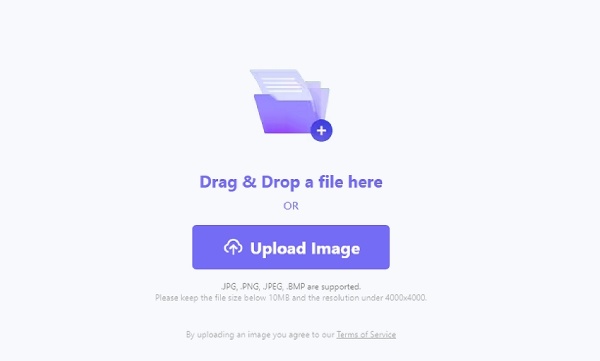
As a cloud-based platform, Deep Image AI offers a solid online solution to help you upscale GIFs. Even for professional or commercial purposes, Deep Image AI can assist you in completing tasks and reveal all possible details on the GIFs.
- Pros
- High-quality AI enhancement for each frame
- Large GIF upscaling is supported
- A stable web-based platform for processing
- Cons
- Credit-based free usage every day
- Require an account to log in for usage
- Processing may be slow for large GIFs
Tips for GIF Upscaling for Better Quality
If you want to achieve the best GIF output quality, this section offers some effective methods that can significantly enhance the GIF upscaling effect. You can adopt some of them and apply them to your work process.
1. Use High-Quality Source GIFs
When the processing power of the GIF upscaler affects the quality of the output, the original quality of the uploaded GIF is equally important. In simple terms, the higher the quality of the original image, the clearer the resulting GIF will be.
2. Process Frames Consistently
Since a GIF is a moving image composed of different frames of images, this means that when you need to upscale a GIF, each frame of the image needs to be taken into consideration. This difference will be manifested in both manual operations and the processing by AI models. Manual operation would make the process more complicated, while AI models might skip some frames.
3. Balance Sharpness and Noise Reduction
For GIF upscaling, it is not the case that the higher the degree of sharpness and noise reduction, the better. Especially for GIFs that contain real images, excessive adjustment can cause the content of the GIFs to lose its natural appearance.
[Bonus] Upscale Static Images Online for Free
When it comes to the best tool to upscale static images online for free, AnyRec AI Image Upscaler is undoubtedly the most reliable option. Whether you want to enhance portraits, landscapes, illustrations, or anime images, it offers you corresponding options with specific parameter settings and style adjustments. All you need to do is upload your picture, and AnyRec AI Image Upscaler will automatically complete the overall analysis and enhancement of the image without requiring any manual operation from you. Whether you are a beginner or a professional, you will find that your images will all be up-scaled to a higher level.
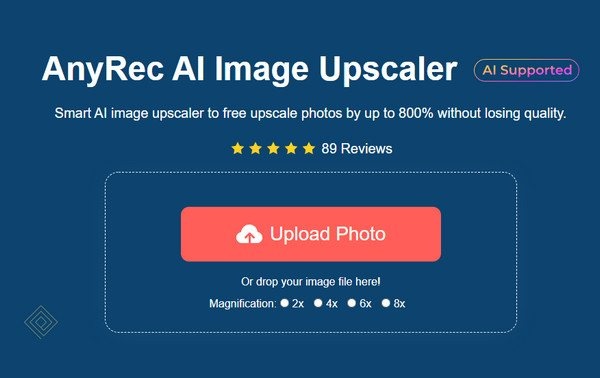
Why We Recommend It
- • Use AI technology to sharpen images from 200% to 800% without losing texture.
- • Upscale and enhance images to help pixelated artwork look clean and sharp again.
- • Enhance images to improve clarity of details before printing, sharing, or archiving.
Conclusion
This post recommends several reliable GIF resolution upscalers for you. Although the processing of GIFs is different from that of ordinary images, as it involves handling each frame, these tools can still be of assistance to you. If you need it, you can now use it for free to enhance your GIFs. Besides them, AnyRec AI Image Upscaler enables you to upscale static images for better quality for free.
About Our Author